RDM GUI fuzzy on windows scaling 150%

I'm using Windows 11 and I have 2 monitors.
My primary monitor is on 100% scaling. The secondary (laptop) is on 150%.
On my main monitor the GUI of RDM is correct, but as soon as I move the RDM window to my other screen it gets "fuzzy".
I also tested by directly opening it on my secondary monitor, but then its still fuzzy. Like its zoomed instead of scaled.
On my secondary monitor, other applications like notepad are correctly shown.
See the attached screenshot of RDM and notepad on my secondary monitor.
This is about the GUI of RDM itself.
The connected session shows the same, but might be related to each other.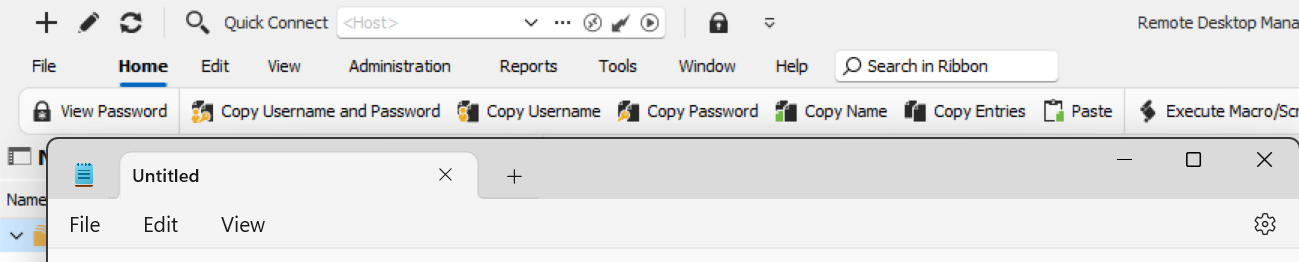
RDM.png
All Comments (1)
Hello,
This is a known issue.
For the moment, RDM does not support the feature called "per monitor HDPI". We hope to support this eventually.
As of now, we can proposed the workaround mentioned in this help article
https://docs.devolutions.net/rdm/kb/rdm-windows/troubleshooting-articles/high-dpi-issue/
Best regards,
Jeff Dagenais