Error code displayed when exiting session with Dell N20xx switching
Error code displayed when exiting session with Dell N20xx switching

Curious what/why and if there's some configuration required to get rid of an annoying error - when exiting out of a Dell N20xx SSH CLI session, RDM displays "An unexpected error occurred. Error code : -2147014842". I just "OK" past it, it's not a big deal but it is irritating and none of my other switches display that error when closing out an SSH session in RDM. That includes Dell 55xx, Cisco, etc. Thinking maybe there's a setting somewhere that would clean up the exit process on these specific switches. Thanks!
All Comments (7)
Hello,
Thank you for reaching out to us regarding this,
- Could you please specify the version of RDM you are currently using?
- What type of data source are you using?
I'm also wondering if you could provide me with a screenshot of this error.
Let me know,
Best regards,
Samuel Dery
Sorry for the delayed response - kinda got lost in the email blizzard of the last week. Current version is 2024.2.16.0 64-bit Data source shows to be "Connections.db"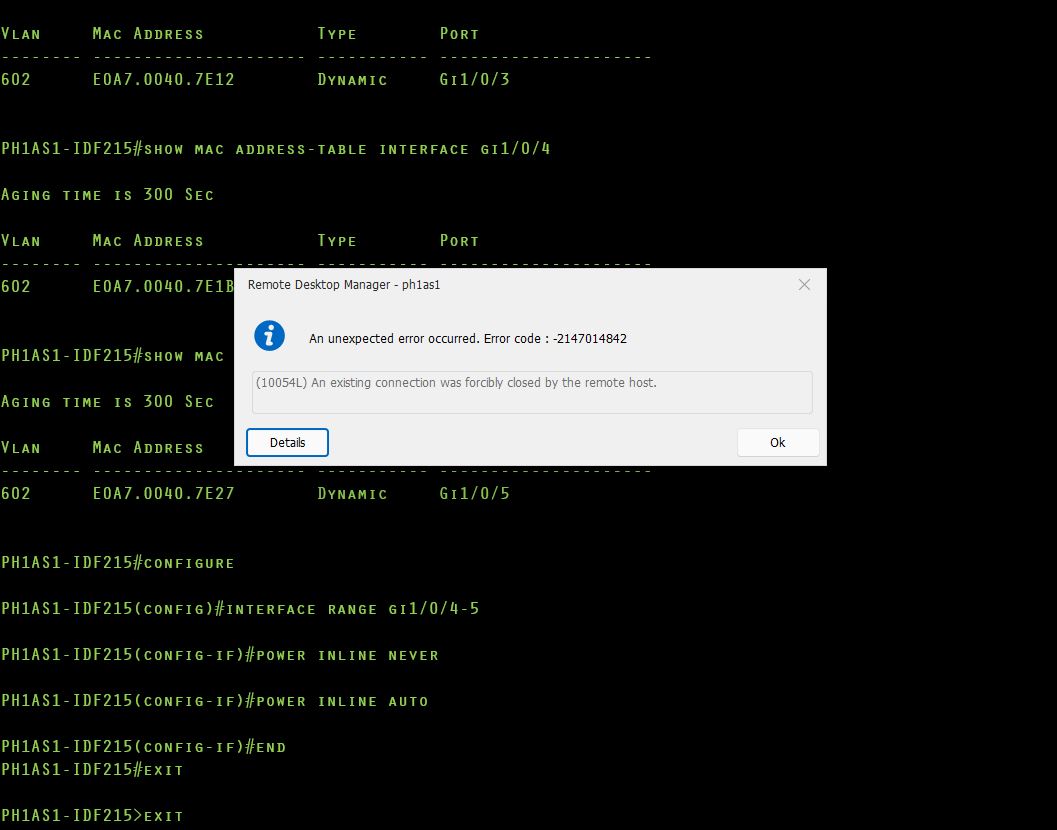
RDM_Error.JPG
Hello,
Thank you for your reply,
I see, for the Hosts where you're encountering this issue, perhaps changing the option "Display error messages" to "No" would help with this, you can do so in the entry "Properties" under the "Advanced" section.
Let me know if this helps,
Best regards,
Samuel Dery
I don't see that option under Advanced.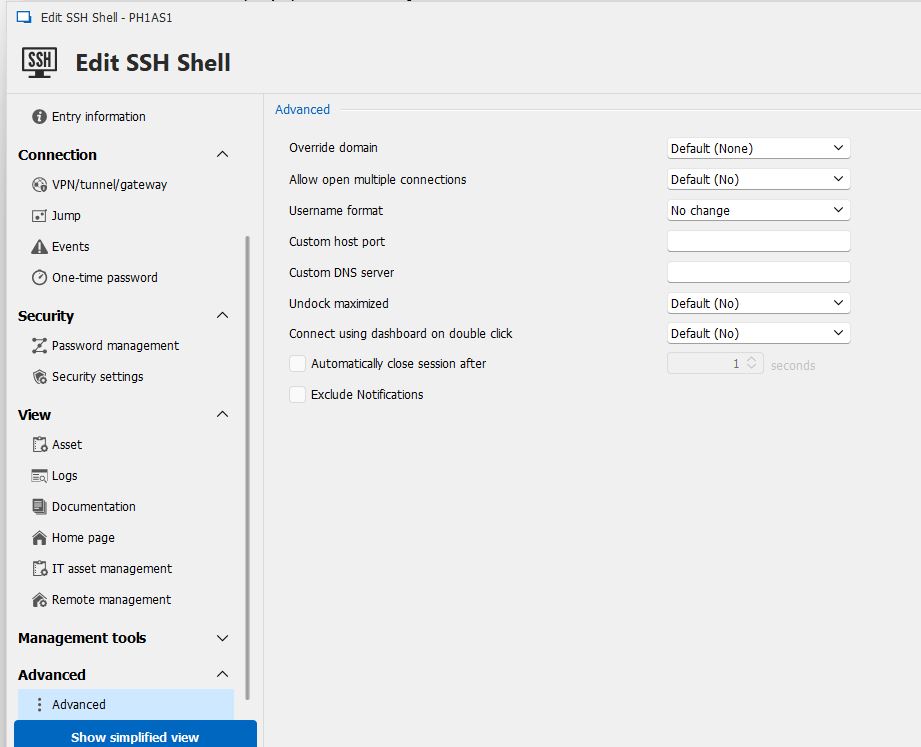
Advanced.JPG
Hello,
Thank you for your reply,
Ah, under the "General" section, you have a subsection named "Advanced":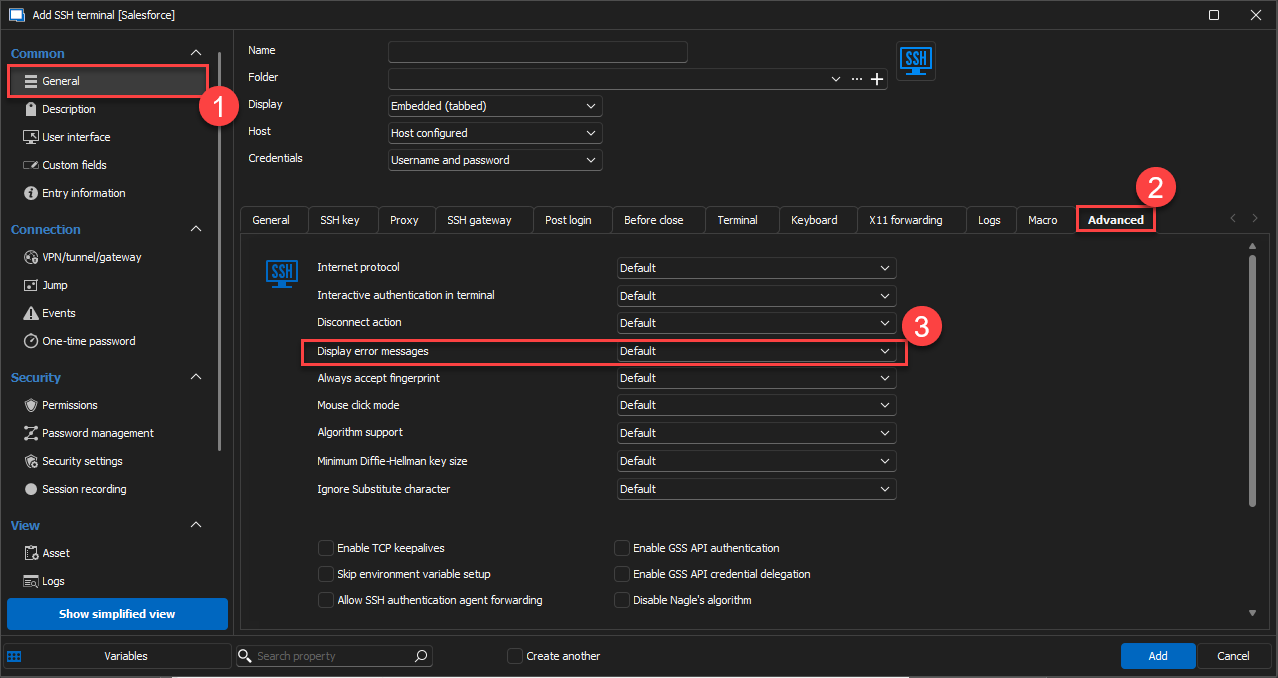
Let me know,
Best regards,
Samuel Dery
01900679-52ed-4c38-a382-b7611d78ef41.png
Ah - there it is. Thank you. While this seems a bit like "taping over the Check Engine light" - it works. Good 'nuff.
Hello,
Thank you for your reply,
Indeed, since this error is only occurring for you when closing the session, I assumed this workaround would work for you,
If you prefer to investigate this further feel free to let me know and I will be more than happy to,
Best regards,
Samuel Dery