Status icon
0 vote

I think it might be interesting as feature (if it's already present, I haven't found how to activate it) to be able to have the icon of each individual host colored based on the ping.
Or add something in the overview tab that helps me understand if the host is online or not.
It happens that I have to connect to 50-70 hosts in RDP to update the OS and I have to reboot every single host in turn.
I would like to be able to understand when I can reconnect
Thank you
All Comments (6)
Hello,
I assume this is the feature where you're looking for 😉
https://docs.devolutions.net/rdm/commands/file/background-services/#is-online
Regards,
Min
Hello,
If you go in File > Background services, there is the "Is online" tab with a feature for this.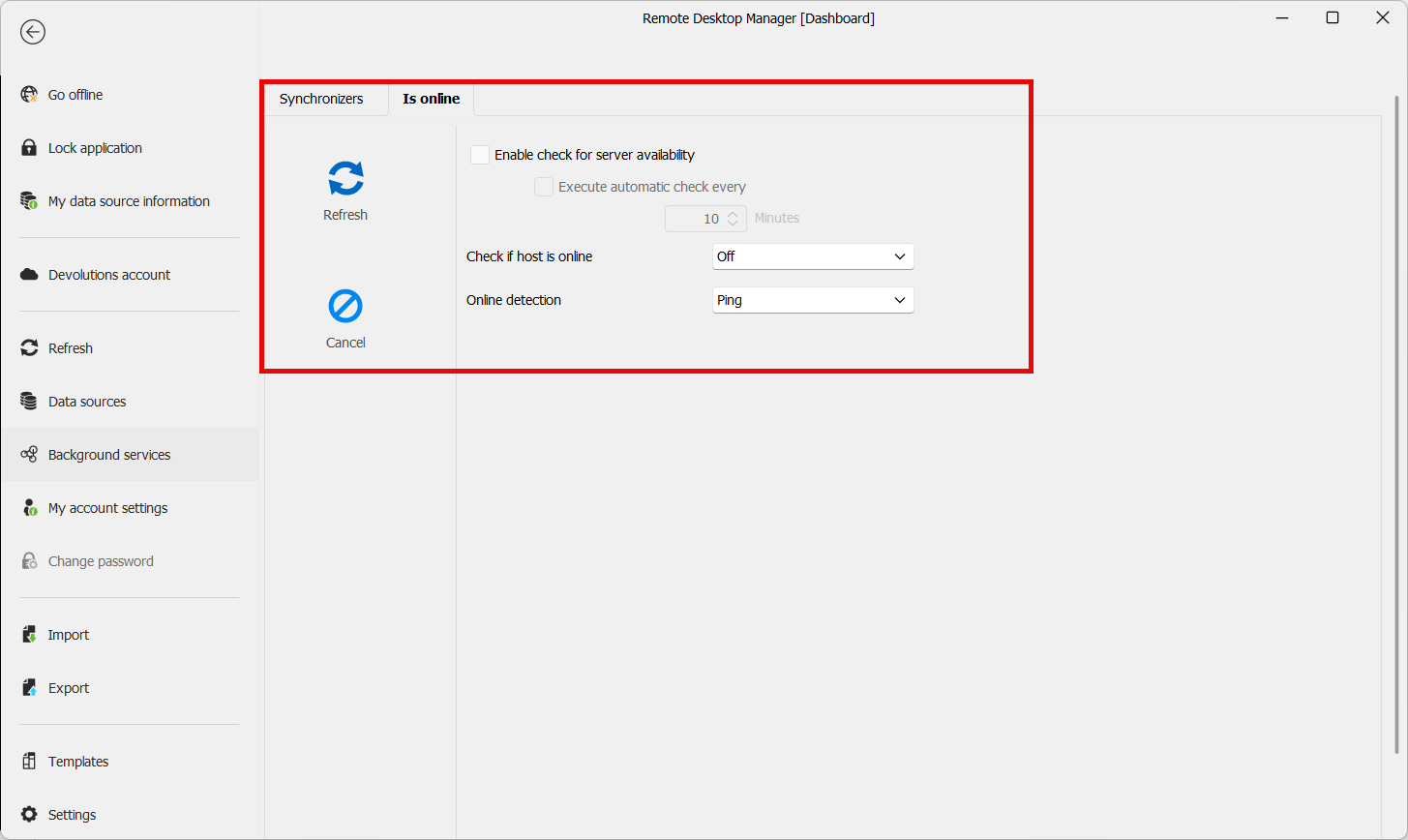
This will color the entries in the tree.
On individual entries, you could also use the "Check if host is online" tool, though this will not change what is shown in the tree.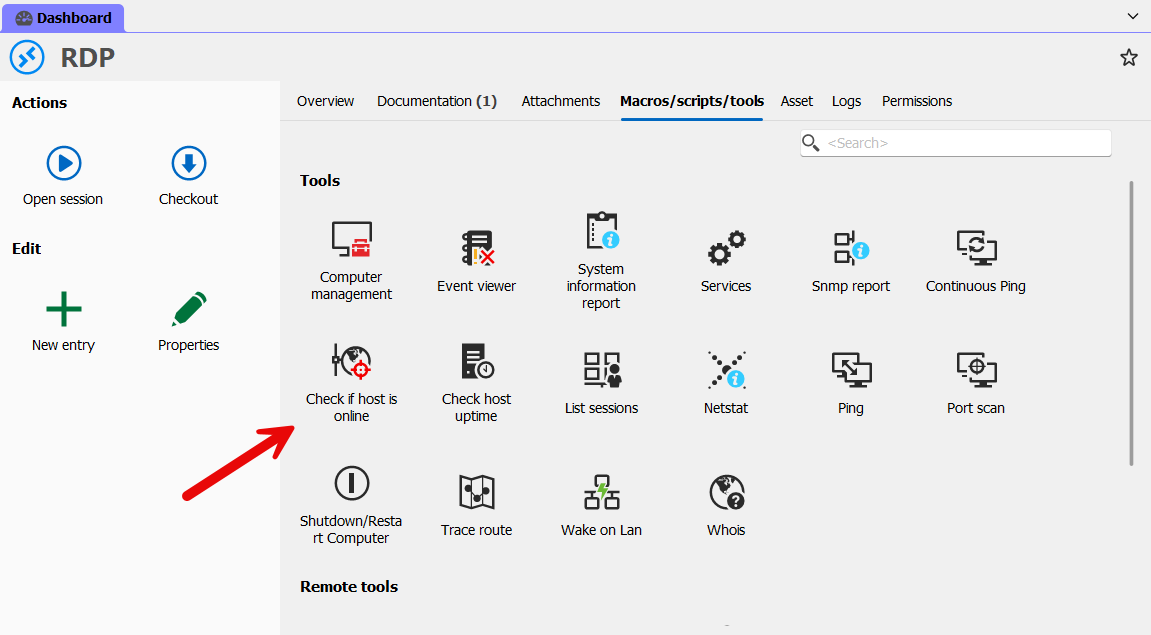
Let me know if either of these solutions help in your case.
Regards,
Hubert Mireault
0ff22158-d91d-4885-a931-d4d9cf226caa.png
7ca9b6b1-ddbe-4048-a211-740cf9a2db94.png
I already had these options active
this does not allow me to understand in real time whether a given host is online or not (without using the tool)
because the icons in the tree don't change color for me
Hello,
How did you configure the check for server availability? For my testing I did it this way: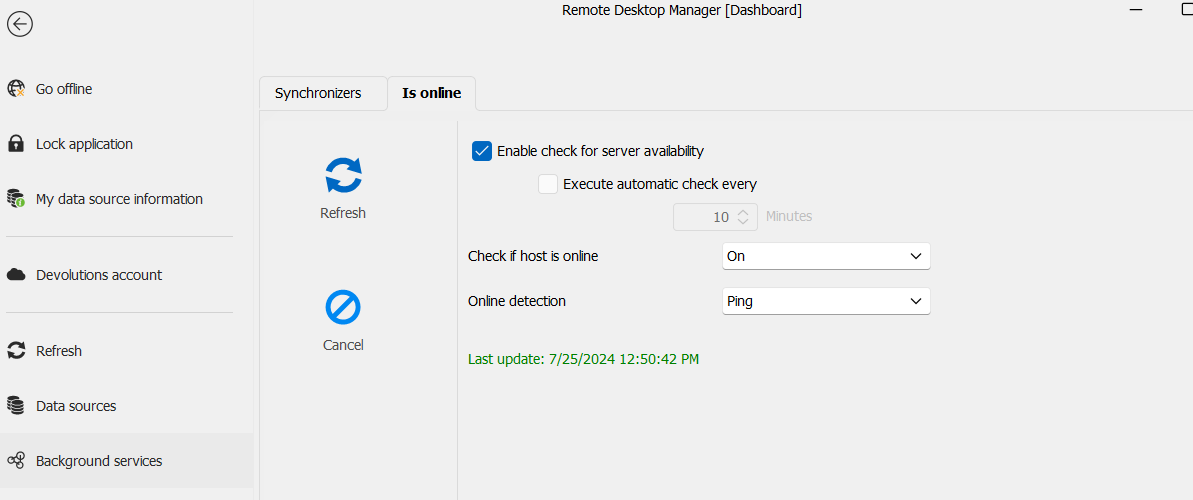
The result after pressing "refresh", my hosts that aren't pingable are colored red in the tree: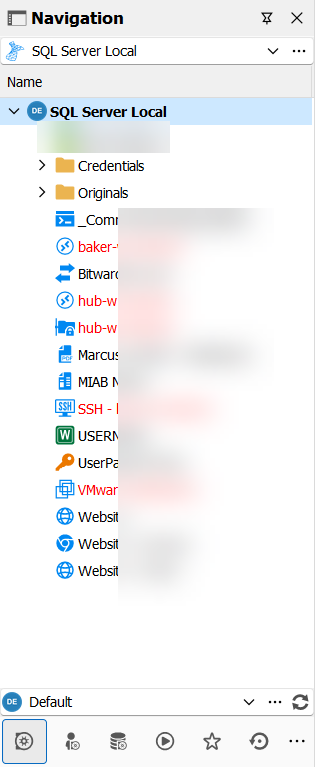
At the moment the way it's implemented, it would cause a lot of performance issues to be done in real time. We have plans in the future to have a more "real time" uptime verification, but it comes with its challenges. If the current behavior doesn't work for you, then I will link your case to our internal ticket for our planned rework of the uptime feature.
Regards,
Hubert Mireault
e0062381-8458-43d4-b86f-74164df0f797.png
0c1b3044-0c2f-4892-8bd2-4c8130f05e55.png
The configuration is correct
I hadn't thought to click on Refresh :(
The icons actually turn red
Thanks a lot for the help
Have a good day
I'm glad we could help and this works for you. Let us know if there's anything else, and have a great weekend.
Regards,
Hubert Mireault