Powershell remote errors

Hello,
Having a few issues when launching a PowerShell 'remote' type entries with RDM 2024.2.15:
1) Parameters can be specified in the entry properties, but they dont appear to be available when the embedded script runs on the remote host (i.e via $args[0]), nor is there anywhere to specify them as 'arguments' in the same way as is done for a 'local' PowerShell script entry.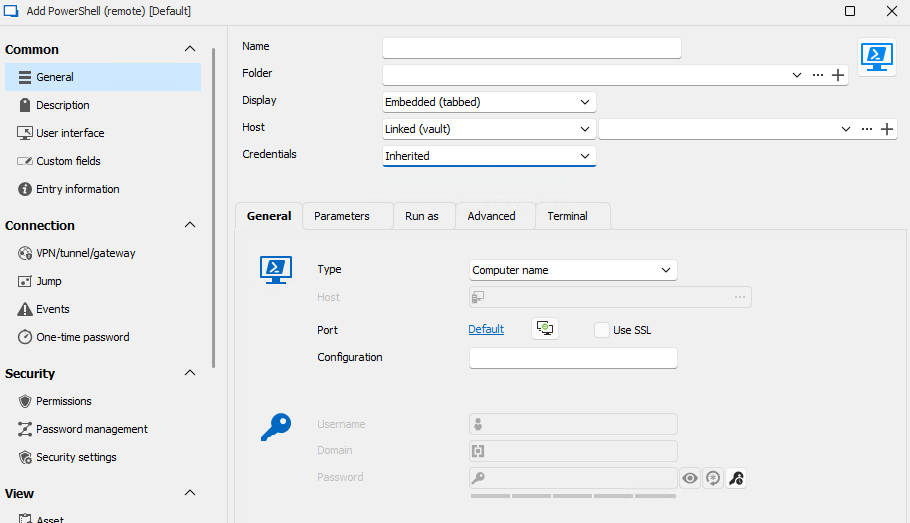
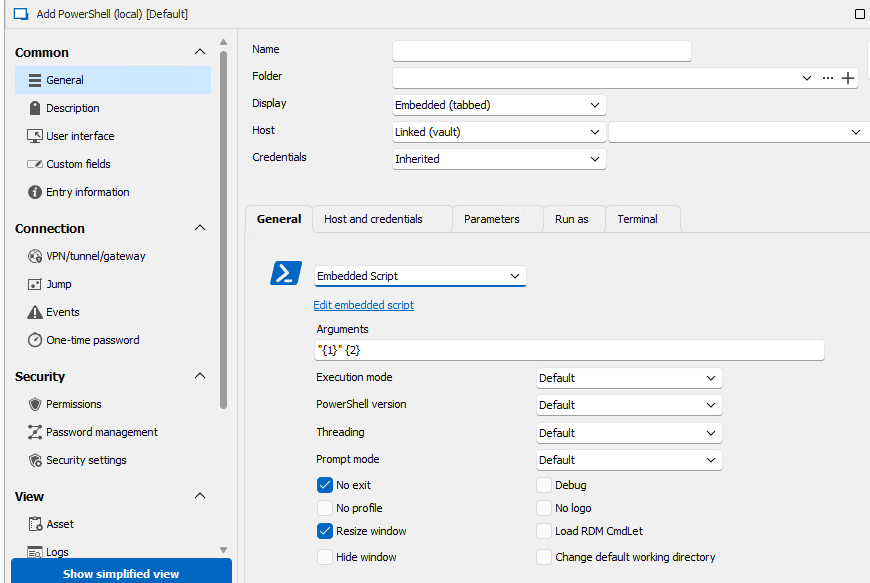
2) When a 'run as' account is specified, the script doesnt execute. Application log indicates its an issue with parameter passed to conhost.exe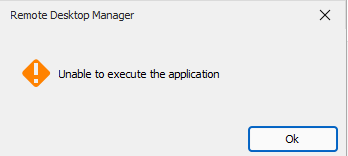
System.ComponentModel.Win32Exception (0x80070057): An error occurred trying to start process 'conhost.exe' with working directory 'C:\Program Files\Devolutions\Remote Desktop Manager'. The parameter is incorrect.
at System.Diagnostics.Process.StartWithCreateProcess(ProcessStartInfo startInfo)
at System.Diagnostics.Process.Start(ProcessStartInfo startInfo)
at Devolutions.RemoteDesktopManager.Business.Connectors.PowerShellConnector.DoRun(Connection connection, OpenConnectionMode openConnectionMode)
3) If the 'Host' property of the PowerShell (remote) script entry is linked to another vault entry, and that entries' 'Host' attribute is using a variable (i.e. $NAME$.domain.local), then a computer name not valid error appears when launching the script.
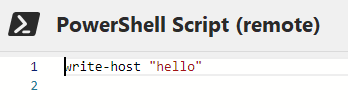
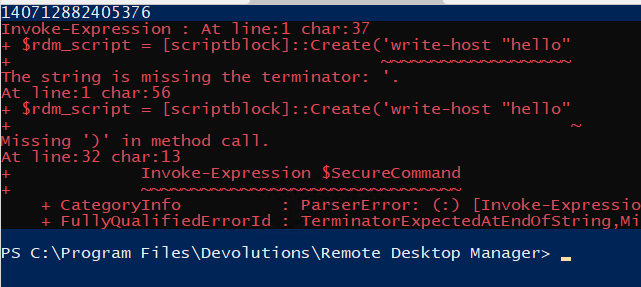
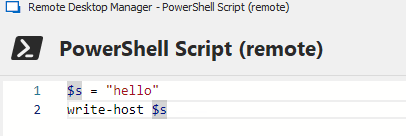
4) If there is more than one line in the embedded script, an error occurs relating to creation of the 'script block'. For example:
this works
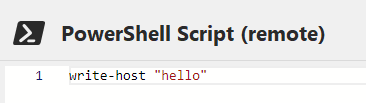

but this doesnt
nor does this
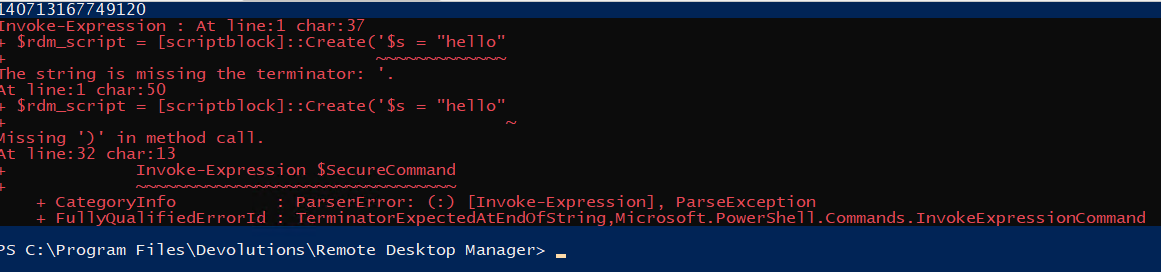
Also not sure why the same number (14071..etc) shows in the first line of the output, given it is not specified anywhere within the script or connection properties.
Please let me know if you would like any additional info.
Thanks
Joe
b9562ab6-76b4-45c4-8188-c1030008e886.png
573acdb4-7c4a-4c7e-8d22-7ed4de06452f.png
8eec0c89-441f-4edf-8926-46774c69a527.png
ec9e95aa-f6c9-4227-9a30-04b9f438eb34.png
7d578e99-f889-4272-85c4-f54f44ce5859.png
9ed3db6f-dc81-4ad4-8b7b-aa59e725545f.png
e0dda3f6-26d0-40e2-abe3-b55360a2ae77.png
67ef6dc5-01e9-4a2d-a5c1-32a0de252cb2.png
d811d6d0-7dbf-4ac8-ab92-be3305b2ceef.png
542b0f53-4db3-47f9-8f09-96dc71851735.png
All Comments (3)
Hello jm2,
I've been testing this for two days now.
Could you tell me what happens if you are using PowerShell 7 if you can connect?
Are you able to launch the remote session using elevated permission in RDM?
Are you trying to run another script in the remote session using the parameter {1} with the local PowerShell session?
Best regards,
Patrick Ouimet
Hi Patrick,
Thanks for looking into it.
Re: "Could you tell me what happens if you are using PowerShell 7 if you can connect?" The behaviour is the same even when the RDM remote powershell script entry is set to use v7
Re: "Are you able to launch the remote session using elevated permission in RDM?" The behaviour is the same even when setting the option to 'run an administrator' on the entry. RDM is run by non administrative users, but the credential on the entry is a local admin.
Re: Are you trying to run another script in the remote session using the parameter {1} with the local PowerShell session? No, I'm not sure if the parameters even make it to the remote powershell session, because if I specify parameter 1, and set the embedded script to simply be write-host $args[0] there is no output. Parameters work fine with 'Local PowerShell' entries, because those entries have a setting to specify arguments for the script.
Pls let me know if you would like more info.
Joe
Hello Joe,
I sent you an email to investigate further.
Best regards,
Patrick Ouimet