Create new RDP connection missing location to fill in username and password
Create new RDP connection missing location to fill in username and password

I upgraded the most updated version 2024.2.14.0 64-bit.
When I create a new RDP session.
I found there is no place for me to enter username and password when I set the credentials use "Username and password". 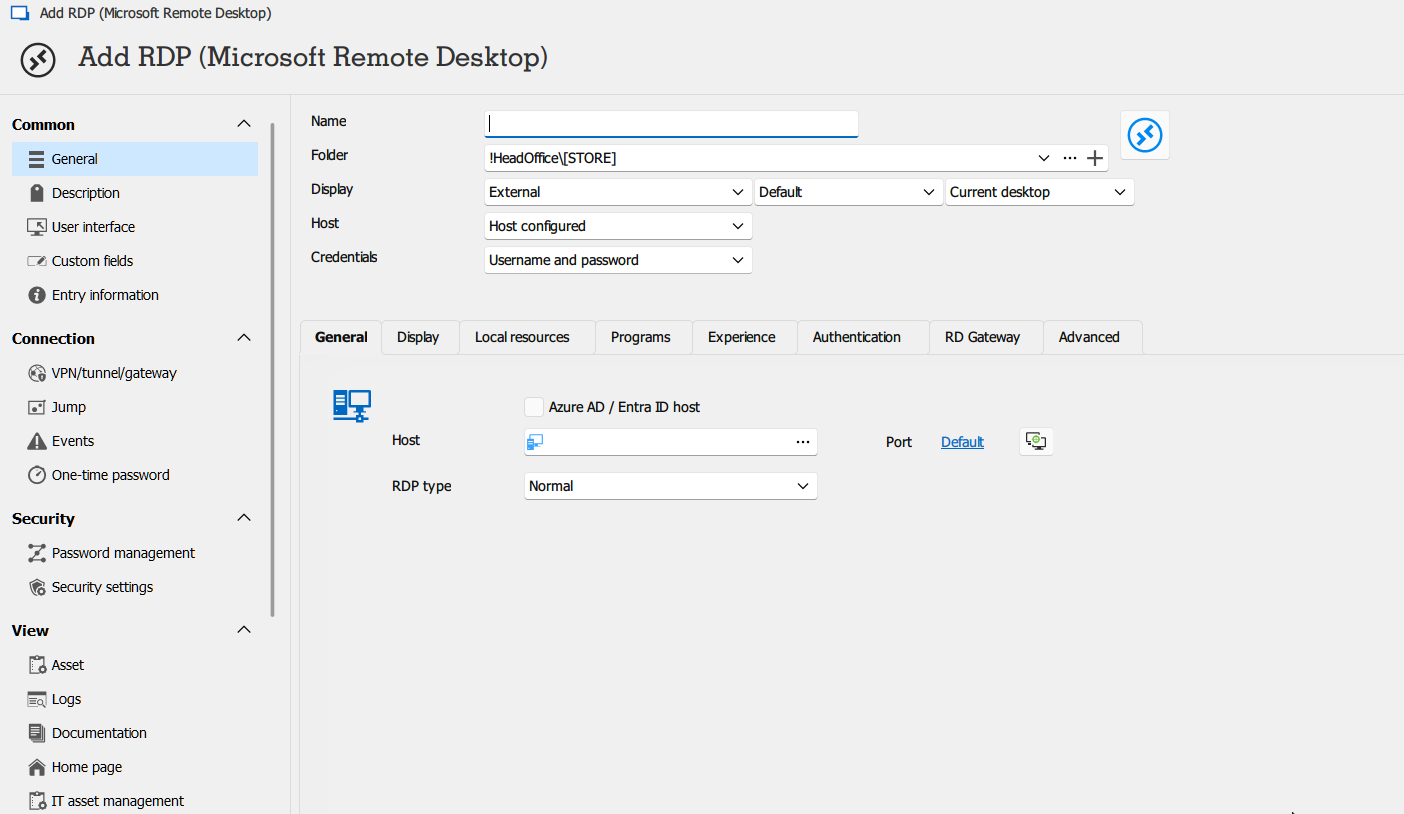
279e1ff5-1513-432b-a81f-f08443ee08f7.png
All Comments (6)
We have the same problem for a new installation but not for an upgrade of an existing version.
Facing similar issues with new installation, 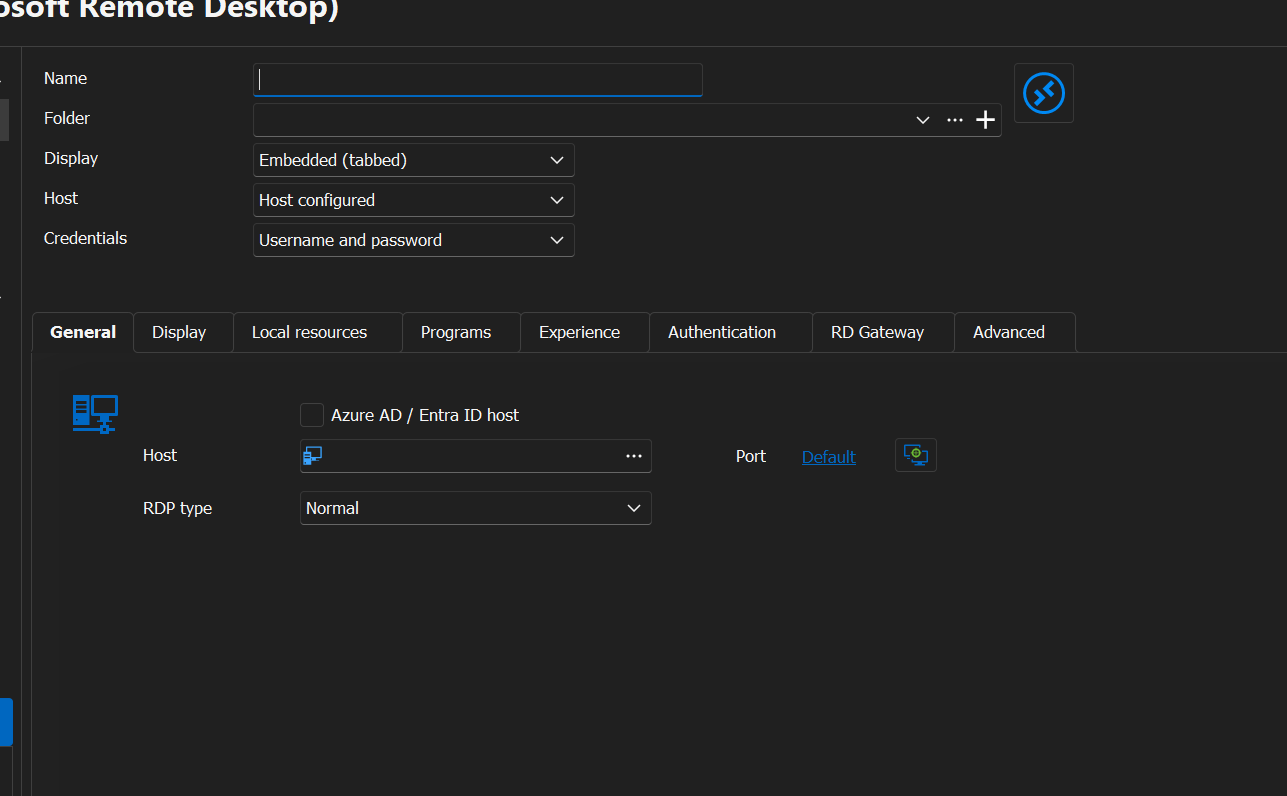
a6f3d6e4-771f-4f2f-8edd-5cdd74db725f.png
Hello,
We are currently investigating this issue in high priority. From what we can tell, it's linked to certain display scalings. Are your screens high DPI, with a scaling mode like 125% for example? If so, temporarily switching to a different scaling mode might fix this issue.
Regards,
Hubert Mireault
Hi All
Thank you Hubert for the heads-up.
To confirm, this workaround fixed the problem:
File -> Settings - > User Interface - change the Display Scaling selection to "DPI Unaware"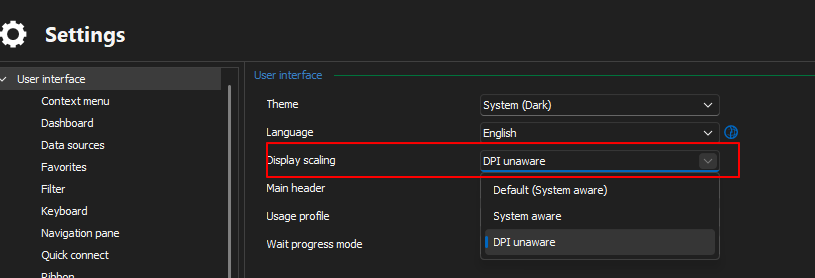
RDM display scaling.png
Hi everyone!
We found a fix for this issue, it should be available in the next version of RDM (2024.2.15.0), which should be available soon.
We're sorry for the inconvenience.
Best regards,
Xavier Fortin
Working again with 2024.2.15...
Brgds Andreas