Version management keeps reverting back to 2024.1

Hello,
Recently did an upgrade to 2024.2 and with every previous database upgrade, I have always had it automatically management version management, but this time round it keeps reverting back to 2024.1
This is becoming a bit of annoyance for our service teams that need this daily, and also will need this OOH which I don't work OOH and won't log in for.
I run RDM on MSSQL which is hosted on a CentOS7 Linux box (yeah, MSSQL on CentOS7 Linux? Stupid I know. I'm looking at migrating over to Ubuntu/MariaDB soon) but I really need to get this sorted to get it off my back, had a look in Application Logs and Diagnostic under help and this shows no relevant information at all.
[01/07/2024 17:38:16 - 2024.2.13.0 - 64-bit] Info: Upgrading database for data source ' - new' with version 933
[01/07/2024 17:38:16 - 2024.2.13.0 - 64-bit] Info: Upgrading database for data source ' - new' with version 934
[01/07/2024 17:38:16 - 2024.2.13.0 - 64-bit] Info: Upgrading database for data source ' - new' with version 935
[01/07/2024 17:38:16 - 2024.2.13.0 - 64-bit] Info: Upgrading database for data source ' - new' with version 936
[01/07/2024 17:38:16 - 2024.2.13.0 - 64-bit] Info: Upgrading database for data source ' - new' with version 937
[01/07/2024 17:38:16 - 2024.2.13.0 - 64-bit] Info: Upgrading database for data source ' - new' with version 938
[01/07/2024 17:38:16 - 2024.2.13.0 - 64-bit] Info: Upgrading database for data source ' - new' with version 939
[01/07/2024 17:38:16 - 2024.2.13.0 - 64-bit] Info: Upgrading database for data source ' - new' with version 940
[01/07/2024 17:38:17 - 2024.2.13.0 - 64-bit] Info: Upgrading database for data source ' - new' with version 941
[01/07/2024 17:38:17 - 2024.2.13.0 - 64-bit] Info: Upgrading database for data source ' - new' with version 942
[01/07/2024 17:38:17 - 2024.2.13.0 - 64-bit] Info: Upgrading database for data source ' - new' with version 943
[01/07/2024 17:38:17 - 2024.2.13.0 - 64-bit] Info: Upgrading database for data source ' - new' with version 944
[01/07/2024 17:38:17 - 2024.2.13.0 - 64-bit] Info: Upgrading database for data source ' - new' with version 945
[01/07/2024 17:38:17 - 2024.2.13.0 - 64-bit] Info: Upgrading database for data source ' - new' with version 946
[01/07/2024 17:38:17 - 2024.2.13.0 - 64-bit] Info: Upgrading database for data source ' - new' with version 947
[01/07/2024 17:38:17 - 2024.2.13.0 - 64-bit] Info: Upgrading database for data source ' - new' with version 948
[01/07/2024 17:38:17 - 2024.2.13.0 - 64-bit] Info: Upgrading database for data source ' - new' with version 949
[01/07/2024 17:38:17 - 2024.2.13.0 - 64-bit] Info: Upgrading database for data source ' - new' with version 950
[01/07/2024 17:38:17 - 2024.2.13.0 - 64-bit] Info: Upgrading database for data source ' - new' with version 951
[01/07/2024 17:38:17 - 2024.2.13.0 - 64-bit] Info: Upgrading database for data source ' - new' with version 952
[01/07/2024 17:38:17 - 2024.2.13.0 - 64-bit] Info: Upgrading database for data source ' - new' with version 953
[01/07/2024 17:38:17 - 2024.2.13.0 - 64-bit] Info: Upgrading database for data source ' - new' with version 954
[01/07/2024 17:38:17 - 2024.2.13.0 - 64-bit] Info: Upgrading database for data source ' - new' with version 955
[01/07/2024 17:38:17 - 2024.2.13.0 - 64-bit] Info: Upgrading database for data source ' - new' with version 956
[01/07/2024 17:38:17 - 2024.2.13.0 - 64-bit] Info: Upgrading database for data source ' - new' with version 957
[01/07/2024 17:38:17 - 2024.2.13.0 - 64-bit] Info: Upgrading database for data source ' - new' with version 958
[01/07/2024 17:38:17 - 2024.2.13.0 - 64-bit] Info: Upgrading database for data source ' - new' with version 959
[01/07/2024 17:38:17 - 2024.2.13.0 - 64-bit] Info: Upgrading database for data source ' - new' with version 960
[01/07/2024 18:37:06 - 2024.2.13.0 - 64-bit] Info: Windows shutdown occurring, closing application.
[02/07/2024 19:13:28 - 2024.2.13.0 - 64-bit] Info: Windows shutdown occurring, closing application.
Well except for this above. Removed my domain for obvious security reasons, had a look at SQL logs and also nothing...
Its quite confusing as to why this keeps reverting back, if anyone has any advice would be much appreciated.
All Comments (3)
I am quite confused as to why there is no error logging?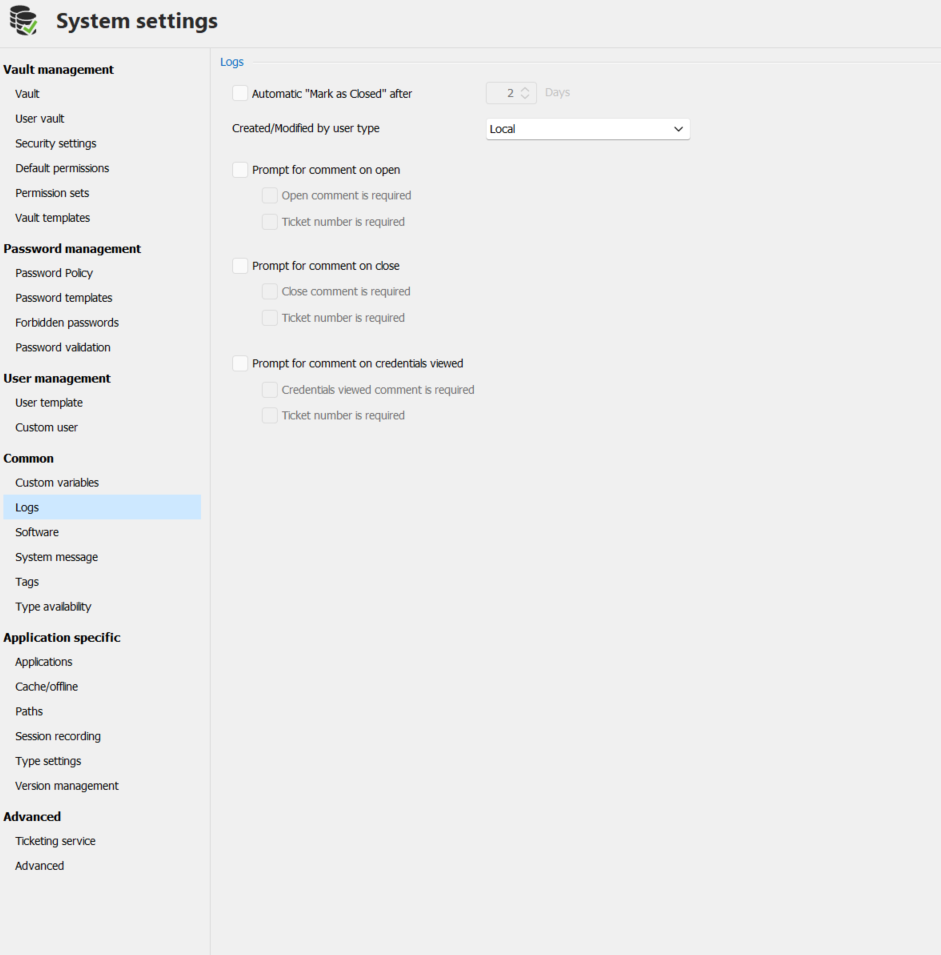
No error logging for the application, no error logging to the database itself, none. No settings to set this up at all? Unless I am missing something? This is making it impossible to find out what time version management reverted, when and why. Surely I can get logging configured some how?
dfd8476a-fe41-4075-902b-7e5b1ac2bab8.png
Ok found something that helped me find why version management was reverting
If you need more assistance please let me know.
Also you can view your change history of your System settings (bottom left of the form) you have a View history button, you can even revert to a previous version of the settings.
Best regards,
Stéfane Lavergne