ssh proxy jump multiple hosts

Hi,
We have a working ssh_config as below. The connection flow is my laptop --> jump1 --> jump2 --> dbserver. There are firewall rules applied
- jump2 allow ssh from jump1 only
- dbserver allow ssh from jump2 only
when I run ssh dbserver, the ssh client connects to jump1 first, then from jump1 to jump2, then from jump2 to dbserver automatically.
## rules that apply to all servers
Host *
ServerAliveInterval 120
ServerAliveCountMax 30
TCPKeepAlive yes
# 1st jumpserver/gateway
Host jump1
Hostname jump1.abc
User bob
# 2nd jumpserver/gateway
Host jump2
Hostname jump2.abc
User bob
ProxyJump jump1
# target server
Host dbserver
Hostname dbserver.abc
User bob
ProxyJump jump2
I am wondering how to config RDM entity to connect to the target server (dbserver)
for jump2 entity, I can just create a SSH entity, then assign jump1 as SSH Gateway, but I dont know how to do that for dbserver when there are two hops to reach dbserver.
Regads,
Eric
All Comments (4)
Hello,
Thank you for reaching out to us regarding this,
Could you please specify the version of RDM you are currently using?
What type of data source are you using?
That being said, from my current understanding, If you have a Jump Host entry for the first host, you can go into the Properties of your SSH Gateway for the 2nd server and, under the "Jump" section, point to the Jump Host entry.
With this configured in your connection for the dbserver, if you go under VPN/Tunnel/Gateway and link to your link to Gateway entry with the Jump Host configured, with this configuration when launching the entry it will make a connection to the Jump Host and from the instance of RDM on this Jump Host should open a connection using your Gateway/Tunnel so that you can connect to the host.
I should mention that I could not test this myself but I believe it should work let me know if you encounter any issues.
Best regards,
Samuel Dery
Hi Samuel,
RDM for MAC: version 2024.2.7.4
data source: google drive
Thanks for the prompt response and the hints. I've tried many combinations, ssh link, ssh session, ssh gateway...etc. And finally, I got it to work with the following steps
- create ssh gateway entity for jump1
- create ssh gateway entity for jump2, in the properties General / SSH Gateway, add jump1
- create ssh shell entity for dbserver, in the properties General / SSH Shell / Gateway, add jump2
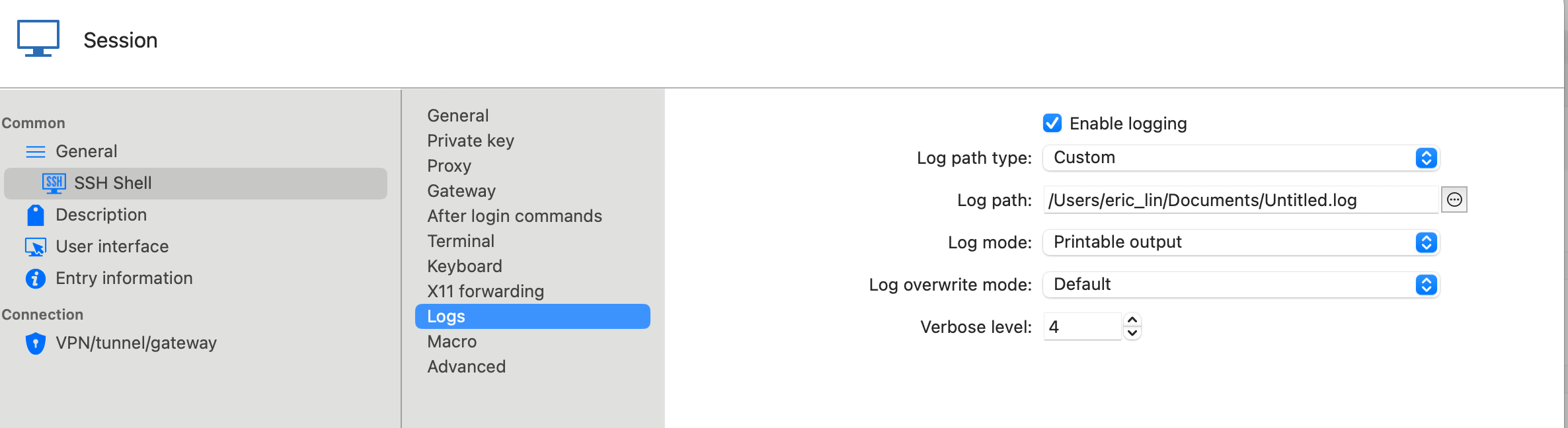
this config works for some servers; however, some other servers show "non specific error" message after making connection. I've enabled log on the problematic SSH shell entity, but nothing logged. Any suggestion to troubleshoot the issue?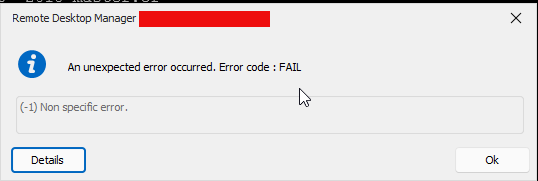

Regards,
Eric
4f68a464-6556-452d-b733-7ebce3ded26e.png
7e9fa578-dc13-4938-a820-39c3bc1da88b.png
0b3fa6a8-b23e-4570-88e8-47f0a0ddeab6.png
Hi Samuel,
I was totally messed up. After re-do all the scenarios from scratch, the config is actually straightforward to support multiple jump hosts.
- create a SSH shell for the dbserver, in the SSH gateway tab, choose custom and add jump1 and jump2 (in this order)
That's all. Nothing fancy and very straightforward. Thanks for your support and sorry to waste your time on this. Orz
Regards,
Eric
Hello,
Thank you for your reply,
No problem, I'm glad to hear this is now working for you!
Best regards,
Samuel Dery