Updater is not launching

Hi!
For some time the updater is not working for me, I have to manually download and install RDM to upgrade it. The usual way just doesn't start the updater. Please see the attached screen recording. There is nothing in the Help - Support - Application Logs. Please help fixing that. Thank you!
2024-06-29_14-19-41_explorer.mp4
All Comments (22)
Hello,
I will create a ticket to add more logs and try to find the root cause of this issue. I also found another thread with the problem and have linked yours to the ticket.
Regards
David Hervieux
Have noticed this on the last two updates at least, thought it was local issue to me as none of my other users had complained (which is unheard of!)
Thanks
Iain
Version 2026.2.13.0 64-bit
Data Source SQL
Yes, I see the exact same. Running RDM for Windows 11 in Parallels on Mac M3, so using RDM Arm 64-bit version.
Don't know if it's an issue for RDM for Mac - newly installed it and it haven't had any updates.
Hello,
Could you open the RDM installation folder and try to double click on the installer to verify if you get the UI?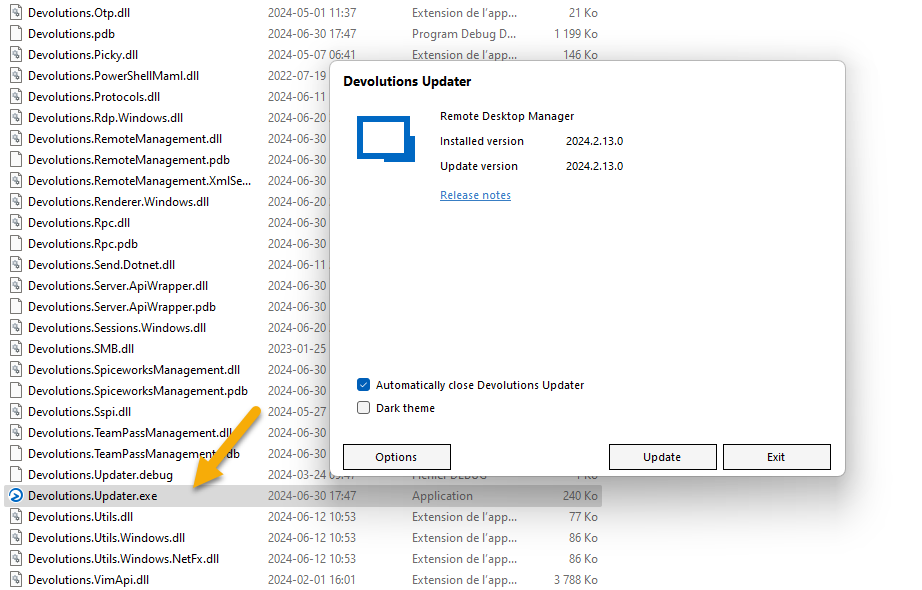
You could also verify the Event Viewer content if it does not work?
Regards
David Hervieux
31562601-f951-455d-8382-f2bcdf96046f.png
@david Just tried that and it opens correctly: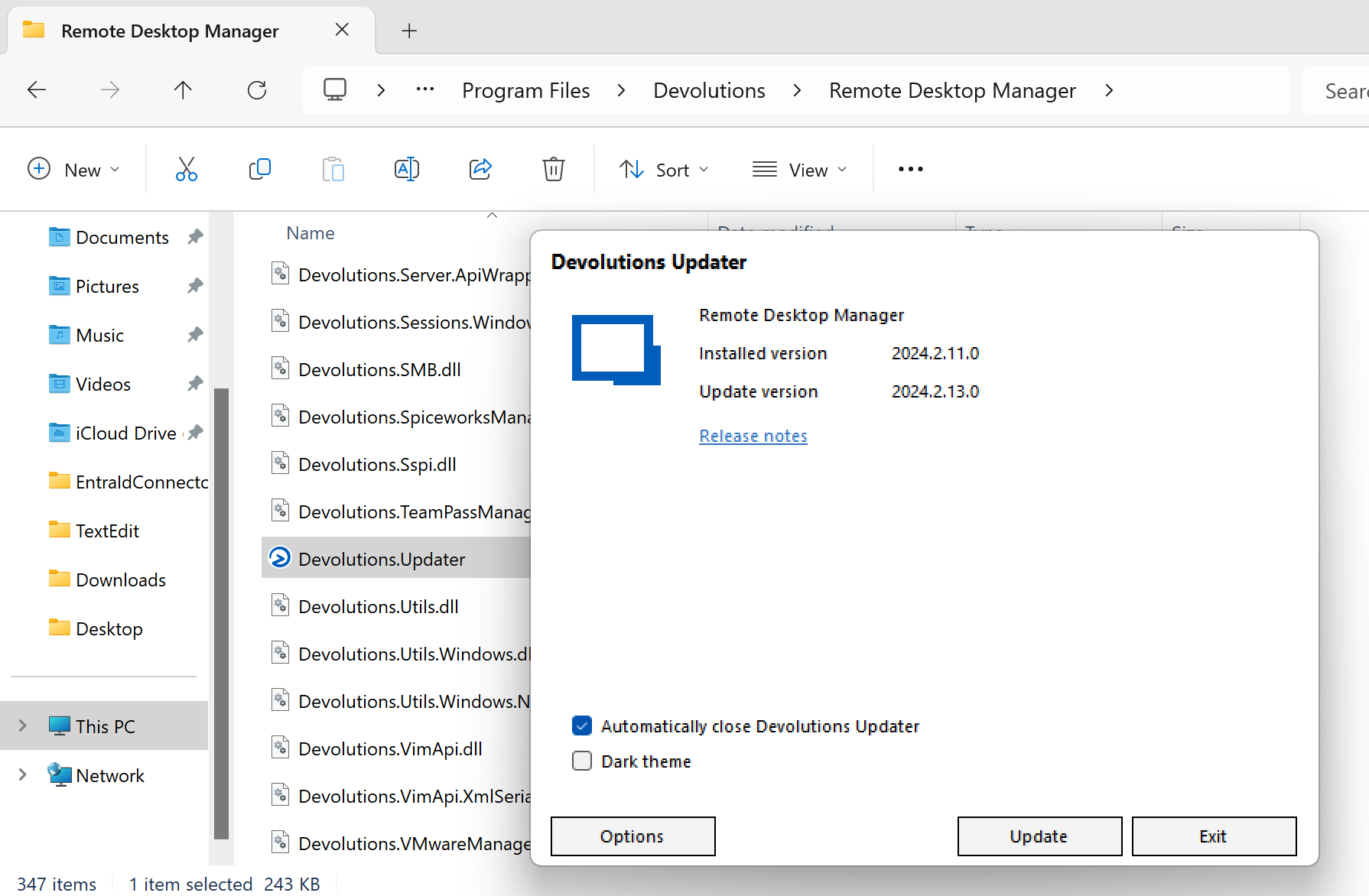
ddf54b7d-1ee4-4b26-b53a-345e02387ecb.png
Yeah launching the updater shows the UI.
Thanks
Iain
Version 2026.2.13.0 64-bit
Data Source SQL
Just tried updating it though the UI after manually starting the update application. It downloaded the update, closed RDM but then just re-lunches RDM on the old version.
Same for me, the updater launches just fine, but I already updated it before.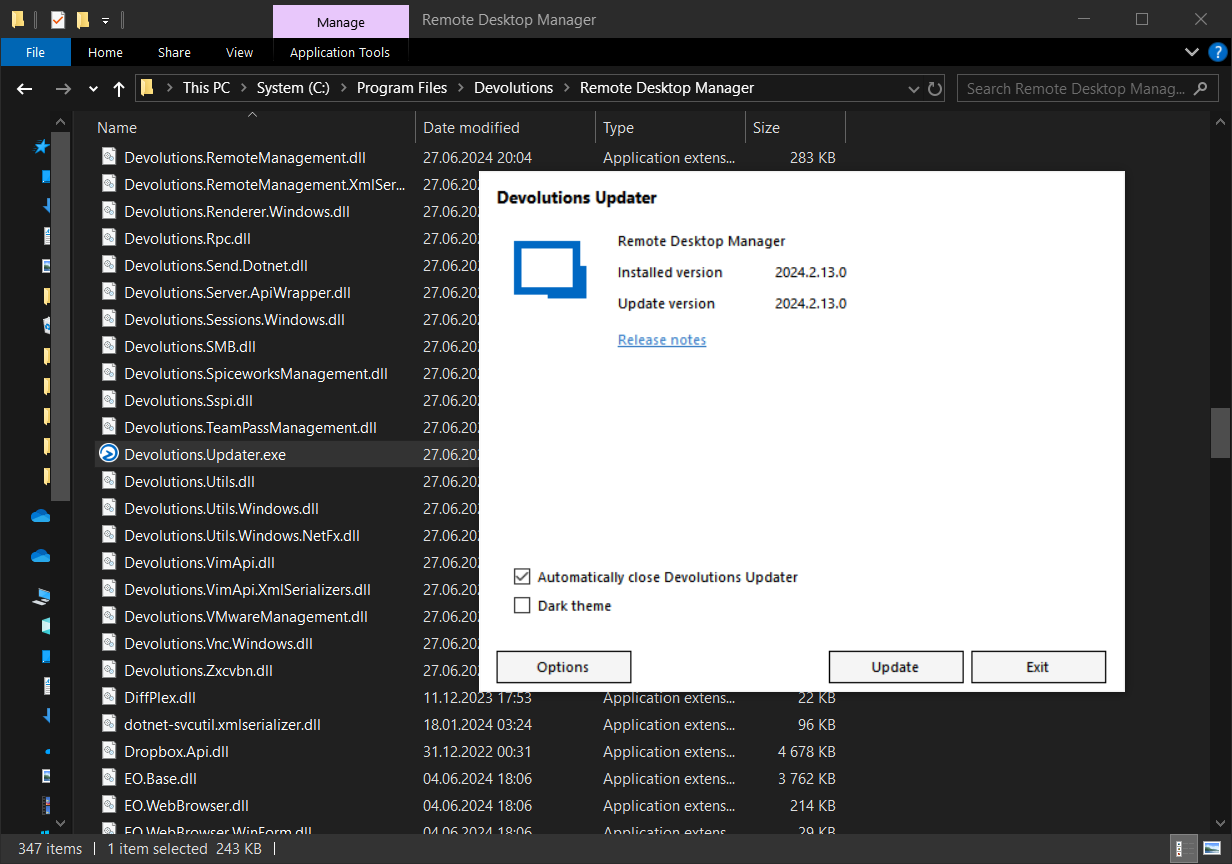
Hello,
Could you open the RDM installation folder and try to double click on the installer to verify if you get the UI?
You could also verify the Event Viewer content if it does not work?
Regards
4814eb6f-4ef8-46ea-8d70-9e8480b6281b.png
If I lunch the update manually from %temp%\RDMUpdate, then it seems to update.
So, it seems like the updater UI has an issue starting the update.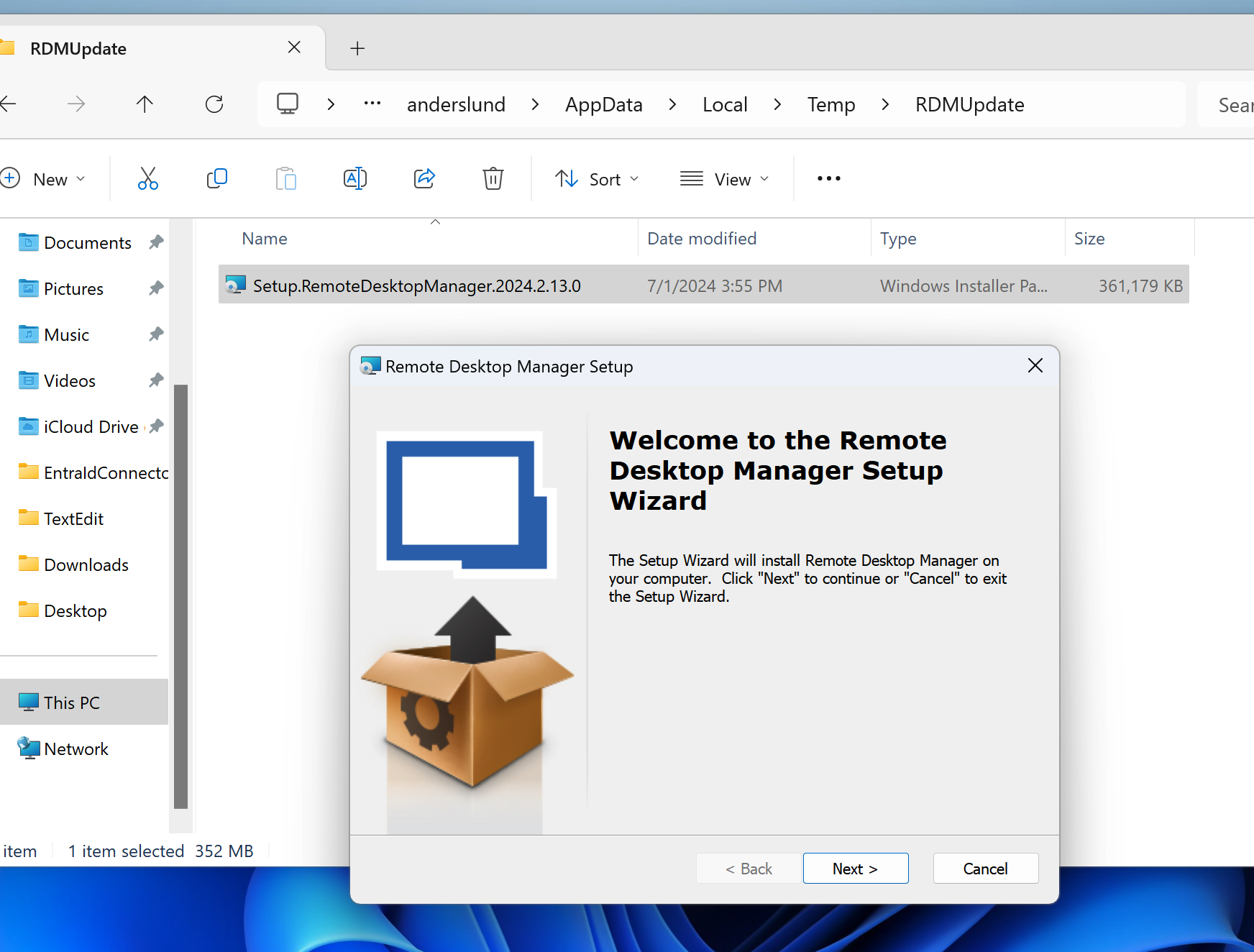
44c262aa-2b31-49b8-ab05-332228a833ad.png
Hello,
We will have additional logs for the update process starting from RDM 2024.2.14.0. To access those logs, you will need to do the following :
- Go in Help -> Profiler -> Debug only.
- Change the Debug level to "1".
- Go in Help -> Check for updates (If 2024.2.15.0 is not yet released you will need to hold CTRL before clicking on Check for updates to bypass the version check).
- Do the "Download and install now" option.
- Look at the logs in the Profiler and send them to us.
Best Regards,
Michaël Beaudin
RDM just did the 2024.2.11 to 2024.2.13 update without issues. What I did was deleting the installer from %temp%\RDMUpdate folder and clicked check for updates and selected Download and install now and that downloaded and installed the update.
Maybe the issue is if one click download and install after closing RDM (can't remember the option name) but it doesn't install later. Then next time when you click check for updates, it's now in a limbo mode of having already downloaded the update but thinking it's a new update session and now fails to launch the update as it hasn't just downloaded it.
I'm not getting any 2024.2.14 or 2024.2.15 updates when clicking check for updates but I will keep an eye out for this and enable debugging level 1 next time I update to see if I can catch some debugging info for you.
We will have additional logs for the update process starting from RDM 2024.2.14.0. To access those logs, you will need to do the following :
- Go in Help -> Profiler -> Debug only.
- Change the Debug level to "1".
- Go in Help -> Check for updates (If 2024.2.15.0 is not yet released you will need to hold CTRL before clicking on Check for updates to bypass the version check).
- Do the "Download and install now" option.
- Look at the logs in the Profiler and send them to us.
I've done that, here's the contents of the log window:
UpdateCheck NewVersion: 2024.2.14.0
UpdateCheck IncludeBeta: False
Installing update with Devolutions Updater
Copying Devolutions Updater in temp folder: "C:\Users\xxx\AppData\Local\Temp\RDMUpdate\Devolutions.Updater.exe"
Trying to start file: "C:\Users\xxx\AppData\Local\Temp\RDMUpdate\Devolutions.Updater.exe" with arguments: "C:\Program Files\Devolutions\Remote Desktop Manager\RemoteDesktopManager.exe"
Unfortunately there's no folder "C:\Users\xxx\AppData\Local\Temp\RDMUpdate"
But!!! When I created that folder manually, then the updater has launched. Therefore the root cause seems to be that you don't create the folder %TEMP%\RDMUpdate before copying the installer.
For the successful launch of the updater the log window contains this:
UpdateCheck NewVersion: 2024.2.14.0
UpdateCheck IncludeBeta: False
Installing update with Devolutions Updater
Copying Devolutions Updater in temp folder: "C:\Users\xxx\AppData\Local\Temp\RDMUpdate\Devolutions.Updater.exe"
Copied Devolutions Updater in temp folder: "C:\Users\xxx\AppData\Local\Temp\RDMUpdate\Devolutions.Updater.exe"
Trying to start file: "C:\Users\xxx\AppData\Local\Temp\RDMUpdate\Devolutions.Updater.exe" with arguments: "C:\Program Files\Devolutions\Remote Desktop Manager\RemoteDesktopManager.exe"
And on the Performance tab there was this:
Main thread (UI)
----------------------------------------
21:10:00.585719	https://devolutions.net/data/rdmchangehistoryupdate.htm?theme=light&utm_source=rdm-in-app-browser&utm_medium=native&utm_campaign=update
21:10:11.767418	Silent: System.IO.DirectoryNotFoundException: Could not find a part of the path 'C:\Users\xxx\AppData\Local\Temp\RDMUpdate\Devolutions.Updater.exe'.
   at System.IO.FileSystem.CopyFile(String sourceFullPath, String destFullPath, Boolean overwrite)
   at Devolutions.RemoteDesktopManager.Managers.UpdateManager.InstallWithUpdater(Version version)
21:10:11.802275	Silent: System.ComponentModel.Win32Exception (2): An error occurred trying to start process 'C:\Users\xxx\AppData\Local\Temp\RDMUpdate\Devolutions.Updater.exe' with working directory 'C:\Program Files\Devolutions\Remote Desktop Manager'. The system cannot find the file specified.
   at System.Diagnostics.Process.StartWithShellExecuteEx(ProcessStartInfo startInfo)
   at Devolutions.RemoteD...
21:11:13.153681	https://devolutions.net/data/rdmchangehistoryupdate.htm?theme=light&utm_source=rdm-in-app-browser&utm_medium=native&utm_campaign=update
21:11:21.774681	Silent: System.IO.DirectoryNotFoundException: Could not find a part of the path 'C:\Users\xxx\AppData\Local\Temp\RDMUpdate\Devolutions.Updater.exe'.
   at System.IO.FileSystem.CopyFile(String sourceFullPath, String destFullPath, Boolean overwrite)
   at Devolutions.RemoteDesktopManager.Managers.UpdateManager.InstallWithUpdater(Version version)
21:11:21.783187	Silent: System.ComponentModel.Win32Exception (2): An error occurred trying to start process 'C:\Users\xxx\AppData\Local\Temp\RDMUpdate\Devolutions.Updater.exe' with working directory 'C:\Program Files\Devolutions\Remote Desktop Manager'. The system cannot find the file specified.
   at System.Diagnostics.Process.StartWithShellExecuteEx(ProcessStartInfo startInfo)
   at Devolutions.RemoteD...
21:14:41.585468	https://devolutions.net/data/rdmchangehistoryupdate.htm?theme=light&utm_source=rdm-in-app-browser&utm_medium=native&utm_campaign=update
Hello,
We have a potential fix that should be available starting from the version 2024.2.15.0 of RDM.
This will not fix the problem when updating from 2024.2.14.0 or lower but will do so when updating from 2024.2.15.0 to 2024.2.16.0.
Best Regards,
Michaël Beaudin
Thank you, I upgraded and it seems to be working as intended.
But I noticed something else: now it doesn't remove the installation .msi file from TEMP, and it's quite big. It's not deleted even after RDM is exited. I'm afraid they are going to accumulate when new versions are downloaded, thus occupying a lot of disk space.
Please make sure the upgrader cleans up after itself. Thanks.
ee6e0401-13ec-417b-a449-8536ae74a2b7.png
Just came here to post the same thing.
I was on 2024.2.8 and didn't get notified there was an update. I checked manually and found that 2.14 was available. I clicked to Download and Install Now and nothing happened. I couldn't get anything to work except the Download via Browser option, which worked fine.
Now I'm on a different machine and it's on 2024.2.13. I clicked Check for Update, it told me there was 2.15 no, but clicking Download doesn't do anything.
I'll update both to 15 manually and then wait for 16 to come out.
I was also some versions behind - no mentioned of new version avilable. The same with my college.
Hello RDMTinkerer,
I have been able to reproduce the issue where the Temp isn't cleared. We will let you know once we have a fix for this.
Best Regards,
Michaël Beaudin
Hello RDMTinkerer,
We have a fix for the next version of RDM (2024.2.16.0). The updater generated from that version will cleanup the .msi after closing.
Best regards,
Michaël Beaudin
Hello,
I've just used the upgrader to upgrade the RDM to version 2024.2.17.0 and it cleaned up the downloaded installer. So both issues are fixed (updater works and cleans up after the upgrade).
Thank you!
Just tried to do the latest update (2024.2.16 -> 2024.2.17) and while updating (downloading update), the RDMUpdate folder had these files: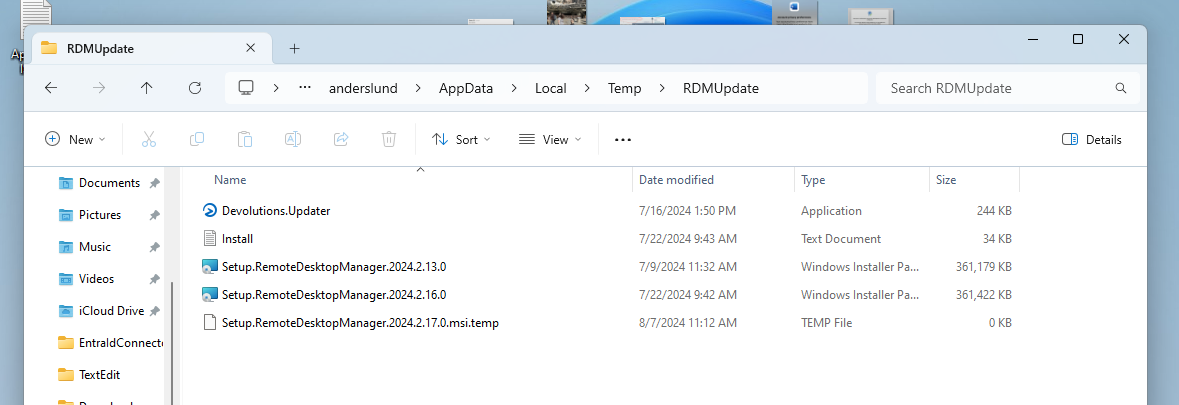
and after the update was complete the folder still existed but had the (old?) Devolutions.Updater.exe file: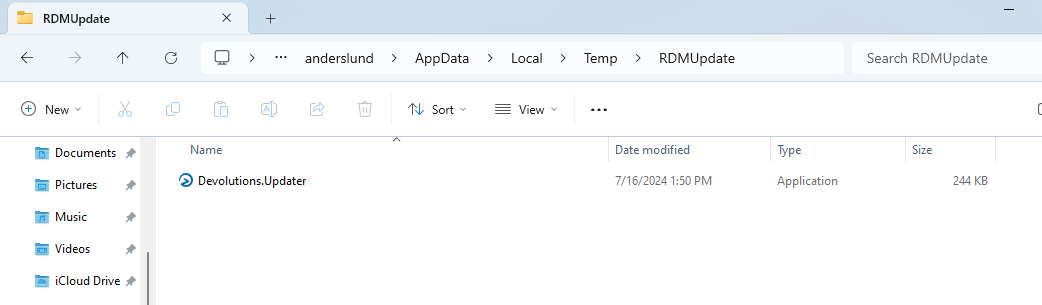
So, we do get the big update files cleaned out now. Don't know if Devolutions.Updater.exe should be included or if that is just a relic of an "old" updater that we should not see in the future. Everything else seems good.
779ec74d-3b16-4271-a703-66ae98551f44.png
2c0fe707-c514-4cf2-bba0-5f25800f0298.png
Hello,
The Devolutions.Updater cannot be deleted because the updater is the one deleting the files right before closing. Therefor, the executable is still in use when the delete action is called and cannot be deleted.
That being said, it will always be overwritten by the newer version of the updater when needed so there will never be more than one Devolutions.Updater.
Best Regards,
Michaël Beaudin