Configure OTP on linux SSH

Hello how are you?
I'm using RDM free and I find myself in the following situation:
2FA/OTP has been implemented in our environment. When we go to log in via RDP or SSH, the OTP Code is requested. So far, so good. The question is, how do I integrate OTP into SSH.
I have already registered the OTP and linked it to the object that will be used, but it keeps asking you to enter the OTP.
On RDP - Windows, it worked correctly. It pulls the code and accesses it, without the need for my access. However, on SSH, it stops at the request.
As per pictures, so it's set my configuration. In One time password, I used all the settings it has in the usage. However, I don't know if you need to enter a string in the Combination string field and what the string would be.
Thank you very much for your attention.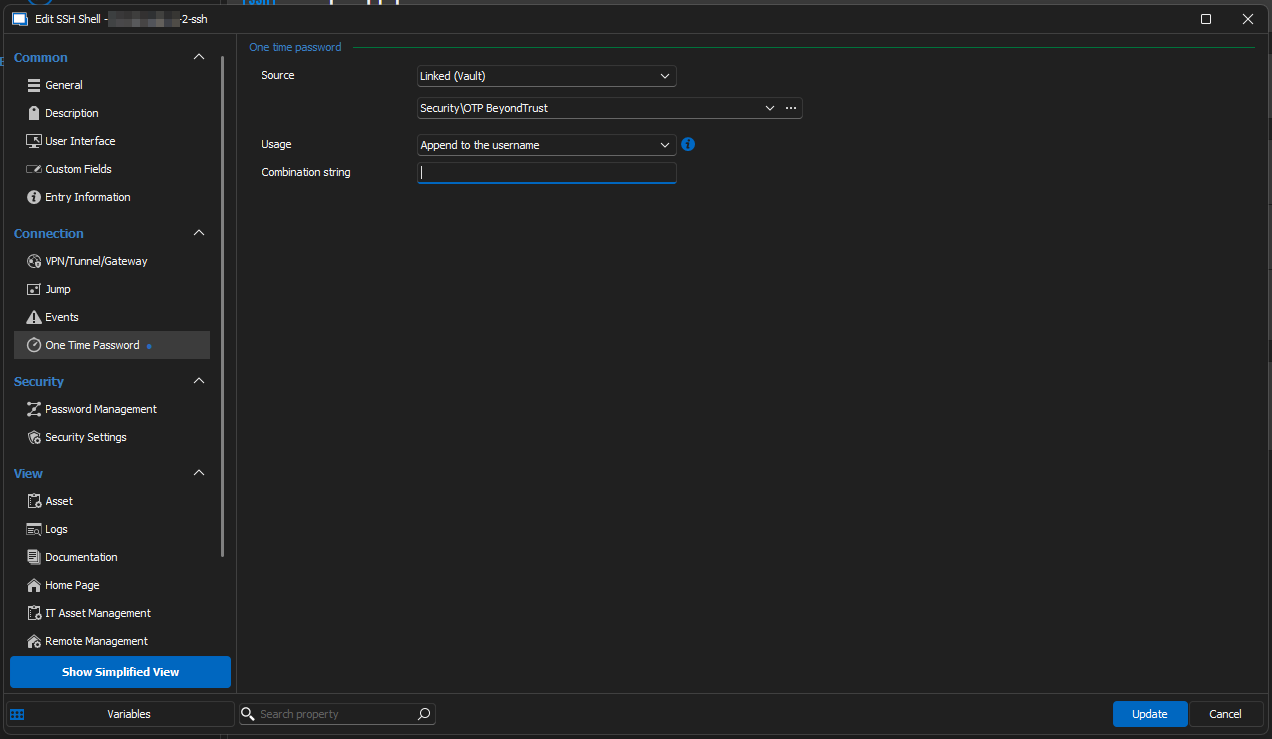

2024-06-26_15-47.png
2024-06-26_13-22.png
2024-06-26_13-20.png
All Comments (3)
Hello,
I've moved your topic to the Windows platform RDM forum since you are using the Windows version of the application.
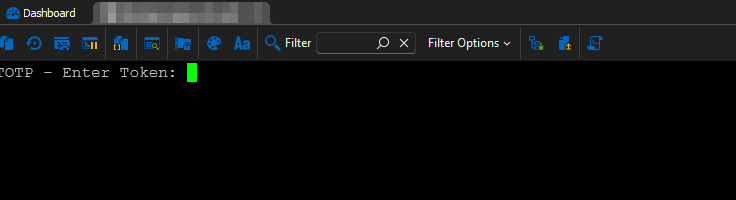
As for your scenario, I believe you would need to enter the following string in the "OTP prompt string" field: TOTP - Enter Token:
The "OTP prompt string" lets RDM know when to send the value for the OTP. Since there's no agreed-upon standard for how to prompt for an OTP in the SSH protocol, we have to make the user enter the value that will be expecting that OTP value.
Let us know whether this works or not for you.
Regards,
Hubert Mireault
It worked out. Thank you very much. I added this information that was given to me in the OTP string prompt and changed it to One time Password, or use for specific session. I forgot to mention that I set it in General - Advanced - Interactive authentication in the terminal, from default to yes
I'm glad this works well for you, thanks for the feedback!
Regards,
Hubert Mireault