VMWare Dashboards No Longer Working After v2024.1.32.0

Good afternoon.
I just noticed that the VMWare Dashboards are no longer working in any version newer than v2024.2.8.0, including the newly released v2024.2.11.0.
v2024.1.32.0 64-bit performs the automated linked credentials entry login with no problems:

v2024.2.8.0 64-bit pops this up right off the bat:
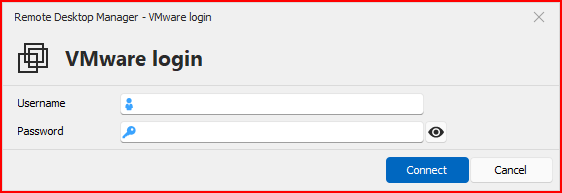
When manually inputting credentials, I can get logged in to the Dashboard no problem:
Or, if I hit cancel:
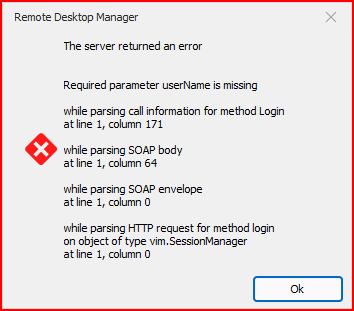
The pop up box appears no matter if I have "Linked (user vault)" credentials, OR specified a username and password like below:
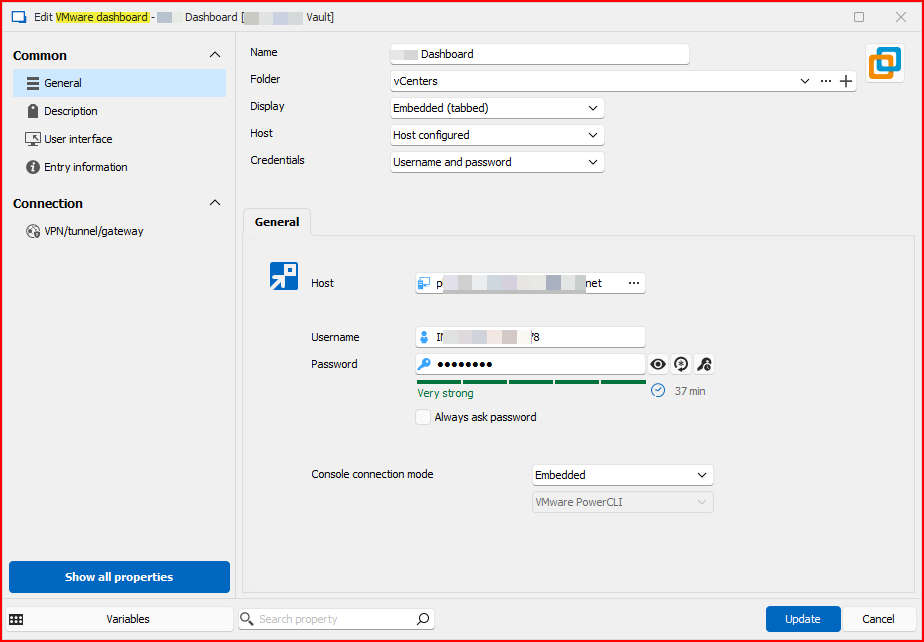
So something changed between v2024.1.32.0 and v2024.2.8.0.
Please add this to your list of things to fix with automated linked credentials. Or at this point, automated credentials period. :-)
Thank you, and have a great evening.
--- Chuck
Overgaard, AZ (-7 MST / Zulu Year-Round)
RDM Version: 2026.3.16.0 64-Bit - Free
All Comments (21)
Hello Chuck,
To confirm with you, this login window appears before opening the dashboard with the list of machines, is that correct?
I tested in our environment on 2024.2.11.0 and it seems to work well. Is the user opening this entry an administrator user, or a user with lesser privileges? I'm trying to figure out what might be causing this issue as we don't seem to have made changes specifically to the VMWare dashboard from what I can see of the code.
Regards,
Hubert Mireault
Hello Chuck,
To confirm with you, this login window appears before opening the dashboard with the list of machines, is that correct?
That is correct, sir. Double Click the entry, or Open Session, and after about a 3 second pause, the credentials window pops up.
I tested in our environment on 2024.2.11.0 and it seems to work well. Is the user opening this entry an administrator user, or a user with lesser privileges? I'm trying to figure out what might be causing this issue as we don't seem to have made changes specifically to the VMWare dashboard from what I can see of the code.
I have everyone on my team set as Administrators. The same users using the same settings and same options that the version which works. Literally, double clicking the entry in the version that works, and double clicking in the version that does not work.
Nothing changed between the two entries.
Thanks!
Regards,
--- Chuck
Overgaard, AZ (-7 MST / Zulu Year-Round)
RDM Version: 2026.3.16.0 64-Bit - Free
Hello Chuck,
I have a few questions / things I'd like you to try:
If you right click on your VMWare dashboard entry in the dashboard and press "view password", do the credentials show up properly there?
If you create a new VMWare dashboard entry with the same information and try to open it, does it work? If yes, could you export both entries and compare the data between them? It might be possible to identify a possible faulty setting that way
Do you have any User Specific Settings (be it credentials or otherwise) on the entry or not at all?
I will ask our QA team to try and reproduce this issue, as I've been trying and still not being able to reproduce on my end.
Regards,
Hubert Mireault