Synchronizer - Structure
0 vote

Hello,
Could it be possible to configure the Synchronizer for not moving objects if it exist in a subfolder (at destination) ?
Like a lot of other users (I suppose) my Active Directory / vCenter directory structure isn't the same as the Devolutions one.
Here is my use case:
- I configure the synchronizer to read a specific OU and create all the RDP sessions in a specific directory in DVLS, let's say "Servers"
- Then I move manually all the newly created entries to other subfolders based on our needs, for example Servers\Citrix
- Next time the synchronizer run it will identify the entries in subfolder and doesn't re-sync nor move them
Actually, only the last point isn't working. When synchronizer run it identifiy the entries and move them back to the destination folder (in that case Servers\".
PS: We already did troubleshooting together and concluded that isn't a bug, it's just how it works actually and you asked me to do a feature request. I think the ticket number is 00060890 but I'm not 100% sure about that because this number is also mixed with another case for a gateway issue.
All Comments (8)
Hello Arnaud,
Thank you for the request. We have had a similar request in a prior thread (https://forum.devolutions.net/topics/41588/hyperv-syncronizer-destination-folder-additions) and we will add your interest in this feature. I would like for us to be able to add an option for this behavior as this seems to be a common way to work with synchronizer. I will try to add this in our current 2024.3 roadmap.
Regards,
Hubert Mireault
Hi Hubert and thanks you for your response.
I've read the topic you linked but op is asking for change with Hyper-V synchronizer.
My first and more important need is Active Directory synchronizer.
Will you work on both?
Yes, we are planning to make this change for all synchronizers.
Regards,
Hubert Mireault
Great, thanks for the information !
Hello,
A new setting called "Update folder only for newly discovered items" will be available in our 2024.3 release, which will prevent the synchronizer from moving already created entries : 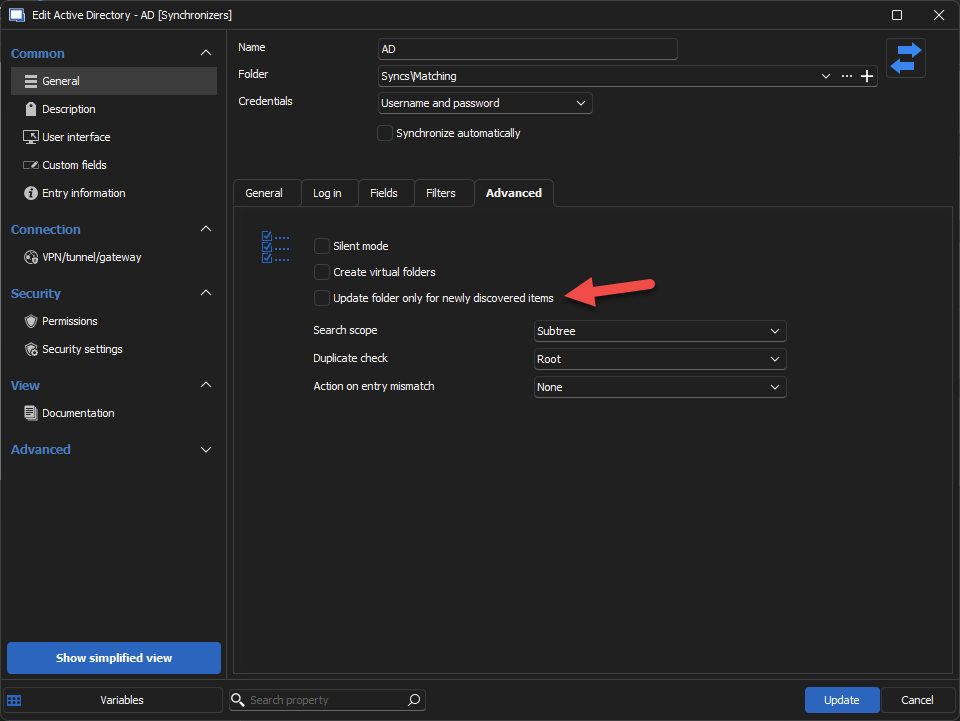
Regards
Jonathan Del Signore
f35fdd0c-6653-463c-8a83-ea549a1f968c.png
Hi,
I tried but it doesn't match with the existing entries, plus it doesn't seems to use the host field that we set in our RDP template.
All the RDP session use have this host: "$NAME$.$AD_DOMAIN$" where the AD_DOMAIN part is a custom variable at the vault level.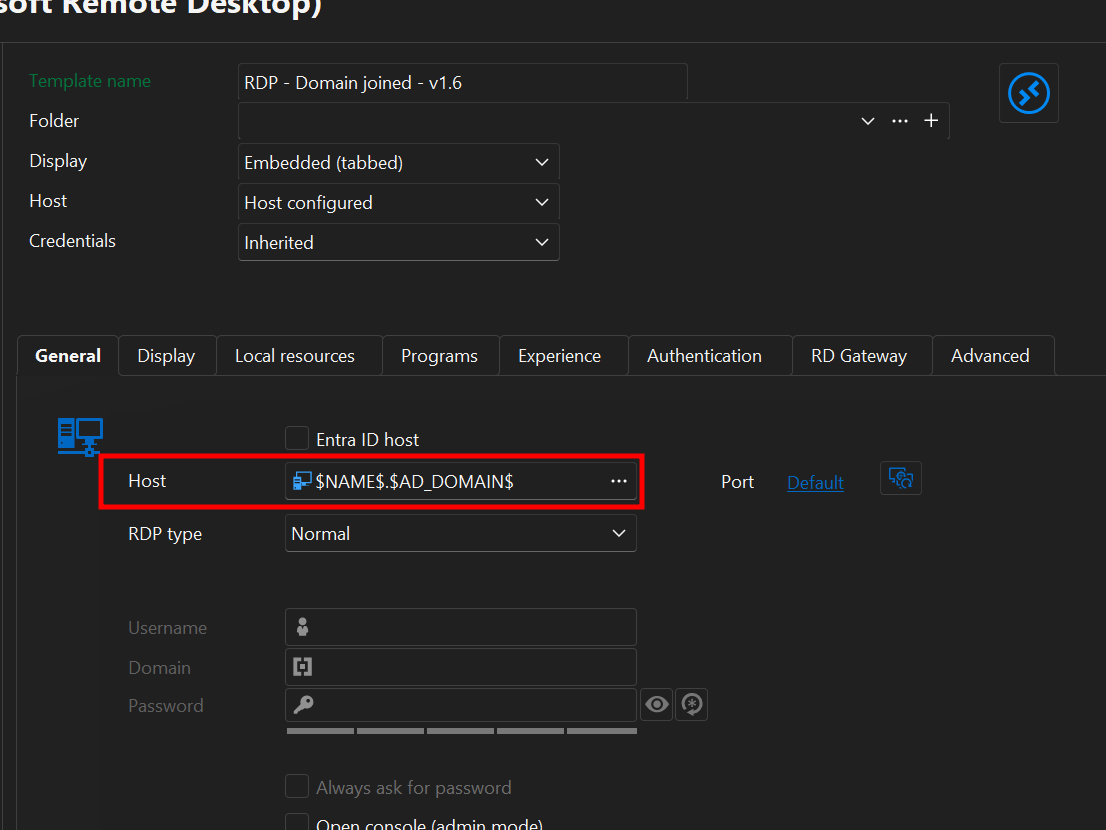
The sessions created have only the common name from active directory in the host field so it's not useful.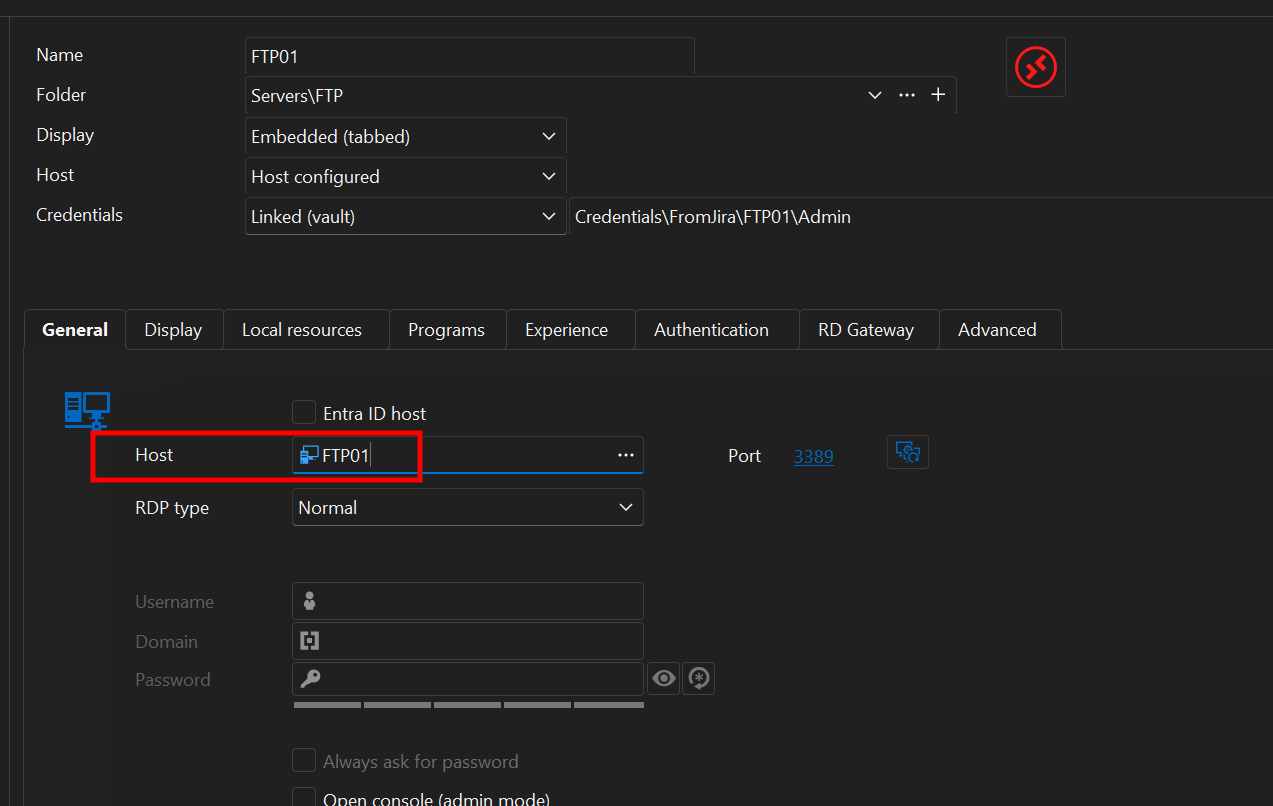
You can close this request, we will continue to do it manually...
bb53e679-eb4d-449b-b306-3a8250039eac.png
9d6bf179-87d4-4883-9aa2-8886d7e83e29.png
Hi Arnaud,
We also have a setting in the AD sync that lets you choose where you want the host to be taken, which you could set to 'Same as template host' to at least fix your host issue.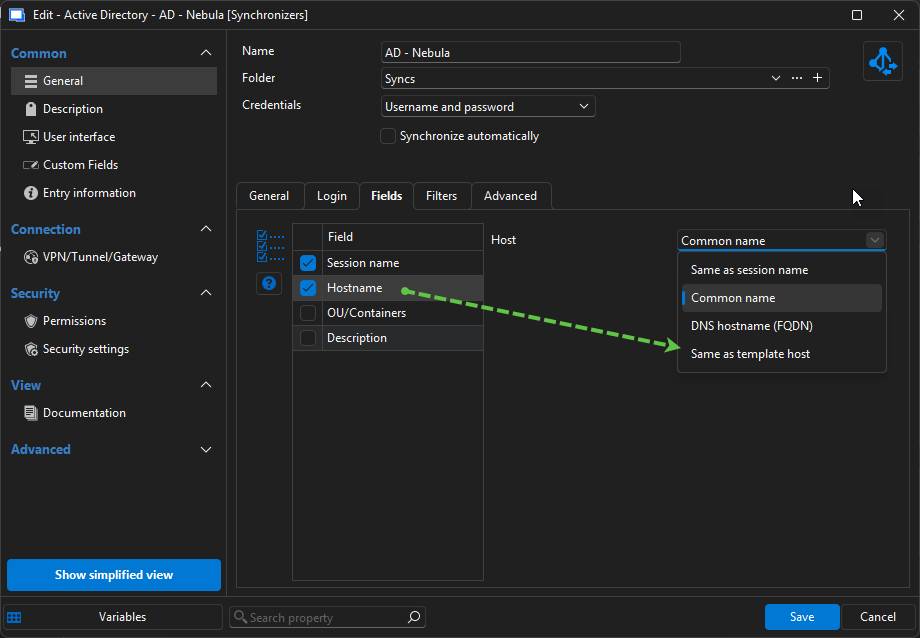
Please let us know if there's anything else we can do to help.
Regards
Jonathan Del Signore
85df91a0-14be-467f-94d9-097b63987fcf.png
Hi,
It still doesn't work, maybe it try to resolve all the variables and failed on the custom variable "AD_DOMAIN$".
But using FQDN as hostname do the same as my custom variables, that will work for us.
Thanks you.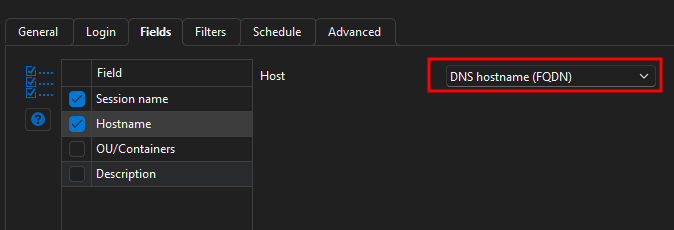
93a41a4d-5517-4ad9-9aca-a96610b08787.png