How can I make password autofill work on Admin Login - Duo

How can I make password autofill work on Admin Login - Duo (https://admin.duosecurity.com/login?next=%2F)?
The issue is that RDM enters the password, but the site doesn’t allow you to login before you manually edit the password. If you click in the password field and hit space, you can log in.
Is there a way I can get RDM to do this for me?
All Comments (8)
Hello Acetico,
Thank you for getting in touch with us. To better assist you, could you kindly provide us with the following information:
- Your current RDM version.
- The operating system you are using and its version.
- The data source you are utilizing.
Once we have this information, we will be better equipped to diagnose and resolve the issue.
Best regards,
Maxim Robert
RDM Version 2024.1.32.0
Windows 11 23H2
Datasource: Azure SQL
The same on
RDM Vwersion 2024.2.11
Devolution Hub Personal
The same problem with the username, but there you must change something not only add a space.
I don't believe RDM is at fault, I hope there is a setting I can adjust on the entry to make this work on this website too.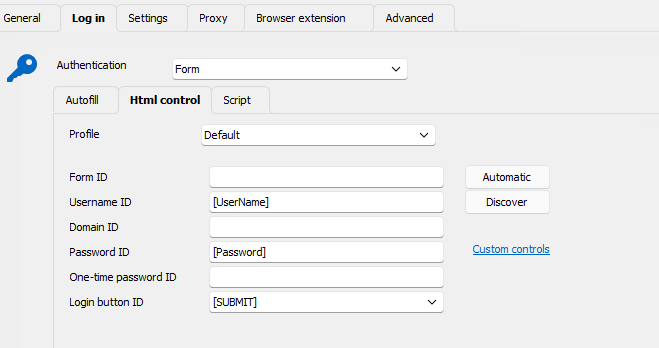
65bf33e7-cab6-41a4-9c10-f823ae562ae5.png
Yes, I am also facing the same issue and wanting the perfect solution for this.
thanks
Hello,
Thank you for your response!
I'm letting you know that I'm performing some tests on my end and have contacted the development team regarding the behaviour.
In the meantime, after some tests, I found a workaround that is a little "sketchy," but it works. It works when opening the entry embedded and externally. Please follow the steps below to set up the workaround.
- Create the Web entry with no information in the username and password.
- Create an entry "Typing Macro" with the exact same setting as the screenshot below. Make sure to enter your email correctly and to add the {TAB}{TAB}{ENTER} next to it without a space bar.
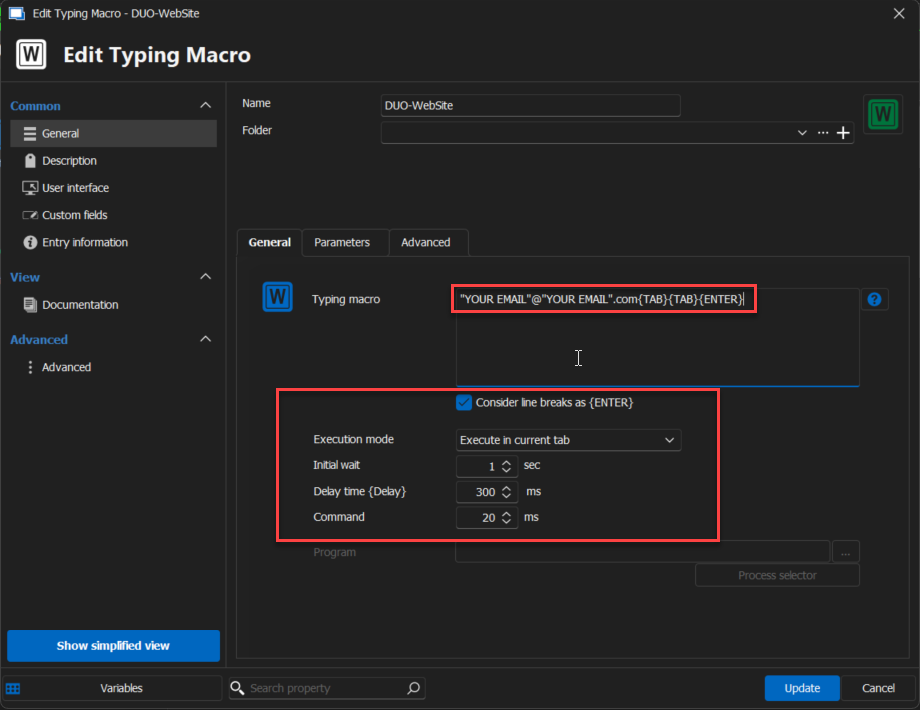
- Then, in the web entry created first, in the events section on the left, go to "After Open." Set the configuration as shown in the screenshot below.
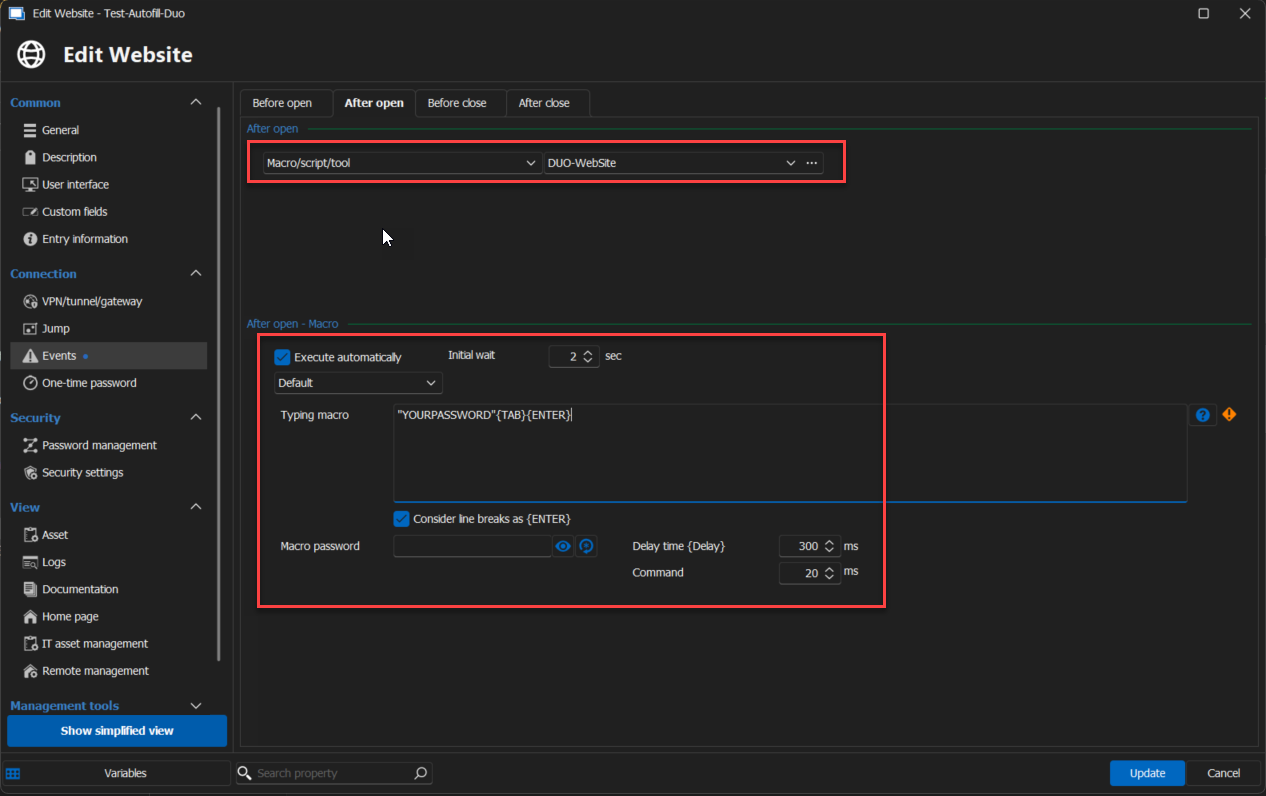
The macro will execute itself and enter all the information to log in. Please let me know if this workaround is not working on your end. I will let you know with more information about the Autofill as soon as possible.
If you have any other questions, feel free to let us know.
Best regards,
Maxim Robert
2024-06-21_14-43-10.png
2024-06-21_14-40-05.png
I want to create an entry that can be used by many users, not just myself.
Using Devolution Workspace plugin in Ege works, so maybe figuring out how it does that will make it work in RDM too.
What about getting a browser plugin for the embedded Edge browser?
Hello,
This is something I'm monitoring on the WebView2 feature request board, but it is not supported when the browser extension has a UI like ours. That would simplify everything if one day this becomes possible.
Regards
David Hervieux