LastPass authentication not working

We have been using RDM with LastPass authentication for years. This morning, I can login to my LastPass vault in a browser (with MFA), but when I try to connect using RDM, I get this error:
Unable to connect to LastPass. Please make sure your information is valid.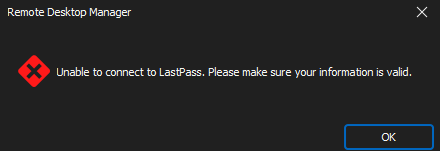
The same thing is happening to all users at my site.
Is anyone else finding this problem?
c587abf7-bdec-40db-99f9-f0894438cd9e.png
All Comments (19)
Hello,
What is your Remote Desktop Manager version and datasource type?
Best regards,
Etienne Lord
RDM version 2024.1.32
Datasource MS SQL
Hello,
If you give it a try with the latest version of Remote Desktop Manager, do you have the same behavior? : https://devolutions.net/remote-desktop-manager/home/download/
Best regards,
Etienne Lord
I'll give that a go, but it seems strange that all instances stopped working at the same time. Could there be an expired token between RDM and LastPass?
Upgraded RDM to 2024.2.10
Same Error trying to connect to LastPass
The error comes after entering the MFA response
Same issue here with multiple users, we did 2 upgrades today (june 10 to june 17 to june 18 versions) and had issue with all 3.
application log:
PasswordManagerAccess.Common.InternalErrorException: invalid characters in hex
   at PasswordManagerAccess.Common.Extensions.DecodeHex(String s)
   at PasswordManagerAccess.Common.Extensions.DecodeHexLoose(String s)
   at PasswordManagerAccess.LastPass.Parser.<>c__DisplayClass1_0.<Parse_ACCT>b__0(BinaryReader reader)
   at PasswordManagerAccess.Common.Extensions.Open[TResult](Byte[] bytes, Func`2 action)
   at PasswordManagerAccess.LastPass.Parser.Parse_ACCT(Chunk chunk, Byte[] encryptionKey, SharedFolder folder, ParserOptions options)
   at PasswordManagerAccess.LastPass.Client.ParseAccounts(List`1 chunks, Byte[] encryptionKey, RSAParameters privateKey, ParserOptions options)
   at PasswordManagerAccess.LastPass.Client.<>c__DisplayClass22_0.<ParseVault>b__0(BinaryReader reader)
   at PasswordManagerAccess.Common.Extensions.Open[TResult](Byte[] bytes, Func`2 action)
   at PasswordManagerAccess.LastPass.Client.ParseVault(Byte[] blob, Byte[] encryptionKey, RSAParameters privateKey, ParserOptions options)
   at PasswordManagerAccess.LastPass.Client.OpenVault(String username, String password, ClientInfo clientInfo, IUi ui, IRestTransport transport, ParserOptions options)
   at PasswordManagerAccess.LastPass.Vault.Open(String username, String password, ClientInfo clientInfo, IUi ui, ParserOptions options)
   at PasswordManagerAccess.LastPass.Vault.Open(String username, String password, ClientInfo clientInfo, IUi ui)
   at Devolutions.RemoteDesktopManager.Managers.LastPassManager.GetVaultUsingSession(String username, String password, Boolean isDesktopMode, LastPassTwoFactorAuthenticationTrustMode trustMode)
   at Devolutions.RemoteDesktopManager.Managers.LastPassManager.Process(CredentialsConnection credentialsConnection, CredentialResolveMode credentialResolveMode)
Hello,
Thank you for the application logs, this will be very useful for us to figure out what is causing this issue.
We have opened a ticket and will post back here as soon as we have an idea of what is going on.
Regards,
Hubert Mireault
Bump. We're experiencing this now too. I've opened a ticket, but wanted to post here too to see if ya'll have found anything yet.
Hello,
We've identified the issue. This is due to LastPass beginning to roll out encrypted URLs (you can find out more about this here: https://blog.lastpass.com/posts/2024/05/lastpass-is-encrypting-urls-heres-whats-happening).
The reason we didn't stumble upon this before is because not all accounts have their URLs encrypted. New LastPass accounts have encrypted URLs by default, and for existing accounts, they seem to be rolling out the change progressively, and it's only now affecting you. This would also explain why we couldn't reproduce in our environments with our existing accounts, but we were able to with a new LastPass account.
We will have a fix for this in 2024.2.12.0. We will see if we can release this version tomorrow, otherwise it may have to wait until next week, as it has to go through our QA process.
Regards,
Hubert Mireault
Good job on identifying the issue quickly! We'll be keeping an eye out for that release.
Additionally, if you need a quick workaround, you should be able to replace the PasswordManagerAccess.dll file in your RDM installation folder by the one I've attached to this post. This is the DLL that will be available in our upcoming 2024.2.12.0 version, so this could be a way for you to have the fix before we're able to fully release this version. Note that the version of the DLL file attached should say 16.2.0.0.
I recommend backing up your current file just in case, but it should be as simple as dropping the file in your installation folder, replacing the old one.
If you try out this DLL with the fix, let us know if this helps, otherwise, please let us know what the error is and what's in your application logs.
Regards,
Hubert Mireault
PMA16.2.0.zip
Replacing the DLL fixed the issue for me and a colleague.
Thank you for the fast fix on this issue
Replacing the DLL fixed the issue for me. Thank you for the quick response.
Replacing the DLL fixed it for me as well. Good work guys!
Note for others: If you do the update of the 20th afterwards (2024.2.11.0), you'll have to replace it again.
Thanks for the feedback everyone, I'm glad this could help while we are preparing our next minor update.
Regards,
Hubert Mireault
DLL fixed it for me
Same here, replacing the DLL did the job!
Thanks.
Hello,
Version 2024.2.12.0 containing this new DLL with the fix should now be live. Please let us know if you encounter any additional issues with the LastPass integration.
Regards,
Hubert Mireault
Just updated to 2024.2.12 - lastpass integration now works :)
Thanks again!