Question on Double Click Action on the Navigation Panel

Hello,
I am new to using RDM, and I have some questions on double click actions in the navigation panel. I originally been using RoyalTS for many years, so I am used to be able to double click a session in their navigation panel to launch the session, and then double clicking in their navigation panel on a open session to close it. I can see RDM working with the first part where double click opens the session, but I have not found a setting or anything that will close the session when I double click it again. Does this exist or does RDM not have a setting/feature to allow for this to work?
Thanks.
All Comments (7)
Hello,
I believe we do not have the double click to close action in the navigation pane you wish for.
However, we have multiple alternatives.
1- The "regular ways" of closing an entry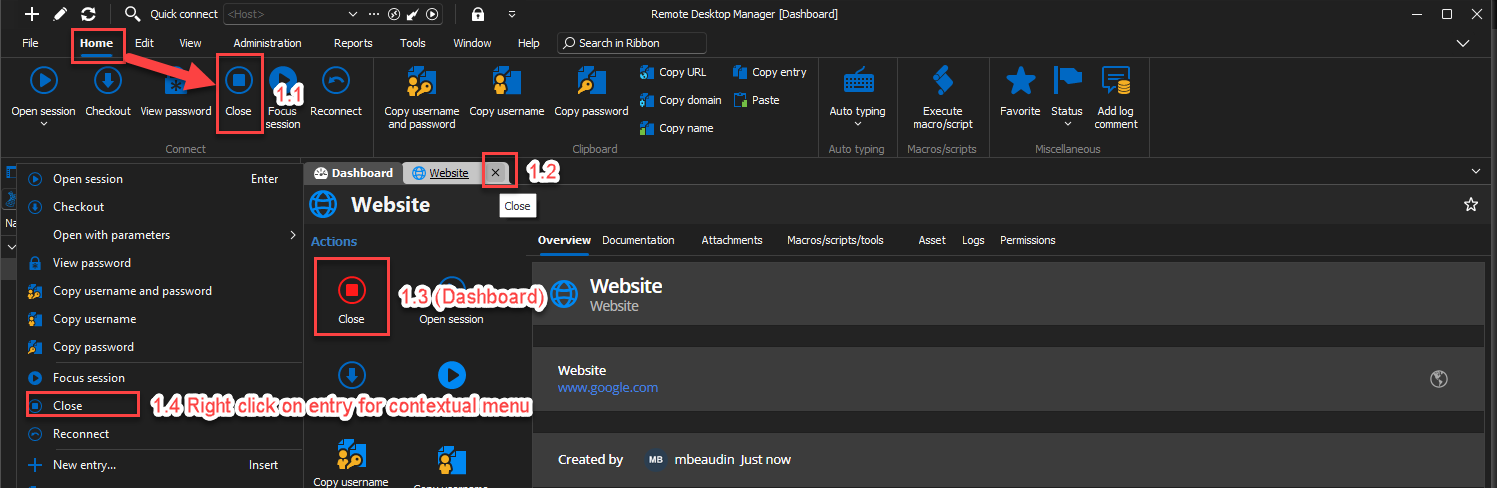
2- Activate a keyboard shortcut of your choosing for the "Close" action in File -> Settings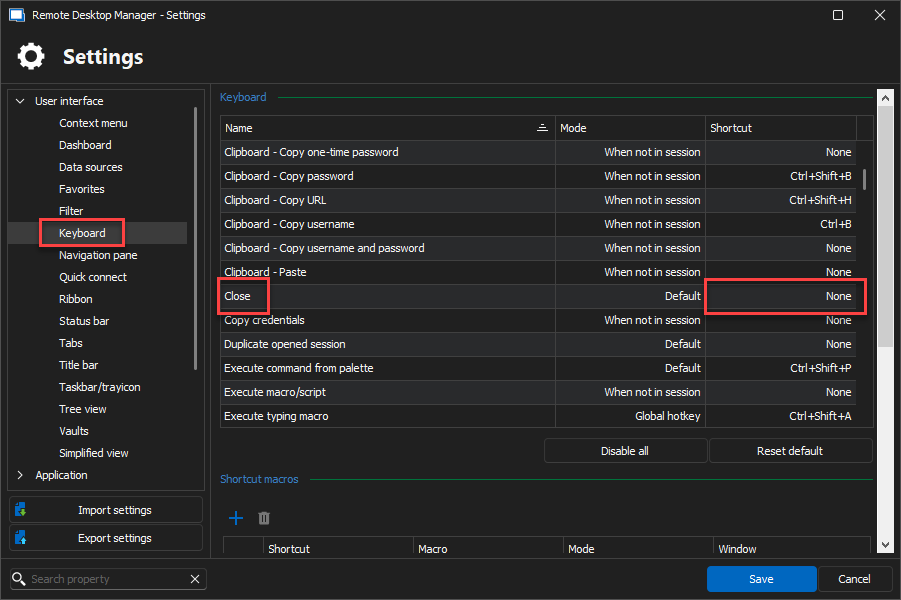
3- Change de default action of a double click on the entry's opened tab to "Close"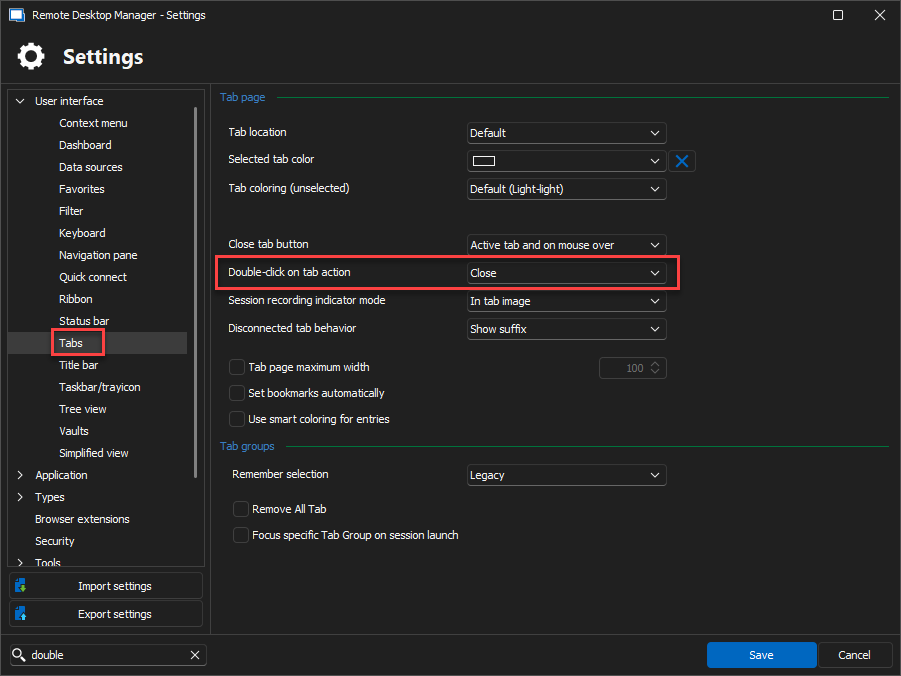
Hopefully one of these would prove useful to you. If not then we could discuss opening a feature request for the double click to close an opened entry in the navigation pane.
Best Regards,
Michaël Beaudin
bf957574-bcd1-4e3b-8983-2f93a737f83a.png
3e0ff082-8b22-4930-b897-f250e4d001bf.png
b032841d-ca7e-40ce-acc7-4d79785a3ccb.png
Hello,
I found some of these features, and specifically turned on 3. But the use case I use this for is I am an OT engineer that checks on multiple thin client that run our industrial HMIs. So, If I do something to these system I just need to take a peek on these sessions to make sure they are alright and move onto the next client. So, I double click the connection, look, double click to close, and move onto the next connection to repeat.
So, I would say it be nice to be able to do that.
Thanks,
Hello,
We will open a feature request ticket for this.
Best Regards,
Michaël Beaudin
Hello,
We've added a new feature called Opened entry action. By setting this action to Close, you will be able to close an opened entry by double clicking it in the tree view. This option can be found in Files - Settings - Types. This should be available for the upcoming 2024.3 version.
Regards,
Jafran Majeau
Hello,
Cool, I will be on the look out for the new version to try this out.
Thanks,
Hello,
We've added a new feature called Opened entry action. By setting this action to Close, you will be able to close an opened entry by double clicking it in the tree view. This option can be found in Files - Settings - Types. This should be available for the upcoming 2024.3 version.
Regards,
Has this feature been released?
Hello,
Looking at the ticket that was opened, it should indeed be available in the latest release of Remote Desktop Manager!
Best regards,
Etienne Lord