Devolutions Server Update Wizard doesn't finish up

Hello,
I updated my Devolutions Server to the most recent version today. Did the same with my locally installed Remote Desktop Server Manager.
Now i have the following problem: The Wizard won't finish with the green "success" line i am used to, i just get this: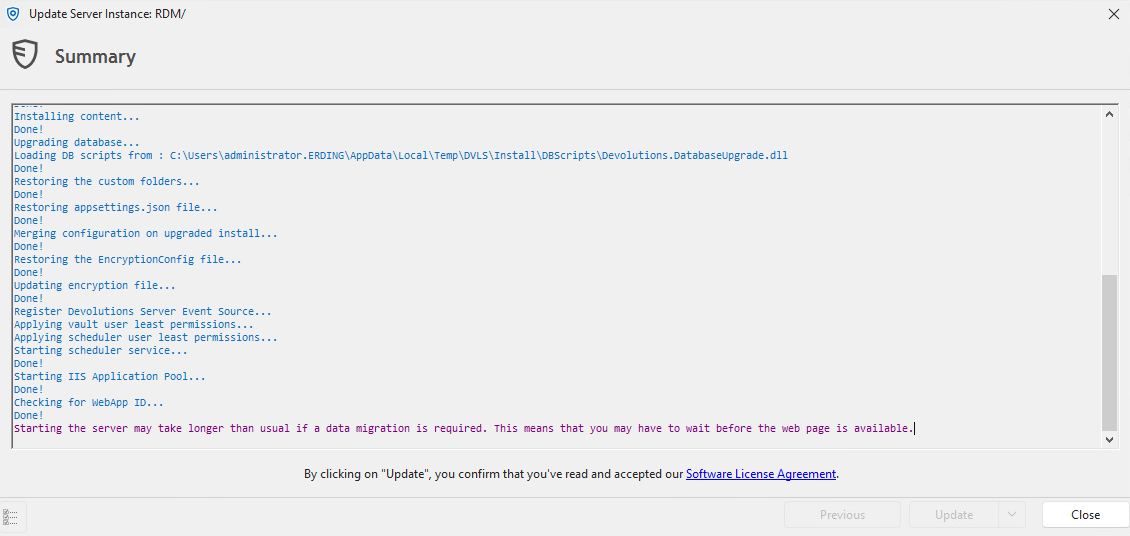
When testing functionality i can use the Devolutions Server via Web but i cant login anymore from my locally installed RDP Manager. I get this error, also i added the Log Export as Attachment to this post.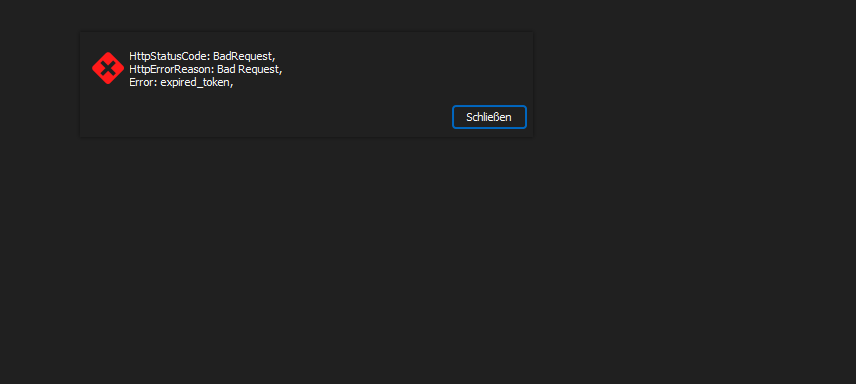
Has anyone a clue what went wrong here?
ab58cd0f-04b1-488b-a71d-d366d63acead.png
0bb8dc56-86ab-4022-8c95-ad217e5c4f8f.png
Log_RDM.htm
All Comments (3)
Hello,
What authentication method are you using?
Could you please try increasing the Connection timeout parameter of the DVLS data source in File—Data Sources—Advanced in RDM?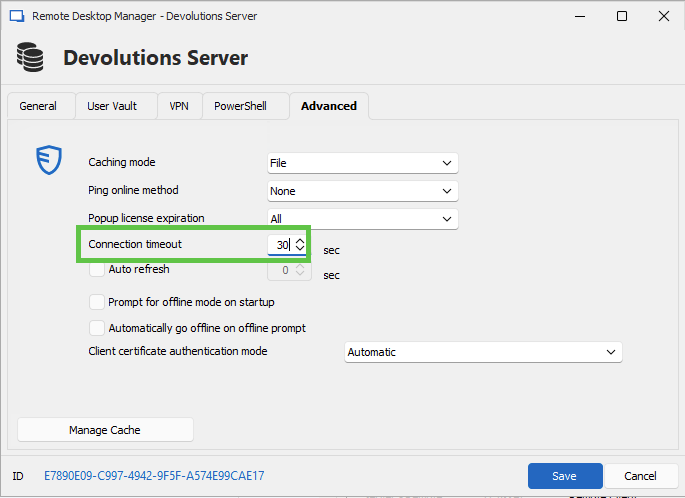
Let us know if that helps.
Best regards,
Érica Poirier
2450f413-61cd-4b89-b789-af57112bb3ab.png
Hello Érica ,
Thank you so much. I configured the settings you suggested yesterday night and it would just work after that.
Its just irritating now, every new authentication run (when coming back from lunchbreak for example) the RDM wouldn't respond for several seconds. Is there any way to fasten this up?
Hello,
What version of DVLS and RDM are you running at the moment?
Do you experience slowness when connecting to the DVLS web UI?
Could you please post a screen capture of the Advanced tab of the DVLS data source configuration in RDM?
Do you have relevant error messages in Reports - Data Source Logs on the DVLS web UI or in Help - Application Logs in RDM?
Please try the following steps and post the result of the profiler report.
- Go in Help - Profiler in RDM
- Set the Profiler level to 2357
- Disable the Auto clear option
- Go to File - Data Sources and click OK
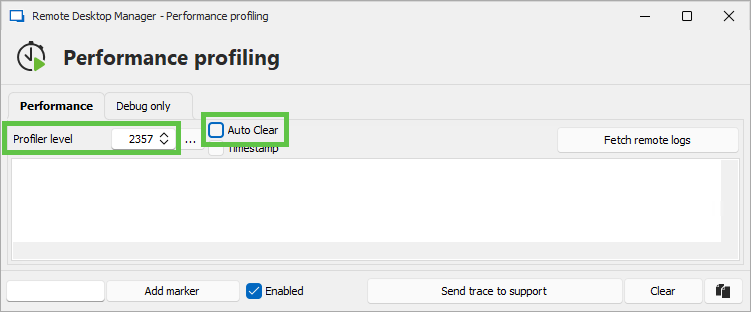
Once you post the results, make sure to hide sensitive data.
Best regards,
Érica Poirier
cc4d4b4a-181c-4c7a-af7f-7ae0363d87dd.png