Troubles with VNC connection to Raspbery Pi

Hi,
Recently after update we got problems with VNC connection.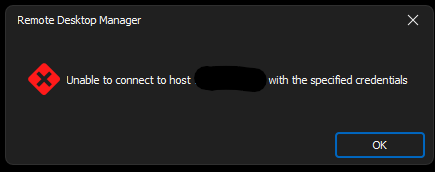
Before update everything was ok, no problems.
RDM version 2024.1.32.0
Zrzut ekranu 2024-06-14 104048.png
All Comments (30)
Hello
I'm sorry for the inconvenience. This was caused by a regression introduced when we updated a cryptographic dependency, which broke certain authentication functions.
This is already fixed for the upcoming 2024.2 release which will be next week.
I'm afraid I don't have a workaround or back port of the fix for 2024.1, which means the only solution until updating is to rollback to the previous version that worked.
Please, let me know if you have any questions or comments
Kind regards,
Richard Markievicz
Thank you for this information I think we wait for update.
Hello,
After update to version 2024.2.8.0 everything works just fine. Thank you for your help.
Hello
Good news! Thanks for the update and please don't hesitate with further questions or comments.
Kind regards,
Richard Markievicz
The bug is still present in the Android version of RDM 2024.2.0.16 (latest version in the Google Play Store).
Last functional version I've tested with explicit apk installation: 2024.1.6.1
When is the bugfix planned for the android version?
Kind regards,
Roland
Hi Roland
Sorry for the inconvenience. I'm checking with the Android team which version of our VNC integration they're currently using, it's almost certain that they just need to update on their side to fix this. That should be a quick fix; it's a public holiday today in Quebec (where the team is based) so it might be a day or two before I have an answer on that. I do appreciate your patience.
In the meantime please don't hesitate with further questions or comments
Thanks and kind regards,
Richard Markievicz
Hi Richard,
many thanks for your efforts. Do you have an answer from the colleagues according to the release date for the android bugfix app already?
Kind regards,
Roland
Hello
I've raised the issue with them, I'll post back once I have an update. Thank you for your patience!
Kind regards,
Richard Markievicz
There is still no fix available ...
Hello,
Is it a question or a statement? The latest version should have a fix for this issue. Are you on the latest version?
Best regards,
Carl Marien
Hello!
I've updated the RDM to 2024.2.1.2 and the problem still persits.: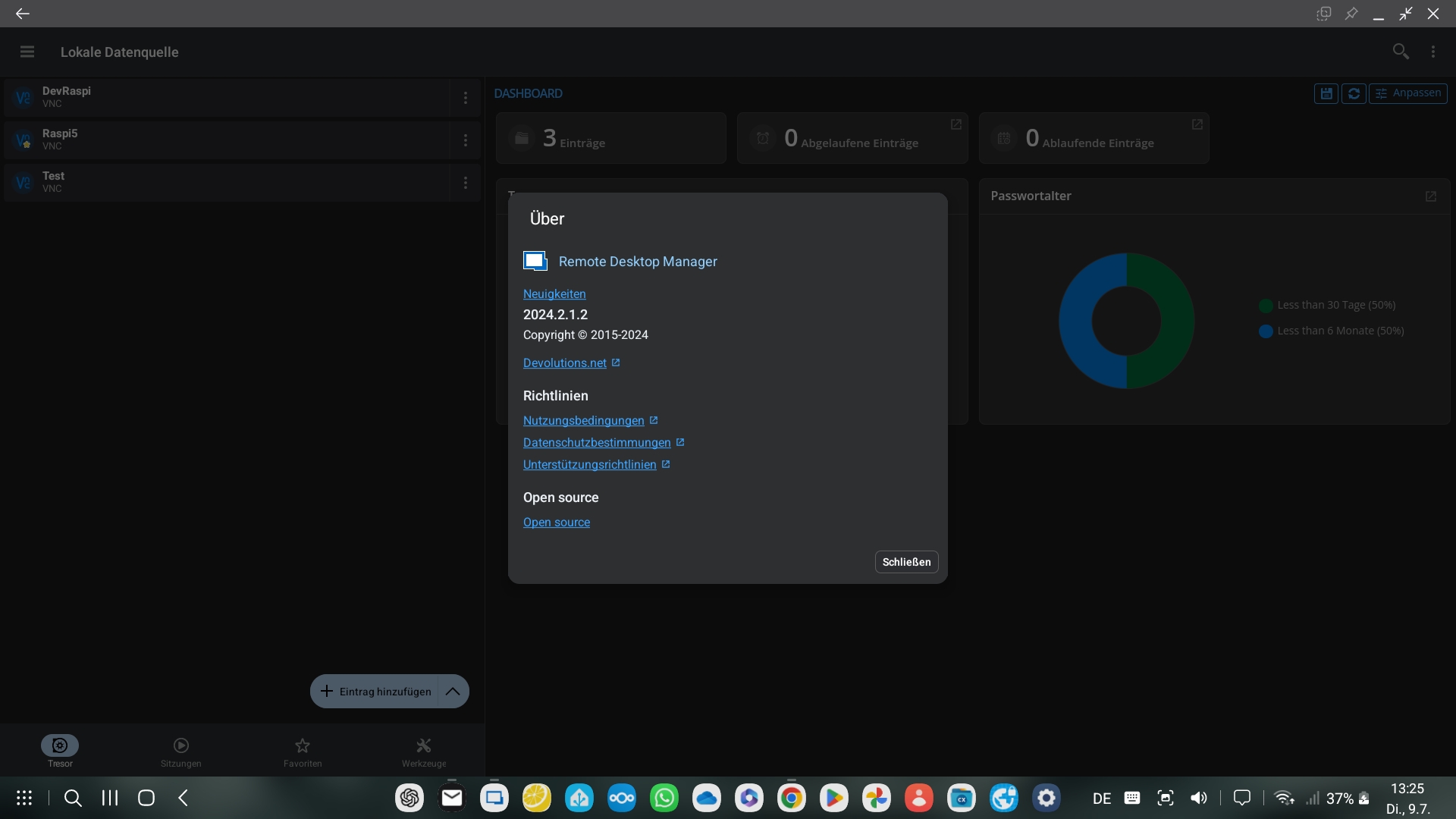
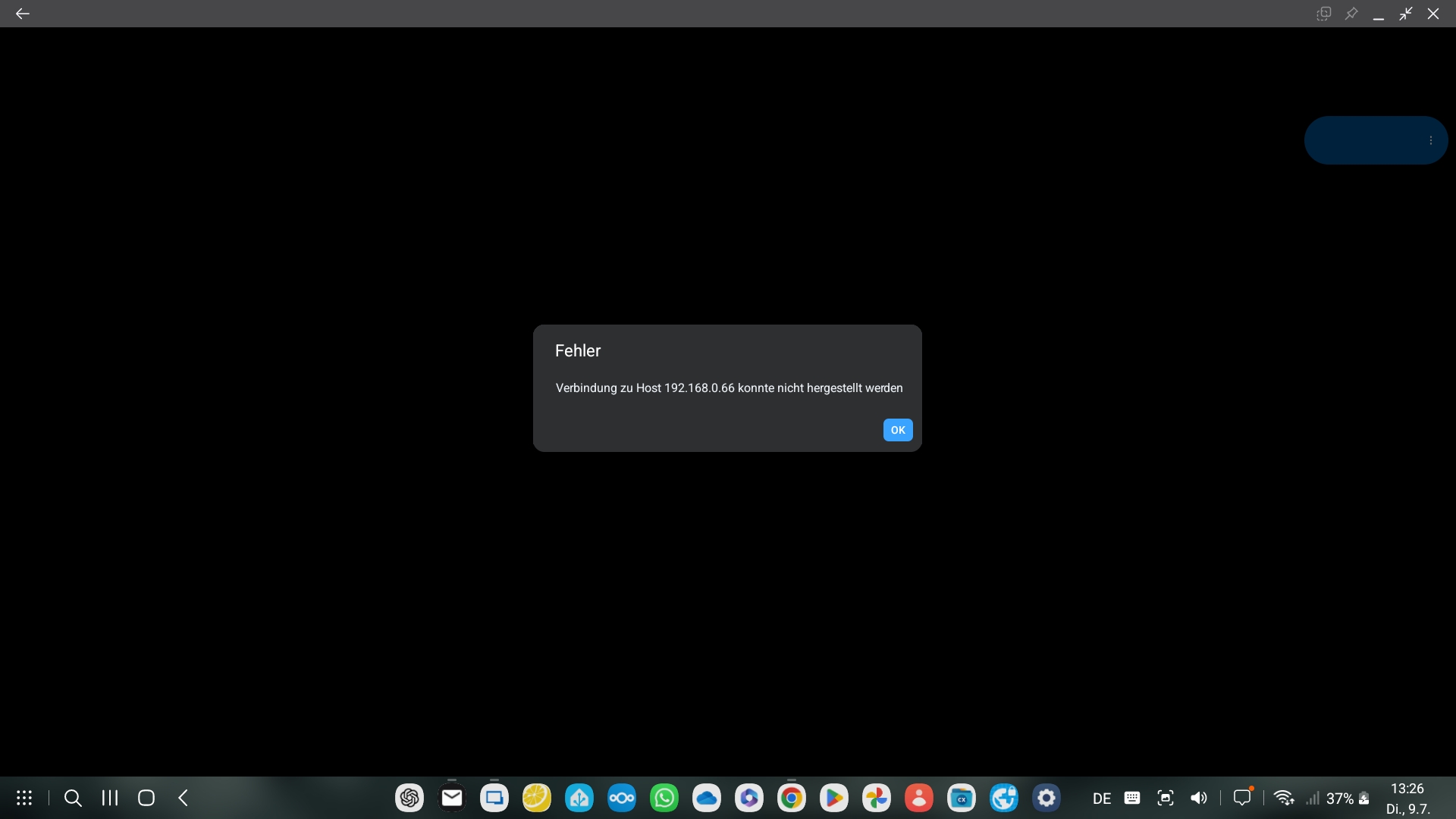
Last functional version I've tested with explicit apk installation: 2024.1.6.1 (with identical settings).
=> So please check the fix if it has been integrated in the 2024.2.1.2 and ok tested.
Best regards,
Roland
Screenshot_20240709_132619.jpg
Screenshot_20240709_132524.jpg
Hello
Thanks, and sorry for the inconvenience. I'll look into this. I had some scattered internal reports yesterday of things not working right with Raspberry Pi, but that was on Windows. Just to double-confirm - it's working ok for you on the latest RDM Windows?
Thanks and kind regards,
Richard Markievicz
Hello
I'm using RDM on a Samsung S22 with DeX, so the Windows version is no option for me (the screenshots attached in my mailing above has been taken from the DeX surface).
=> So I need the bugfix in the android version.
=> On my desktop im using another software than RDM for VNC desktop sharing under Linux.
Best regards,
Roland
Hi
I'm sorry - my bad - I confused you with the original poster. I'm looking into this.
Kind regards,
Richard Markievicz
Hello again
I just tried this on an older Samsung Galaxy using RDM 2024.2.1 and found it to work well with the raspberry pi on my local network.
Which Android version does your Samsung have?
Thanks and kind regards,
Richard Markievicz
Hello
I'm using the latest Android 14 with One UI 6.1 with security patches from 01.05.2024 on my S22+ as you can see below: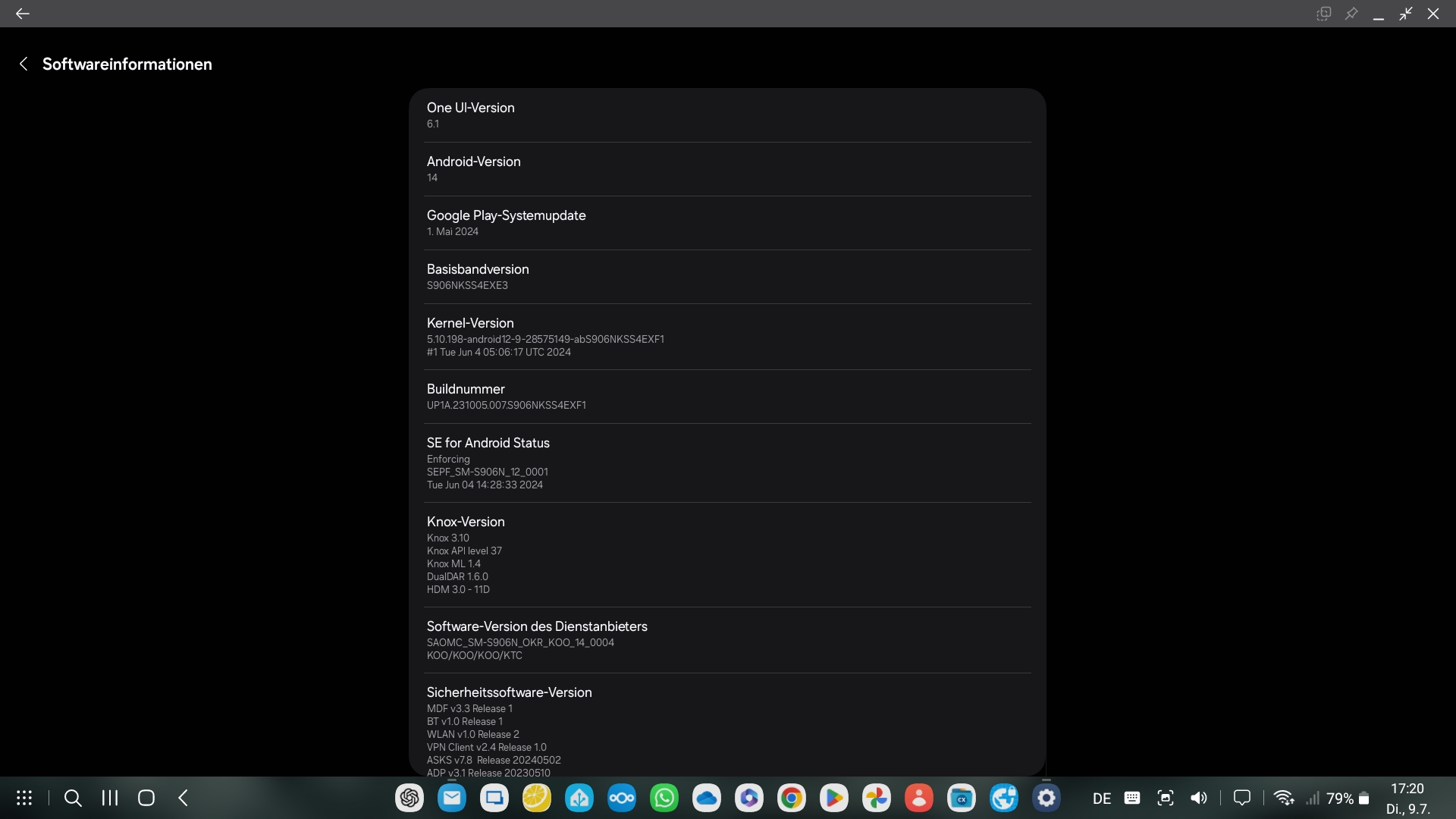
On my Raspberry Pi, there is the WayVNC under Wayland running.
I hope, this information helps to find the issue.
Best regards,
Roland
Screenshot_20240709_172041_Settings.jpg
Hello again
WayVNC under Wayland
Ah - then it's likely this is a different issue to what the original poster reported. Most typically when customers are using VNC to connect to their raspi, it's via the raspian built-in VNC service (which is basically RealVNC using RA2 authentication).
I'm not familiar with WayVNC, but looking at their documentation I see two possible authentication methods: VeNCrypt and RSA-AES. Can you share the details of how you have authentication setup so I can try and recreate the problem on my side?
This is especially relevant because what's happened is, we recently upgraded the dependency that's used for crypto operations to a new major version and it had some breaking changes (and not all of them were documented, annoyingly). This impacts authentication in a number of places, and it's likely you've found a regression that we haven't seen yet.
Please, let me know if something isn't clear or you have further questions
Kind regards
Richard Markievicz
Hello,
I use the following configuration of the wayvnc server - it is the RSA-AES option: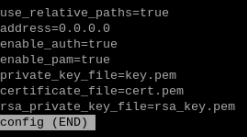
This config file is stored under ~/.config/wayvnc/
wayvnc is using the login credentials of the Raspberry Pi OS for authentication, so you can login as a regular user at the vnc client.
Best regards,
Roland
d5f87cbe-aa73-4243-9764-2134d23b01ec.png
Hello again
This is helpful, thank you.
Can you let me know the size of your RSA key? You can run this:
openssl rsa -in ~/.config/wayvnc/rsa_key.pem -text -noout
And it will spit out the data from the key, but the first line will look something like this
Private-Key: (2048 bit)
Can you let me know what you have?
Please, let me know if something isn't clear
Thanks and kind regards,
Richard Markievicz
Hello,
here is the information according to the size of the RSA key used by wayvnc:
Private-Key: (3072 bit, 2 primes)
Best regards
Roland
Hello,
Thank you for the information. To better understand your issue and recreate a setup just like yours, could you please send us a screenshot of the neofetch command and the following command: “dpkg -l | grep wayvnc”?
Best regards,
Carl Marien
Hello,
here the output of the "neofetch" command: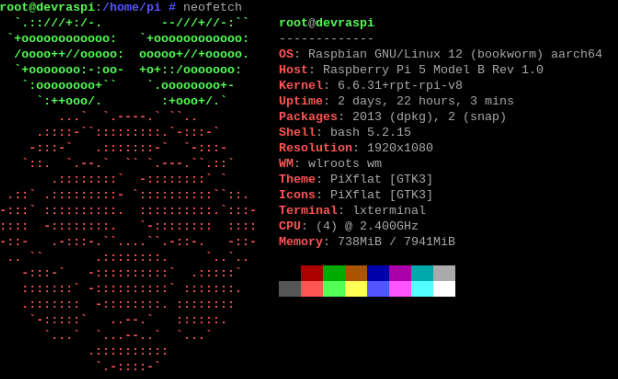
... and of the command "dpkg -l | grep wayvnc":
Best regards,
Roland
8554a845-27f9-4220-b097-b07e906c7d18.png
152f79de-d605-4a8f-a887-470e06b6c079.png
Hello
Thanks for the update
The issue is the key size; there's a bug in our RSA implementation that prevents keys larger than 2048 bits being used. Modern OpenSSH versions by default now create larger keys than that (in your case, 3072), What I don't understand is how this can be a regression on your side - it should never have worked, unless you changed something on your server that resulted in generating a new key or perhaps you switched the authentication mode?
I''m already working on this fix to allow accepting arbitrary key sizes, I'll create a ticket for that to track the release and you'll be notified once it's available.
In the meantime, if you need a workaround, please regenerate your RSA key with a size of 2048 bits.
ssh-keygen -m pem -f ~/.config/wayvnc/rsa_key.pem -t rsa -b 2048 -N ""
Please, let me know if you have any further questions or comments
Kind regards
Richard Markievicz
Hello,
I've bad news: the RSA key length is not the issue
I've generated a new key with 2048 bit length and surprise: it didn't work with the actual RDM version.
Then I've downloaded the version 2024.1.6.1 from apkmirror and installed it in my device after I had uninstalled the actual version.
=> And it works with both keys with 2048 bit and also with 3072 bit length.
Best regards
Roland
Hello again
Interesting. The fact that it doesn't work with a 2048 bit key on the current version may not be surprising; I actually turned up another issue while fixing this one. The implementation was slightly off-spec (the final hash exchange was done in the wrong sequence) - RealVNC servers handle that case ok, but in my testing WayVNC seems to have a race condition in that case because it would work maybe only 1 time in 10. I've also fixed this issue.
The 2024.1.6 version definitely should not be able to work with a server key greater than 2048 bits, and with a 2048 bit key it may still fail to connect based on the above bug. 2024.2.0 definitely has both those issues, as well as a regression in our crypto dependency.
So, I don't understand your results. With both the 2024.1.6 and the latest version, can you try a connection (with a 2048 bit key) while running a trace log on the server, and send me the results?
./wayvnc -L trace
Thanks and kind regards,
Richard Markievicz
Hello,
I've done the test as you've described it - the log files are attached to this posting.
With RDM 2024.2.1.2 the connection is not established - the RDM client shows an error.
With RDM 2024.1.6.1 the connection works fine.
I've used a 2048 bit key.
Best regards,
Roland
wayvnc_trace_RDM_2024.1.6.1_working.log
wayvnc_trace_RDM_2024.2.1.2_no_connection.log
Hello
Thanks a lot for the update.
Ok - this has been quite a confusing back-and-forth, but I believe you've hit upon a further undiagnosed issue. I'd missed this when setting up an environment to replicate your problem, but you have both a TLS certificate and an RSA key configured on your server. This means that the server offers both VEncrypt (TLS) and Ra2 (RSA) authentication when a client connects.
So, in this case, we're not even using RSA to authenticate and encrypt - we're using TLS. There must be something breaking it in this scenario. I'm sure this will be related to the crypto library update I mentioned upthread. In short - we updated our crypto library (mbedTLS) from version 2 to 3. This is a major upgrade with lots of breaking changes. Sadly (and I don't absolve us of blame here, I just want to explain) their upgrade documentation is missing a lot of key information (generally behaviours that used to be the default now need to be opted into explicitly), and this has led to a few issues on our side.
I have an environment to test this and fix should be forthcoming but, for full transparency, it will be at least few days before I can work on that.
Typically in RFB (VNC) the server offers the different security types it supports, in order of preference, and the client selects the first one that it supports. There's no option (in RDM, or usually any VNC client) to "prefer" a certain security type. So we can't tell RDM to use RSA instead of TLS. The only workaround I can suggest in the meantime is to disable TLS on your server (comment out the certificate file and private key in your config), leaving the RSA key enabled (and until the previous bug fix is deployed, it will need to be a 2048-bit RSA key).
Ra2 (RSA AES) authentication is still encrypted so I wouldn't consider this a security downgrade. Hopefully the other VNC clients you are using support RSA as well.
I do apologize for the inconvenience and thank you for your help and patience with this.
Please let me know any questions
Kind regards,
Richard Markievicz
Hello!
The hint with the different encryption methods was the right one. After commenting out the TLS credentials, the connection works with the actual version of RDM with a 2048 bit RSA key.
Many thanks! It was a pleasure to work with an expert!
Best regards,
Roland
Hello again
The pleasure is all mine. I'm glad that the workaround is good for now. I have a ticket open to address the issue with VEncrypt but it will likely take a few days to get to that (it's a busy time of year with many people on vacation). Thanks for your patience and please don't hesitate with further questions or comments.
Kind regards,
Richard Markievicz
Hello
I just wanted to circle back to this and let you know that both of these issues (RSA keys with a different size than 2048 bits, and VEncrypt/TLS encryption) were fixed in RDM Windows in the later 2024.2 releases, and should be fixed in RDM Android since at least 2024.3.
Please let me know if you have any further questions or problems
Kind regards,
Richard Markievicz