Scrolling not working in Windows RDM 2024.1.23.0 64-bit

Using Apple Remote Desktop application and connected to Macbook Air running Sonoma 14.5 - Scrolling through webpages works, however when you open the Mac Applications you cannot scroll down to additional apps and have to resort to arrowing
All Comments (3)
Hello
That sounds strange indeed; do you mean scrolling with the mouse wheel doesn't work? And it works in web pages (Safari?) but not in other applications?
If you can confirm that my interpretation of the issue is correct, I will try to reproduce the problem on my side.
You could try updating to a newer RDM version (2024.1.23 is a few weeks old now) but I'm not sure it would change something. It's possible that Apple changed something in the protocol (it's closed source / specification).
Sorry for the inconvenience
Thanks and kind regards,
Richard Markievicz
That's correct..Using a Windows 2-button mouse with scroll wheel. I us Chrome and scrolling with the wheel. If I want to run an application on the mac and select the applications, I can only see the first few rows of apps and can not scroll to see additional apps. I'm forced to use the keyboard arrows to scroll down from app window
Hello again
Can you confirm something for me: when you talk about selecting applications, are you talking specifically about using "Launchpad" (which pulls up the application chooser, with pages for applications that you can scroll through)?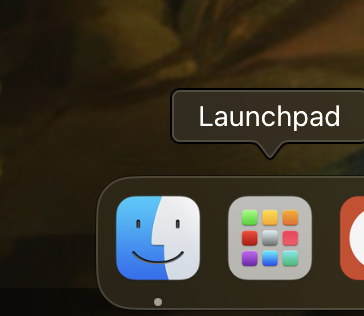
Thanks and kind regards,
Richard Markievicz
Screenshot 2024-06-14 at 09.05.51.png