mstsc command

Hi,
How to add mstsc command like /shadow /v: .. in remote desktop manager
Sylvain
All Comments (1)
Hello Sylvain,
Thank you for reaching out to us regarding this,
You need to select your RDP entry and right click > view > console management > Terminal services console. In the console you will have the button to connect in shadow mode to an ongoing valid session.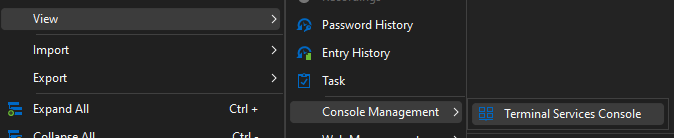
Keep in mind the restrictions for shadowing are the same as with using mstsc.exe, which includes needing to be on the same domain and being an administrator.
Best regards,
Samuel Dery
c5954f27-14e3-410d-b8e3-fb0bac4cd74d.png