Feature request - RDP external monitor inherit reconnection attempts
Feature request - RDP external monitor inherit reconnection attempts
0 vote

Hello,
I would like to request the implementation of a function that inherits the reconnection attempts for an RDP session when using "External" and "Secondary monitor" as display methods.
Currently, the number of reconnection attempts only works if the "Undocked" display setting is used. When using the methods described in the previous paragraph, the default value (5 attempts) is used.
Best regards.
All Comments (6)
Hello,
Thank you for the request. We will open a ticket and see what we can do.
Regards,
Hubert Mireault
Hello,
We've added support for RDP max reconnection attempts in External mode. This should take effect for the upcoming version.
Regards,
Jafran Majeau
Hello Jafran,
thanks to add the RDP max recconnection attemps and I have a question about this implementation.
How should RDM be configured to obtain the specified parameter ? 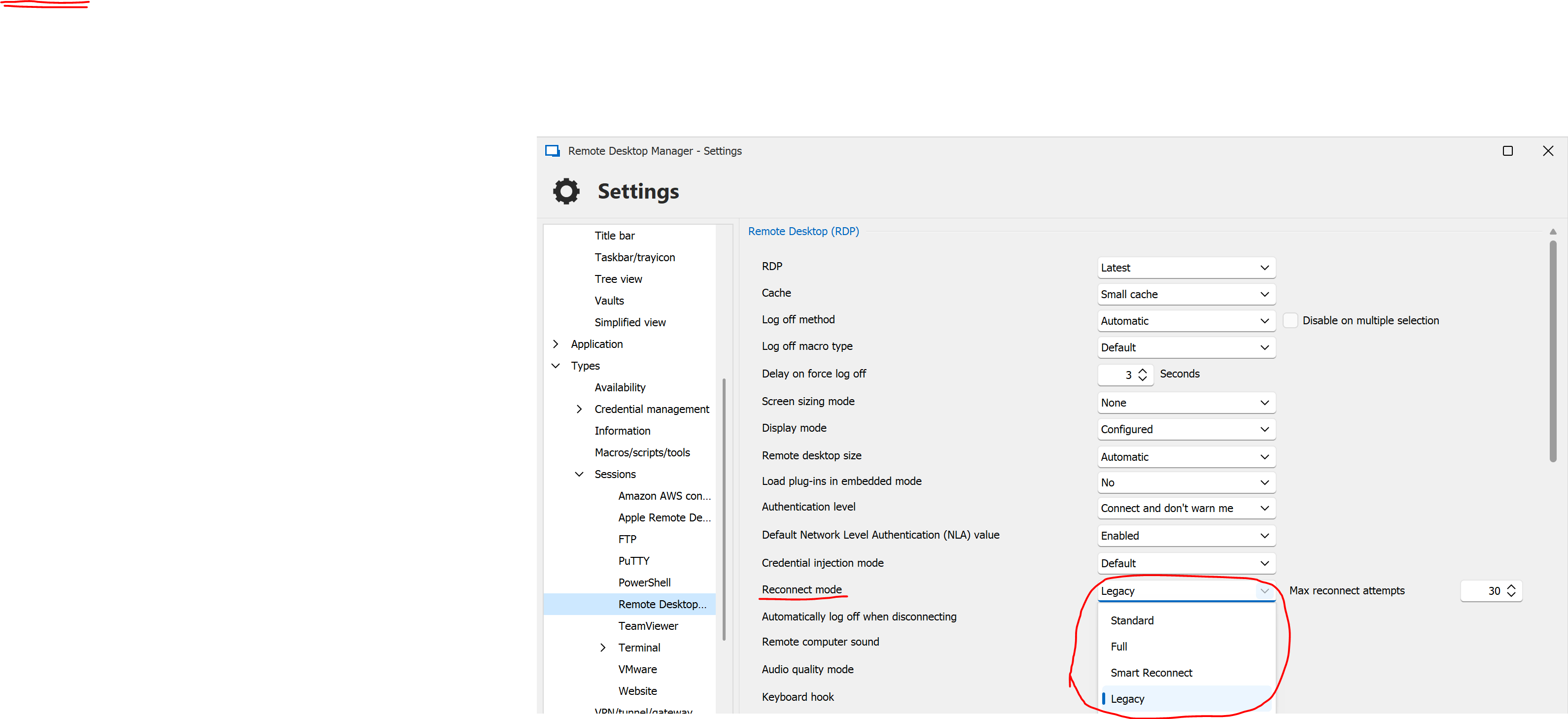
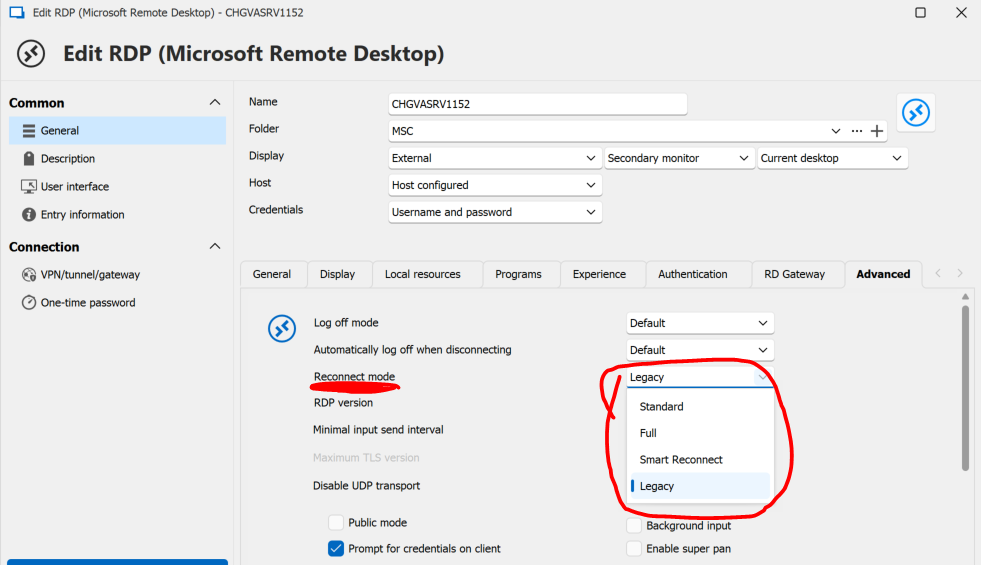 So far, I have tried modifying the reconnection method by testing all 4 types that RDM offers, both from the general settings and from the RDP connection (screenshots of where I changed the parameter are attached).
However, in none of the cases are the reconnection attempts inherited.
Best regards.
RDM global settings.PNG
RDM edit RDP.PNG
Hello folchinicarlo,
As far as I understand, any setting that isn't legacy should work. However, we might be talking about different use cases. Could you please walk me through the steps you are taking (or are happening) for you to test whether or not the reconnection attempts are working? If you could be as accurate as possible, that would help with expanding this investigation.
I understand that you first launch an RDP session in external display mode, and I'm assuming that there are no VPNs or other factors involved at this stage. While the session is launched, what precisely happens that causes you to need to reconnect? Examples of why this could happen can range between being forecefully kicked by other users taking control of the same computer, to either your local or the host computer losing internet connection (or other such factors), and it's possible that certain settings related to different use-cases are conflicting with this one in certain cases.
If we can replicate your specific case, it would certainly help in pinpointing any issues.
Regards,
Jafran Majeau
Hello Jafran,
Firstly, I need to connect to a VPN, but I don't think this is the root cause.
When using an external RDP file outside of RDM with the "AutoReconnect Max Retries:i:10" parameter, the reconnect attempts increase to 10 instead of the default 5. Then, I simply initiate the connection.
I assume that the reconnect attempts occur due to network instability (as we don't manage the infrastructure), so sometimes 5 attempts are not enough and a manual login is required.
Is it possible that some settings are only applied after restarting RDM ?
Let me know if you need more informations.
Best regards.
Hello,
Is it possible that some settings are only applied after restarting RDM ?
Yes, some settings only work after restarting RDM, those are usually located in File - Settings, and have warnings that come with changing them.
Firstly, I need to connect to a VPN, but I don't think this is the root cause.
The issue likely is linked to the VPN. We don`t actually "handle" the reconnection attemps of RDP per say, RDP simply comes with the feature, we simply pass along the number of reconnection attempt possible. However, for VPNs, it ultimately depends on the VPN themselves and if they come with the necessary for it to work.
If you could tell us which type of VPN you're using, we can investigate to see if there is support to make it work.
Also, make sure that the Reconnect if connection is dropped option is enabled in the entry as well. (Located in the Experience tab).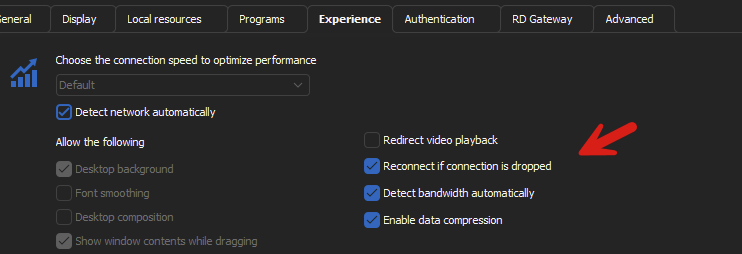
Regards,
Jafran Majeau
bc2dc301-b10a-4823-a84f-6c0bc67f246e.png