Hub Personal read-only within RDM but editable online

Hi,
We just updated to the latest version as of today (2024.1.31.0) and now I can not add nor modify any entries in RDM but if I log into the hub through the browser I can edit with no problem.
The dashboard looks like this (several options disabled/greyed out):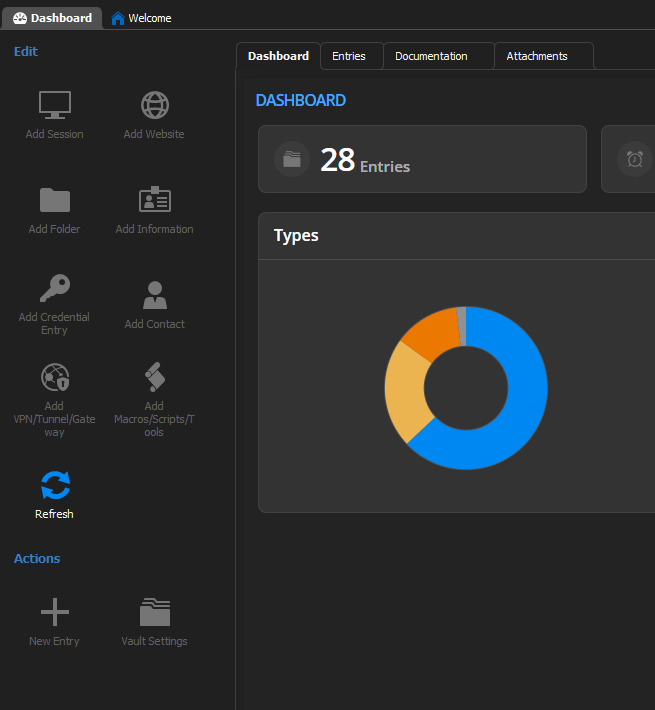
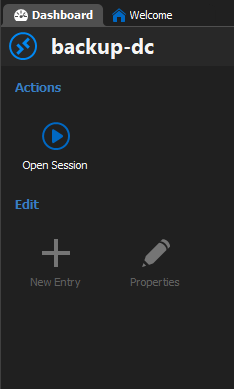
500132a3-7435-4597-b9c2-eaf5618e1721.png
679f9191-0c87-4a91-8178-31ed2bfa249f.png
All Comments (6)
Hello Tech5,
Thank you for contacting us on that matter!
Could you please try the steps below?
- Could you try creating a new data source in RDM with the same information? Please do not clone or duplicate the data source. If the new one works, delete the old one. This operation has no impact on the data in the Personal Hub.
Let us know if the problem persists. If you have any other questions, feel free to let us know.
Best regards,
Maxim Robert
Hi, I have the same issue. I tried the above, but the new data source is read only as well. This is the second time this happened. Last time I had to completely reinstall the app again. Would be good to understand why this is happening.
Good day,
I have the same issue too. I am using personal HUB and running the latest version of Remote Desktop Manager.
What I can do to fix it?
Thanks!
Hi,
Since the last Hub Business update, RDM version 2024.2.x is needed. If you're using an older version you will only have read only access within RDM.
Best regards,
Jonathan Trépanier
Hi,
Since the last Hub Business update, RDM version 2024.2.x is needed. If you're using an older version you will only have read only access within RDM.
Best regards,
HI,
I uninstall it, downloaded and installed it again, and that fixed it.
Thank you
After upgrading to the latest version, it's working again. Thanks!