Secure Notes missing text editor/html support

Hello,
In the older versions of RDM (9.4.1.0), the Secure Notes had HTML support and various formatting options to change color, font, size and so on.
In the newer versions of RDM (2024.1.29.0), this functionality was reduced to plain text only.
Is there some workaround you could suggest to have secure notes with text editor options? Documentation tab seems to have text editor, but it cannot be made sensitive (hidden) like secure notes can.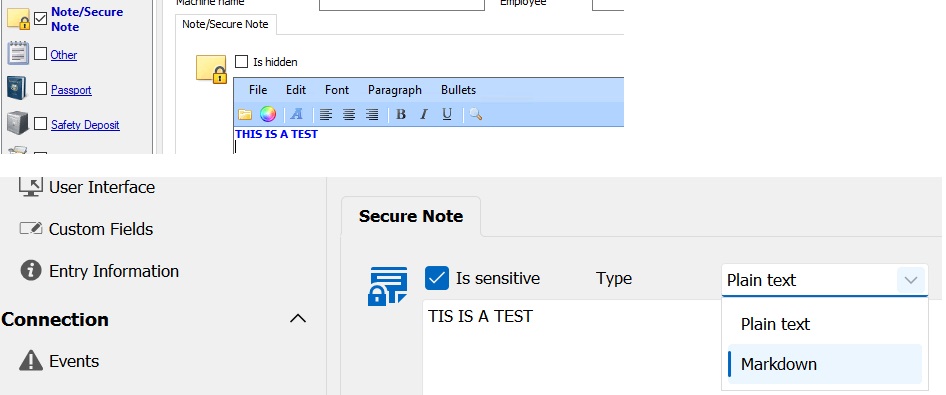
rdm secure note.jpg
All Comments (8)
Hello,
We use to support Rich Text Format but this no longer supported because it's was Windows only. Unfortunately it was not possible to use that on the web or on our other platforms.
The good news is that you can use markdown which is exactly the same editor than the documentation and it also support formatting sensitive information: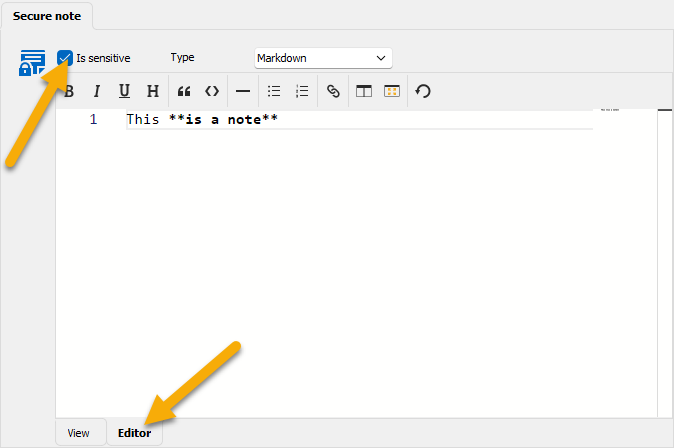
Regards
David Hervieux
48e6d803-f7ca-44f1-9539-f2d2139ea8ab.png
Thank you David,
That could work, will need to dust up on my HTML knowledge then :D
Hello,
No need just use our Markdown editor. It's really simple and you can also have a split view: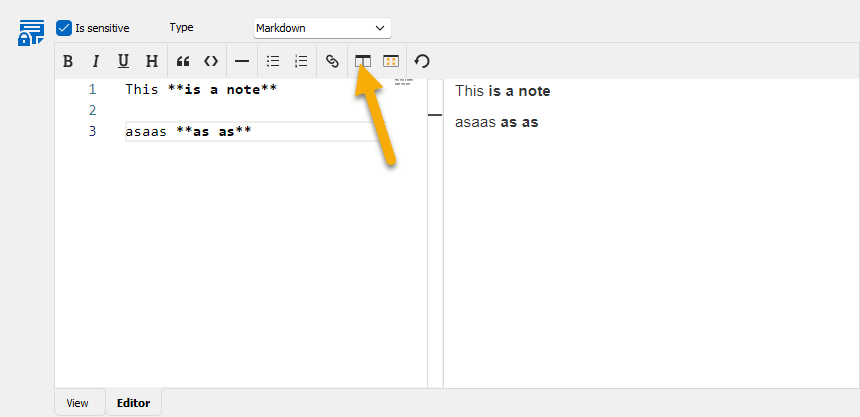
Regards
David Hervieux
6d93a7c8-5aef-40b1-ba2f-33b552f1a037.png
The Split view is very helpful.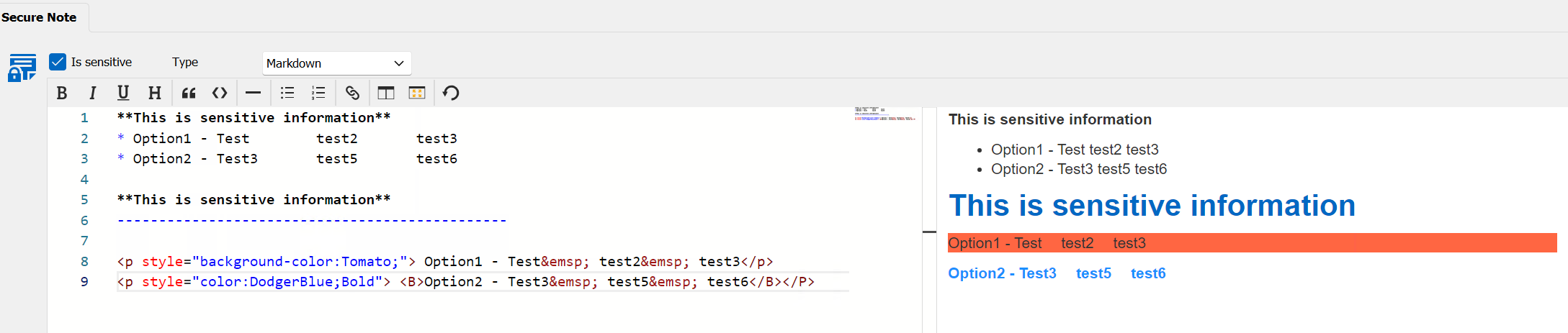
81a39dbc-f3ad-4783-8f2e-71c884b647ee.png
Hello David,
I ran into issue when trying to add images to the notes from a local source. Any way to add them to notes? Images are too sensitive to post somewhere online to then use URL...
Hello,
I think you could use the attachment feature to add the images.
Regards
David Hervieux
Hello,
Are you referring to this?
So, is there no way to insert the image into the Note itself otherwise?
234d47d9-3a78-4c24-8ebe-13e426048266.png
Hello,
Yes exactly. The other solution is to use the Documentation instead: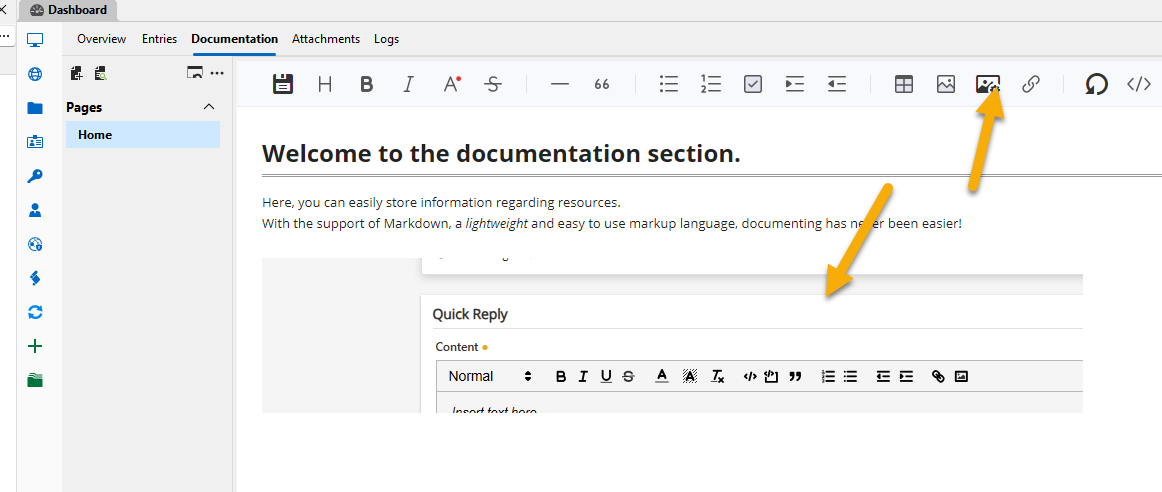
The secure note is just a basic Markdown editor and it does not have the infrastructure to save an image. I will keep this in mind and try to figure out a solution.
Regards
David Hervieux
6edeb735-fd86-40cd-93bc-6334d7a32c5b.png