nerd fonts did not work on ssh terminal

i am using version 2024.1.30.0 64-bit, and try to use JetBrainsMono NF as ssh terninal font. but it did not work.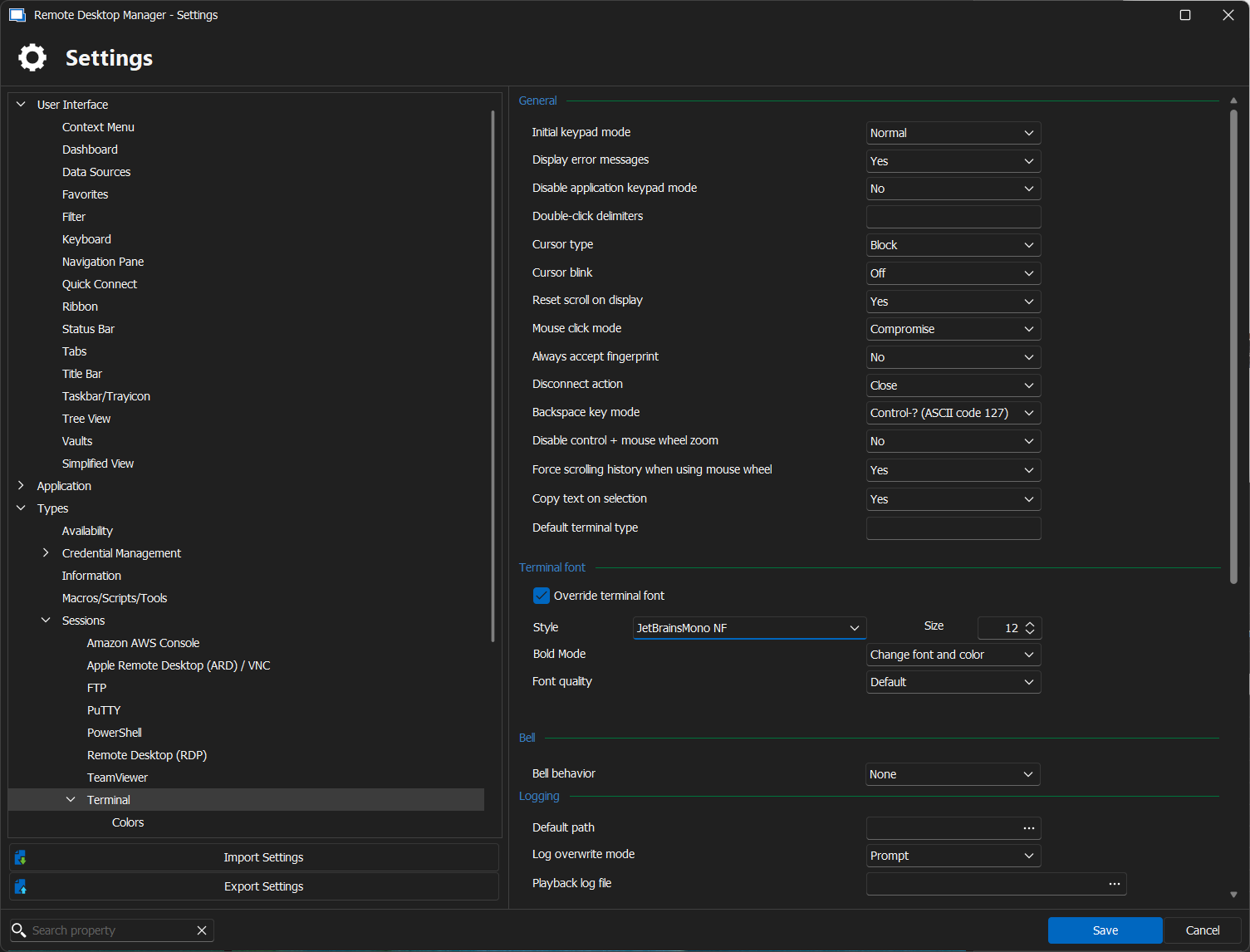
Screenshot 2024-06-04 103322.png
All Comments (12)
Hello,
It seems I am unable to see the font you are using. Could you let us know if the font you use is a custom one?
Also, does the issue reappear if you choose another font or none at all?
Best regards,
Carl Marien
https://www.jetbrains.com/lp/mono/
this is the font i try to use.
some fonts a worked, but not the one i want to use. if i choose another font then back to use the JetBrainsMono, the font seems use the default font.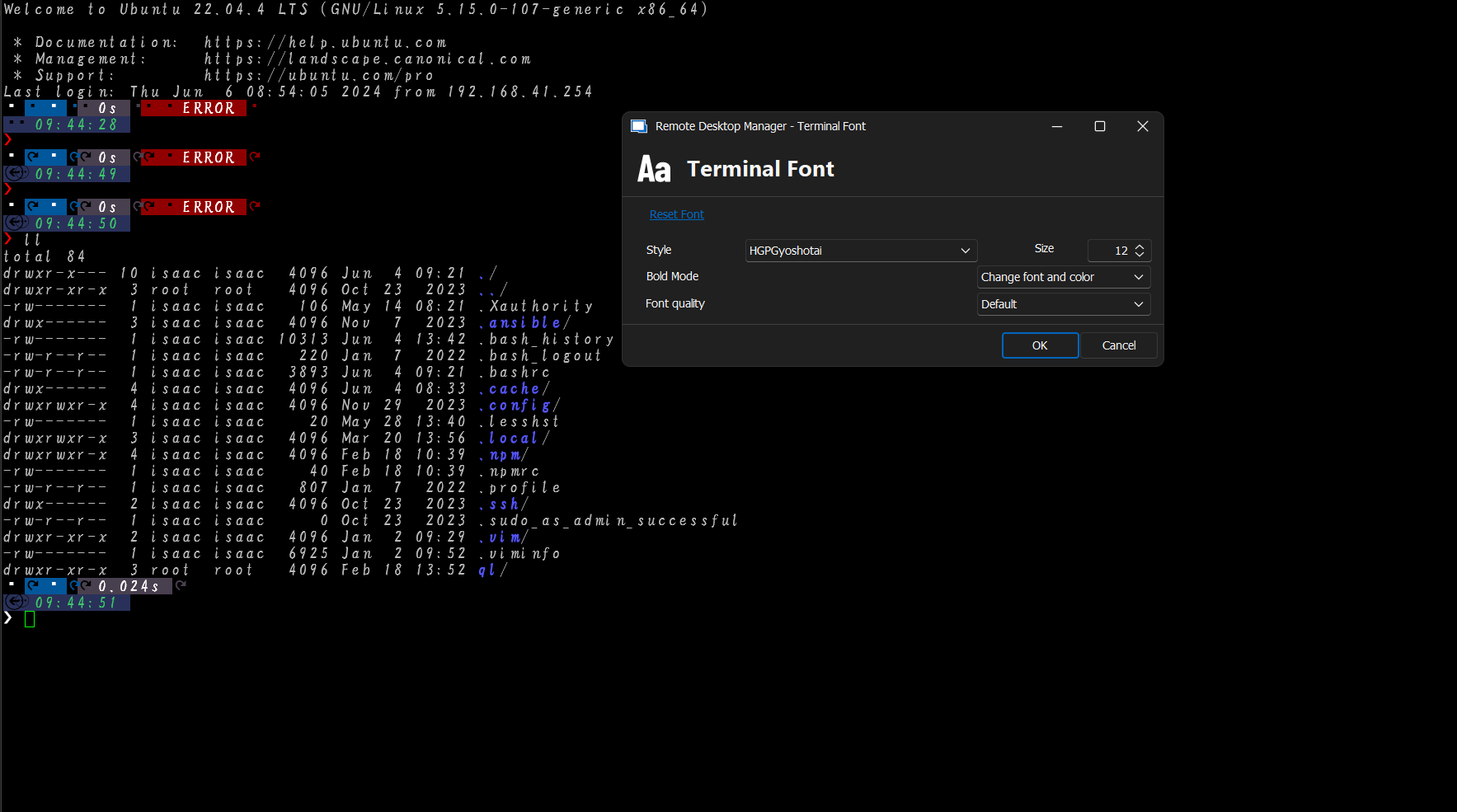
Screenshot 2024-06-06 094606.png
Hello,
Thank you for providing the link to the font you're trying to use. I will attempt to recreate the issue on my end to better understand what might be going wrong. In the meantime, could you confirm if all the fonts you tried are custom, or if this issue occurs only with JetBrainsMono? Your answers will help us troubleshoot more accurately.
Best regards,
Carl Marien
i am using this font in windows terminal without any problem, but not work in devolutions.
Hello,
Good news! We were able to recreate your issue, and a case has been created for our developers. I will keep you informed about any progress.
Best regards,
Carl Marien
Any update on this? Missing my nerd fonts in the terminal quite a bit.
Hello,
I have contacted the developer to inquire about any updates. I will keep you informed as soon as I receive any news.
Best regards,
Carl Marien
Hello,
Thank you for your patience.
We are currently unable to reproduce the issue on our end. Would it be possible for you to follow this link and send us some SSH shell logs?
https://docs.devolutions.net/rdm/kb/rdm-windows/how-to-articles/send-ssh-logs-verbose/
When sending the logs via email, could you please include the link to the forum and mention my name for easier tracking?
Best regards,
Carl Marien
Hi,
I facing same issue here, when I use JetbrainMono font download from nerd font, the font seems doesn't work, it completed different than it shows in putty or other terminal, looks like it fails to default font on my computer, can you test again at your side.
https://github.com/ryanoasis/nerd-fonts/releases/download/v3.3.0/JetBrainsMono.zip
Hello,
Thank you for reaching out to Devolutions Support.
Could you please specify if the issue occurs only in RDM?
If it does, kindly refer to my previous message and send us the SSH shell logs, as we need them to better understand the issue and recreate it on our end.
Best regards,
Carl Marien
Hi,
Due to the multi-platform nature of the RDM terminal, we are limited to identifying fonts by name only. But some fonts have unexpected naming scheme that makes them hard to find through the multi-platform font manager we are using (Skia). At this point, it begins to be hard to accommodate one font without losing another one. That is why we are not moving fast on this issue, but let me assure you we have not given up on finding a solution..
Denis Vincent
The fix for nerd fonts will be available in RDM 2026.1.18.0. Let me know if you still have trouble after this update.
Regards
Denis Vincent