Limit MFA device types for the datasource MFA option

Hello,
We have enrolled Yubikey as MFA factor on the datasource and that works great.
But Is there an option to prevent users from using DUO and TOPT as datasource MFA option?
I know this might be a strange feature, but our company policy for now is only allowing the usage of Yubikey.
And we also require Yubikey for access to our customers Office 365 tenants from a hardening perspective.
Best regards
John
All Comments (3)
Hello,
Setting the Yubikey MFA in File - My Account Settings - Data Source MFA is possible.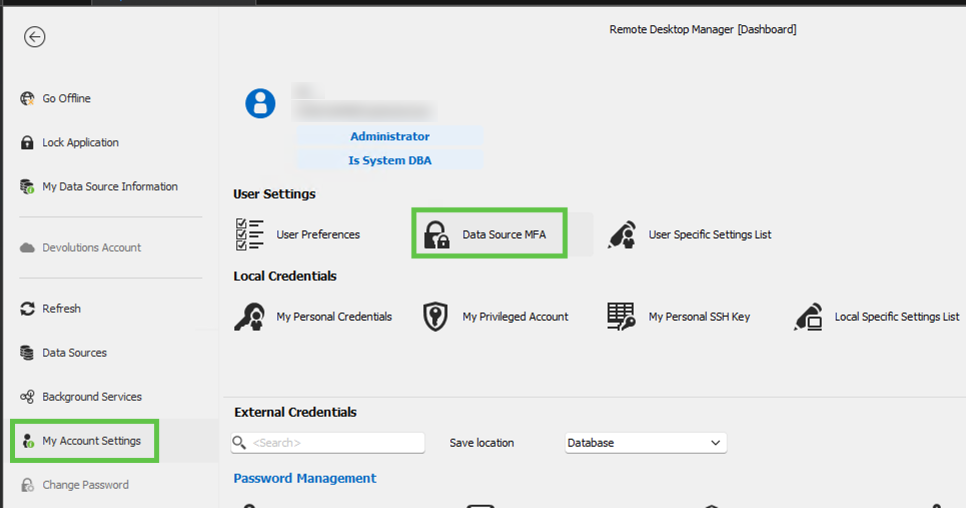
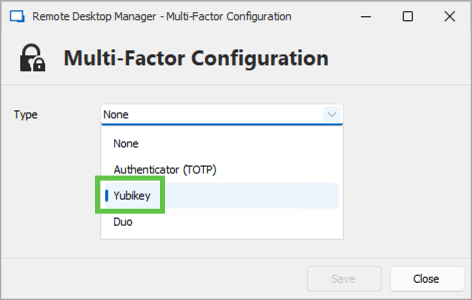
Then, to enforce MFA on the user's data source, enable the Force data source multi-factor configuration option in Administration - System Settings - Security Settings.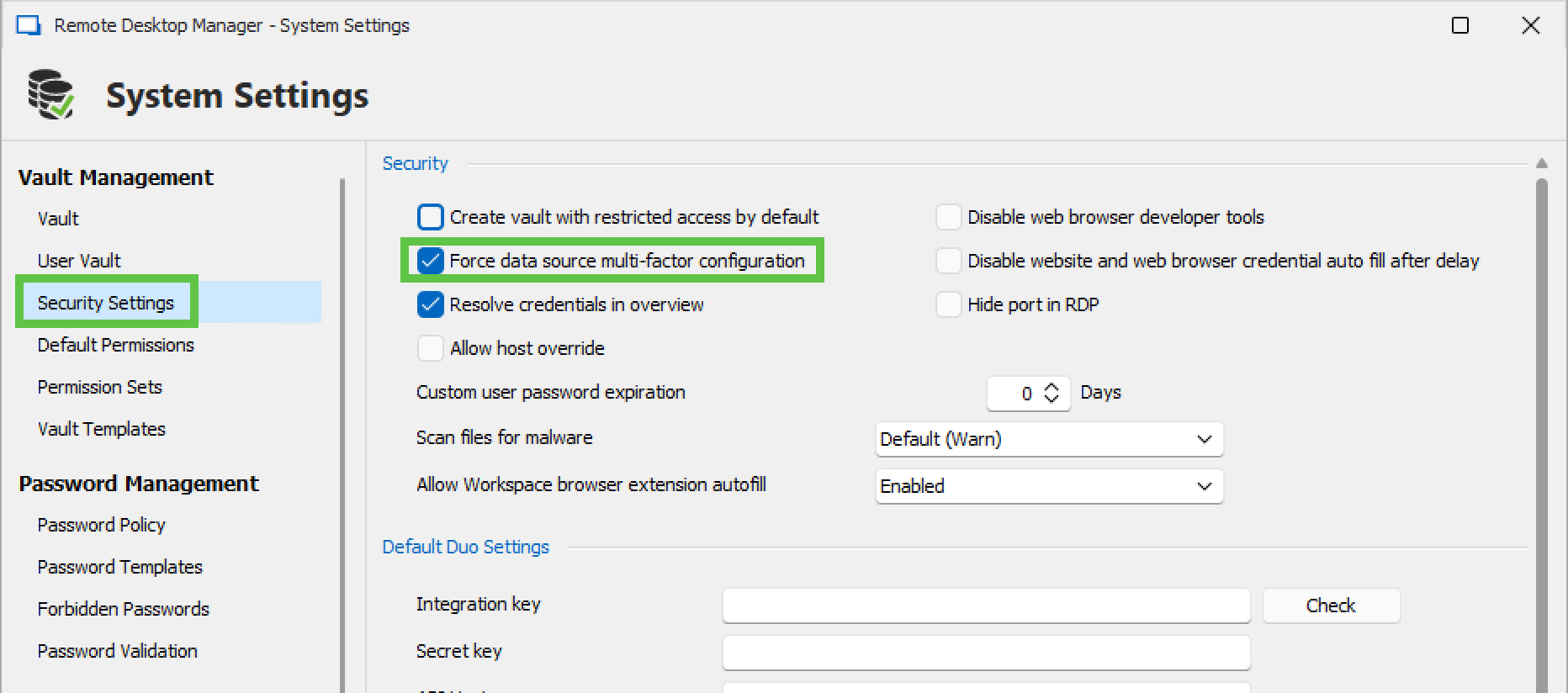
Finally, in Administration - System Settings - Applications, you can select which event to disconnect the data source from to prompt for MFA.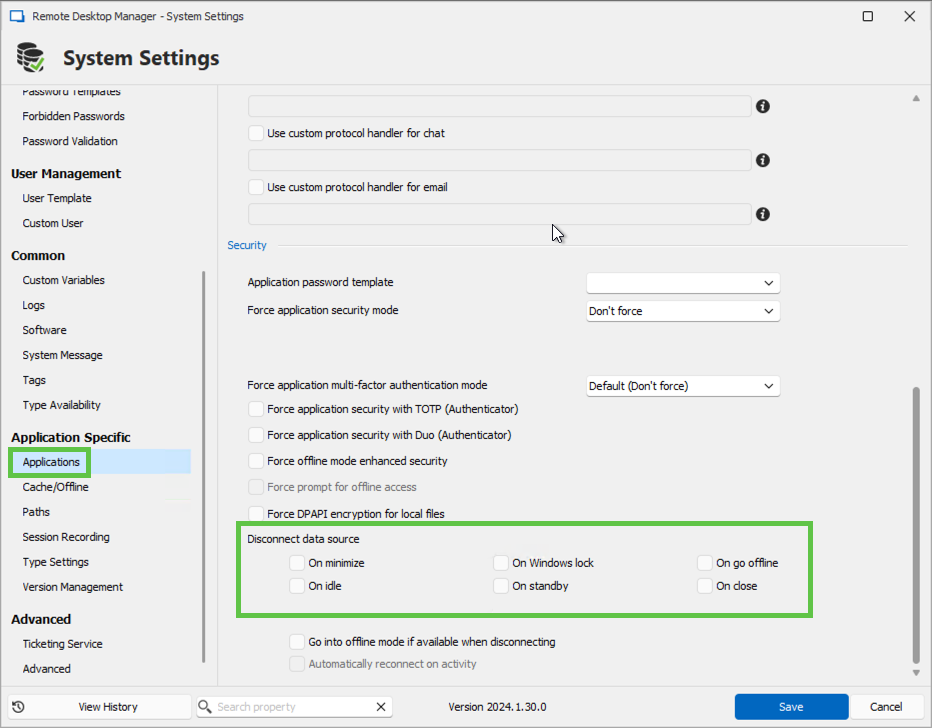
Let us know if that helps.
Best regards,
Érica Poirier
f1b96464-0547-4026-a3e2-30d070136b72.png
b8c5185d-037d-4c90-a377-dccd06066718.png
6c67d733-4b23-443e-8898-7a08395f6e15.png
58348554-51f6-469c-b7c1-fdb8bf751d3b.png
Hello Érica,
Thank you for your response, we have already followed these steps to enroll Yubikey, but I am searching for an option to prevent the usage of TOPT and DUO as 2nd factor.
Or an option for the admininstrators of RDM so they can not only see that MFA is enrolled for a user, but also which types.
More or less how Microsoft can show the registered MFA options on an user basis
Kind regards
John
Hello John,
Thank you for your response.
If you use a SQL data source, it's impossible to prevent Duo or TOTP usage. If you want to enforce the Yubikey, I recommend you migrate to a Devolutions Server (DVLS) data source. With DVLS, we can specifically enable which MFA is allowed when authenticating to the data source.
https://docs.devolutions.net/server/web-interface/administration/configuration/server-settings/security/two-factor/
https://docs.devolutions.net/server/web-interface/administration/configuration/server-settings/security/conditional-access-policies/
Let me know if you have any more questions.
Best regards,
Érica Poirier