Dashboard missing informations

Hello RDM Support Team,
The RDM Dashboard used to display licenses, software, passwords, etc., 30 days before their expiration. Recently, this feature seems to be missing
I have attached screenshots to illustrate the issue.
Thank you in advance for your support.
Best regards,
Abdallah
Screenshot 2024-05-29 100647.png
Screenshot 2024-05-29 094525.png
Screenshot 2024-05-29 094351.png
Recommended Answer
Hello,
Could you check if your entries that don't show up have the "exclude notifications" checkbox enabled in their advanced tab?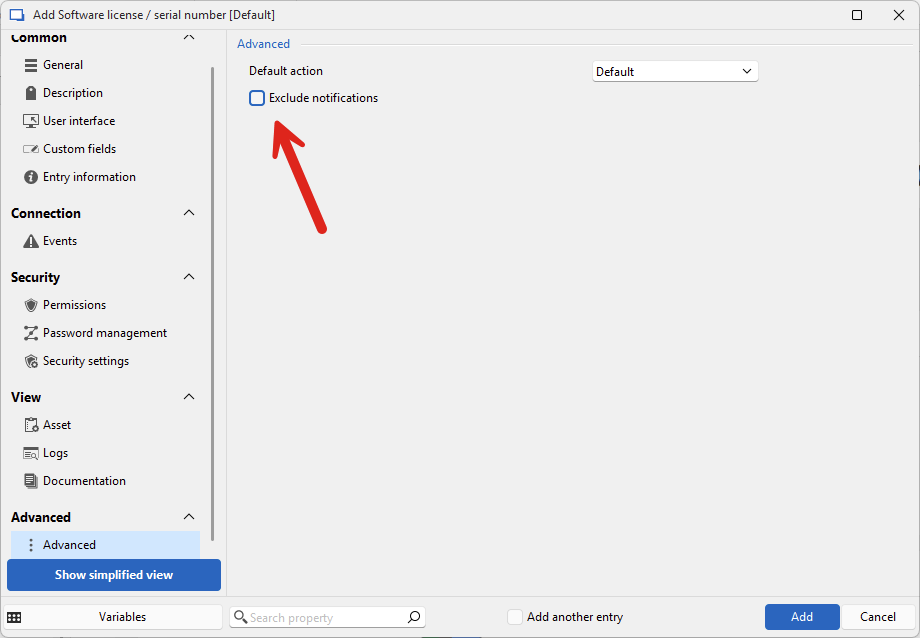
Regards,
Hubert Mireault
6addba72-176e-42f7-a1ad-77aa313b82b0.png
All Comments (22)
Hello,
What data source type do you use?
Regards
David Hervieux
Hi David,
Data Source: Microsoft SQL Server .
Best Regards,
Abdallah
Hello,
I'm unable to reproduce it. I can see the expiring Widget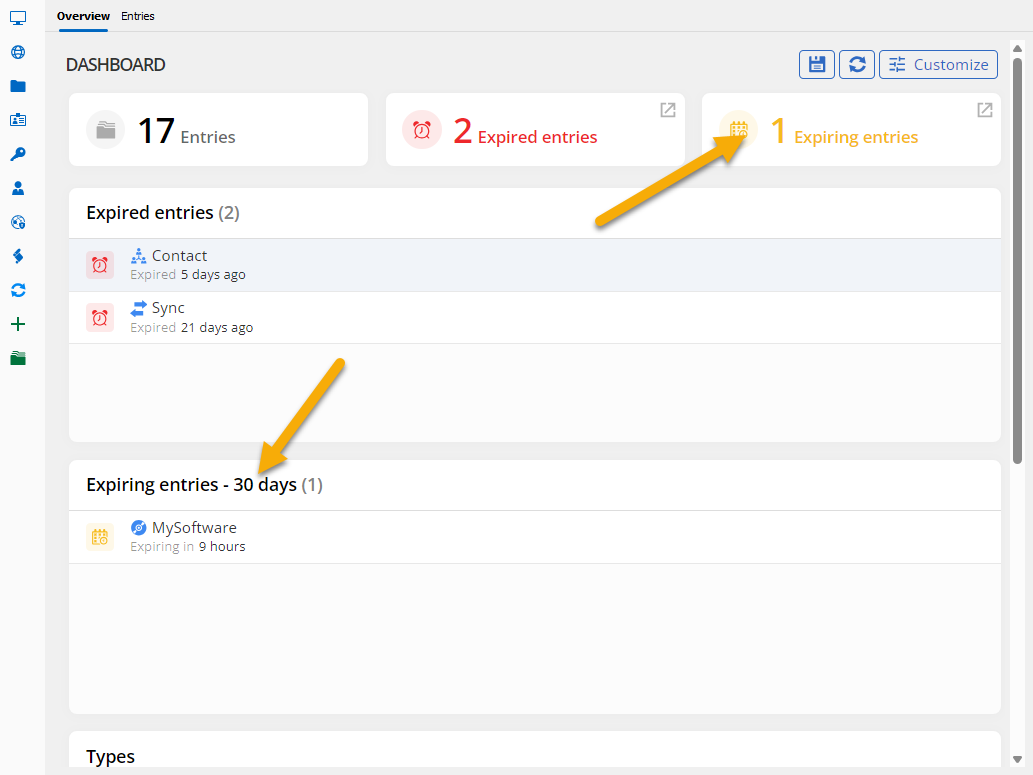
Regards
David Hervieux
3030dde0-1001-40de-b7cc-15dabc7d9df2.png
Hi David,
Thank you for your answer.
The problem that not all licenses are displayed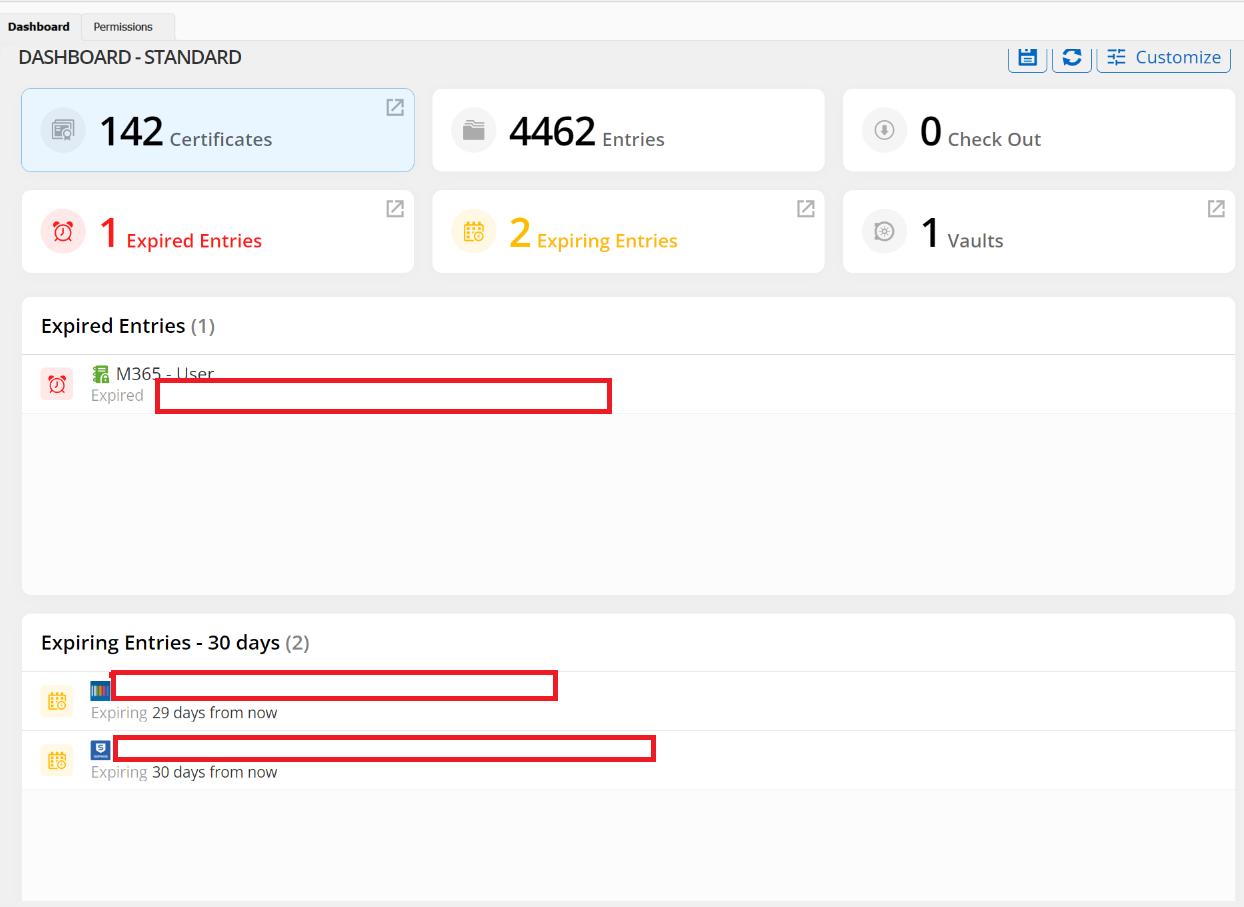
Screenshot 2024-06-03 094730.png
Hello,
Do you see a pattern of the missing licenses? Something that could help me reproduce the issue?
Regards
David Hervieux
Hi David ,
And Today there is no entries displayed ..
PS : all the entries are configured the same
Best Regards,
Abdallah
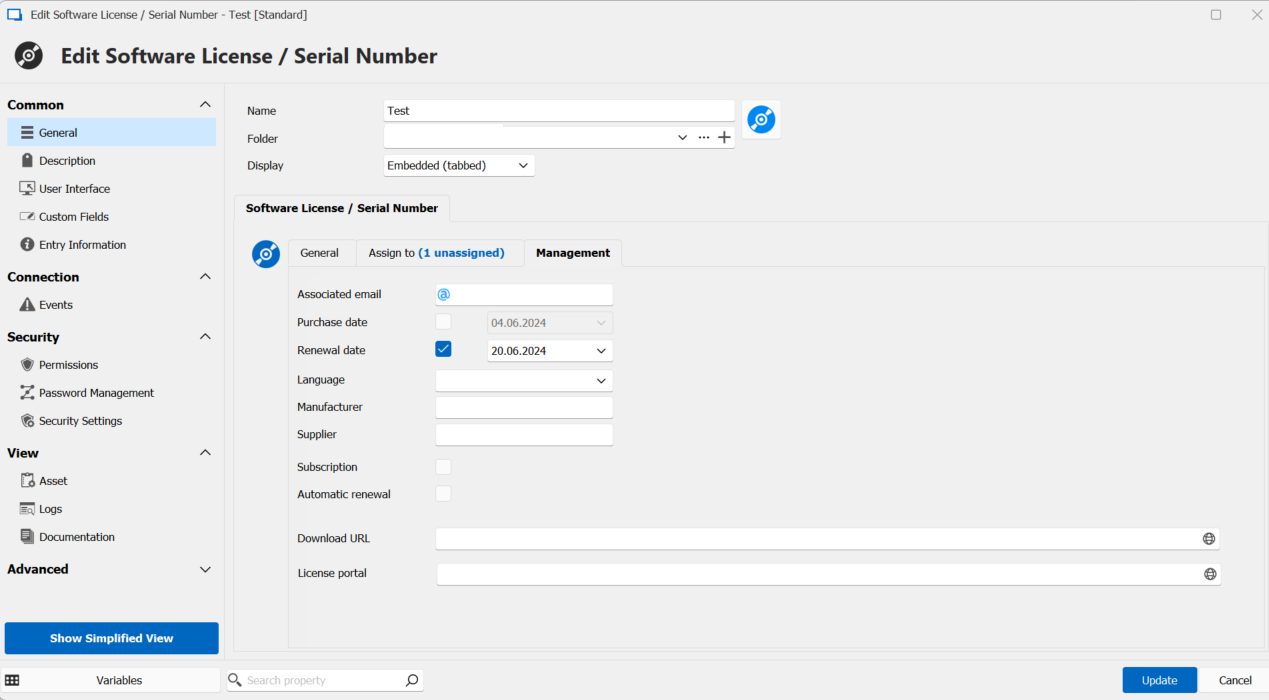
This configuration used to work: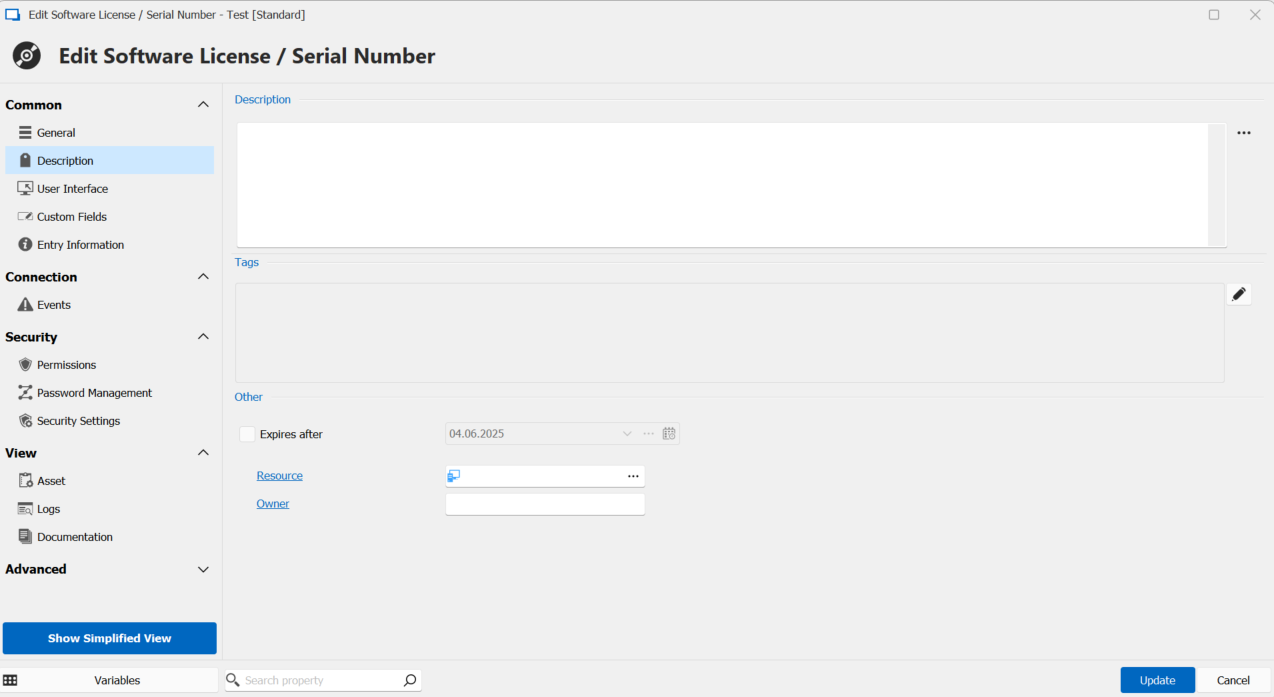
Screenshot 2024-06-04 090614.png
Screenshot 2024-06-04 090549.png
any help ?
Hello,
I have created a ticket and I should be able to fix it soon.
Regards
David Hervieux
Hi,
Unfortunately, I still have the same problem...
Are there any updates?
Hello,
This bug is assigned to one of our developers.
Regards
David Hervieux
Hi,
Unfortunately, I still have the same problem...
Are there any updates?
Hello,
Thank you for getting back to us. I will check with the developers for an update, but it seems that a patch has not yet been released for this issue.
Best regards,
Carl Marien
Hello Marien,
Thank you for your reply.
Are there any updates for this case ?
Regards,
Abdallah
Hello,
We are currently unable to replicate the issue on our end. Could you please test if creating a new entry reproduces the issue?
Best regards,
Carl Marien
Hi,
Sorry for the late response.
After every update, I keep hoping it will work again, but unfortunately, it still doesn’t.
Let me know if you’d like further refinements!
Best regards
Just for your information: I can see new entries on the dashboard, but ONLY the new entries, not the updated ones.
Hello,
Could you check if your entries that don't show up have the "exclude notifications" checkbox enabled in their advanced tab?
Regards,
Hubert Mireault
6addba72-176e-42f7-a1ad-77aa313b82b0.png
Hello ,
Finally ! , that was causing the problem.
Thank you ;)
Is there a way to make it automatically unchecked?
Hello,
I'm glad this works for you. The setting should already be unchecked by default.
Here's a few things that might help you pinpoint why that setting was checked for those entries:
- If you usually create new entries by using templates, make sure that the template itself doesn't have this setting checked, as that would make new entries created with that template also be excluded from notifications
- In the notification window, if you have an entry that is expiring or has expired and you right click > exclude notification, this will also check that setting for the entry, meaning it doesn't only exclude it for the user or for this specific notification
We have had talks about reworking certain parts of our notification system to be more in-line with our other products (Devolutions Server, for example). The notification system for entries in RDM specifically was designed a very long time ago, and there's a lot of things about it we want to improve. Regardless, I hope that this clarifies the way it works at the moment.
Additionally, if you want to remove the "exclude notification" setting from multiple entries, our Batch Edit feature might be an easy way to achieve this.
Let us know if you have any additional questions.
Regards,
Hubert Mireault
Hi,
Thank you very much for all the information.
I have no further questions; everything is clear now.
This case can be closed.
Regards,
Abdallah