"Auto Logoff when disconnecting" - Per User?

Wondering if there is a way to set the "Auto Logoff when disconnecting" feature per user, instead of per entry?
Currently, I have my templates that do A/D Sync's set up with the following option:
However, there are some users who would like a handful of entries who would like this option set to No, while others like the Yes option.
I have checked everywhere through the settings for User Specific, and can't find anything that overrides this function.
Is this only available on a per entry basis?
Thanks!
--- Chuck
Overgaard, AZ (-7 MST / Zulu Year-Round)
RDM Version: 2026.3.2.0 64-Bit - Free
3c3b1e7c-2771-4829-b9f2-1f6b00fdb595.png
All Comments (2)
Hello Chuck,
If you set the value for this field to Default, RDM looks for the default value in File > Settings > Types > Sessions > Remote Desktop (RDP):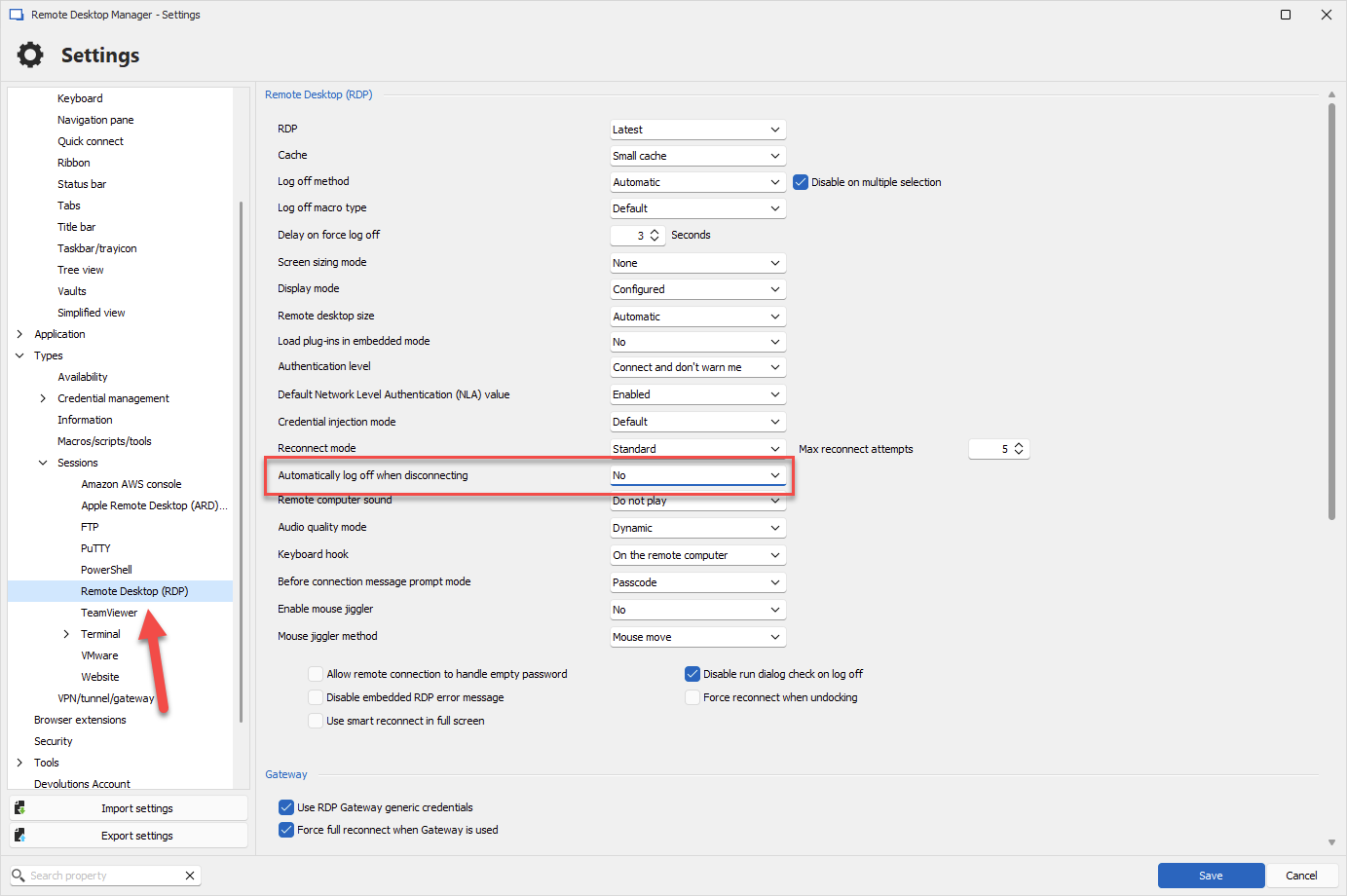
So you could synchronize with the value Default and instruct your users to set their local setting to "yes" or "no" depending on their preference. At the moment there is not way to override this value per-entry with specific settings.
Let me know if this helps.
Regards,
Hubert Mireault
ffed9c64-a9a7-4e86-b602-c5b84fe93101.png
OK, thanks! That goes back to the whole it's either all or none.
I didn't think there was a way to do it on a user-based setting, and everyone uses the "Yes", with the exception of a handful of entries where just a couple users would like No.
So we will just change those handful of entries to No and go from there.
Thank you!
--- Chuck
Overgaard, AZ (-7 MST / Zulu Year-Round)
RDM Version: 2026.3.2.0 64-Bit - Free