centralize ssh session logs
0 vote

I am using devolutions on multiple computers, some linux some windows with a MSSQL vault. I have one issue with ssh logging when I configure it on a windows computer and then open the session on a linux computer I get the error on the path. so What I have started to do is create an ssh object for linux and one for windows that have the paths. Not sure if there is a better way to do that, but what I mainly wanted to know, is there a way when the terminal session is ended to run a script from RDM to copy the log file that was created in the log path to a remote server via sftp. This would allow all the logs to be centralized in one location?
All Comments (10)
Hello,
We currently have a feature to configure variables in the System Settings: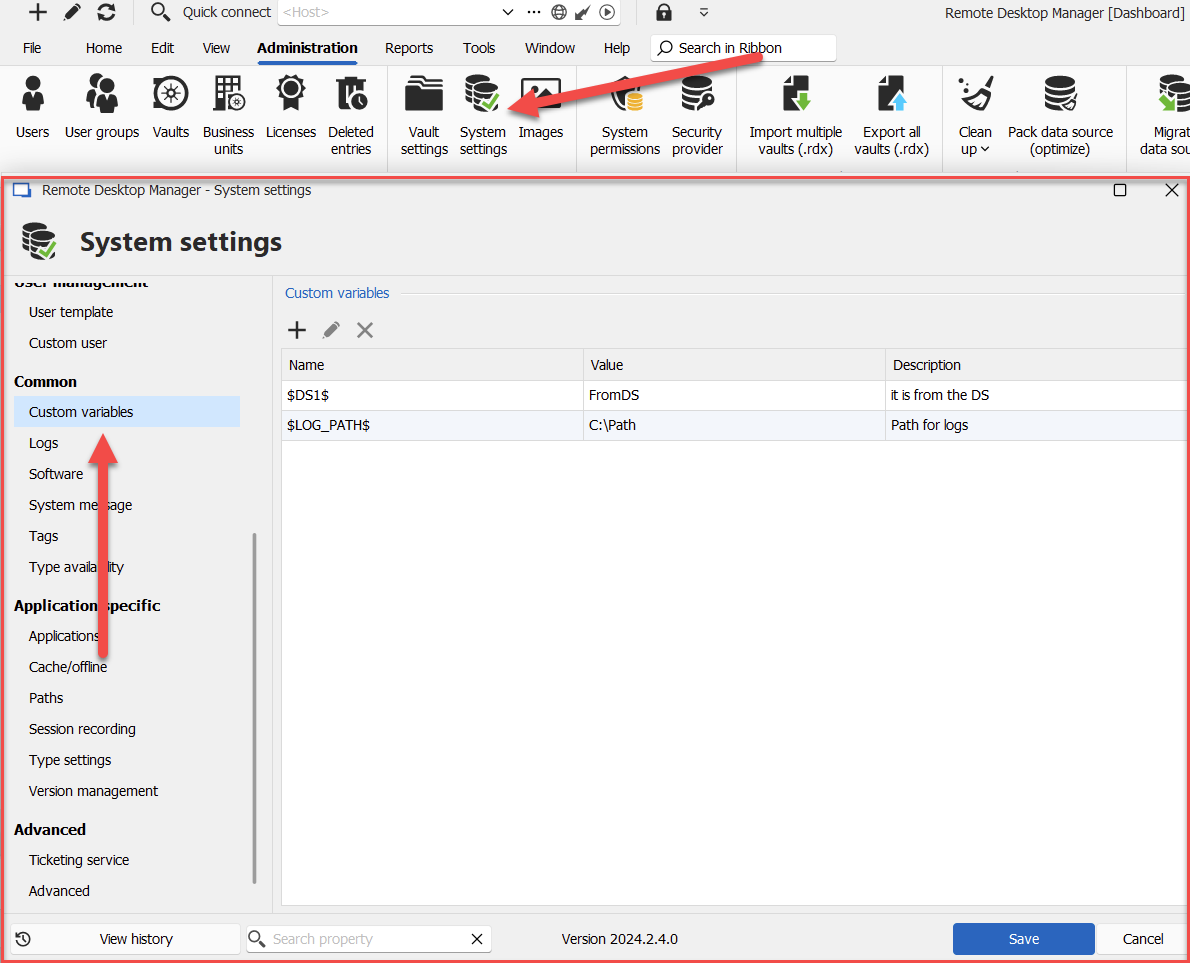
What this allows you to do is configure your entry like this for example: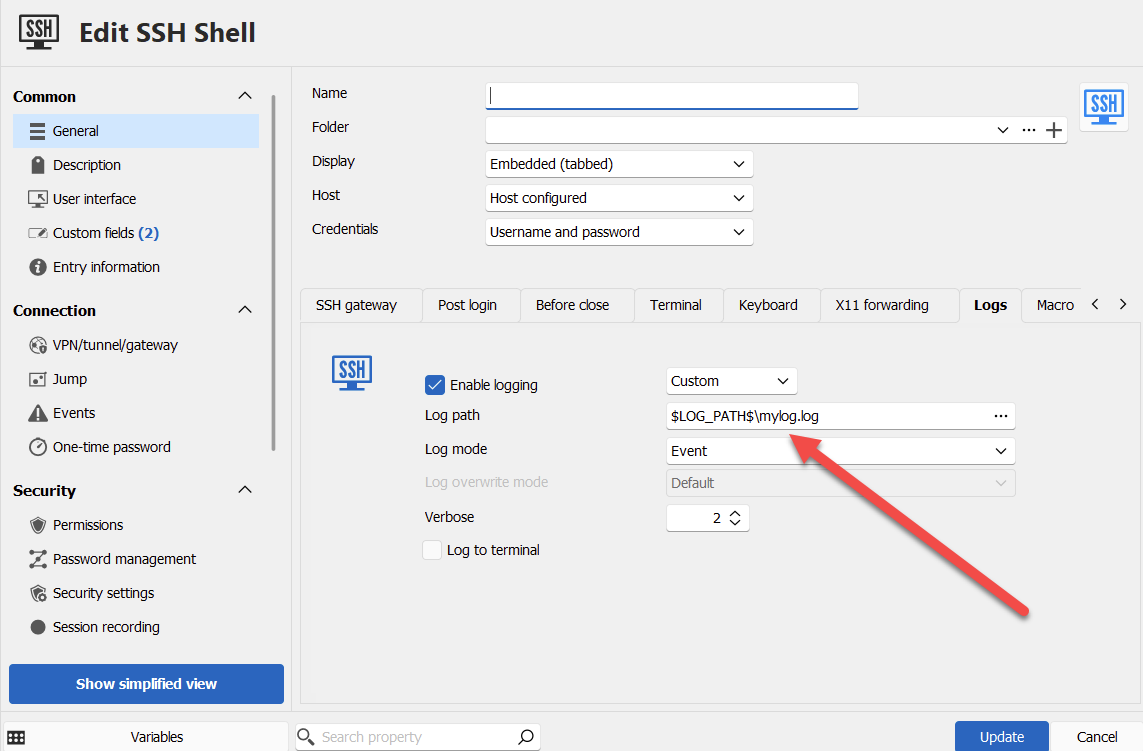
And when executing the entry, RDM will resolve those variables and use that as the log path in your case.
If we improved the variables in the system settings to have different configurable values depending on the platform RDM is being ran on, do you think this could be a good solution to your issue? This would allow you to use the same variable, for example, $LOG_PATH$, and on windows it could point to a certain path, and on linux to a different path. This is already something we wanted to do, and it would be much simpler for us to implement than an entire new mechanism to push logs to an SFTP server.
Let me know what you think.
Regards,
Hubert Mireault
9588ca9c-539a-4179-8499-7e21f966452e.png
ad8dcdd5-56f7-4dad-a179-1886645e2740.png
That would be great so I don't have to create different ssh clients (one for windows and one for linux). Imagine I would have a $log_path_linux = ~/console_logs/ and $log_path_win = %UserProfile%/console_logs/ and I currently use my current file names $NAME$-$TIME_TEXT$.log.
That would not fix the sftp, that was to get the logs from all systems in one central location so I don't have to go back to the host to review. I imagine I could point them to a unc path, not sure if that will work, which is why I was thinking to just copy them off box to a central location which could be an sftp or smb share.
Is the first feature something I can do now or coming out? That OS detection would definitely be handy especially If I am using a 3rd party program that runs on both Linux and windows but is called differently. Like I do have putty on both (win/Linux) and launching would be different
> That would be great so I don't have to create different ssh clients (one for windows and one for linux). Imagine I would have a $log_path_linux = ~/console_logs/ and $log_path_win = %UserProfile%/console_logs/ and I currently use my current file names $NAME$-$TIME_TEXT$.log.
With the feature I describe, you would actually have $Log_Path$ as a custom variable, and depending if your RDM was on Windows or Linux, the path would be ~/console_logs/ or %UserProfile%/console_logs/. But yes, that is the gist of it.
> That would not fix the sftp, that was to get the logs from all systems in one central location so I don't have to go back to the host to review. I imagine I could point them to a unc path, not sure if that will work, which is why I was thinking to just copy them off box to a central location which could be an sftp or smb share.
Unfortunately it's as you describe, the solution I suggested would only work with a UNC path in your scenario, since it would only change the path where RDM tries to save the log file. Do you think this could still be a workable solution for you, or would it not work in your infrastructure?
> Is the first feature something I can do now or coming out? That OS detection would definitely be handy especially If I am using a 3rd party program that runs on both Linux and windows but is called differently. Like I do have putty on both (win/Linux) and launching would be different
The variables are not currently able to be resolved differently depending on the platform, but if this solution would work for you, we can try to add this to our 2024.3 roadmap.
Regards,
Hubert Mireault
yes the feature would definitely help especially for those that run rdm on different operating systems. I mostly run on windows and linux but I have a mac and could try on the mac as well. I will try pointing to a UNC path and see if that works. Only think I wonder or will need to see how it works is if it can't connect to the unc path if I am working offline how RDM handles that.
even doing the unc i would need the different variable per os since windows unc path connection is different then linux.
or it could have 3 variables to detect if I am offline, sort of what happens with the database I have the option set to ask if I want to work offline or online. IT could then I I say online use the local path, if offline use the unc path.
Just did some testing to see if I could specify a UNC path and looks like that doesn't work. Looks like I would have to map a drive on the computer and then use that mapped drive as the log location. Is it possible to have it use a unc path and provide username/password if needed to connect to the share?
Hello,
It's not possible at the moment to specify credentials for UNC paths in the logs of the terminal.
Due to your constraints in environment (including the offline mode makes this more complex), I'm wondering if you could instead use a script that runs after closing the entry? You can configure that in the events section of the entry, in the "after close" tab. There are multiple choices, like powershell or script: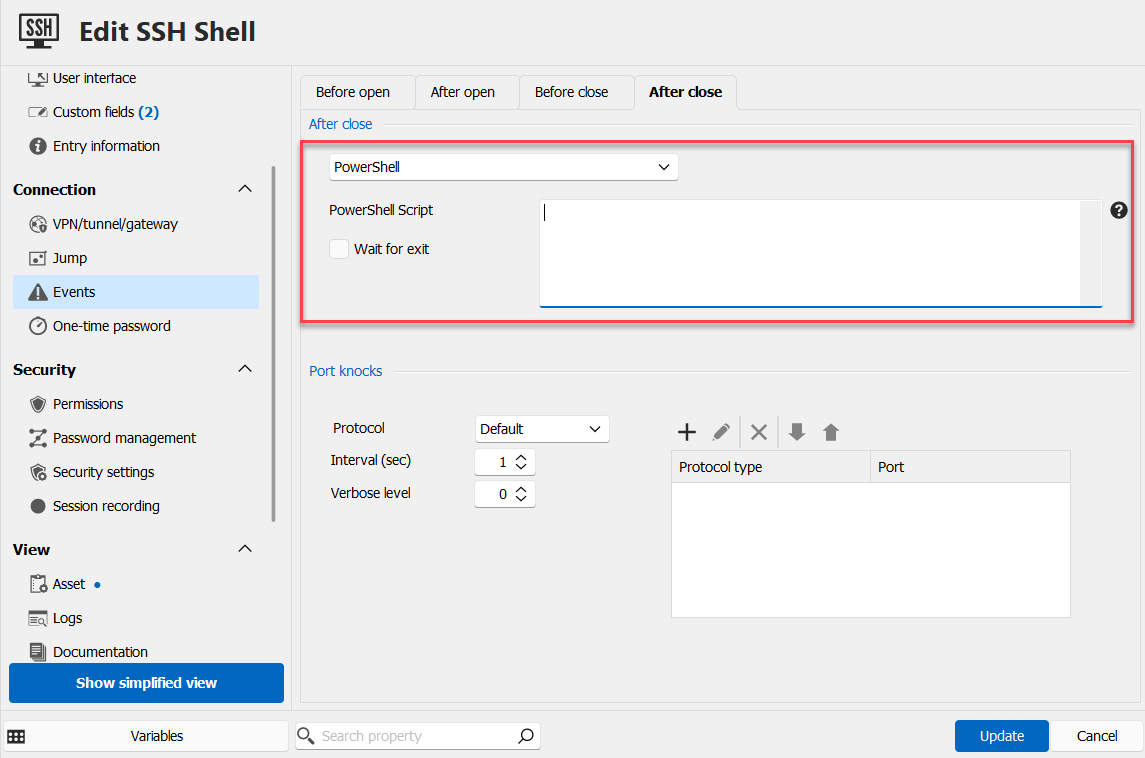
If this wouldn't work for you, we will have to think up another solution as I'm not sure the variable solution I outlined would work for you (due to it not working in your case with UNC paths, and requiring a different value for the offline mode).
Regards,
Hubert Mireault
3f75639e-742b-40dd-af07-711debf10b73.png
If I leverage the script would I be able to use the $NAME$-$TIME_TEXT$.log. in the script to know what file was generated as part of that session?
Hello,
If the script is stored in RDM, it should work.
I've done a test on my end, where I configured the following line for the SSH log path: C:\Users\hmireault\Downloads\$NAME$-$TIME_TEXT$.log
Then in the "after close" section of the events tab, I selected powershell as the script, and put the following:
get-content C:\Users\hmireault\Downloads\$NAME$-$TIME_TEXT$.log;
Start-Sleep -Seconds 5;
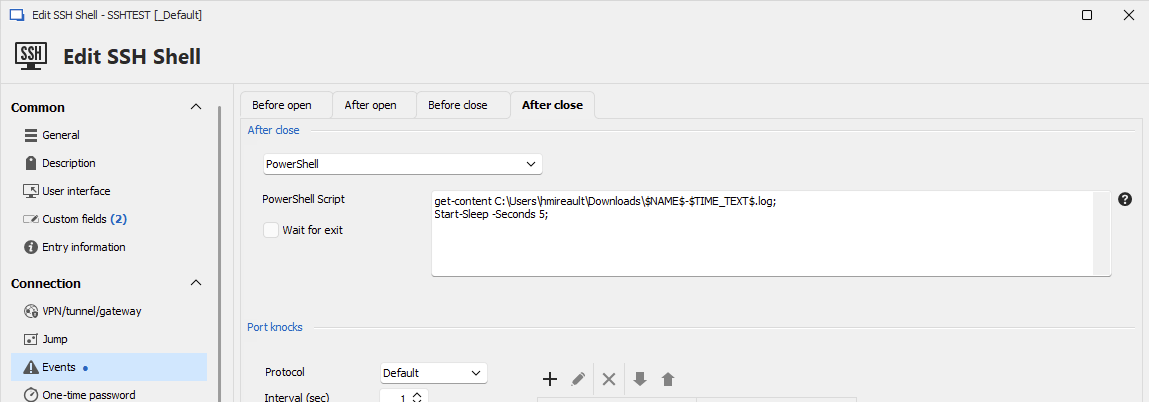
And the log file was properly read by the powershell script.
Could you try this on your end and see if it works for you?
Regards,
Hubert Mireault
5ed50752-74e8-49d7-afa0-1b21c4c1ea41.png