move folder up/down

hello team!
I'm trying to move folder up & i cant find anyway to do so, i read here that i need to to go to User Interface in the setting of the folder and set "Sort priority" higher..
this also didn't work..
any advice how to move folders up/down the list ?
thanks in advance!
All Comments (6)
Hello,
Thank you for reaching out to Devolutions Support.
Unfortunately, I am unable to recreate the issue you described. Could you please check if the Sort Priority settings for the other folder are set to 0?
If the problem persists, could you send us a screenshot of the Sort Priority option?
Best regards,
Carl Marien
ive many folders, somehow a folder that start with A got to the end of the list, i wanna move it to the top of the list,
all the rest of the folders are Sort priority set to 0, only the folder that i want to move to the top of the list is set to 1
see pictures, 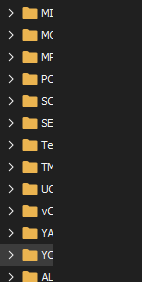
so the last folder "AL" i wanna move to the top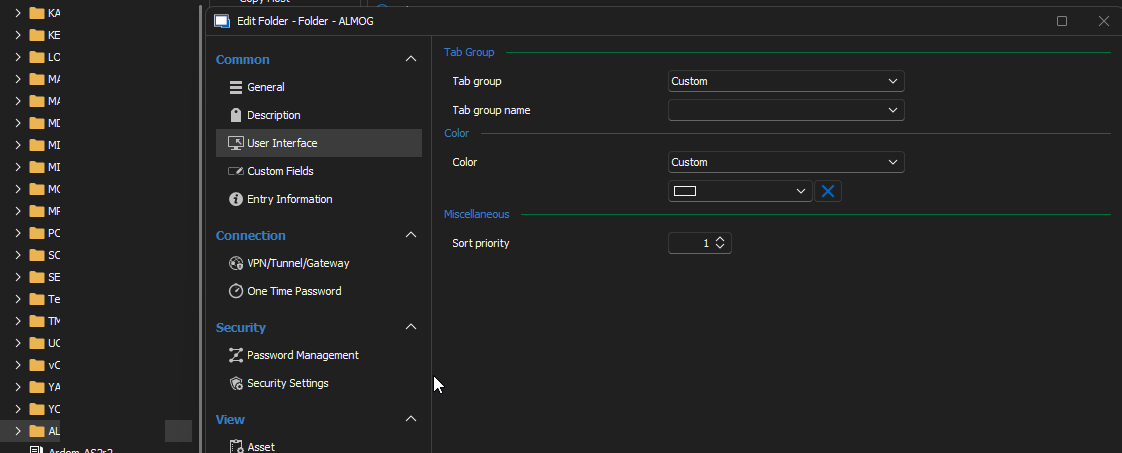
after setting the Sort priority to 1 & click Update, nothing happens
tnx for taking the time to replay!.
55c64104-a4fb-4d6d-90ac-d15486bf3ae2.png
68cb2293-1d58-4391-b4a0-4e3f4c9f6c9b.png
Hello,
Thank you for your assistance with the test. Could you please set the sort priority to a higher value, such as 999, to see if it alters the behavior?
If this does not resolve the issue, I would appreciate scheduling a session to observe the problem firsthand.
Best regards,
Carl Marien
hello carl, thanks for the replay,
ive set the "Sort priority" to 999, & the folder still on bottom of the list, so that didn't help.
that's would be great to scheduling a session.
im on (GMT+3) Jerusalem time.
gimme details on how you wanna set the session
tnx in advance
Hello,
Would it be possible to go into the properties of the folder, click on Advanced, and change the scope to the default setting?
Best regards,
Carl Marien
Hey Carl,
I'm glad to confirm that solved the issue, the folder jumped to the top!
tnx =]