Integrating Windows LAPS to RDM
0 vote

Hello,
when is there a way to be able to integrate the new Microsoft LAPS to the RDM?
The older Legacy-Version, which works very well in RDM, isnt no longer supoorted by Microsoft and our newer Systems / Domains only have the newly implemented native Windows LAPS, which we need to have in RDM.
it would be very great if you can find a way for implementing asap.
All Comments (14)
Hello,
Thank you for the request. We have opened an internal ticket to keep track of this feature. We'll keep an eye out for our community's feedback to help us prioritize this.
Regards,
Hubert Mireault
+1 for this as we are currently planning the rollout of MSLAPS in our company
Hello,
when is there a way to be able to integrate the new Microsoft LAPS to the RDM?
The older Legacy-Version, which works very well in RDM,
Is there documentation that you could point me in the direction of for implementing this? I found documentation at https://docs.devolutions.net/rdm/kb/rdm-windows/how-to-articles/configure-laps-custom-credential-entry/ but gives nothing but errors when trying to implement.
I would really appreciate it!
isnt no longer supoorted by Microsoft and our newer Systems / Domains only have the newly implemented native Windows LAPS, which we need to have in RDM.
it would be very great if you can find a way for implementing asap.
I agree on the new LAPS. We are standing up a brand new environment and there will be no Legacy krap in it unless 1000000000% absolutely necessary, and this is not one. :-)
--- Chuck
Overgaard, AZ (-7 MST / Zulu Year-Round)
RDM Version: 2026.3.2.0 64-Bit - Free
Hi Chuck,
That documentation would be the right outline to implement a custom solution to support the new LAPS service.
What errors are you hitting?
We agree new LAPS support is important and is on our roadmap.
Regards
Jonathan Lafontaine
Good morning, Jonathan... Here is what I have...
I have a Credentialed Entry set up with the following:
Powershell Script:
$isImport = Get-Module -List AdmPwd.PS

if ($isImport)
{
    try
        {
         $null2 = [System.DirectoryServices.ActiveDirectory.Domain]::GetComputerDomain()
         $isDomain = $true
        }
    catch
        {
         $isDomain = $false
        }

    if ($isDomain)
    {
        $lapshost=Get-AdmPwdPassword -ComputerName:$HOST$
        $pw=$lapshost.Password
          if ($pw)
             {
              $Result.Username=".\CSS_WintelAdm"
              $Result.Password=$pw
              $pw | Out-File -FilePath 'C:\Users\Charles.Waters\Desktop\laps_pw.txt'
             }
          else
             {
              $Result.Cancel=$True
              $Result.ErrorMessage="LAPS did not return any value!"
             }
    }
    else
    {
        $Result.Cancel=$True
        $Result.ErrorMessage="Your computer must be connected to a domain to use LAPS features!"
    }
}
else
{
        $Result.Cancel=$True
        $Result.ErrorMessage="The LAPS module must be installed in this architecture!"
}
On that instructions page, it says to put the authentication account used as Parameter #1 which I have. For our LAPS stuff, we create a local account on each server according to the domain, so for instance....\DOMAIN1_Adm .\DOMAIN2_Adm, etc. etc. etc. Below, I have included the .\DOMAIN1_Adm credentials: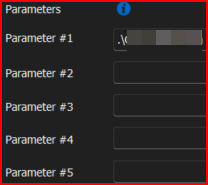
When I run the "View Password", I get the following: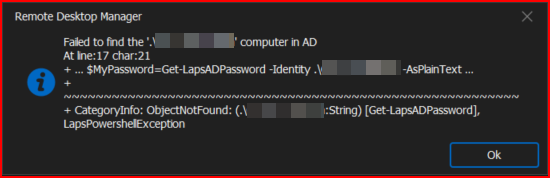
Then when I click OK, I get "LAPS did not return any value!", and then when I click OK on that box, it brings up the View Current Password box with all blank information.
So to throw another wrench in the mix...
There are currently 12 different domains that I have in one instance of RDM. In order to get the LAPS credentials for each of the 12, I would need to authenticate to that domain, if that makes sense. I can't just run it from my laptop, because our corporate laptops are on a corporate network, and all the clients are on different domains within 12 different networks.
Hopefully that makes sense????
--- Chuck
Overgaard, AZ (-7 MST / Zulu Year-Round)
RDM Version: 2026.3.2.0 64-Bit - Free
f5619f9b-b0ba-4249-91ca-d6ab9dc62373.png
309f6337-638a-4b54-a78b-b31c9d4f77c0.png
The error states no computer could be found in the AD.
With the network infrastructure you described, I wouldn't be surprised the wrong domain controller is queried.
Would the $HOST$ variable point to a computer reachable by your laptop's corporate network?
Jonathan Lafontaine
The error states no computer could be found in the AD.
Correct! It looks like it is trying to parse $PARAMETER1$ as the server name. However, the documentation and the small video online states to put the LAPS username for that parameter. Therefore, it's trying to find the value for $P1$ as a computer which is correct, doesn't exist.
With the network infrastructure you described, I wouldn't be surprised the wrong domain controller is queried.
This is correct! It would need to be able to pass on at least the domain name and credentials, which doesn't look like either of the LAPS commands I can find offer that functionality.
Would the $HOST$ variable point to a computer reachable by your laptop's corporate network?
Yip. If I replace $PARAMETER1$ with $HOST$, it works.
--- Chuck
Overgaard, AZ (-7 MST / Zulu Year-Round)
RDM Version: 2026.3.2.0 64-Bit - Free
Step five is indeed confusing.
The script snippet doesn't reflect what the info box is saying.Please note that the script uses the $HOST$ variable for the -ComputerName switch of the Get-LapsADPassword cmdlet and use the $PARAMETER1$ variable for the username (see step 6 below).
Based on that, the script should be
$isImport = Get-Module -List AdmPwd.PS

if ($isImport)
{
    try
        {
         $null2 = [System.DirectoryServices.ActiveDirectory.Domain]::GetComputerDomain()
         $isDomain = $true
        }
    catch
        {
         $isDomain = $false
        }

    if ($isDomain)
    {
        $lapshost=Get-AdmPwdPassword -ComputerName:$HOST$
        $pw=$lapshost.Password
          if ($pw)
             {
              $Result.Username="$PARAMETER1$"
              $Result.Password=$pw
              $pw | Out-File -FilePath 'C:\Users\Charles.Waters\Desktop\laps_pw.txt'
             }
          else
             {
              $Result.Cancel=$True
              $Result.ErrorMessage="LAPS did not return any value!"
             }
    }
    else
    {
        $Result.Cancel=$True
        $Result.ErrorMessage="Your computer must be connected to a domain to use LAPS features!"
    }
}
else
{
        $Result.Cancel=$True
        $Result.ErrorMessage="The LAPS module must be installed in this architecture!"
}
But as stated, this will only works for computers on your corporate domain.
I, however, notice you are using Get-AdmPwdPassword which is a command used for legacy LAPS. The modern equivalent is Get-LapsADPassword.
To access legacy LAPS, you can use the LAPS credential entry. This one lets you specify a username/password for the AD domain controller and might let you retrieve passwords for computers outside your corporate network (granted you have a way to reach them).
Jonathan Lafontaine
Hello, I am also interested in this feature, and please fix the article on how to do it ----> Configure LAPS with a custom credentials entry - Devolutions Documentation which has currently some issues.
Thank you.
+1 this request. Native, no-code support for LAPS in RDM would be ideal.
Hi,
With the release of 2024.3, RDM's LAPS entry now has native support for the new Microsoft LAPS.
However, for password decryption to work, your account must have the rights to so. If Get-LapsADPassword doesn't return a password, RDM won't either.
As always, let me know if you have questions, encounter bugs or need further assistance with the new feature.
Regards
Jonathan Lafontaine
Thank you Jonathan. I completely did not see that I ever had a response to this, so I am looking in to it now...
I have found one issue though.
It looks like documentation was actually updated on your website (https://docs.devolutions.net/rdm/kb/rdm-windows/how-to-articles/configure-laps-custom-credential-entry/) and kudos if it was, to whoever did it.
However, when following the instructions, it just sits like this at the following screen. This is v2024.2.21.0: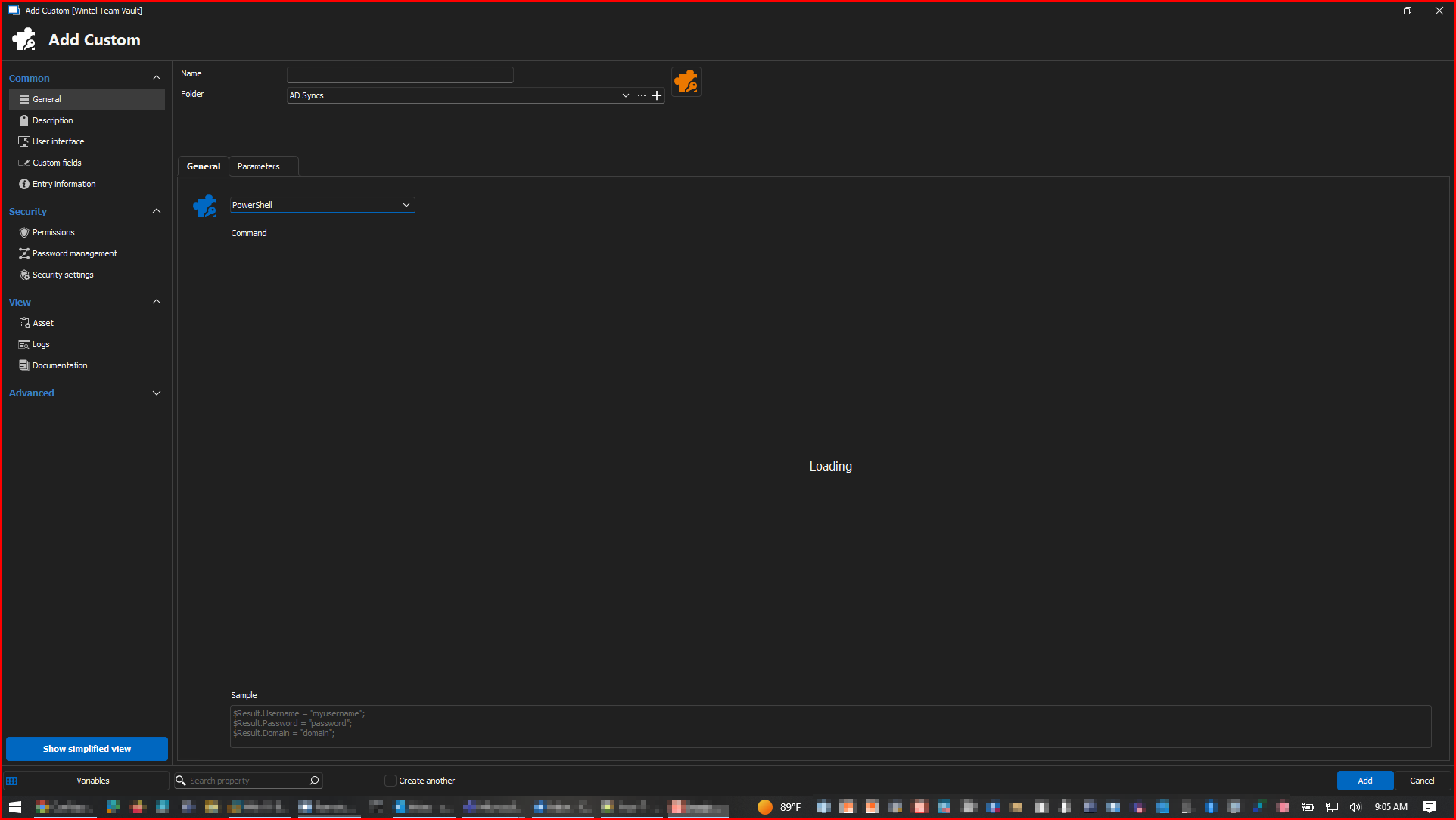
--- Chuck
Overgaard, AZ (-7 MST / Zulu Year-Round)
RDM Version: 2026.3.2.0 64-Bit - Free
f0826919-e465-4526-aa8d-72e377ea0f6e.png
Unfortunately, the doc isn't up to date yet.
You'll need this credential entry for RDM to work with LAPS without any external dependencies.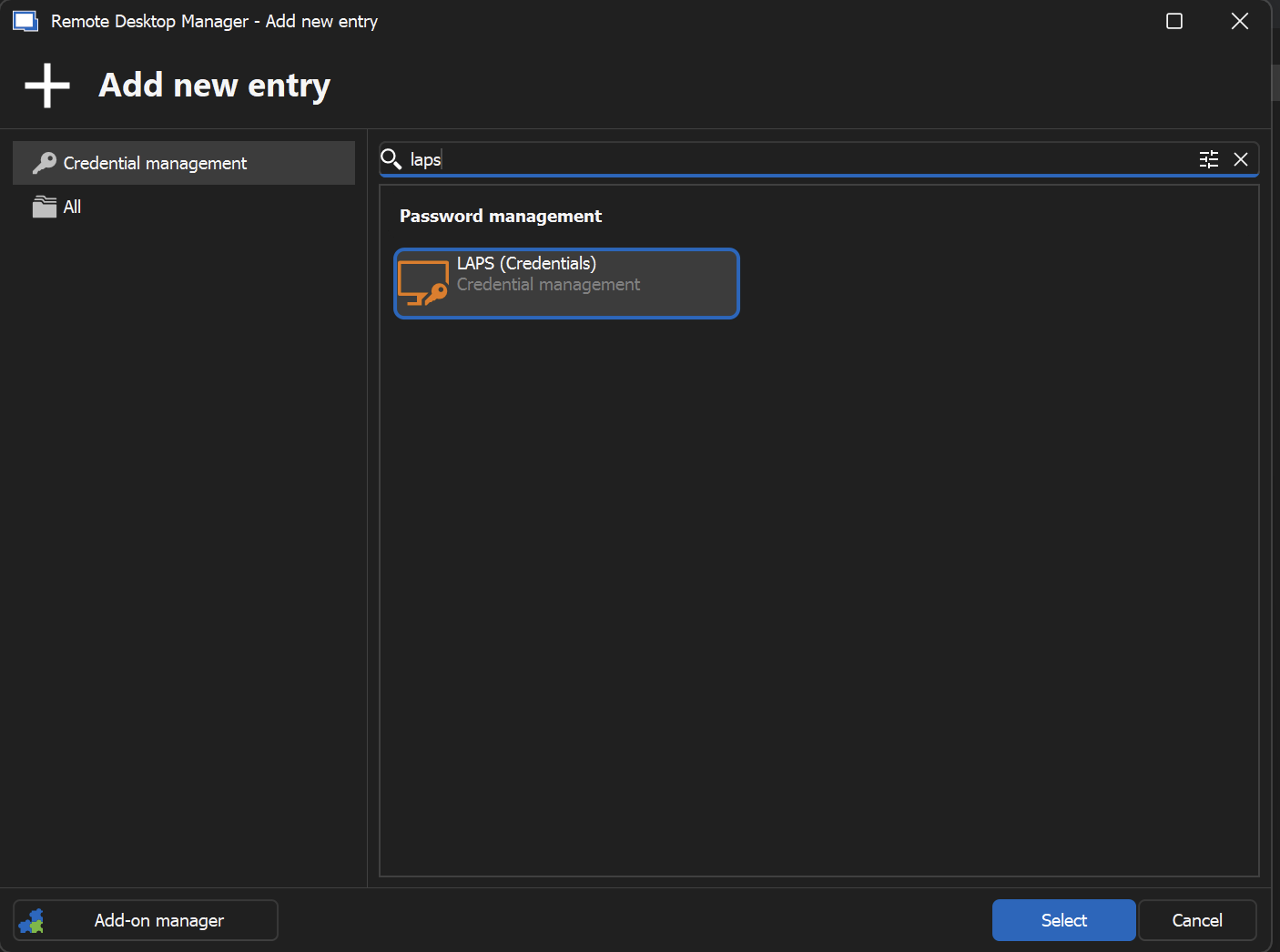
Jonathan Lafontaine
54ede5ba-f892-4c83-8e86-c776a798155a.png
-computername does not exist but identity.
The script need to be run by privileged account because of Tierce model.