SSH Tunnel "Post Login" Commands

Hello,
Would it be possible to add the "Post Login" tab to the SSH "VPN/Tunnel/Gateway" entry type?
I'm trying to access a device using VNC over an SSH tunnel, but I don't want to the VNC server to always be running, instead I want to start it after creating the tunnel.
This is an example of what I'm trying to achieve:
ssh username@host -f -L 5900:127.0.0.1:5900 "x11vnc -localhost"
Thanks.
All Comments (8)
Hello,
Thank you for reaching out to Devolutions Support.
You can add a script or macro either before or after the connection by following these steps:
1. Navigate to the 'Properties' of your SSH tunnel entry.
2. Go to the 'Events' tab.
3. Click on 'After Open' or 'Before Open'.
4. Create a script exactly as you would in the terminal to launch the VNC server.
Please don't hesitate to reach out if you need detailed help setting this up or have any other questions.
Best regards,
Carl Marien
I tried using an "After open" script, but that seems to execute on the local device not the remote, because it complains that 'x11vnc' is not found; is there a way to execute the script on the remote device?
I also tried using the "After open" typing macro, but it didn't work, and I'm not sure exactly where the "typing" happened!
Thanks.
Hello,
it is possible to execute a command on remote connections using the "Execute the following program after login" option in the program section in the entry properties
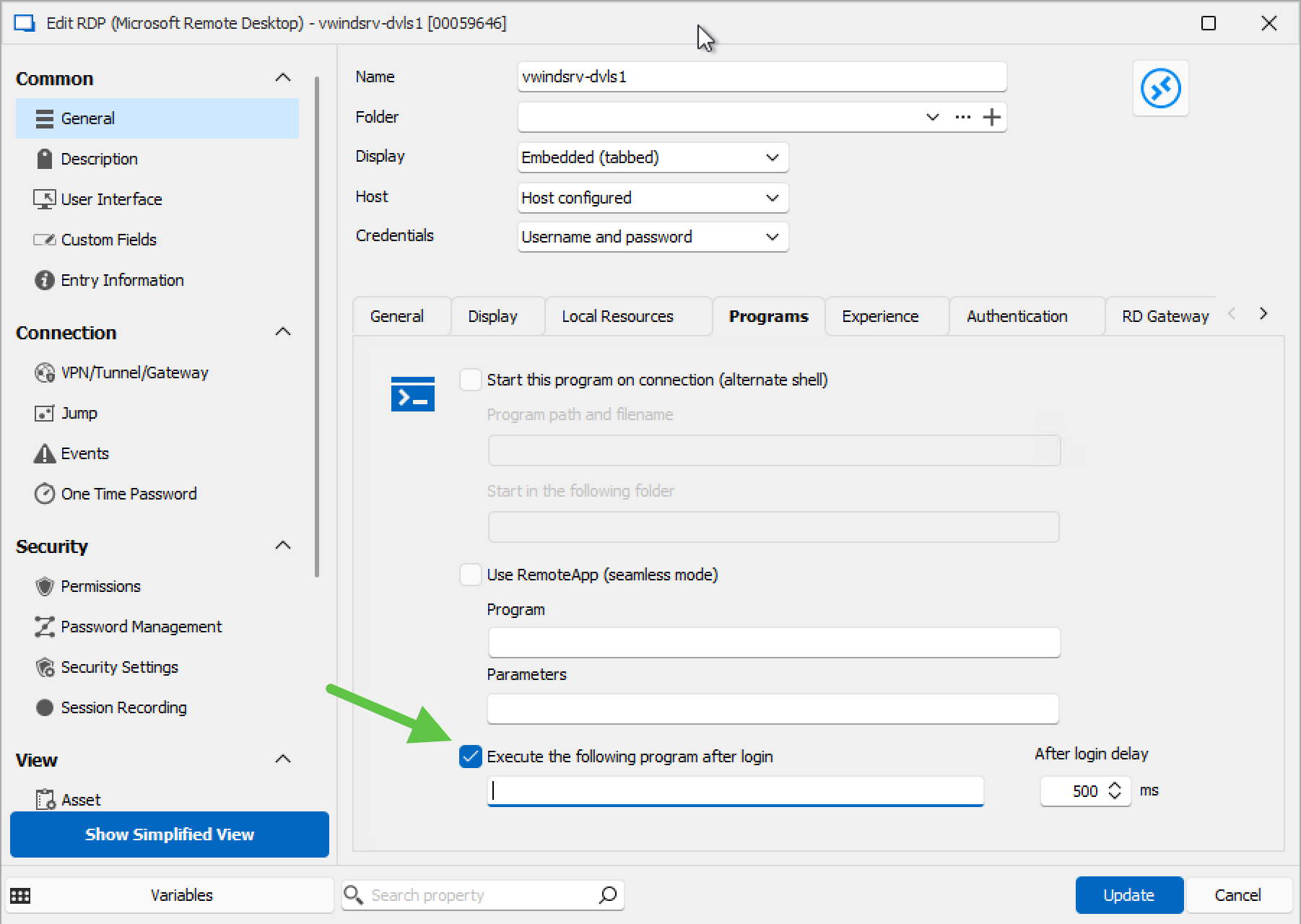
Best regards,
Carl Marien
image.png
Unfortunately this tab is not available for SSH Tunnels: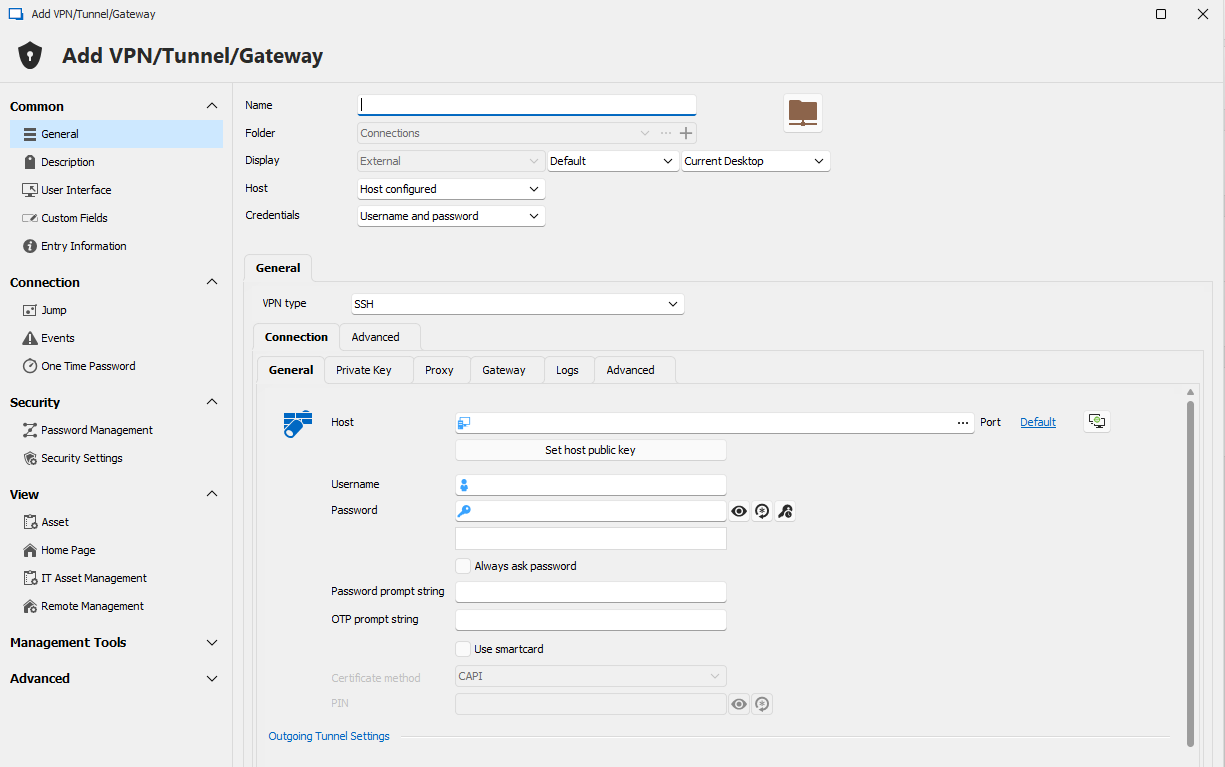
1f5b9e06-a581-4075-8fae-5f5226ddd8a0.png
Hello,
I am very interested in your use case and would like to fully understand your requirements. Would it be possible to schedule a remote session with you? I will send you a link for setting up the appointment via your email.
Best regards,
Carl Marien
Hi Carl,
I'm currently traveling and don't have access to my usual setup to show you over a remote session, but I'll try to explain it here.
Basically, I'm trying to replicate the functionality of this command using RDM:ssh username@remotehost -f -L 5900:127.0.0.1:5900 "x11vnc -localhost"
This command creates an SSH tunnel to 'remotehost' AND also runs the command "x11vnc -localhost" on 'remotehost' (this command can be anything, but in this case it starts the VNC server).
I can create an SSH tunnel using RDM without issues using "VPN/Tunnel/Gateway" entry, or run a command on 'remotehost' using "SSH Shell" entry, but I can't do both at the same time.
It would be great if this "Post Login" feature from "SSH Shell" can be added to "VPN/Tunnel/Gateway":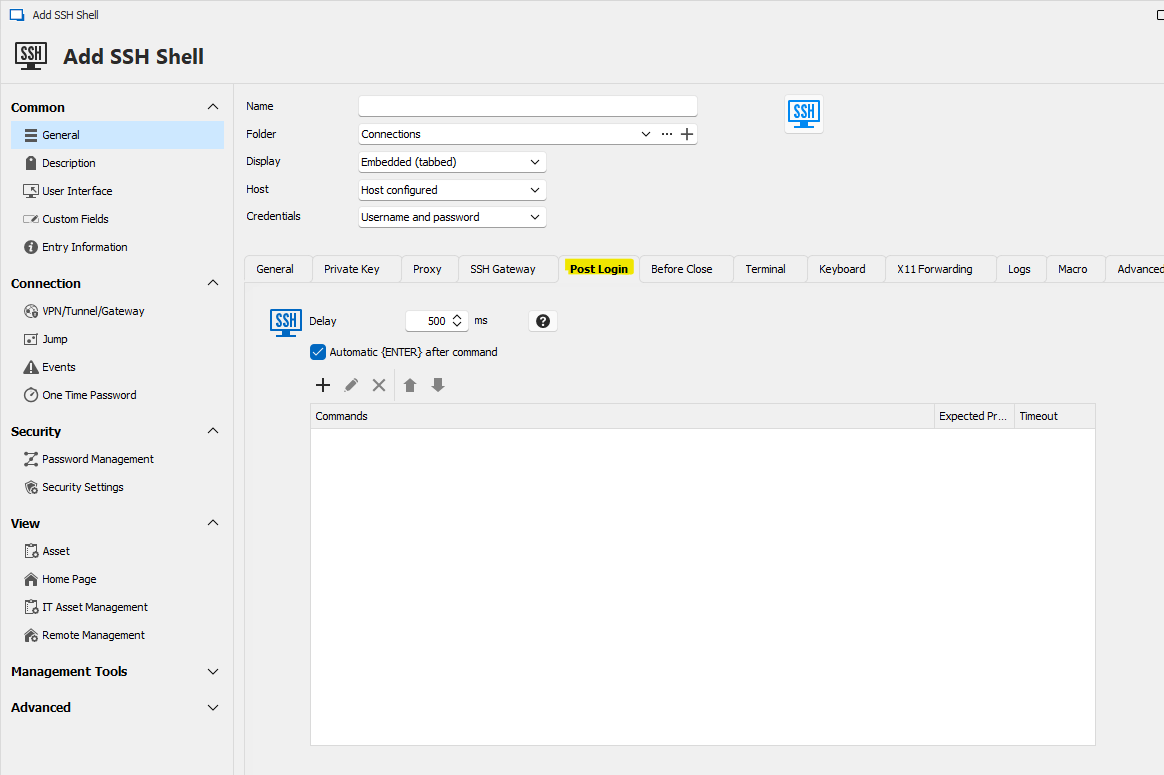
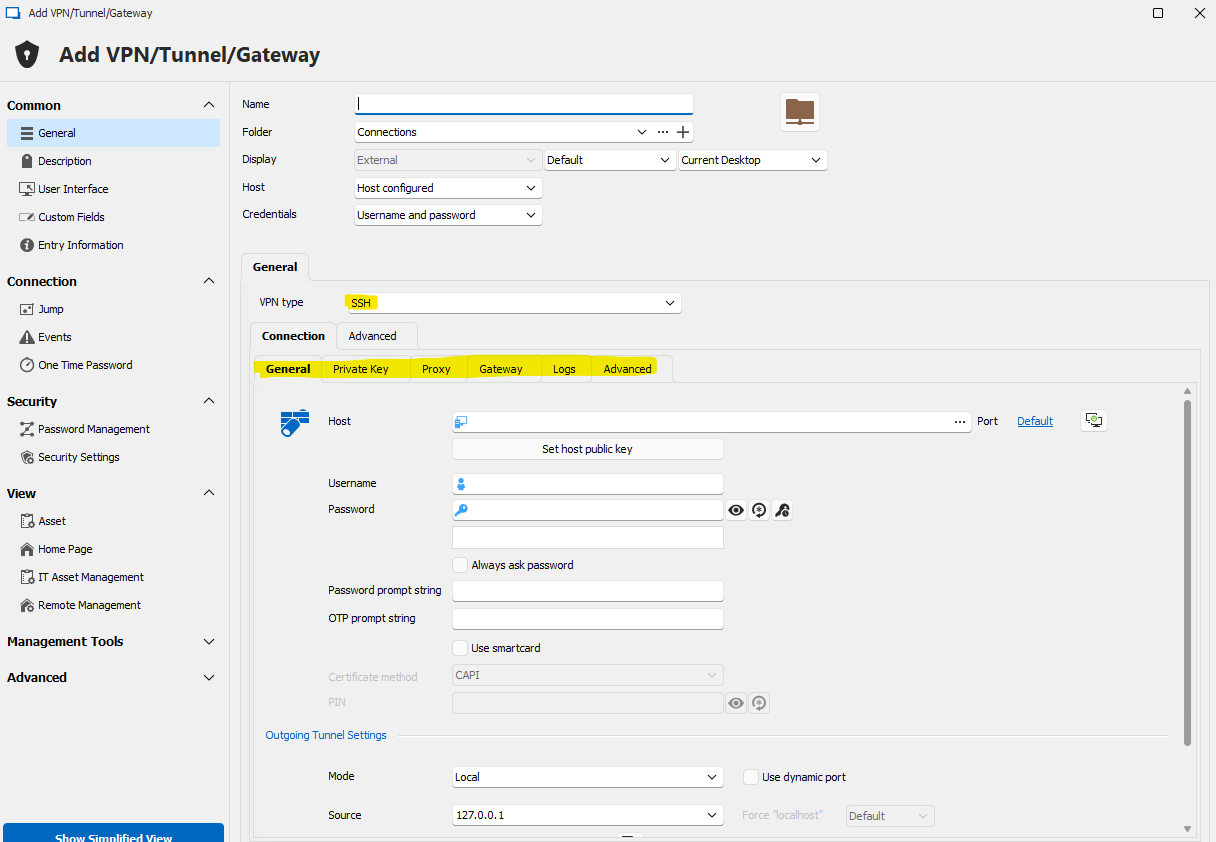
Thanks.
9b191407-a32a-417b-8ad5-159e866065b6.png
129e7463-0630-4112-99dc-08ce2f3e093f.png
Hello,
I have created an internal ticket regarding your issue and will keep you informed about any advancements in this case.
Best regards,
Carl Marien
Hello,
The feature has been implemented internally, and should be available in version 2026.2.10.
Regards,