In RDM the website not shown the saved User name, password & OTP
In RDM the website not shown the saved User name, password & OTP

Hi,
I have using the RDM.
I have added local website using the below step
and configured the login details 
Also the OneTime Password
Added the OTP key
After saving the above details. I have open the session
After manually enter the user name & pwd the OTP also not filled automatically
But it doesn't shown the username , password & OTP
Please share why it will not shown the credentials or Is there any configuration need.
Thanks
e5301e42-edc6-4ce7-af0f-576e93eb9533.png
6ab0a36d-ffda-47d1-9751-5106e22fc181.png
1ac67a3c-907e-4531-877b-561cee24eadd.png
13f555aa-ac42-4394-83f9-96a8309e6571.png
96381a1c-b313-4540-8c15-30f7937ee9ac.png
a2fdf994-080b-42e2-ab41-139be5859b84.png
All Comments (10)
Hello,
Thank you for reaching out and providing the detailed images and steps regarding your issue in RDM.
I recommend you to follow this knowledge base article on website authentication.
https://docs.devolutions.net/kb/workspace-browser-extension/how-to-articles/website-authentication/
Please follow the steps in the guide to ensure that all configurations are correct. If the problem persists after following the instructions, do not hesitate to contact us again.
Best regards,
Carl Marien
Hi Carl Marien,
Thanks for your information.
I have followed your article. The username & password filled automatically.
But still the OTP is not filled automatically.
I have attached the Video & the sample project. Please have a look.
Note: Is that possible to add multiple Username for website (Like : TestUser@gmail.com & DummyUser@gmail.com )
Thanks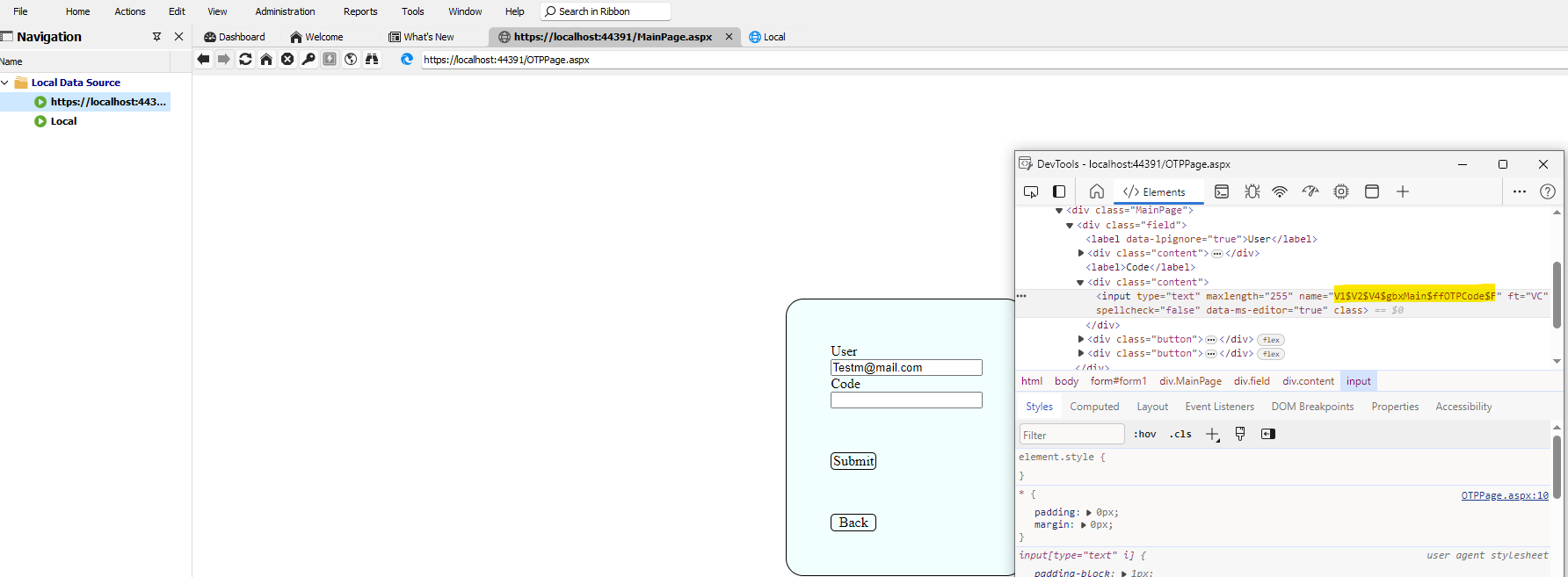
LoginPageSample.zip
ccb87076-3035-4835-9893-21c7c98de83d.png
RemoteDesktopManager_Website.mp4
Hello,
Would it be possible to try manually setting the one-time password ID in the HTML control settings?
Best regards,
Carl Marien
Hi Carl,
We have tried manually but it does not work.
NOTE: I have also tried the 'Automatic' Option, this is also not working.
Could you please help us how to proceed further to capture the OTP Automatically.
Thanks.
Hello,
Would it be possible to schedule a remote session with you? I would like to review how your entries are set up and try to find a workaround.
If you are available, I will send you a link through email.
Best regards,
Carl Marien
Hi Carl,
Thanks for the support.
At the moment we will go with 'Devolution WorkSpace Extension'.
If we need 'RDM.exe' support we comeback to you.
Thanks
Hi Carl,
Is it possible to automatically detect the OTP without specifying the 'One Time Password ID'?
Because some user don't know this how to do, is not really good.
Thanks
Hello,
Yes, it is possible. Please follow the instructions in the documentation I provided earlier to set up an OTP in RDM. You can find the guide here: https://docs.devolutions.net/kb/workspace-browser-extension/how-to-articles/website-authentication/
Best regards,
Carl Marien
Hi Carl,
Thanks for your information.
Still the OTP is not automatically detect without giving the 'HTML Control ID'. (Devolutions Workspace Extension)
Pls help me how to detect the OTP without adding 'Control ID'.
Thanks & regards,
Venkat
Hello,
Unfortunately, I don't think it is possible to push the OTP to a website before setting the parameters without providing the 'HTML Control ID'.
Carl Marien