FreeRDP missing on macOS?

Hi, as I wasn't able to find any mention of FreeRDP *not* also being supported on macOS therefore I assume it being missing is probably a bug.
I cannot find it anywhere within Remote Desktop Manager neither within the Settings nor within the RDP session entry properties. I can use xfreerdp within a terminal just fine (it appears to be installed properly) however the option is still nowhere to be found within the Remote Desktop Manager. As far as I recall it was available on both Linux and Windows so I assume it is supposed to be available on macOS as well? (If not please move this to feature request and update docs)
(I've installed freerdp using homebrew and I'm using a MacBook Pro 16-inch, Nov 2023 with an Apple M3 Pro, 36 GB RAM and Sonoma 14.4.1)
All Comments (6)
Hello
FreeRDP is statically compiled and embedded into the application, but it's packaged as a shared library not a standalone executable. When you launch an RDP session in RDM Mac using the "Embedded" mode (either docked or undocked) - which is the default - it's using FreeRDP internally. Conversely, if you use "External" mode, it will launch the session in the Microsoft RDP client.
Can you clarify what your question is? Do you want to launch your sessions using a standalone FreeRDP client?
Please, let me know if something isn't clear or you have further questions
Kind regards,
Richard Markievicz
I was looking for the option I knew from last time I used Remote Desktop Manager (on Windows and Linux) where you'd select which RDP client to use for the connection. Was that changed to be implicit now? Or is this something specific to the macOS version?
I think it was within the advanced section of the session entry back then.
(Edit: Almost forgot, it works as you said when switching to embedded mode).
Hi agowa,
As far as I'm aware, RDM Mac never had a mode for this. In embedded, we only support FreeRDP and in external, we only support Microsoft Remote Desktop.
Best regards,
Xavier Fortin
Ok, good to know. As this is literally the first time I'm using RDP on the Mac version and as I've only used the other versions before I got a bit confused by the option being missing (and the lack of feature parity+settings in general).
Would you mind extending the docs about the Mac version specific details?
I did a search for FreeRDP within them and all I found was two unrelated hits and both describing steps to enable FreeRDP in the other versions but none says anything about it being different for the Mac version.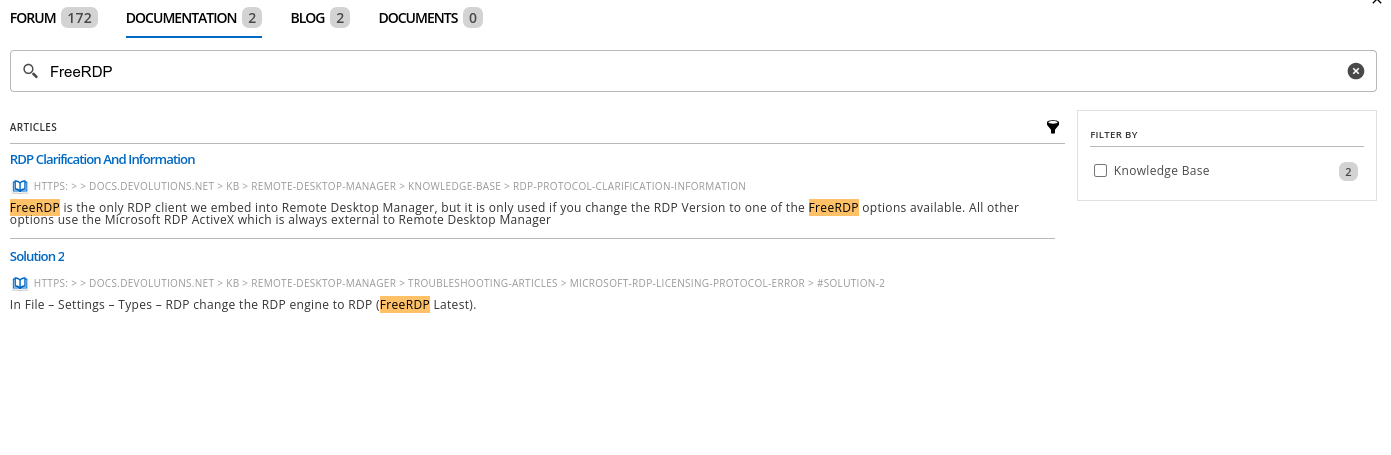
#1 https://docs.devolutions.net/kb/remote-desktop-manager/knowledge-base/rdp-protocol-clarification-information/
> but it is only used if you change the RDP Version to one of the FreeRDP options available.
#2 https://docs.devolutions.net/kb/remote-desktop-manager/troubleshooting-articles/microsoft-rdp-licensing-protocol-error/#solution-2
> In File – Settings – Types – RDP change the RDP engine to RDP (FreeRDP Latest).
And this page (not within the search but right after the first result in the tree view) shows the option(s) I was looking for: https://docs.devolutions.net/kb/remote-desktop-manager/knowledge-base/rdp-entry-advanced-properties/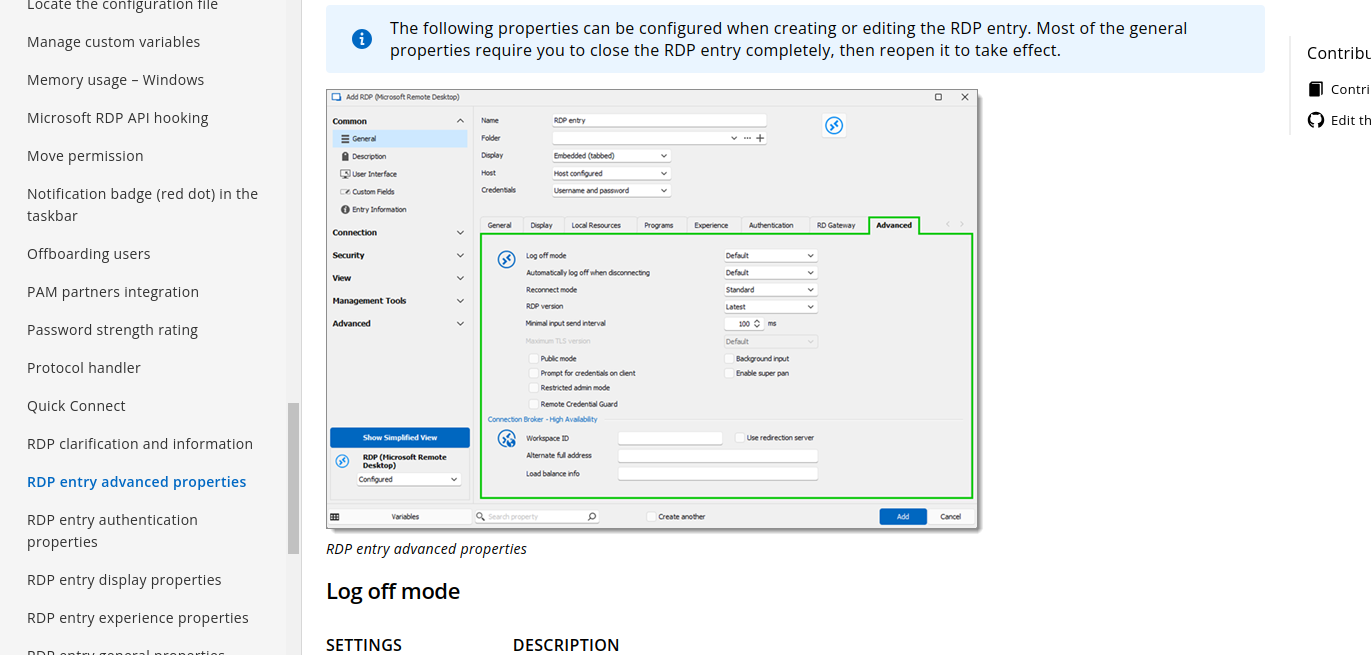
ec4e5f3e-a4b8-44e1-85a5-a05ae9c3a3f1.png
297d8913-ad35-477a-affc-27c0d331a709.png
Hi,
I've communicated this to our documentation team. Just to mention that this is a bit tricky since it's more of an absence of feature (since only FreeRDP is supported in RDM Mac), so it's not as straightforward to have a documentation page for that. I guess the Windows page could mention that the option is not available on other platforms (only Windows can use Microsoft RDP ActiveX component).
Best regards,
Xavier Fortin
Thanks for the update. I will keep it in my mind.