Datasource' security provider on TS asks for passphrase for new users
Datasource' security provider on TS asks for passphrase for new users

Hi,
we're running RDM on a terminal server (SQL datasource) and use the security provider "Shared passphrase (v3)". In the docs I've read somewhere that this passphrase is necessary once for a machine (that would be fine), but right now each user needs to enter it. Is there any way around this?
Best regards
Stefan
All Comments (9)
Hello Stefan,
Thank you for reaching out to us regarding this,
- Could you please specify the version of RDM you are currently using?
We have the following documentation regarding this:
https://docs.devolutions.net/rdm/commands/administration/security/security-providers/#shared-passphrase
To clarify, when entering the Passphrase, was the option "Save Passphrase in registry" enabled?
Let me know,
Best regards,
Samuel Dery
Hi Samuel,
we're running RDM 2024.1.18.0 x64. I can confirm that the .shk file is stored in %AppData%. Btw. the docs are inaccurate, it's name is not RemoteDesktopManager.shk, but a GUID is used instead.
I don't see an option "save to registry" when entering the passphrase, just a plain textbox: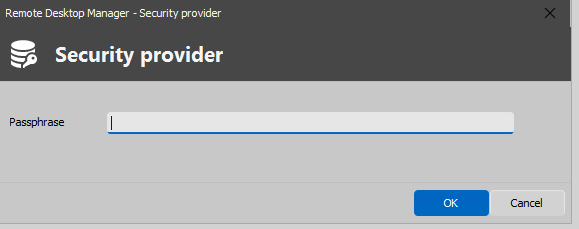
Or can I make this coice only when configuring Security the first time?
Using a regkey in HKLM instead of user dependend file locations like %APPDATA% or %LOCALAPPDATA% would solve my problem I guess.
Stefan
a34aa6f1-2071-4aec-a428-a7f36d503095.png
Hello Stefan,
Thank you for your reply,
I see, I'm wondering if you have the following GPO enabled?
https://docs.devolutions.net/kb/remote-desktop-manager/how-to-articles/group-policies/#force-the-user-to-always-be-prompted-for-their-passphrase-while-connecting-to-a-data-source-that-is-protected-by-a-shared-passphrase-security-provider
Let me know,
Best regards,
Samuel Dery
It's not configured.
I guess the main problem is that the key is stored in %AppData%, so each new user got a new %AppData% with a missing key file. How can I force RDM to store the key in the registry's HKLM? If this is a regular option (perhaps only shown the first time I set the security provider), this choice must be stored somewhere (config file, registry)? So maybe I can set it manually...
Hello Stefan,
Thank you for your reply,
I will discuss this with our development team and keep you updated with any news I receive,
Best regards,
Samuel Dery
Hi Samuel,
any news about this topic?
Best regards,
Stefan
Hello,
Sorry for the delay.
When you have configured the passphrase inside RDM, this you checked the option below? 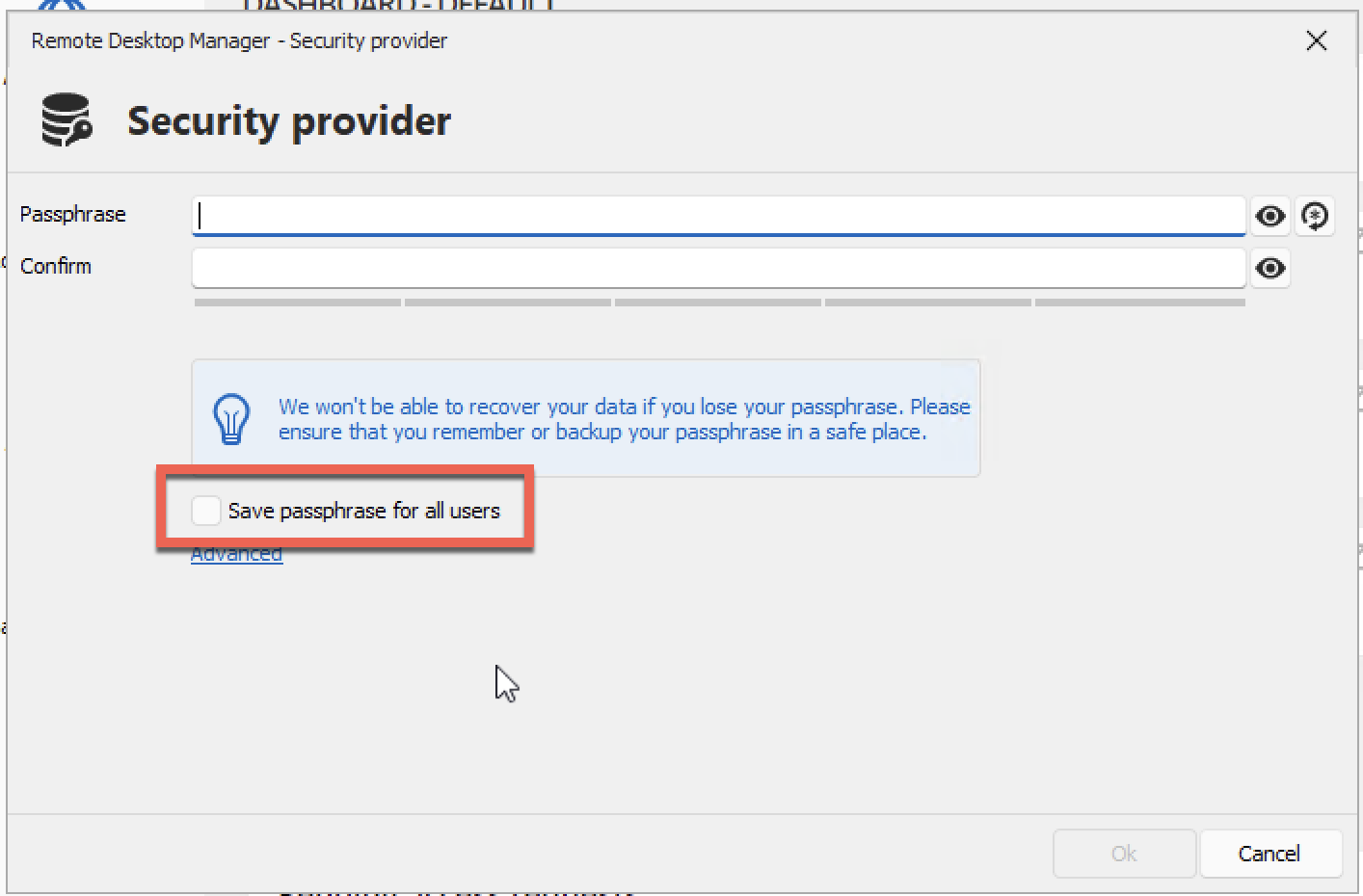
Best regards,
Jeff Dagenais
f73dff40-e6c7-48af-ba80-56248adbea9c.png
I've never seen this option, in fact on my side this dialog is looking completely different (see my screenshot in one of my previous posts in this thread). Does this depend on the chosen datasource? We're using SQL Server with custom login, using a single user for DB access and RDM users for ACLs in RDM.
Currently we're running version 2024.1.27.0
Best regards
Stefan
Hello,
My screenshot is from RDM 2024.2.11.0.
The checkbox is available when you configure the Security Provider for the first time. It is not available once the security provider is already configured. If you edit your security provider after it's already configured, the option should not be present.
Best regards,
Jeff Dagenais