OpenVPN Error: Object reference not set to an instance of an object
OpenVPN Error: Object reference not set to an instance of an object

Can't seem to get OpenVPN to work.
Currently on 2024.1.28.0 64-bit with .NET 8.0.4 and 280MB memory usage.
OpenVPN Connect Add-on is loaded and every time I open a new session I keep getting a notification: Could not create temp files for connection.
Application Logs give me the following output: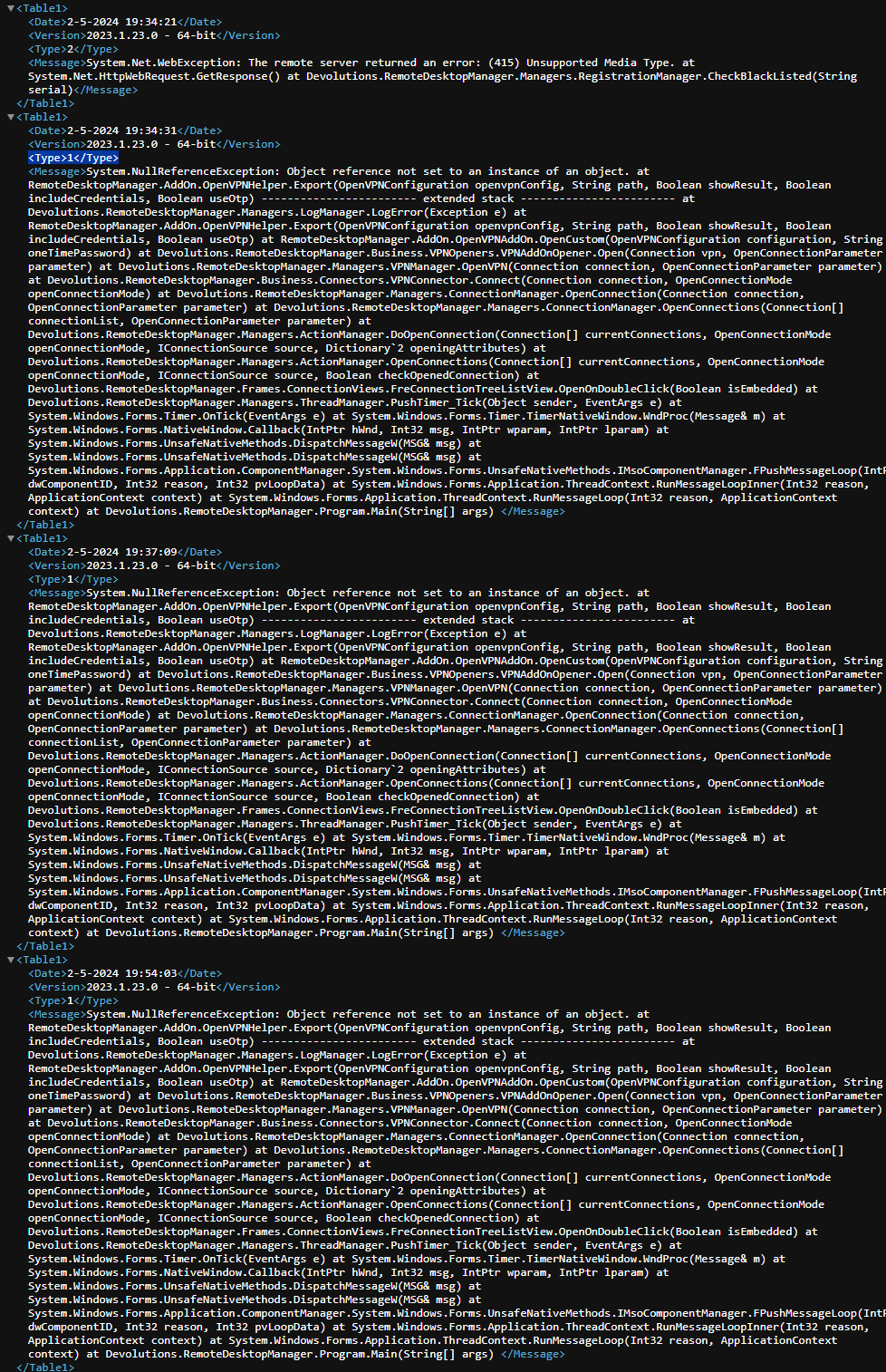
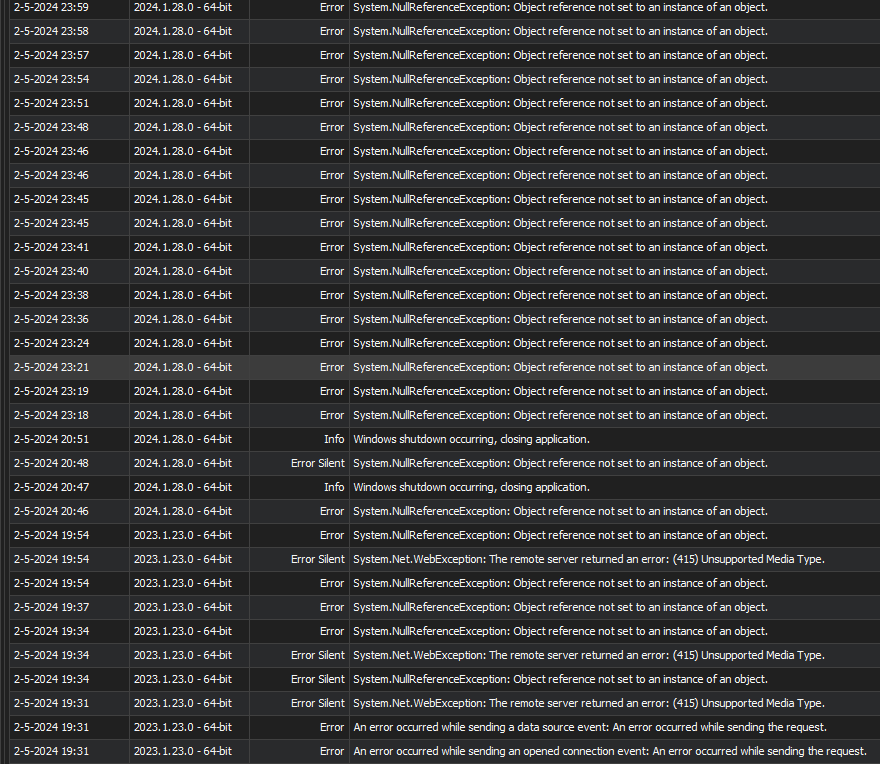
Any idea what I'm doing wrong?
I have tried the following OpenVPN GUI versions: 2.6.9, 2.5.10, 2.5.0 and 2.5.042.
Also checked that the same OpenVPN session works for other colleagues.
1.png
2.png
All Comments (7)
Hello,
Thank you for reaching out to us regarding this,
Unfortunately, it seems the provided screenshot did not load properly. Could you provide them again?
I'm also wondering if you encounter the same issue when starting RDM as an Administrator?
Let me know,
Best regards,
Samuel Dery
Hello,
My apologies, you can disregard my request for the screenshots it seems there was an issue on my end,
Best regards,
Samuel Dery
Hello,
Thank you for reaching out to us regarding this,
Unfortunately, it seems the provided screenshot did not load properly. Could you provide them again?
I'm also wondering if you encounter the same issue when starting RDM as an Administrator?
Let me know,
Best regards,
Hi Samuel,
Same error running the client as Administrator.
Also uploaded new screenshots.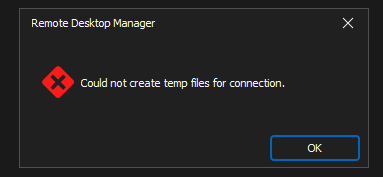
3.png
Alright, so I closed all background apps refering to OpenVPN.
Still get the "Could not create temp files for connection" error messages, but after these the following error pops-up:
"No readable connection profiles (config files) found. Use the "Import File.." menu or copy your config files to "C:\Users\%username%\AppData\Local\Devolutions\RemoteDesktopManager\OpenVPN\" or "C:\Program Files\OpenVPN\config"".
Followed up by: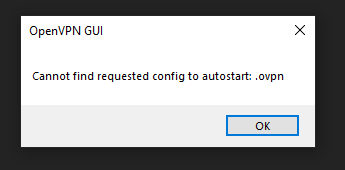
Also, when I open the OpenVPN session the OpenVPN session service starts up.
Additionaly, the RDM\OpenVPN folder contains an .ovpn-file and the Program Files folder does not.
When I edit the file with NotePad++ the file is empty.
22159701-7d13-4db0-b752-41c4478c2812.png
Hello,
Thank you for providing detailed information about the issue you're facing with OpenVPN. To assist you further, could you confirm the exact version of OpenVPN that you are currently using? We have documentation suggesting that OpenVPN version 11.15.0.0 could resolve some related issues. Can you try upgrading if you are not on this version?
Here is a helpful link for troubleshooting related to OpenVPN connection issues:
https://docs.devolutions.net/kb/remote-desktop-manager/troubleshooting-articles/openvpn-losses-connection-launch/
https://docs.devolutions.net/kb/remote-desktop-manager/troubleshooting-articles/openvpn-enter-wrong-credentials/
This might provide you with some immediate steps to take that could solve or provide more insight into the problem. Let me know if there are any changes after trying the suggested version, or if you encounter any other issues.
Best regards,
Patrick Ouimet
Hi Patrick,
I am running the OpenVPN GUI v11.31.0.0 and OpenVPN application v2.5.9.
But I can't seem to find a download page for the OpenVPN with GUI version 11.15.0.0. Could you help me to a link?
Also tried enabling "Allow multiple connections" via VPN > OpenVPN, but this didn't seem to solve the issue.
What I do notice is that I now receive the following error messages when closing down the OpenVPN session: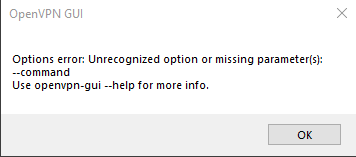
And I don't have access to the "General" settings page, as stated in:
https://docs.devolutions.net/kb/remote-desktop-manager/troubleshooting-articles/openvpn-enter-wrong-credentials/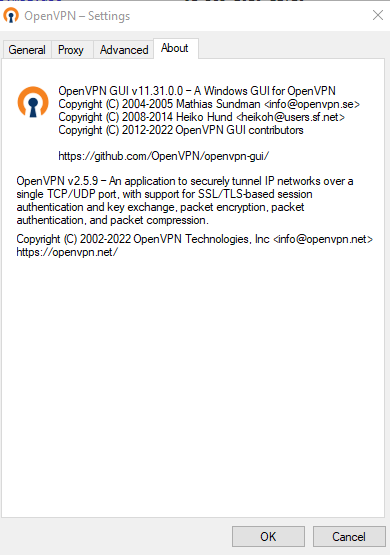
On top of that, I am running RDM/OpenVPN on a HyperV VM.
092fd0bf-e8ef-4443-aeee-8105eae4636c.png
61ed67fb-af4e-443d-86d2-70974fee0786.png
Hi,
Thank you for providing these details. To assist you further, could you verify if the OpenVPN GUI installation path is correctly configured in RDM? This might resolve the issue of not being able to find certain versions or access general settings.
Additionally, are you using multiple profiles in OpenVPN?
Here’s a useful article about how to set the installation path in RDM, which might be beneficial for your setup: https://docs.devolutions.net/rdm/installation/client/#external-applications
Please check these settings and let me know if you notice any changes or if there's anything else I can help you with.
Best regards,
Patrick Ouimet