After click on the tray icon it comes the window restored not maximize
After click on the tray icon it comes the window restored not maximize

Hi!
So new work, new computer 😂
Installed the version 2024.1.27.0 (Win 11 23H2) and enter the license checked my settings all of them but one thing that is not working iis i have the RDM always in traybar with no window visible in taskbar. So when i clicked on the icon the window appears. BUT it appears in restore state not maximized.
Also the same happens with my shortcut ctr-r which goes to quick finder and again the window is not maximized.
How do i fix this ?
Thanks !!!
RDM for Windows 11
Purchased Enterprise Edition v2024.x
Recommended Answer
Hi Jafran Majeau,
i have a solution. I changed the default setting of the desktop shortcut from "normal window" to "maximized". That works for me. RDM starts now maximied, before closing to tray icon. By click on icon tray RDM open now maximized.
Thank you very much for your support.
All Comments (14)
Hello,
We've managed to reproduce your issue.
We've opened a ticket and will keep you updated on the progress.
Regards,
Michaël Beaudin
thanks Michael for the quick response, it was driving me crazy 😄
I will keep monitor the topic for you fix.
Regards,
Vassilis
RDM for Windows 11
Purchased Enterprise Edition v2024.x
Hello,
We've come up with a potential fix internally.
The fix will be available starting from RDM 2024.1.29.0
Best Regards,
Michaël Beaudin
Hi,
I just installed .29, it didn't fix the problem :(
RDM for Windows 11
Purchased Enterprise Edition v2024.x
Hello,
Thank you for keeping us updated about this issue. However, we might need your help since we could not reproduce it anymore in the latest version.
Could you please send us your RemoteDesktopManager.cfg file by following the steps of this KB: https://docs.devolutions.net/kb/remote-desktop-manager/how-to-articles/send-sanitized-configuration-file/
The ticket number for your issue is RDMW-16013. It would be helpful to name the file you will send by this name as to help it find it's way to our internal ticket as swiftly and easily as possible.
Best Regards,
Michaël Beaudin
ok i think i found a way to reproduce it.
open RDM and restore the window, then click on the minimize button and not close. The next item you double click it will open in restore mode.
It may take one or two times to reproduced it. Then if you maximize it and close it again, and you do it that 2-3 times you get the window maximizes in normal state each time you double click RDM. It is one of those weird bugs 😁
I'm sending you the .cfg file just in case you need something.
RDM for Windows 11
Purchased Enterprise Edition v2024.x
Hello,
Thank you for the information. We'll keep you updated once we have any progress on this issue.
Best Regards,
Michaël Beaudin
Hello, I have the same problem. Version: 2025.3.30.0. I'm using the option to "start RDM minimized as tray icon" and "minimize the main window when closing". When I click on the tray icon, the RDM window opens in medium size. I have to manually maximize the window and then minimize the application again. The next time I click the tray icon, the window opens in maximum size. However, if I maximize the window and then minimize RDM by closing it, the next time I click the tray icon, the window opens in medium size again. Could you add an option so that RDM always opens maximized when I click the tray icon? That would be fantastic.
Hello, I have the same problem. Version: 2025.3.30.0. I'm using the option to "start RDM minimized as tray icon" and "minimize the main window when closing". When I click on the tray icon, the RDM window opens in medium size. I have to manually maximize the window and then minimize the application again. The next time I click the tray icon, the window opens in maximum size. However, if I maximize the window and then minimize RDM by closing it, the next time I click the tray icon, the window opens in medium size again. Could you add an option so that RDM always opens maximized when I click the tray icon? That would be fantastic.
@markmayer
Unfortunately i cancel my subscription as my new job is more of a design than hands-on (looking to change that because i need to play with the keyboard!) so i do not remember much about this, but i'm sure that this was fixed. I had a personal session with an engineer which connected to my Computer and manage to reproduce the issue. So it was fixed. Maybe an option is in the menu.
Hello, I have the same problem. Version: 2025.3.30.0. I'm using the option to "start RDM minimized as tray icon" and "minimize the main window when closing". When I click on the tray icon, the RDM window opens in medium size. I have to manually maximize the window and then minimize the application again. The next time I click the tray icon, the window opens in maximum size. However, if I maximize the window and then minimize RDM by closing it, the next time I click the tray icon, the window opens in medium size again. Could you add an option so that RDM always opens maximized when I click the tray icon? That would be fantastic.
@markmayer
Unfortunately i cancel my subscription as my new job is more of a design than hands-on (looking to change that because i need to play with the keyboard!) so i do not remember much about this, but i'm sure that this was fixed. I had a personal session with an engineer which connected to my Computer and manage to reproduce the issue. So it was fixed. Maybe an option is in the menu.
@vc
I'm sorry, but I can't find an option to change this behavior. I'm experiencing this exact problem in the current version.
Hello markmayer,
I haven't been able to replicate your issue. I have setup both settings you mentioned, and whether I use minimize or close (to send to tray icon), clicking the tray icon always restores RDM correctly (to its previous state, whether it is maximized or otherwise).
Note that if there is a change in the DPI scaling of your screen while the application is minimized (such as manually changing your resolution to 4K), or if you fully close RDM "incorrectly" (such as using the task manager to kill the process), it is possible that RDM will attempt to restore to a "safe" state, but the issue as you describe it seems to present itself simply from minimizing and restoring, in which case I haven't been able to replicate the problem.
If you can think of any specifics to your setup/manipulation that might be out of norm, that could help us pinpoint the issue. If nothing comes to mind and the problem persists, we may need to investigate further with a personal session.
Regards,
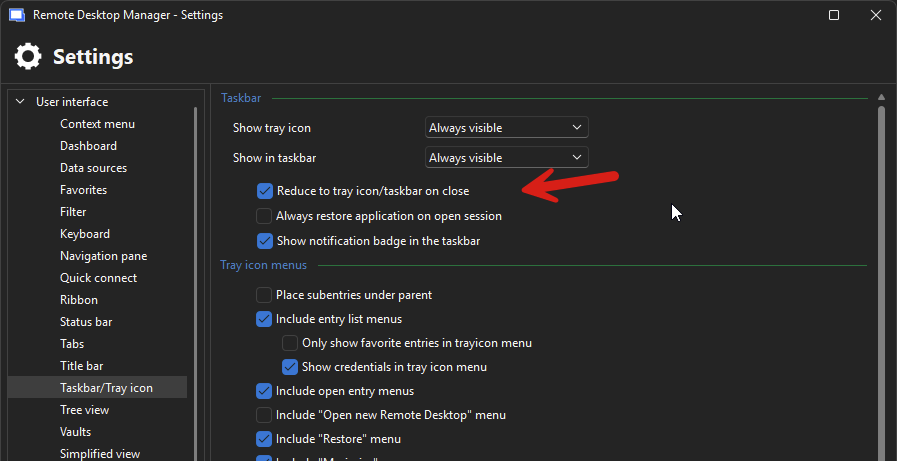
(Screenshots of the settings dicussed, just so we're on the same page)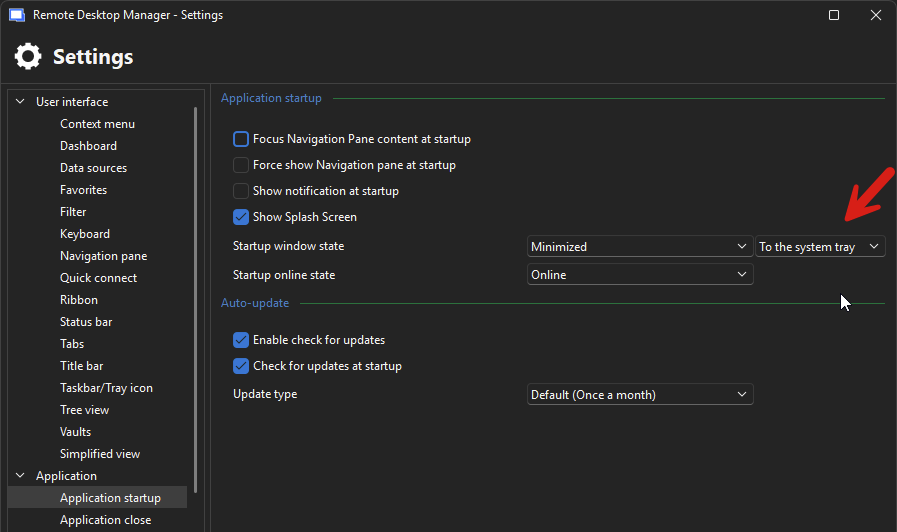
Jafran Majeau
bd71400c-7525-48f0-8ab5-d0a5590c2338.png
8a7819f7-17b0-46de-b945-41b803065fee.png
Hi Jafran Majeau,
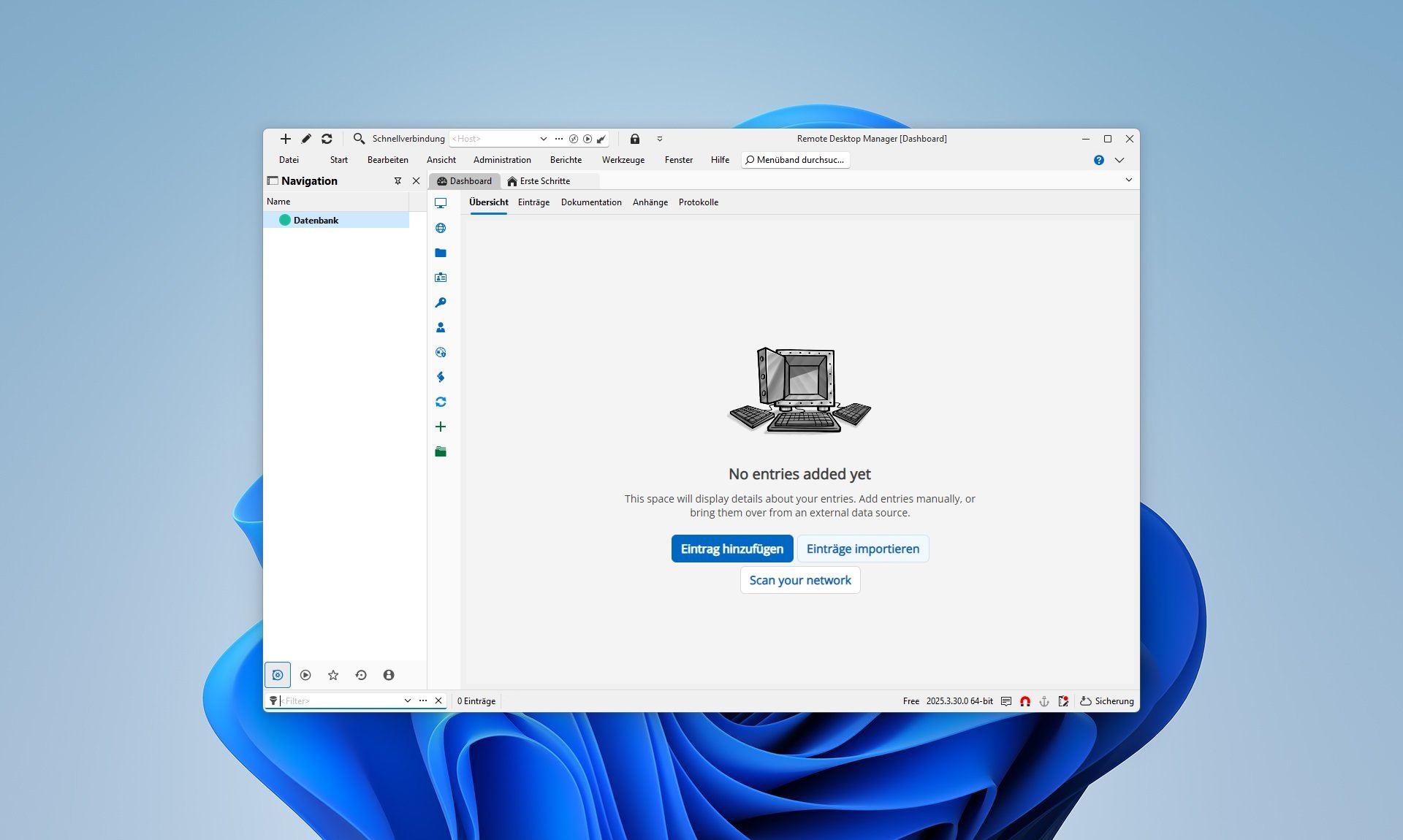
thank you for your reply. I downloaded RDM 2025.3.30.0 portable and set just these two Settings "Startup: Minimized to system tray" and "Reduce to tray icon on Close". I have the same issue. The Windows of RDM is starting medium sized before close to system tray. That´s why clicking on system tray don´t start RDM Maximized. I attched two Screenshots: 1. Starting Window, 2. After Click on System Tray and the Config of my portable RDM. My OS is Windows 11.
Thank you for your support :)
Start-from-Tray.JPG
Start-RDM.JPG
Settings.zip
Hi Jafran Majeau,
i have a solution. I changed the default setting of the desktop shortcut from "normal window" to "maximized". That works for me. RDM starts now maximied, before closing to tray icon. By click on icon tray RDM open now maximized.
Thank you very much for your support.
Hello,
Thank you very much for sharing this workaround with us!
If you notice any changes or if the issue resurfaces in a future version, please don’t hesitate to let us know. We’ll be happy to investigate further if needed.
Thanks again for your collaboration and detailed feedback!
Best regards,
Carl Marien