add custom buttons/folders to the session toolbar
0 vote

Hey team it would be great to be able to add a custome folder or button to the session tool bar to quick access terminal command scripts
ideally it would link to the a current data source folder with perhaps an option in a unique script folder to add it .. IDK
would speed up a lot of workflows
All Comments (2)
never mind found the macro bar and figured it out from that would still be nice to allow for a nested dropdown as if this works as expected i qill likely have 30 or more macros built up for things i do every day
Hello,
I would recommend using the Terminal Command entry type paired with the Terminal Command Palette feature.
In your SSH Shell entry you should see the following button to open the command palette:
You can also open the same prompt by using the Ctrl+Shift+P shortcut by default.
From the command palette prompt, you can search for your commands and easily execute them from there: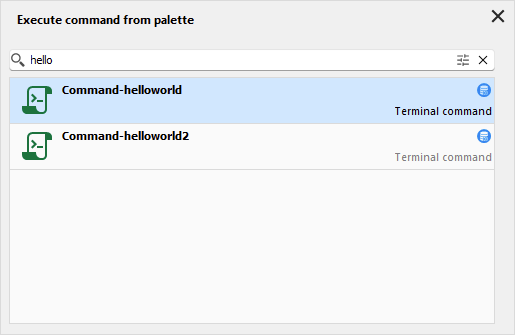
This feature is more easily adaptable if you use a lot of different commands regularly. You can also leverage the System Vault and store your Terminal Command entries within it, meaning that these commands will be available through the palette feature no matter the vault you're located in.
Let me know if this can help your workflow.
Regards,
Hubert Mireault
99a8c2e9-843e-489d-bcd1-9b02884ea0a2.png
f6190b21-bb38-4526-98e2-d599db63c096.png