RDM Version 2024.1.27.0: Fix turns into bug? // Embedded Powershell (MSC / MMC)
RDM Version 2024.1.27.0: Fix turns into bug? // Embedded Powershell (MSC / MMC)

With RDM Version Version 2024.1.27.0 - "Fixed freeze where RDM could not find the powershell window to embed" was fixed.
Coming from 2024.1.23.0 where embedded MSC (MMC) via Powershell script entry works, now I can't open the *.msc file in embedded mode, because now I should use elevated privileges, but I don't have admin permissions on my windows account.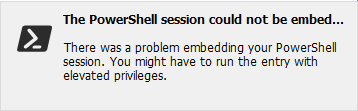
Activate the option "run as administrator" opens the logon screen, but as said, I'm not an admin on my workstation.
Would you please return the function of 2024.1.23.0 and maybe refixing the freeze otherwise?
My datasource = MSSQL
My entry = Command Line (or should I use for MSC/MMC another type of entry?)
Did you need some more details?
Best regards,
Tobi
c7462538-9ba2-4aef-95cb-fdd7a96728f8.png
All Comments (25)
Hello,
Could you describe the behavior you had in 2024.1.23.0, as well as showing how you've configured your entry?
There are some limitations that we have to deal with due to the change with .NET8, one of which being we can't list the processes opened on the machine if RDM isn't running as elevated. This makes it very difficult to embed certain applications, which was causing a freeze in this case. It's possible that by adding some checks to prevent the freeze, we mistakenly broke a behavior that should have been working.
Regards,
Hubert Mireault
Hi Hubert,
On older RDM releases priv 2019 I've had some trouble with embedded MMC, I had to use elevated mode (but directly for RDM), that was no problem because I had local admin permissions.
I guess with 2019 I didn't need an elevated mode for embedded MMC. After 2019 one major release brought back the same issues, so we went back to 2019.
Now with 2024 everything works like a charm, until today :-)
Just a simple entry (shared msc file for the team):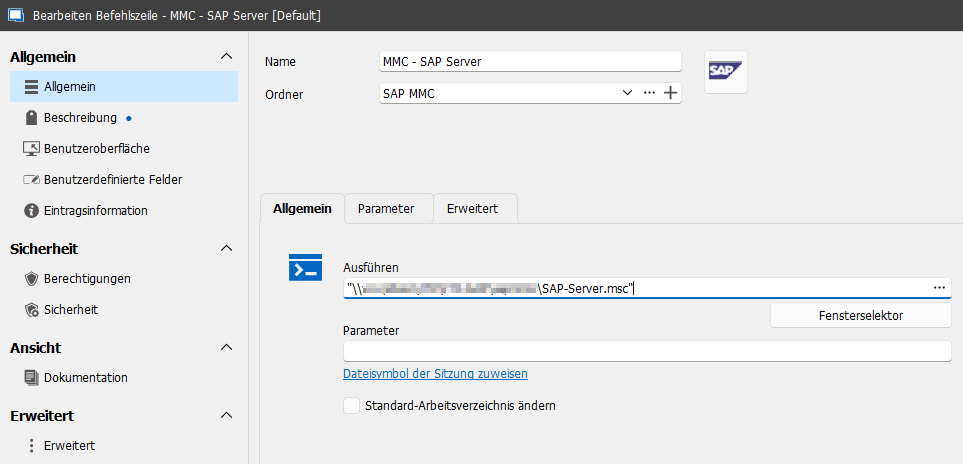
I also tried a few minutes ago the entry type Session > Command Line (external application) [if this is the correct German > English translation]
But with the same behavior and Powershell message.
Best regards,
Tobias
2d82f479-9616-489b-86d8-d06bda50ab85.png
Thank you for the additional information. From the description of your issue I suspect that the cause might be that the fix/clarification we made for Powershell embedding was erroneously applied to the Command Line entry as well (which would explain the message mentioning Powershell in a context where it's not used).
We will look at this issue in high priority, but we will not be able to release a version with the fix today, it will have to wait until next week most likely. If this is blocking for you, I recommend moving back to 2024.1.23.0 since you mention that was the latest working version for you.
Regards,
Hubert Mireault
Thanks for you support and don't get stressed, my company will rollout earliest next week another release ;-)
So I have to deal with it and can still open the MMC directly.
Best regards,
Tobi
Hello Tobi,
This issue has been fixed and will be available in the next minor release (2024.1.28.0). It should be released this week if everything goes fine.
Thank you for your feedback.
Regards,
Nathan Beauregard
Hi Nathan,
Thank you for your feedback and the fix.
I'll test it asap and add my feedback.
Best regards,
Tobi
Hello,
Version 2024.1.28.0 is out and it should contain a fix for this issue. Could you try it out and let us know if this is now resolved for you?
Regards,
Hubert Mireault
Hi,
I had also a problem with a ps script (converted to .exe), which I execute over cmd command. (case 00059413)
The cmd window was not embeddet back to the RDM window and I got the message from the first post.
With the new version 2024.1.28.0 the error message is gone, but the window is still not embedding back to the RDM window. The last running version for this situation was 2024.1.25.0.
Regards
Eric
Hello,
We will diagnose this with you in your support case as it will be easier for us to gather information on your issue. I've notified our support agents of your reply here.
Regards.
Hubert Mireault
Hello,
As Eric said, with 2024.1.28.0 the error message is gone, but embedding is not working.
Best regards,
Tobi
Hello Tobi,
We will check to see if we can still reproduce. The code should have been reverted and the embedding should work as well as it did in 2024.1.25.0.
Can you confirm this embeds properly with 2024.1.25.0?
Regards,
Hubert Mireault
Hi Hubert,
I came from 2024.1.23.0 to 2024.1.27.0, so my last that's my last running version.
Earliest on weekend or Monday I can check portable 2024.1.25.0.
Best regards,
Tobi
Thanks Tobi. We might have a lead on another change that could have impacted this. We had missed it since the fix we made in 2024.1.28.0 worked for certain users, but clearly not for everyone.
If you can perform the test it could help us confirm a few things on our end, I appreciate it.
Regards,
Hubert Mireault
Hi Tobi,
I am currently investigating this issue and I would need to know if you are using Windows 11. If so, could you please provide us with a screenshot of the terminal use here : Settings > System > For developers > Terminal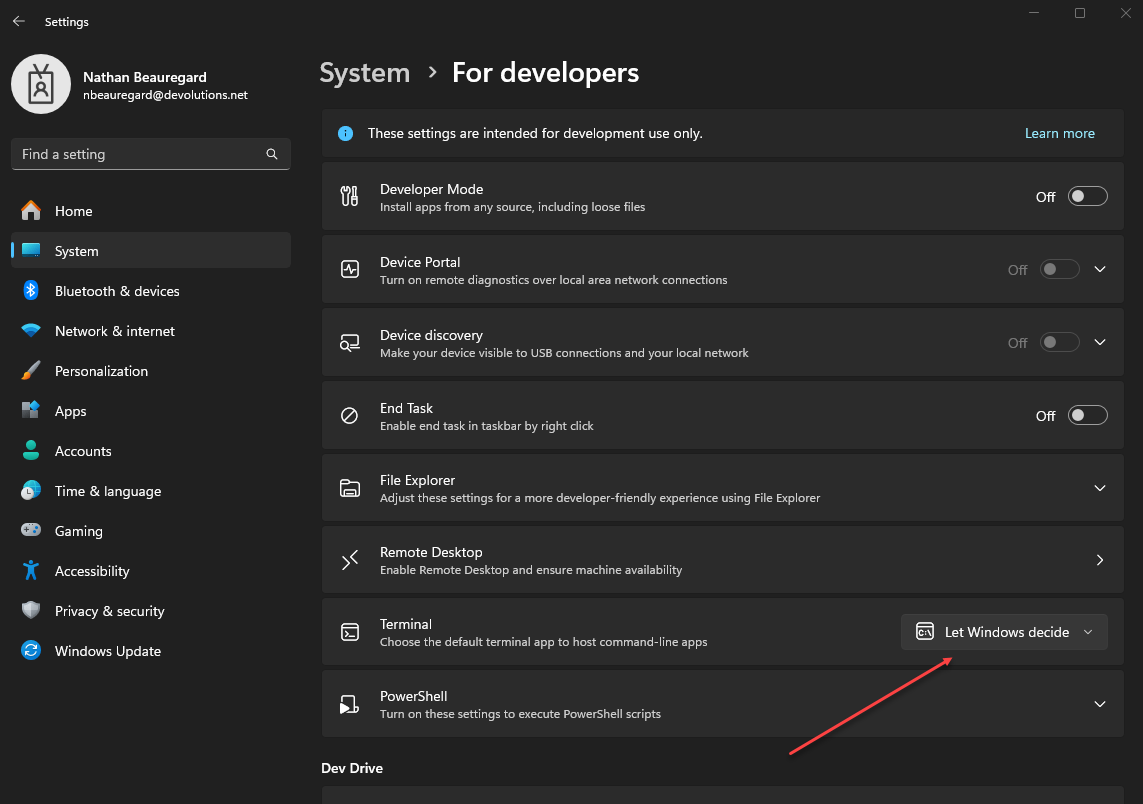
Thanks again for your feedback.
Best regards,
Nathan Beauregard
image-20240507-135549.png
Hi again Tobi,
I forgot to mention that if you are on Windows 10, could you also provide us with a screen shot of your terminal use at this location : Windows settings > Updates > For Developers > scroll down for Terminal.
Thanks again,
Nathan Beauregard
Hi Nathan,
Sorry for the delay.
I'm still on Win10 and use the same settings as you (Let Windows decide).
Attached a screenshot (German).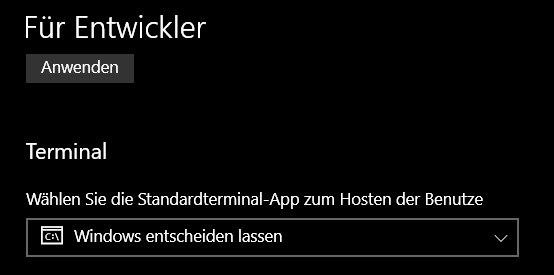
Best regards,
Tobi
bc8d0d8c-7433-48d2-b1c8-26c344ce110d.png
Hello Tobi,
We will check to see if we can still reproduce. The code should have been reverted and the embedding should work as well as it did in 2024.1.25.0.
Can you confirm this embeds properly with 2024.1.25.0?
Regards,
Hi Nathan & Hubert,
I've tested this issue with the portable 2024.1.25.0 version and with this version, embedding is working.
I hope that helps.
Best regards,
Tobi
Hello Tobi,
No worries, thanks for your feedback, it helps a lot. We will keep you updated on the situation.
Regards,
Nathan Beauregard
Hi all,
for my case it's now working, with version 2024.1.29.0.
Script output is embedded back to the RDM window.
regards
Eric
Hello Tobi and Eric,
Sorry for the late message, a fix was effectively implemented in the 2024.1.29.0 release. Let us know if something goes wrong.
Thank you again for your feedbacks,
Nathan Beauregard
Hello!
As Eric said, I can also confirm that with 2024.1.29.0 embedding is working again.
Thank you!
BR
Tobi
Hi,
I have again the kind of same problem.
OS Win11 and 2025.2.29.0
I don't know how long it is back again.
cmd window isn't embedding, but I don't get the message window from the first post.
Edit 1: problem just on Win11, Win10 works fine
Edit 2: System -> for Developer -> Terminal -> let Windows decide
regards
Eric
Hi Eric,
I'm still on 2025.2.28.0 64-bit and it's working .. so *.29 should have the changes which brings back the issue.
I don't get the roll out of 2025.2.29.0 yet, so I can test it too. Maybe end of the week.
BR,
Tobi
Hi,
I have again the kind of same problem.
OS Win11 and 2025.2.29.0
I don't know how long it is back again.
cmd window isn't embedding, but I don't get the message window from the first post.
Edit 1: problem just on Win11, Win10 works fine
Edit 2: System -> for Developer -> Terminal -> let Windows decide
regards
Eric
Terminal change to Windows-Konsolenhost (maybe Windows-consol host in english) fixed it and embedding works again.
regards
Eric
Hi Eric,
I can confirm that 2025.2.29.0 is working with the mentioned Terminal settings.
On my Win11 this setting was default.
BR,
Tobi