Batch Edit - Remove Tags not working

Hi @all,
I want to remove Tags in Batch for about 100 Entrys in different Folders.
In RDM I select all Entrys and then open following Menu Item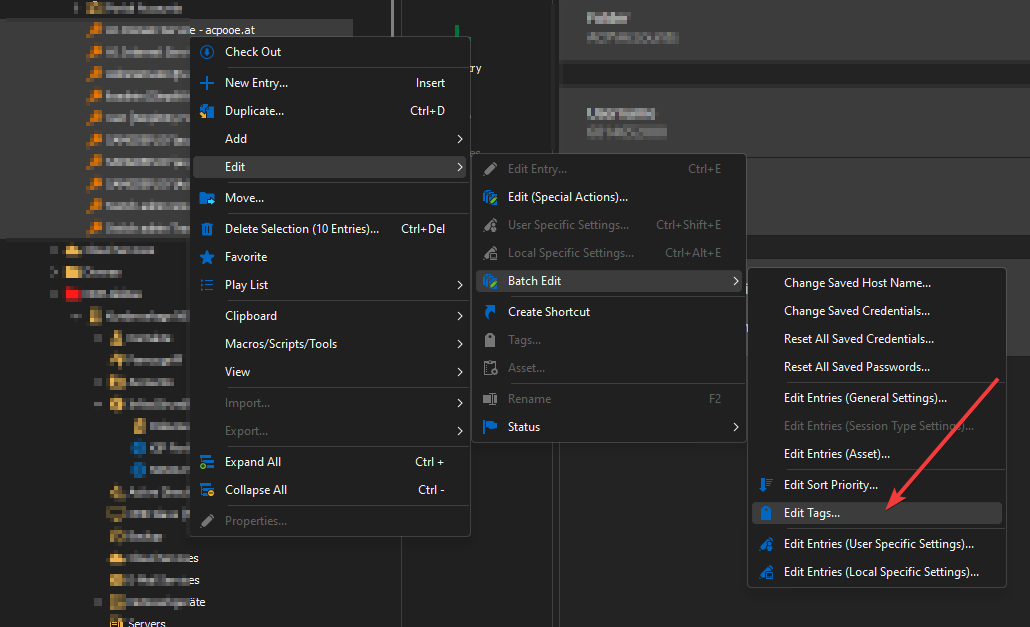
After that i switch to Remove Tags and Remove all Tags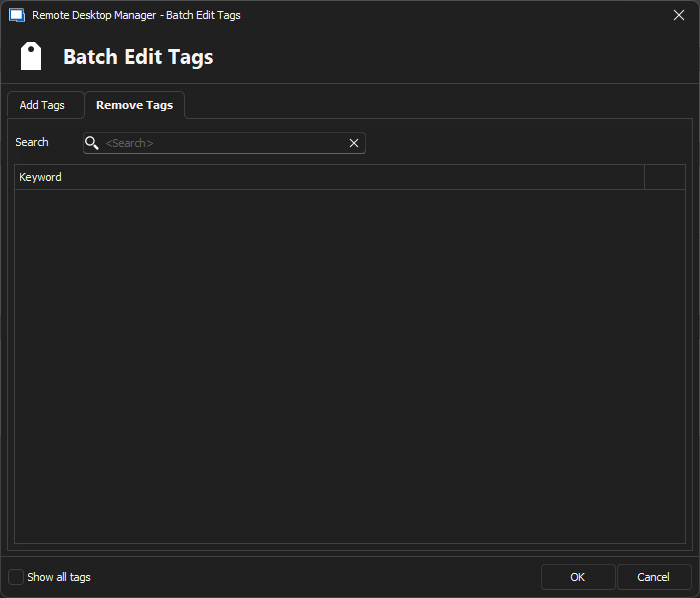
After I click OK, RDM does something - at least it is not responding to Inputs for about 30 Seconds and then nothing happens.
Do I do something wrong or is this a Bug?
Thanks
BR
Lukas
c634256e-c3bc-4d67-8052-7f97f5d66e3e.png
4ad89ee0-20e4-4a4f-95d5-e5a21747c7c3.png
All Comments (4)
Hi Lukas,
Thank you for reaching out and providing detailed information with the screenshots. It seems like you are following the correct steps. This might be a specific issue related to the RDM version you are using or a possible bug.
Could you please confirm the version of RDM you are currently using? Additionally, If the problem persists even after updating, I recommend trying the portable installation. To do so, please follow the steps below.
(Close RDM)
1- Download the .zip file below:
https://remotedesktopmanager.com/home/thankyou/rdmbin
2- Create a new folder on your Desktop
3- Extract the content of the .zip file into the folder created at #2
4- Go to this folder once the .zip file has been extracted and run remotedesktopmanager.exe
5- Connect to your data source
This test will allow us to rule out your local installation of RDM as a possible cause for this issue.
Please note that if you are using an Advanced Data Source, I recommend skipping step #5 and using the default data source created by the portable installation of RDM instead.
Please let us know how it goes after these steps. We are here to assist you further if needed.
Best regards,
Maxim Robert
Hi Maxim,
sorry for the really late response...
I did test with the portable Installation. Still the same.
I have created a Animated GIF with my steps: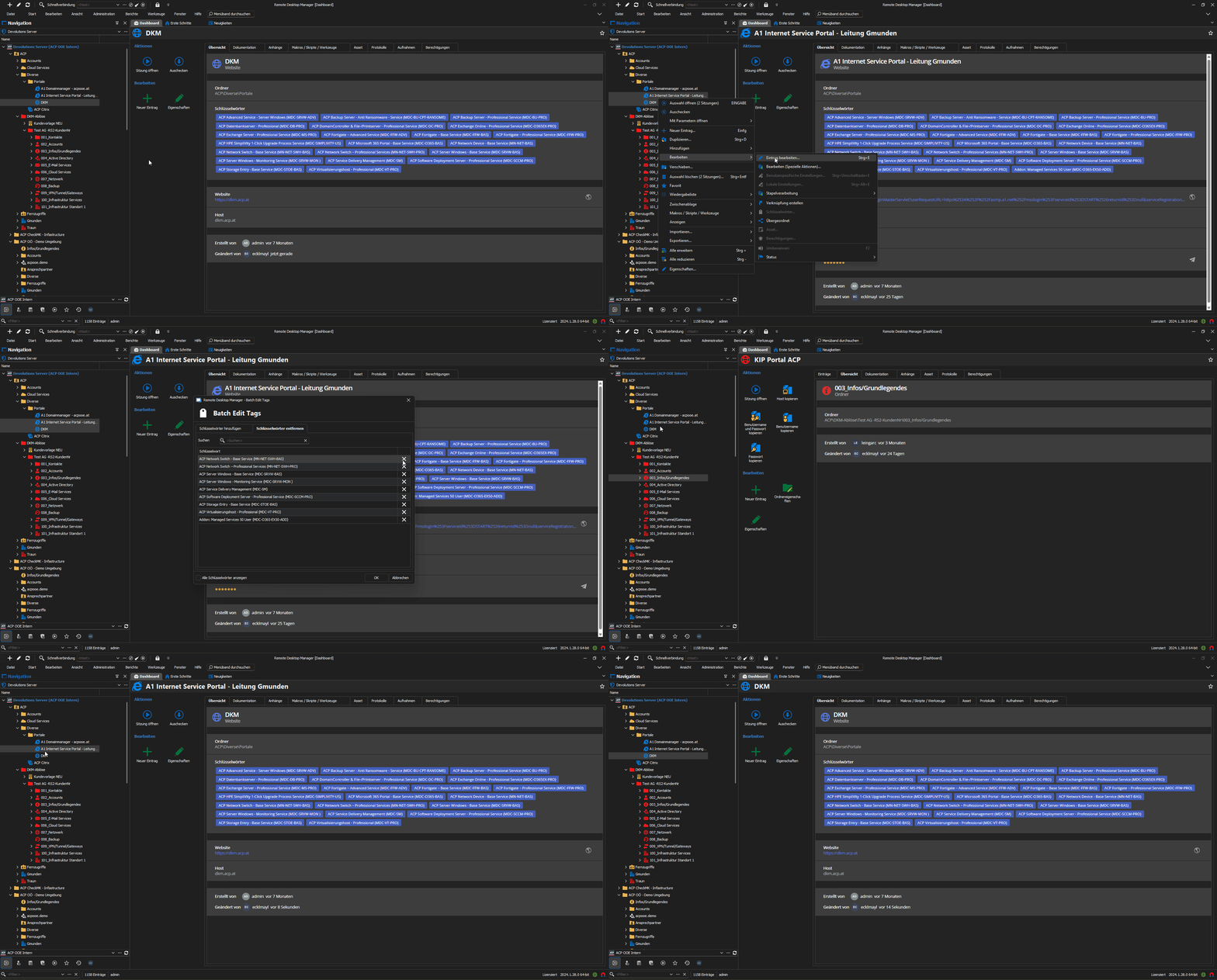
CpTTupmAhk.gif
Hello Lukas,
Thank you for the information and the Animated Gift!
Unfortunately, I could not reproduce the issue after testing this on my end with multiple tags on multiple entries. I've provided the information to the QA Team and will let you know with more information as soon as possible.
Thank you for your collaboration. If you have any other questions, feel free to let us know.
Best regards,
Maxim Robert
Hello Lukas,
Thank you for being this patient!
After providing the information to our QA Team, they could reproduce the issue, and a ticket with our development team was opened. I will let you know about any information as soon as possible.
Thank you for your help on this issue. If you have any other questions, feel free to let us know.
Best regards,
Maxim Robert