RDM Agent File Association Question

Good afternoon.
I was wondering if someone could clarify an Agent Config question for me.
I have checked all the online documentation I could find regarding the Agent and haven't found my answer.
I have it installed on one of my jump servers with the following settings: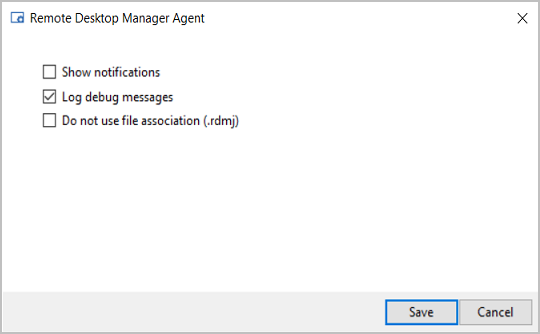
When I check the logs on a Jump Host, I see the following highlighted items: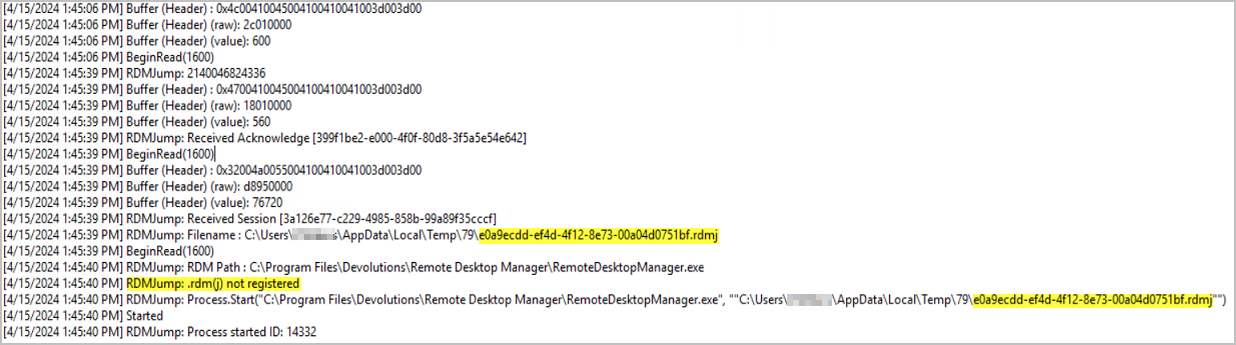
However, when I have the .rdmj associations not enabled, the Jump Host still works as expected.
I also have the following question for associations: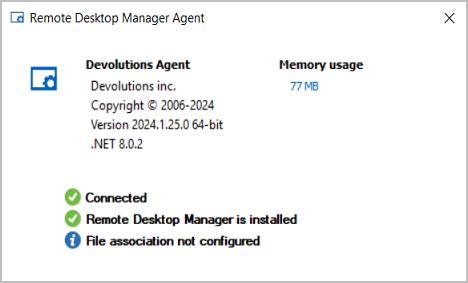
When I hover over the item, I see this: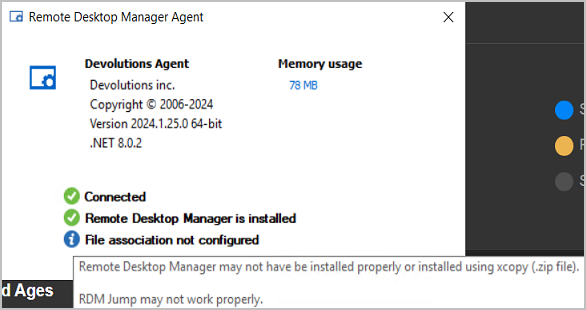
It is installed on the Jump Host using the executable downloaded from the Devolutions Website.
Thank you.
--- Chuck
Overgaard, AZ (-7 MST / Zulu Year-Round)
RDM Version: 2026.3.2.0 64-Bit - Free
01e739f2-2656-41f6-9faa-034376878c29.png
8719f389-eb48-4b00-aec8-f7ce8babaf14.png
95716bfc-14be-47b8-b3e9-35fbbc898e2a.png
c12651a5-38cb-4f2d-b14e-a8502a20b87a.png
All Comments (1)
Hi Chuck,
I can answer this one.
First of all, the check box exists today because we had a client where even though the protocol handler (.rdmj file association) was properly configured didn't work. After debugging it with him, we added the check box and modified the logic to get it to work.
So what is the logic?
- If Do not use file association (.rdmj) is unchecked
- Find the executable path using the protocol handler configured (.rdmj). We extract the executable path from the registry entry.
- Path exists - launch
- Find the executable path using the protocol handler configured (.rdmj). We extract the executable path from the registry entry.
- Does
RemoteDesktopManager.exeexist in the current directory (RDMAgent's running directory)- Path exists - launch
- Find the executable path using the registry
SOFTWARE\RemoteDesktopManager\InstallationDirectory, created by the .MSI- Path exists - launch
- Finally, we try
C:\Program Files\Devolutions\Remote Desktop Manager\RemoteDesktopManager.exe- Path exists - launch
Most cases #1 or #2 will hit, the last two are fail safes.
Best regards,
Stéfane Lavergne