Single Sign On

Hello,
Currently when we authenticato to RDM and select 'sign in with Microsoft' it asks for a password.
Can we configure RDM to automatically fill the password based on the signed in user, the same way it automatically signs in to for example https://outlook.office.com.
All Comments (8)
Hello,
What type of datasource are you using? Is it SQL, SQL Azure, Devolutions Server or Hub Business?
Best regards,
Jeff Dagenais
Hi Jeff,
Hub Business
Hello,
Thank you for your reply,
Could you provide me with a screenshot of this prompt for a Password? Are you looking to have RDM autofill the Microsoft Credentials or is this a second prompt after entering these credentials?
Let me know,
Best regards,
Samuel Dery
Hello,
I just wanted to let you know that I've edited my previous message,
Best regards,
Samuel Dery
Hi all,
1: 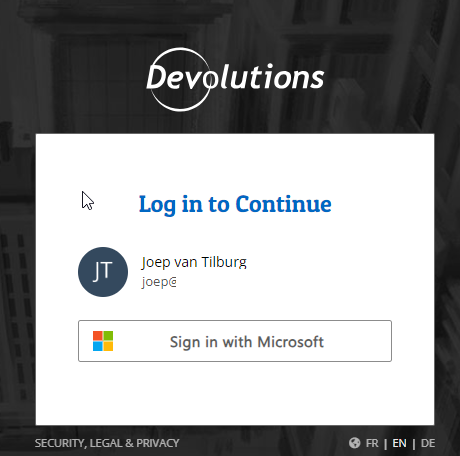
2: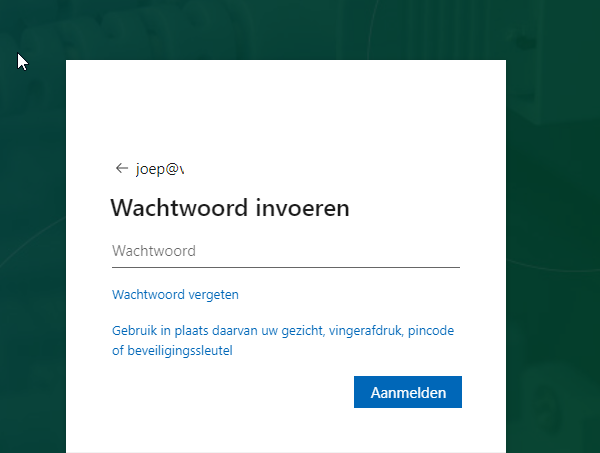
We use SSO, however can we configure it to be seamless without entering the password? Just navigating to the page and selecting 'Sign in with Microsoft' should be sufficient.
dd2460de-ba90-4b74-a8bf-ec1f6e96e056.png
4602efa6-1531-470d-8e34-c99b08649d22.png
Hello Joep.
Please find below a detailed instruction how to configure SSO with Hub Business and Entra ID (former AAD)
https://docs.devolutions.net/hub/getting-started/get-started-sso-hub-business/configure-sso-authentication-microsoft-azure
Regards,
Min
Hi Min,
We did setup SSO using that article, the SSO is however not seamless, can we make it seamless?
Hello,
Thank you for your reply,
Normally when you're looking to automate the connection to a Website, you can add the credentials to a Website type entry in the data source and use the Workspace browser extension to autofill them in your browser, however since in this case, the credentials are required for the connection to the data source itself I'm afraid this would not be possible.
How often are you being prompted for this?
Let me know,
Best regards,
Samuel Dery