Something changed, cursor too big and fonts small

Not sure what setting I've fumbled and messed up all my RDP sessions. Now every single one the mouse cursor turns huge (only when hovering over the RDP session), and certain fonts, like in the start menu and cmd prompts, are incredibly small. I don't believe any settings were changed in the RDP sessions, just to the Remote Desktop Manager interface itself. Is there a way to reset this back to normal? Thank you.
I'm on 2024.1.19.0 64-bit.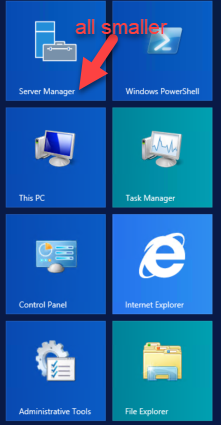

Sorry, I couldn't capture the mouse pointer, but its nearly the size of my red arrows above.
2024-04-10_10-19-51.png
2024-04-10_10-18-20.png
All Comments (3)
Hello,
Thank you for reaching out to us regarding this,
I see, are you using a 4K display?
Could you follow this knowledge base article and let me know if it helps with your issue?
https://docs.devolutions.net/kb/remote-desktop-manager/troubleshooting-articles/high-dpi-issue/
Best regards,
Samuel Dery
Thanks for the suggestion Samuel. Not using a 4k display, but I was undocked and using only my laptop screen (1920x1080 at 150% scale) when I launched RDM. Now docked, and with RDM on a connected screen (set to 1920x1080, 100%) it was exhibiting the behavior described above. I have now closed and re-opened the app and everything is back to normal.
Hello,
Thank you for your reply,
I see, that is good news, let me know if the issue returns!
Best regards,
Samuel Dery