Copying folders duplicates sub connections

Version: 2023.3.37.0 64-bit
Database Type: SQL Lite
My folder structure is mostly Hosts with Connection Templates set and a heavy use of variables to control Site specific values. This enables me to maintain a single 'Template' folder and can delete every entry in a Site Folder and Copy+Paste my 'Template' folder structure which will inherit the local site specific values (eg human readable host names, site specific IP address octets)
My issue is, as I have increased the value of this tool by adding Sub-Connections with additional specific connections (eg, specific URLs based on the Parent_Host value, or an SSH connection to the same Parent_Host address), when I ctrl+drag the folder around my database, all the sub-connections are added twice in the destination folder; once as the correct sub-connection but a second time at the same hierarchy level and the Main-connection but with rubbish names due to the inherited 'Parent_Name' values being corrupt/valueless
An example of my 'Template' Folder: 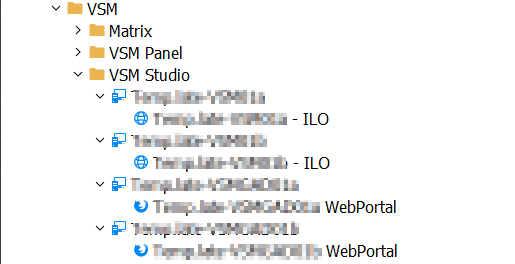
An example of what gets pasted in my 'Site' Folder when click+Drag then CTRL+Drop a folder: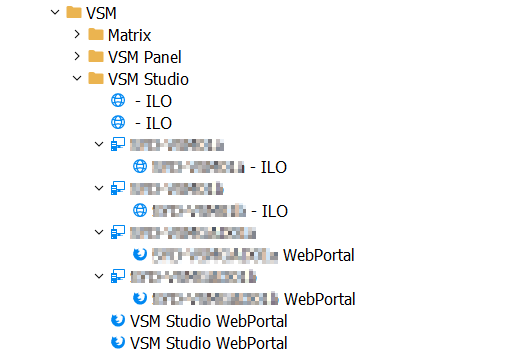
You can see all the Sub Connections are copied correctly but duplicate a second time in the Root folder
This behaviour does not exist if I use the Home > Clipboard > Copy and Paste functions. Why does it exist when Click+Drag and Ctrl+Droping the same connections?
thanks!
5d685261-ee49-48b7-bcf1-c411538a990a.png
5196b424-1ab8-4e1e-a600-830eeda9531f.png
All Comments (3)
Hello,
Thank you for reaching out to us regarding this my apologies for the delay,
I've attempted to reproduce the behavior on my end using the latest version of RDM 2023.1.23.0 but was unable to reproduce it.
I'm wondering if you could perform the update and let me know if the problem persists?
https://devolutions.net/remote-desktop-manager/home/thankyou/rdmsetup/
If it does, could you provide me with a screenshot of the Sub entry Properties?
Let me know,
Best regards,
Samuel Dery
Thanks for the quick reply Samuel,
Just updated to 2024.1.24.0 and the issue still exists when click+drag Ctrl+Drop the folders. 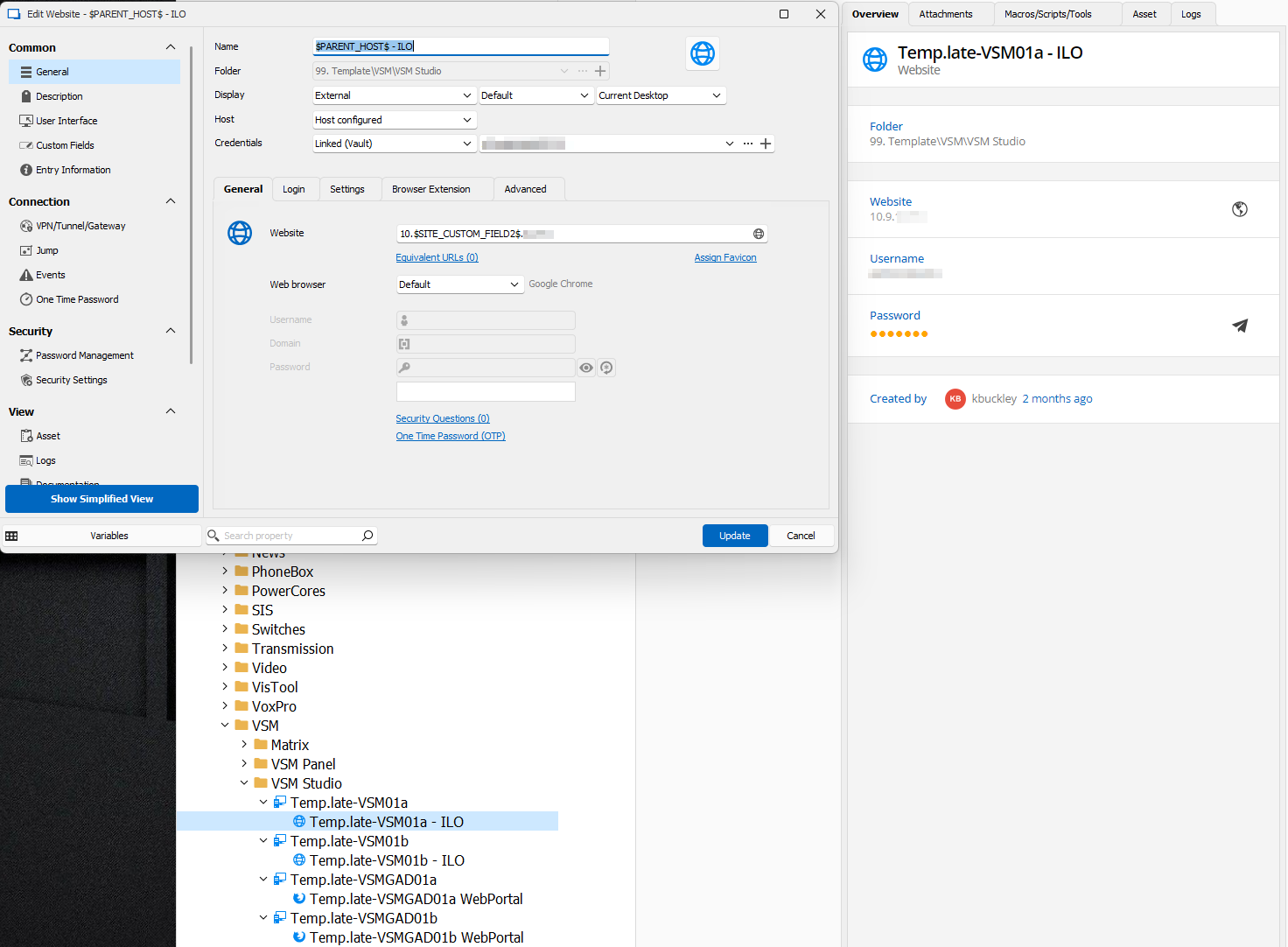
143285e3-1030-4eb8-b4bd-a02d9e1810ed.png
Hello,
Could you please attempt to recreate the issue
in a portable installation?
Here are the steps.
1. Download the .zip file from this link: https://remotedesktopmanager.com/home/thankyou/rdmbin
2. Create a new folder on your Desktop.
3. Extract the contents of the .zip file into the folder you created in step #2.
4. Navigate to this folder after extracting the .zip file and run "remotedesktopmanager.exe."
5. Connect to your data source.
This test will help us determine whether the issue is related to your local installation of RDM.
We appreciate your assistance in resolving this matter and encourage you to reach out if you have any questions or concerns.
Best regards,
Carl Marien