RDM keeps/stealing focus over other open applications.

I'm not exactly sure since which version this started, 2-3 versions ago I suppose.
I'm currently using version 2024.1.23.0 of RDM.
If I have RDM open for a while and I'm connected to some serves through RDP (embedded in tabs) I notice that RDM steals focus over other applications. I have to actually minimize RDM before I can use other applications in a normal fashion. Alt-tab doesn't work either in that situation.
Closing RDM often solves it for a short period and sometimes it doesn't, but it keeps returning after a while of normal use.
I haven't found a way to reproduce the issue yet if I want it to. It's suddenly there.
I don't suspect other applications yet, because it's only the RDM window that is stealing focus.
Is there a way to analyse this from my side or anything I can look into?
Note: I know there is an 'always op topic' option in the settings, but that is not enabled.
All Comments (10)
Hi,
Do you have the RDP mouse jiggler enabled? Can you try disabling it explicitly in the RDM settings?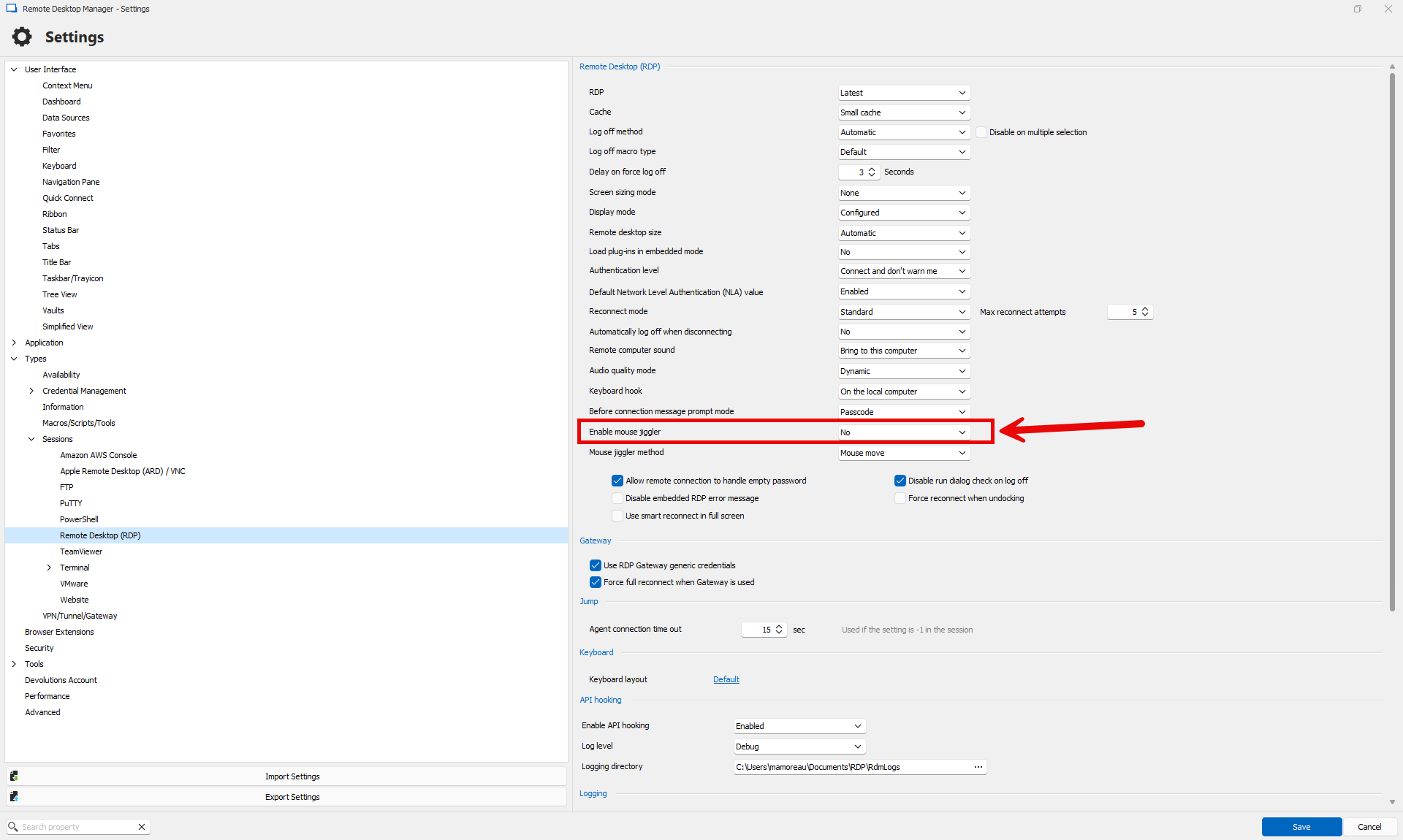
What do you use in the RDP server, and do you have RDP sessions where software like TeamViewer or AnyDesk is also running?
Best regards,
Marc-André Moreau
2696d7ce-6817-41ae-8298-7d223ae7bad2.png
I had a look at the setting, but Mouse Jiggler is not enabled.
On the remote VM is no management software like TeamViewer or AnyDesk installed.
In addition, even if I close all the open RDP sessions, RDM still is on top of everything.
Even windows/panels inside RDM, like properties or the search for updates window, also don't pop up. It's like they are invisible.
Hitting the escape key on an invisible window gives me control over RDM again, but I have to close and reopen the application to get it to work like normal.
Hello,
do you have 'Always on Top' (Located in Settings > User Interface) enabled? There's seem to be an issue with that feature at the moment. You can disable it to temporarily fix the issue of panels being behind RDM.
Best Regards,
Antoine Mauger
From my post above:
Note: I know there is an 'always op topic' option in the settings, but that is not enabled.
Hello,
i read too fast, sorry for that. We will do additional tests on our side.
Best Regards,
Antoine Mauger
Hi there,
Any updates on this from your side?
I bumped into this issue a couple more times over the past month.
Sometimes restarting RDM solves it for a while, sometimes the issue is almost back instantly.
So I can't put my finger on it yet what seems to trigger it.
Any ideas from your side that I can check or look into?
Hello,
this is a hard one to reproduce, but we have a couple of questions to help narrow the root of the issue:
-Which datasource do you use?
- Depending on the datasource that you use, check if you have 'Auto refresh' enabled in the properties of the datasource.
-In the tab 'File' > Settings > User Interface, which value do you have at the setting 'Wait progress mode'?
-What OS do you have?
-Which applications do you use at the same time as RDM?
Antoine Mauger
Hi there,
To answer your questions.
- My datasource is SQLite (local data source)
- 'Auto refresh' is not enabled on the advanced tab of the data source.
- 'Wait progress mode' is set to Window
- My OS is Windows 10 Enterprise 22H2
- Normal day use applications are Office365, Firefox, Notepad++, Virtual Machine Manager Console. That's about it.
I'm not sure if it's related, but when the issue occurs I'm often already connected to one or more VM's.
We connect to most of our VM's through an RD Gateway setup.
But like I said I can't reproduce it on demand if I want to. :(
Hello,
thank you for the additional informations. That will help us trying to reproduce the issue on our side.
Best Regards,
Antoine Mauger
Hello KevinH,
can you try to set the option 'Wait progress mode' at 'Status Bar' and see if you can still reproduce the issue?
Best Regards,
Antoine Mauger