Running Local Powershell Macro as Privileged Account

Hello! Is there a way to have a "PowerShell Script (Local)" (from "Macro/Script/Tool") run with the credentials from My Privileged Account? I have to log into my PC as a standard user, with anything administrative requiring elevation via UAC. When trying to run this script against a few dozen devices, it gets extremely tedious to fill out creds back-to-back. Here is my current use case:
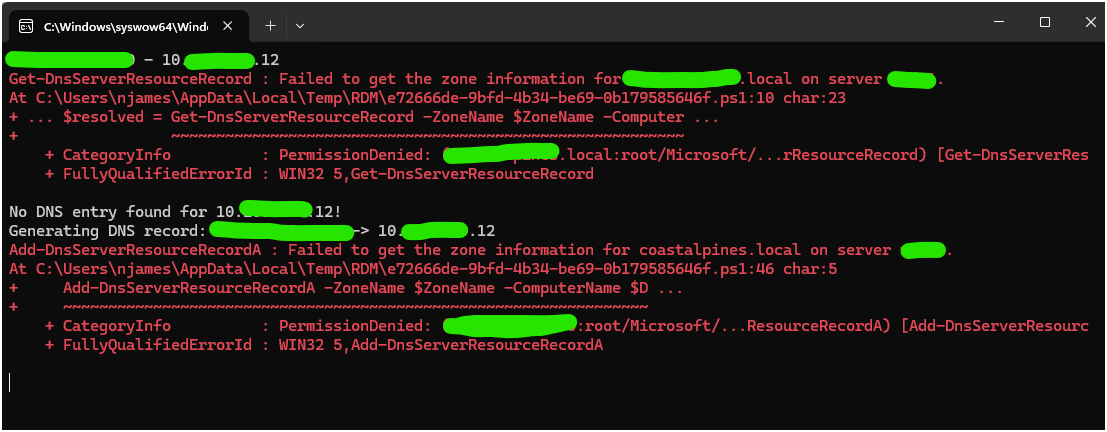
I have a script to check DNS for a static entry, and update it if required to make the name match what shows in RDM. This Powershell script is added as a Macro, so that I can right-click on a folder and bulk run it against an group of devices. Within this script, I utilize the $HOST$ and $NAME$ variables to get the hostname and ip for the device the macro is run against. All of this works perfectly fine if I edit the properties to say "run as administrator" and enter credentials into the UAC prompt. However, as mentioned above this is very tedious for bulk operations. When run without this checkbox, I get execution errors due to the cmdlets used requiring elevation.
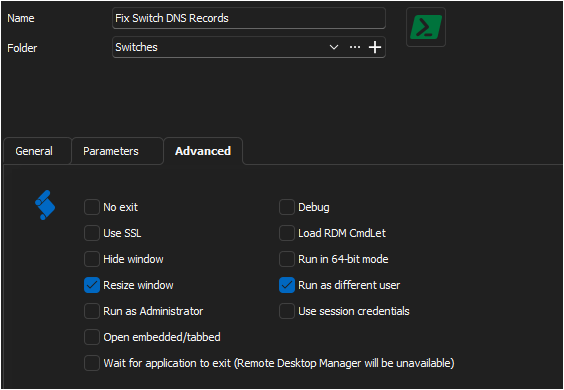
Under the properties, I see the option to "Run as a different user", but there doesn't seem to be anywhere to specify which alternate credentials to use.
While I could make a stand-alone Powershell script which reads from a CSV or something, it is not an ideal solution to need to manage two separate files when everything else is managed via RDM. Is there any solution to running my Powershell macro with My Privileged Account credentials?
Side note: I have attached the script I use in case it benefits anyone else. It's a rough draft, but should be adjustable for other environments.