Running Local Powershell Macro as Privileged Account

Hello! Is there a way to have a "PowerShell Script (Local)" (from "Macro/Script/Tool") run with the credentials from My Privileged Account? I have to log into my PC as a standard user, with anything administrative requiring elevation via UAC. When trying to run this script against a few dozen devices, it gets extremely tedious to fill out creds back-to-back. Here is my current use case:
I have a script to check DNS for a static entry, and update it if required to make the name match what shows in RDM. This Powershell script is added as a Macro, so that I can right-click on a folder and bulk run it against an group of devices. Within this script, I utilize the $HOST$ and $NAME$ variables to get the hostname and ip for the device the macro is run against. All of this works perfectly fine if I edit the properties to say "run as administrator" and enter credentials into the UAC prompt. However, as mentioned above this is very tedious for bulk operations. When run without this checkbox, I get execution errors due to the cmdlets used requiring elevation.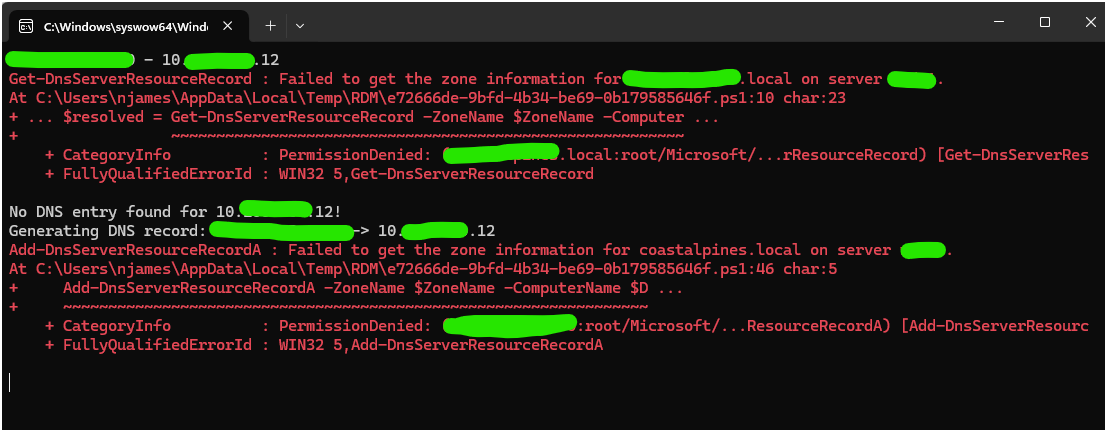
Under the properties, I see the option to "Run as a different user", but there doesn't seem to be anywhere to specify which alternate credentials to use.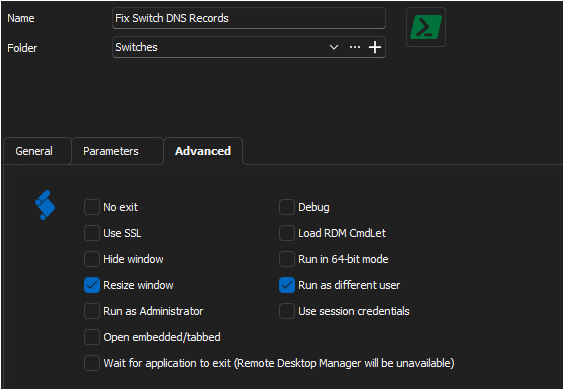
While I could make a stand-alone Powershell script which reads from a CSV or something, it is not an ideal solution to need to manage two separate files when everything else is managed via RDM. Is there any solution to running my Powershell macro with My Privileged Account credentials?
Side note: I have attached the script I use in case it benefits anyone else. It's a rough draft, but should be adjustable for other environments.
6f981c63-d1dc-451a-8101-daae44bd1d51.png
da035dbb-70f4-4b38-8194-12e14f739793.png
RDM-UpdateDnsEntries.ps1
All Comments (4)
Hello,
In the session on which you use the Powershell script, under Management Tools - > Tools, could you try to set the Credentials to "My Privileged account"? 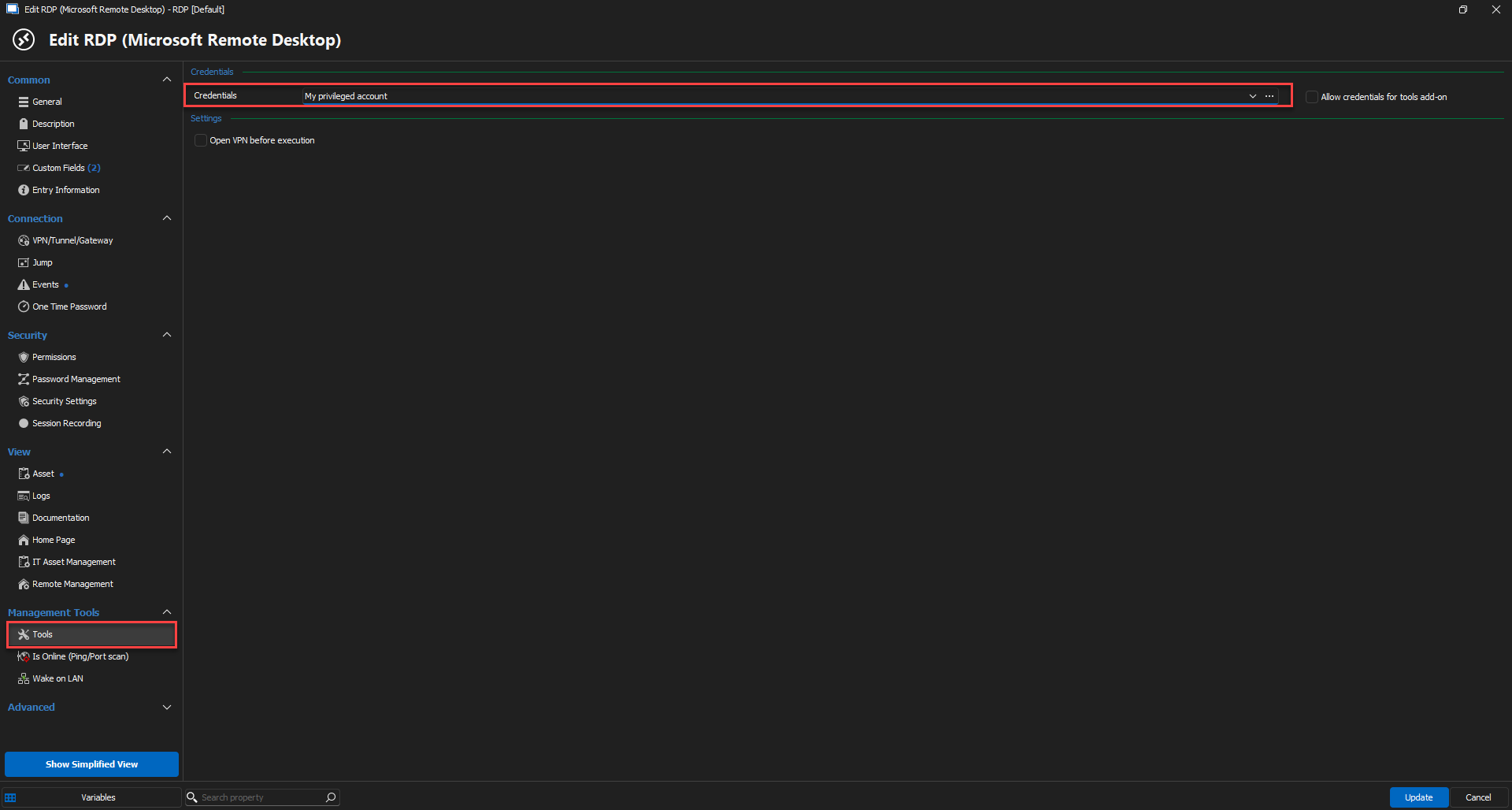
Best regards,
Etienne Lord
78a976da-9ace-4bbc-9713-430f3ee4150f.png
Sorry for the late reply, things got hectic this week!
It appears that the script still runs with my currently logged in Windows account, regardless of what I set that to. I verified this by putting a "whoami" as the first line of the script, which returns the account running RDM regardless of setting "My privileges account", "Username and password", or "Prompt for credentials" under the 'Management Tools > Tools' properties. It's as through they are not passing along to the Powershell script macro.
For further explanation:
- I login to Windows as 'StandardUser1'
- My SSH connections uses inherited credentials of 'SshUser1'
- Powershell scripts on the local machine must be run as 'ElevatedUser1'
It looks as though your provided screenshot is using a (blue, session) Powershell Script (Local) rather than the macro? Is there a way to have that prompt for the host(s) instead? If so, I can probably work with it instead of using the (green, macro/script/tool) tool. Biggest difference I can tell is that the former runs standalone, while the latter runs against the currently selected host entry.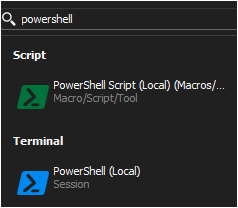
6223aca2-089f-4f25-89d1-519418ee60cd.png
Hello,
Thank you for your feedback, and I'm sorry for the late reply.
With the PowerShell (Local) session (blue icon), it is possible to set it to My Privileged Account or Privileged Account to run it in the context of your privileged account. You must enable the PowerShell (Local) session in the Privileged Access - Usage Policies.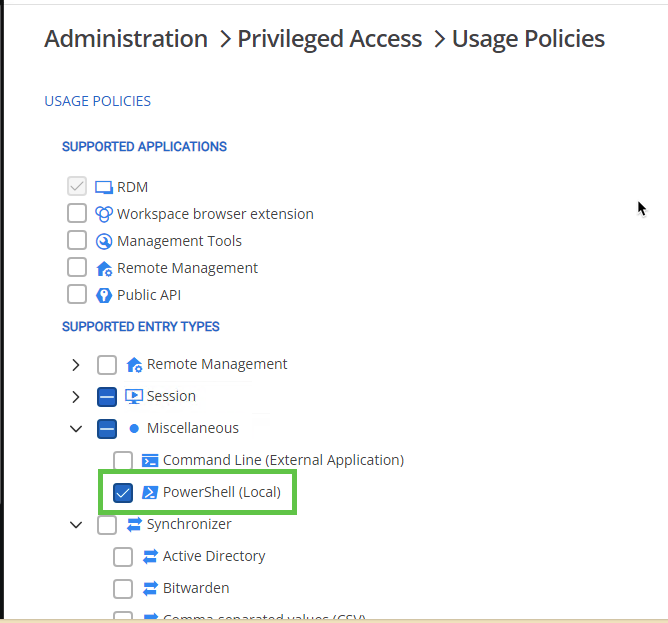
Let us know if that helps.
Best regards,
Érica Poirier
bad9d504-c3a0-46cb-972e-691bf63d9f5e.png