How to use SCP to Linux machine on Azure through bastion

Hi,
During the last few months RDM has greatly improved support of Azure Bastion to connect to a Linux machine with SSH.
Now I am trying to go even further... and use the SCP module.
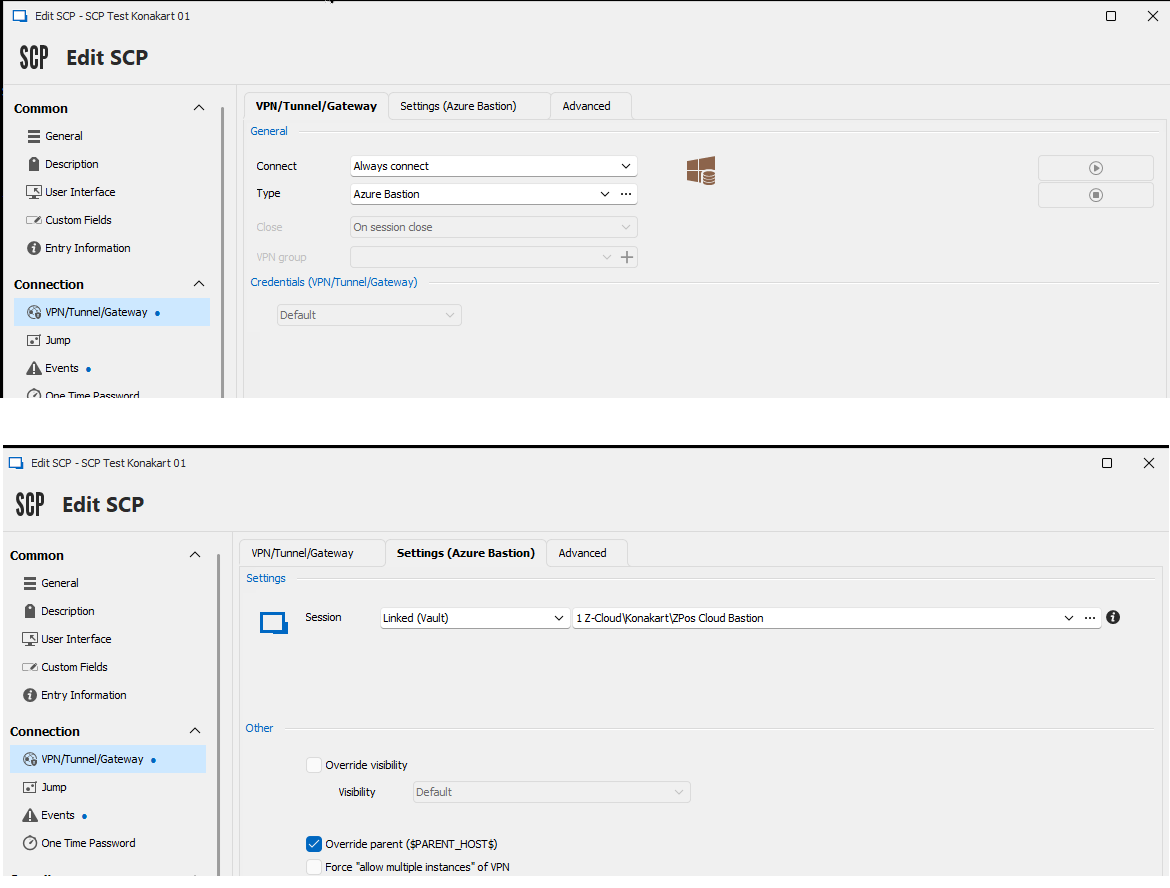
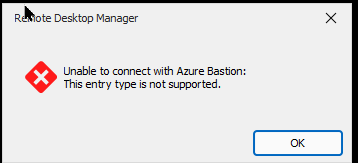
When trying to set it up I find almost the same entries as for SSH except that I can't fully configure the Bastion parameters. Ultimately it fails to connect with a message "entry type is not supported"'
Using the azure CLI to open a VPN through bastion for SSH and for SCP is the same, so I would expect that it would be very similar in RDM too, or at least reasonably simple to implement.
Am I missing something? If it is unsupported is there a chance it will be in the future?
Attached are a few screenshots showing the missing "Azure resource" block when using SCP.
Thanks
Blaise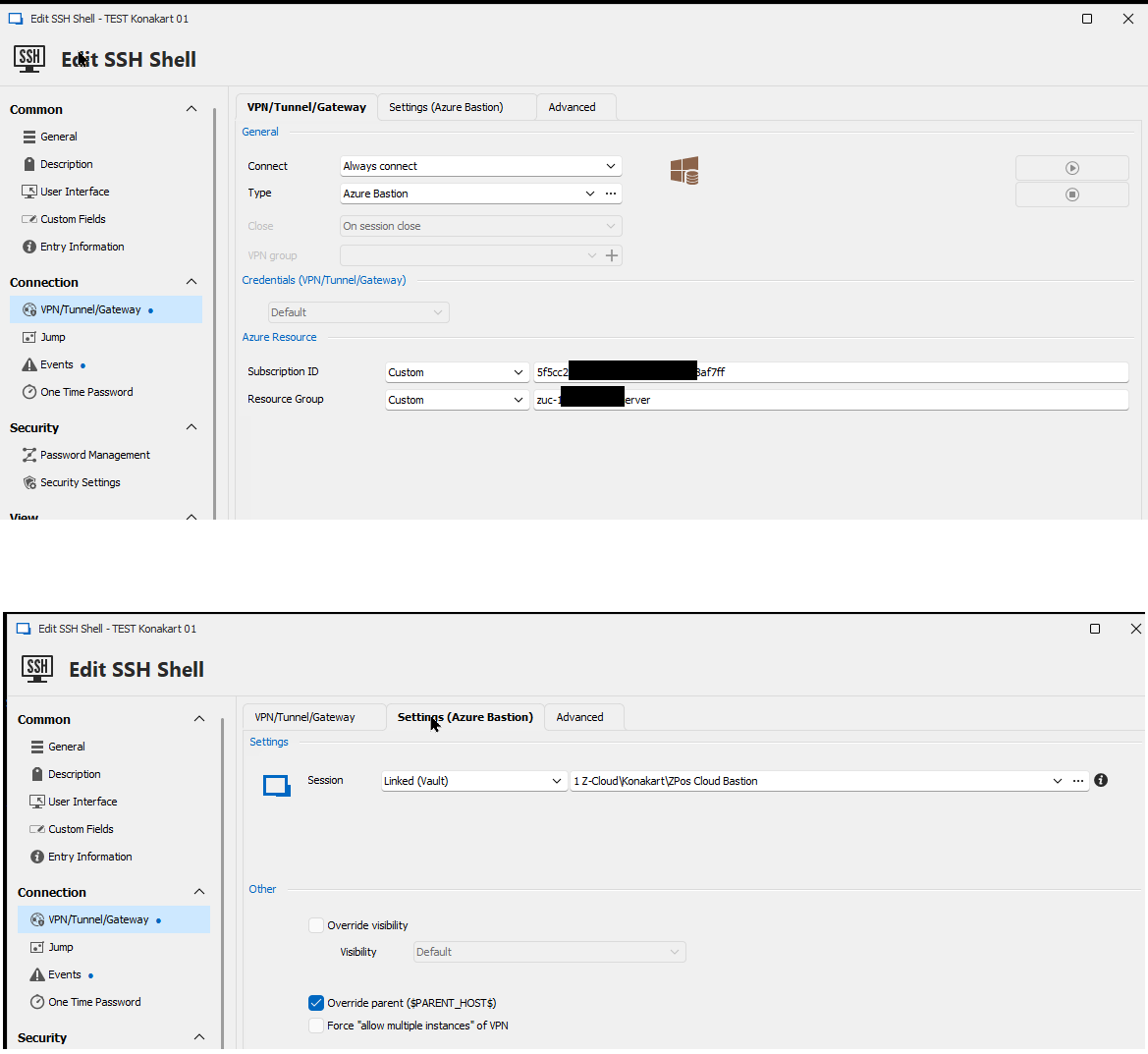
VPN settings for SSH.png
VPN settings for SCP.png
Error message on connect.png
All Comments (8)
Hello
Thanks for the detailed issue report. As you say that this works with the Azure Bastion CLI, there's no reason it shouldn't work with RDM and we're just inadvertently blocking the connection type. This should be an easy fix; I'm entering a ticket for that and should be able to unblock it ASAP. I'll post back here with an update.
In the meantime, please don't hesitate if you have further questions or comments.
Kind regards,
Richard Markievicz
Hello again
I've started the work to unblock this, but I'm having trouble testing. My Bastion is terminating the websocket connection once I try to transfer a file with SCP.
Would you be able to share an example `az cli` command to setup the tunnel, as well as an example SCP command that works for you? So I can compare. Unfortunately I'm not an expert in these kind of remote protocols, so it's likely I have a mistake on my side.
In the meantime, it might interest you to know that you can run an SFTP session from within an SSH shell. You can enable the on the connection itself (in Terminal > Advanced) or at runtime.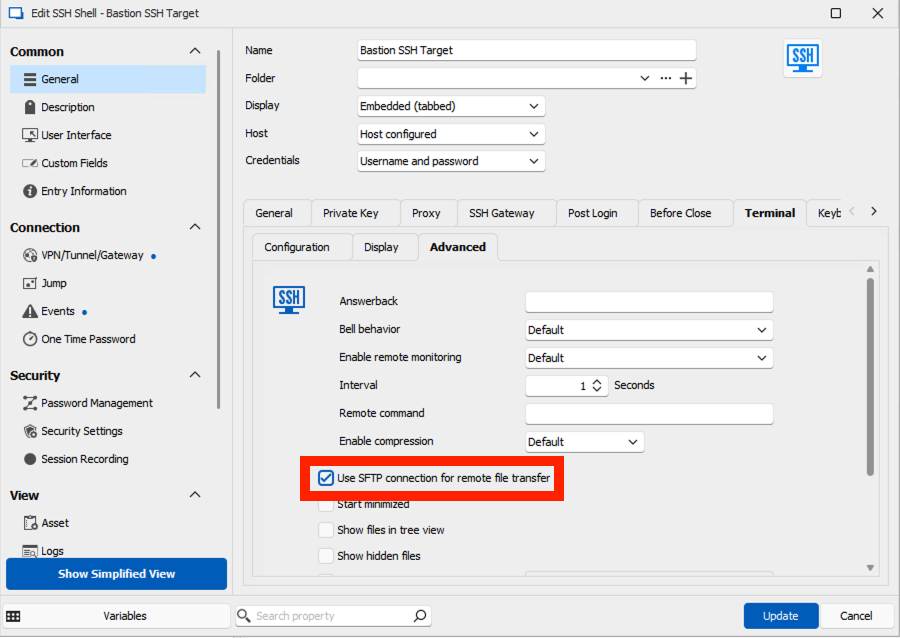

Please, let me know if something isn't clear or you have further questions.
Kind regards,
Richard Markievicz
Screenshot 2024-03-28 at 12.26.15 PM.png
Screenshot 2024-03-28 at 12.31.03.png
Hi,
Thanks for the tip about SFTP, I was not aware of this feature and it mostly solves my problem.
Anyway, here is how I use SCP with the azure CLI.
First I log unsing
az login
Then I open a tunnel between my PC and the remote Azure machine with:
az network bastion tunnel --target-resource-id "{resource id of the target VM}" --resource-port 22 --port 4900 --name {your_bastion] --resource-group {resource group of your bastion}
This command returns :
I can now start my favorite SCP GUI tool, winSCP by connecting to localhost:4900 and logging into my VM
Hope this helps
Blaise
b8bad42f-6c69-49e7-af96-eb3e01ad2cb3.png
Hello again
Thanks for that. I've been able to validate the changes on my side and I've made a merge request with the RDM Windows team to allow arbitrary connections over an Azure Bastion tunnel. I'll post back here once that's available.
In the meantime, please don't hesitate with further questions or comments.
Thanks and kind regards,
Richard Markievicz
Hi,
Thanks for the feedback. I'll wait for the software update.
Blaise
Hi,
Just upgraded to 2024.1.25.0. Indeed, the SCP option is now available using the Azure bastion, I don't get the error message anymore, but... it does not work yet.
I am still missing the "azure resources" bloc in the VPN tab. The window opens but no connection is established. It asks for a password, but nothing happens next whether a provide the right one or not.
Also I notice the "advanced" tab for connection that exists for SSH does not exists for SCP. I usually select the "IPV4 only" box in this tab as IPV6 does not work for me when connecting to Azure.
Yours
Blaise
Hello
Thanks for the update and sorry about that, there were some oversights here obviously.
I'll work on updating things so the Azure Resource information is available in the session. Just to confirm; does your Bastion exist in a different subscription / resource group than the host (i.e. are you blocked on that)? I just ask because when you try to connect, if it asks the password then I assume the connection is made (although I don't know the internals of the SCP integration very well).
I'll have to check on the IPv4 setting. I believe it's actually our SSH client library that doesn't play nice with IPv6, so if this is missing here it's likely an oversight.
I'll update this post once I have some more information, in the meantime thank you for your patience and let me know any questions or comments/.
Kind regards,
Richard Markievicz
Hi again,
Here is a screenshot of my hierarchy: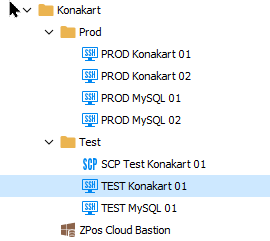
As you can see I have a folder "Konakart" that contains the bastion definition, and two sublofders "test" and "prod" with SSH connections to machines inside.
I created the SCP entry at the same level as the SSH entry in order to connect to the very same machine: "konakart test 01" in order to share the Bastion settings.
Yours
Blaise
c5c25bd1-0098-4ab5-943b-63554af12fe0.png