Microsoft VPN L2TP not compatible with Linked Vault password entry
Microsoft VPN L2TP not compatible with Linked Vault password entry

I'm on 2024.1.20. On a Microsoft VPN type for VPN/Tunnel/Gateway entry, I'm using Linked (Vault), but it does not seem to use the username/password. I get error 691 when connecting saying the username/password is incorrect. The vault entry is using the Username and Password field. Other vault entries work fine for RDP profiles so I believe I have the right fields filled out.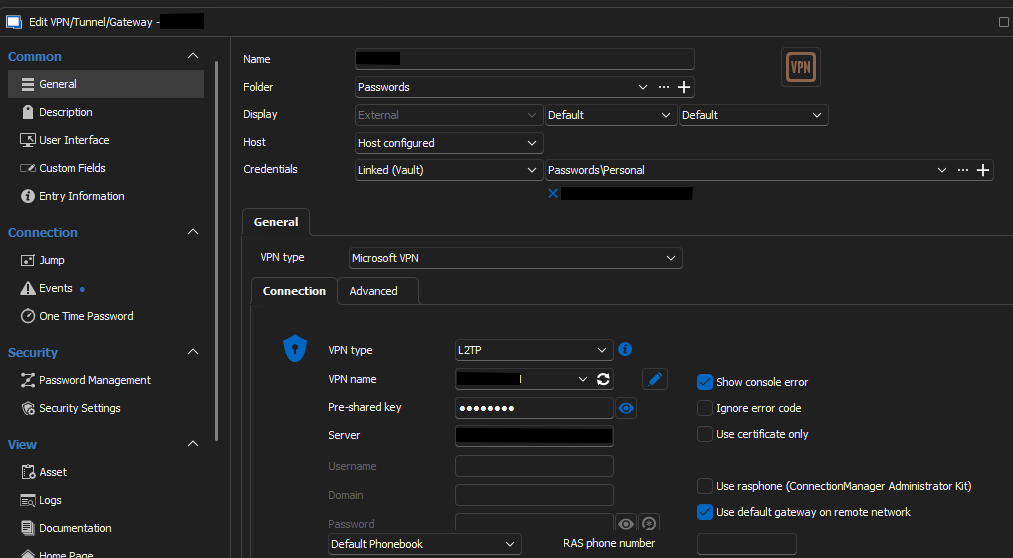
When I don't use a vault entry and use user/pass, it works fine, like this configuration. Same VPN Name and credentials I would have used.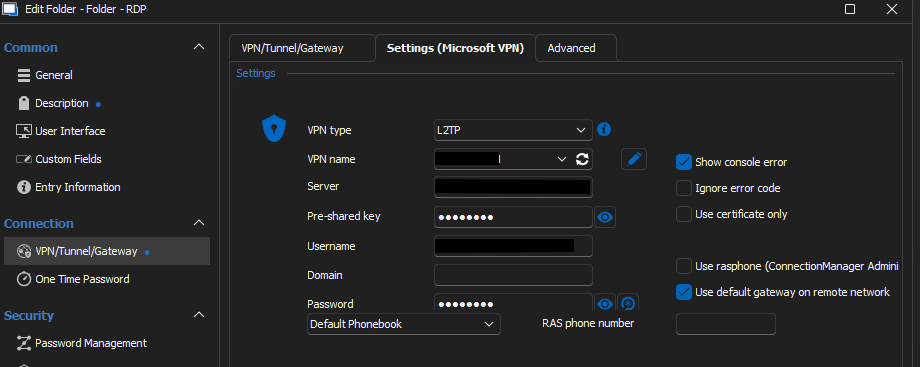
bd4b27db-41e3-4b86-87ff-40f9a922a79e.png
32ade836-0e25-42bb-9c02-8ceec0eee3a4.png
All Comments (8)
I did update the VPN entry to use Username and Password without vault and it works fine. It seems like it's not using the right vault fields to set the username and password field(s).
Hello,
Could you please confirm these things to help us pinpoint the issue:
- The type of data source you're using
- The location of your RDP entry (shared or user vault)
- The type of the credential you're linking
Regards
Jonathan Del Signore
The type is "Microsoft VPN" under the "VPN/Tunnel/Gateway" category. The "VPN Name" field is a reference to a Windows VPN connection of type "L2TP/IPsec with pre-shared key" that I created in Windows Settings.
This is a local entry. I have no shared entries/vaults.
The credential is from an item in a Password List type, which is treated like a vault? Only the Username and Password field is filled in.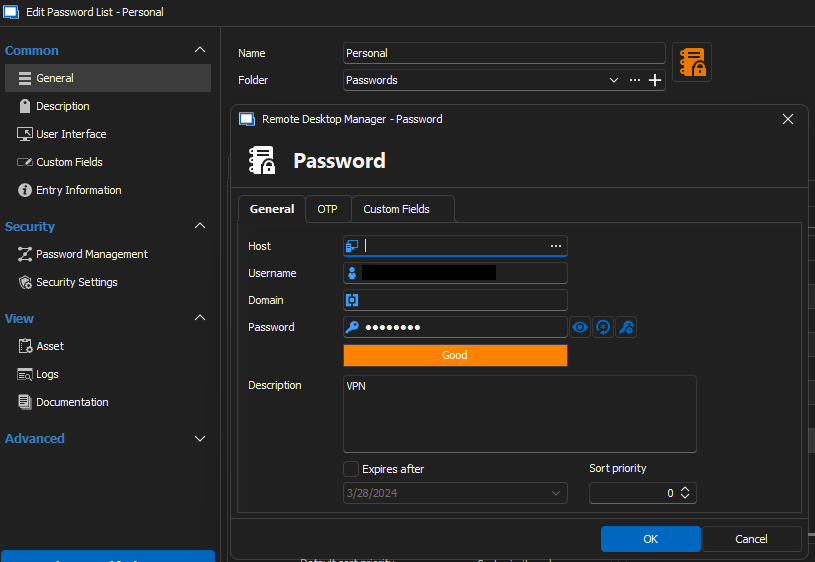
92ab1228-b839-45ba-833e-77aea39b90e6.png
Could you please show screenshots of the VPN/Tunnel/Gateway section in your RDP entry? Specifically these two tabs. I wanna see exactly how you link your VPN to your RDP.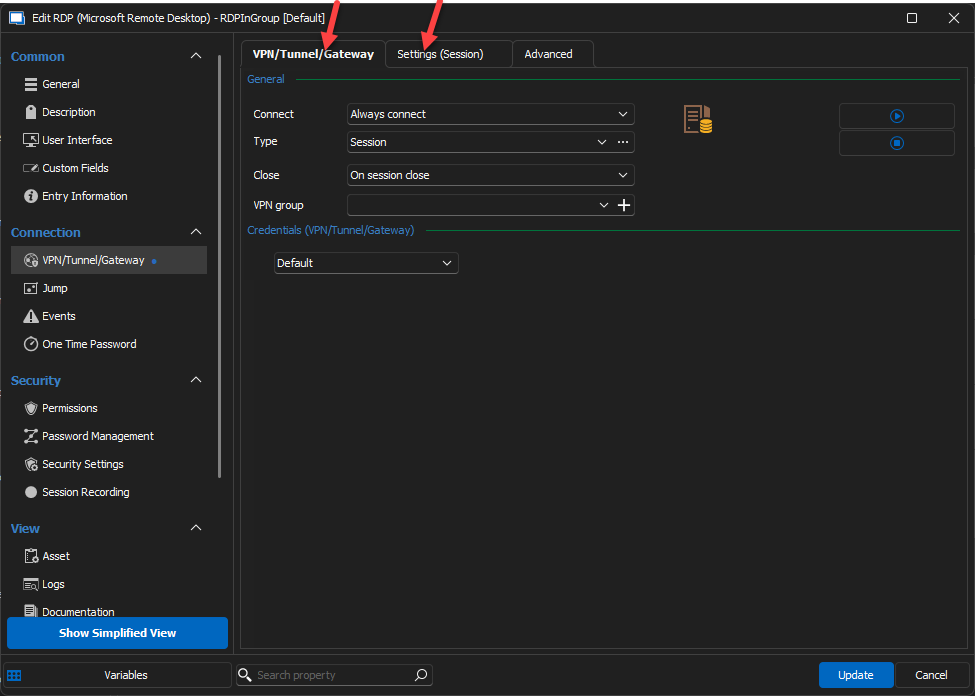
For now, I can't reproduce your issue, but we'll keep digging.
Regards
Jonathan Del Signore
2b5075f6-3a80-49c2-868e-5f355199a09d.png
I'm not sure if folder/RDP settings are relevant because I can't even open/start the VPN session directly if the credentials are set to use a Vault entry. I can start the VPN without error 691 if I manually enter the user/pass directly in the VPN entry fields.
Anyway, the RDP session is Inherited since I have "VPN required" sessions organized under a folder.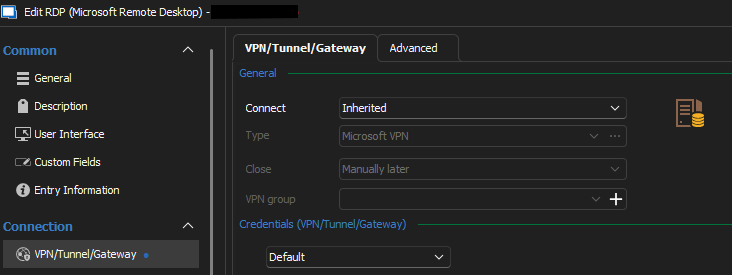
Folder with VPN applied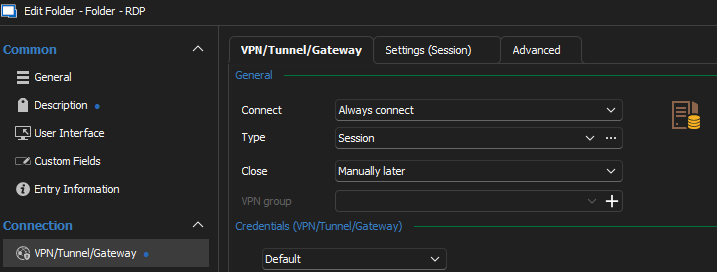
Advanced tab. "Passwords" is the vault name. Blacked out is the name of the VPN session that I don't want public.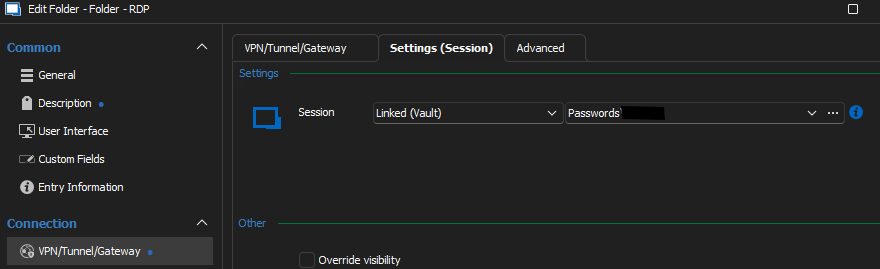
For some more context, this is my folder structure.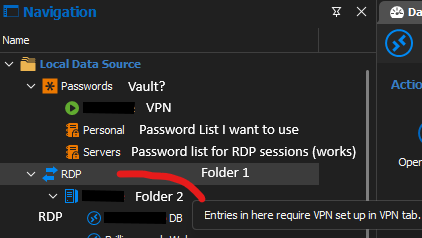
3585fbbc-f03d-4fcd-a7f3-6e5f043571fc.png
d58cabb5-5091-414e-9916-b79bf3ff4722.png
8d2e3e02-2013-437e-a00e-5079a8eb4eb9.png
3e4b0e5e-478f-47ba-af34-a602fff5d128.png
I think it's including Domain in the username to RasClient when it shouldn't be. This is the event from Event Viewer using Vault. It starts with "*\" + username.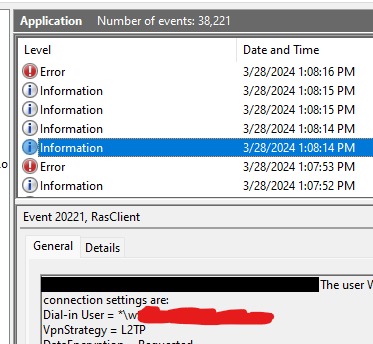
On a valid connection, there is no *\ prefix in the user.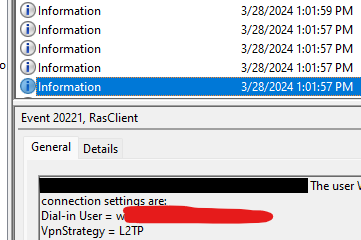
b9e6d4ff-e697-43ab-894a-11aa4f27e5cf.png
3e716396-1ca8-4cdd-89f7-eeff33564b61.png
Ok... This is dumb. It's user error. I had the wrong username in my password vault. I was missing a character and didn't see it this whole time. Sorry for wasting your time. But it works now.
Ah perfect, I was scratching my head on that one! Thanks for letting us know you found the issue.
Regards
Jonathan Del Signore