openvpn howto?

hi,
what's the current preferred way to connect to an OpenVPN server automatically? OpenVPN connect? Some internal mechanism? I hope it's not OpenVPN gui, is it?
thanks,
Pat
All Comments (12)
Hello Pat,
Thank you for reaching out to us regarding this,
That is correct OpenVPN GUI would normally be what is used, have you encountered any issues with this?
Unfortunately, all VPN entries are launched externally using command lines.
Let me know,
Best regards,
Samuel Dery
It's a bit a pain in the ass, so OpenVPN connect is not an option?
Hello,
We also have an add-on for OpenVPN connect, you can enable it by going in the add-on manager: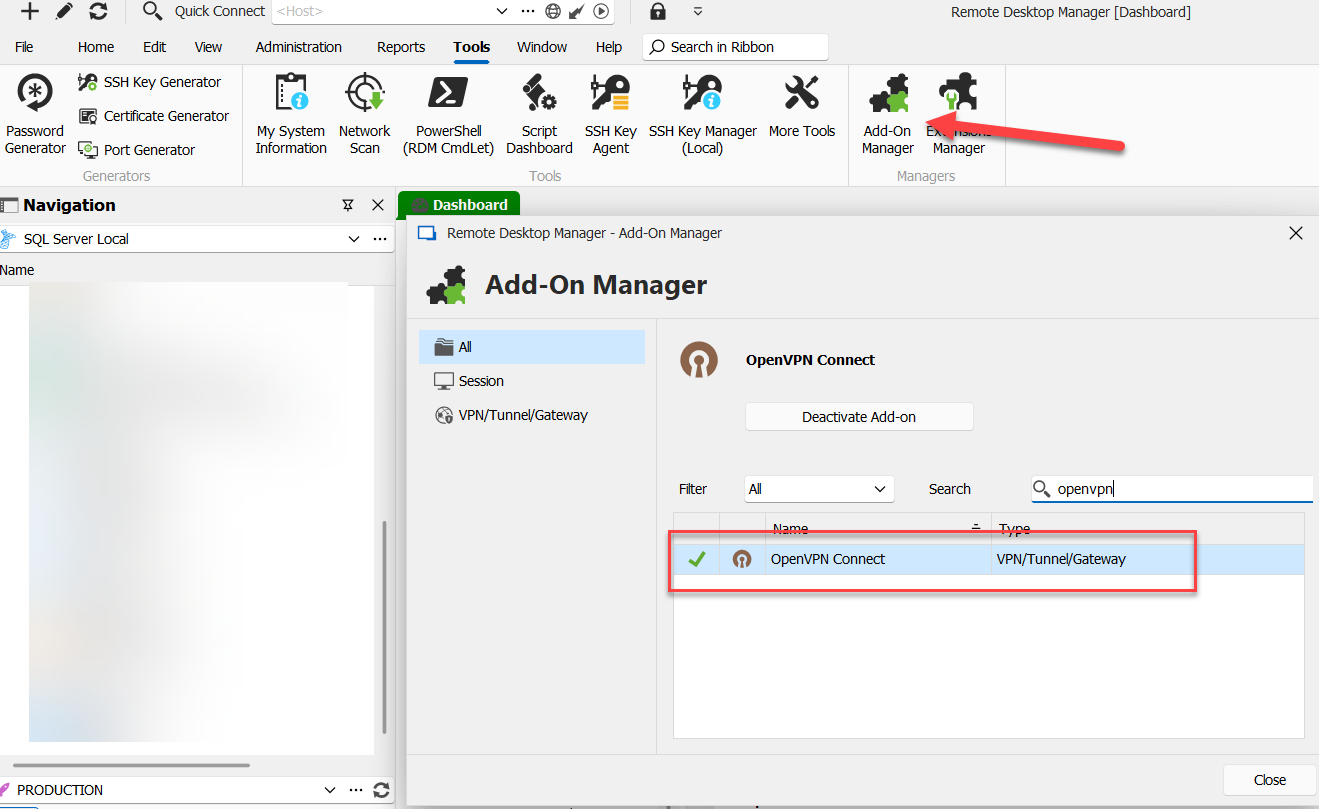
Let us know if this entry works better for your use case.
Regards,
Hubert Mireault
bd4a9c63-1aab-46ec-8a52-41aa7e0e918b.png
Ah, there it is! I had to reset my RDM config after the slightly botched 2024 launch and just didn't find it (should this be under settings?).
Anyways, this extension seems to need some updates:
the default is wrong: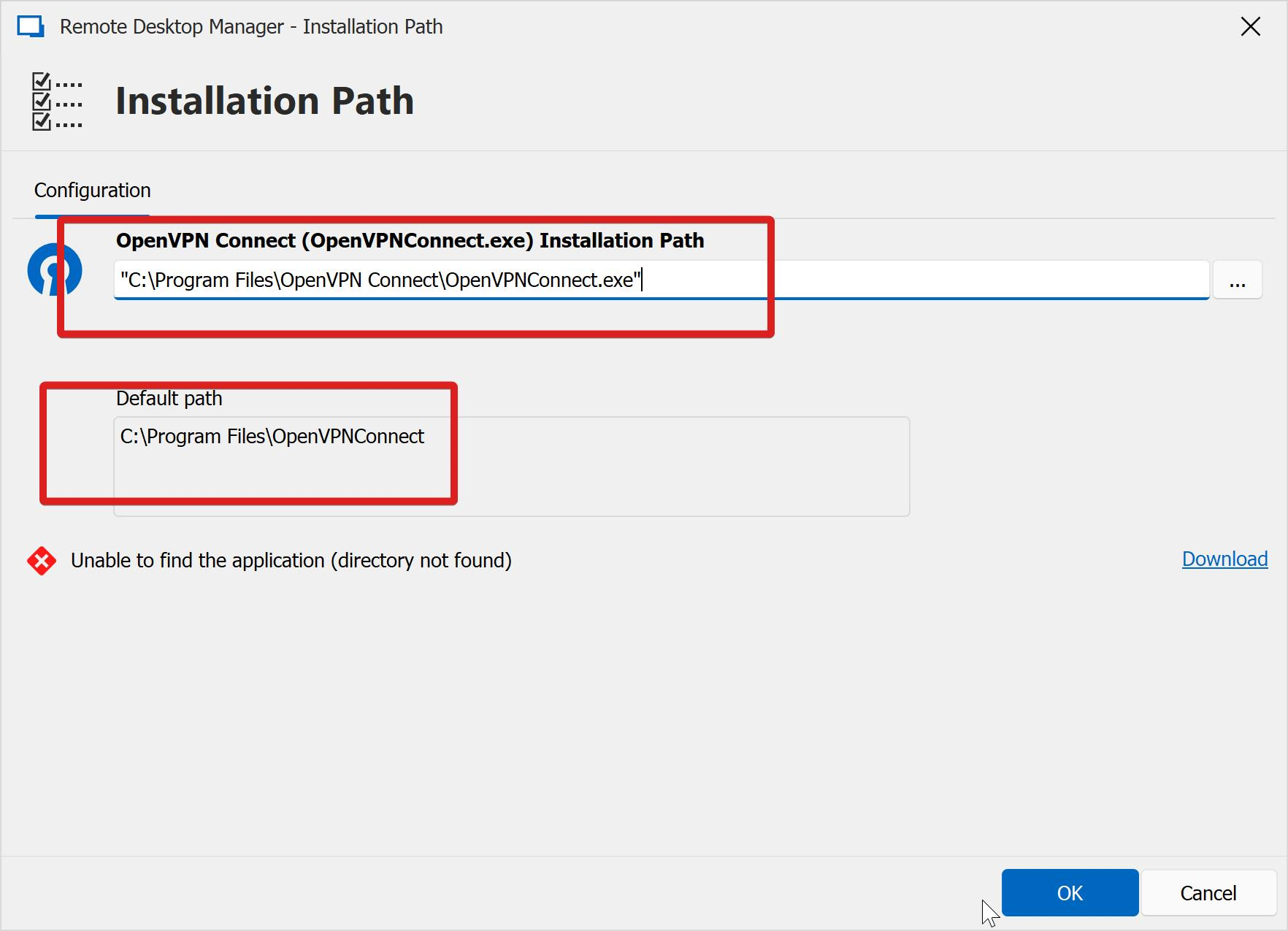
the advanced page is scrambled: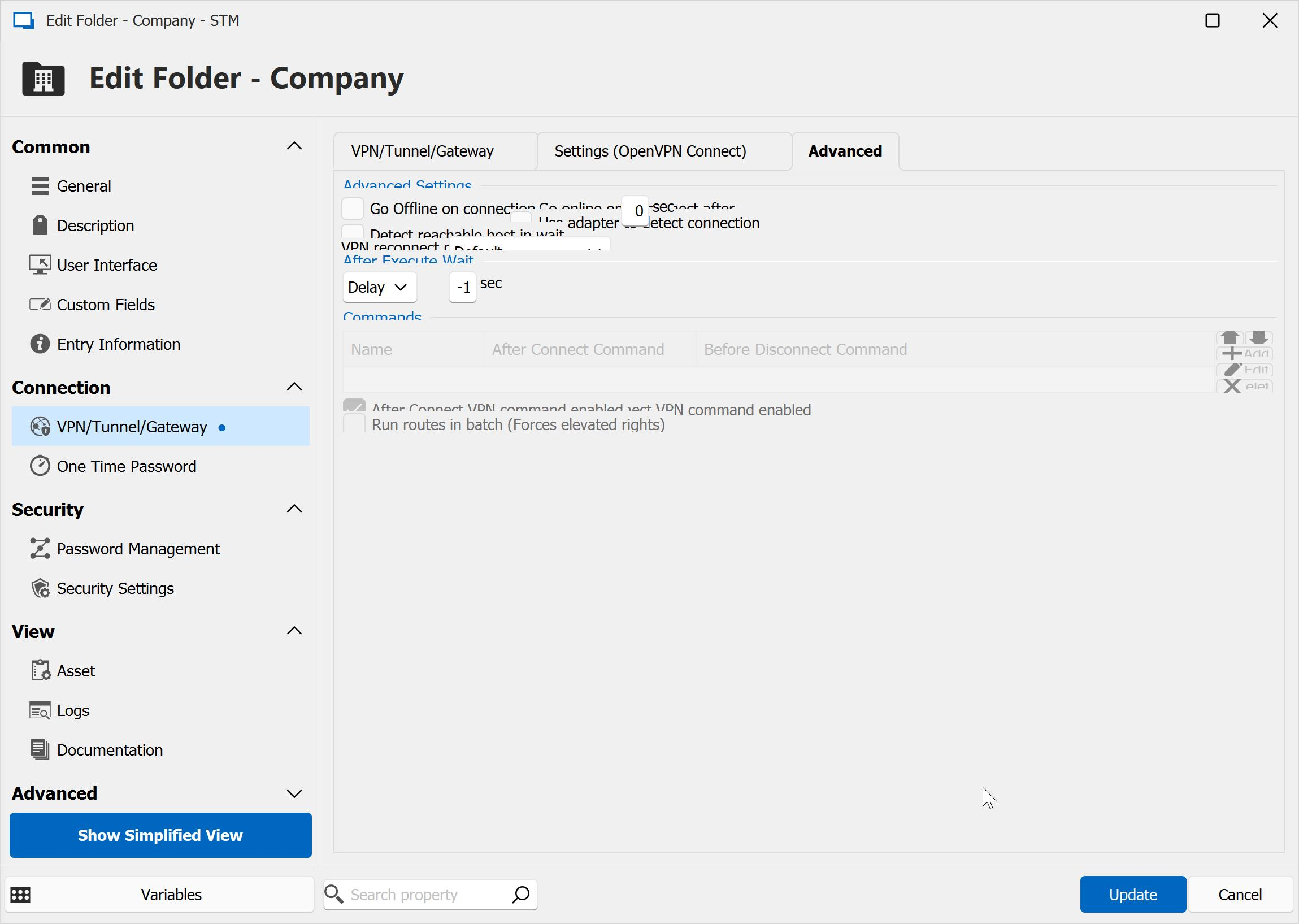
also, I know I had this working before the config reset but don't really know how anymore. It's a bit confusing as I would expect that I can just select an existing config inside OpenVPN connect: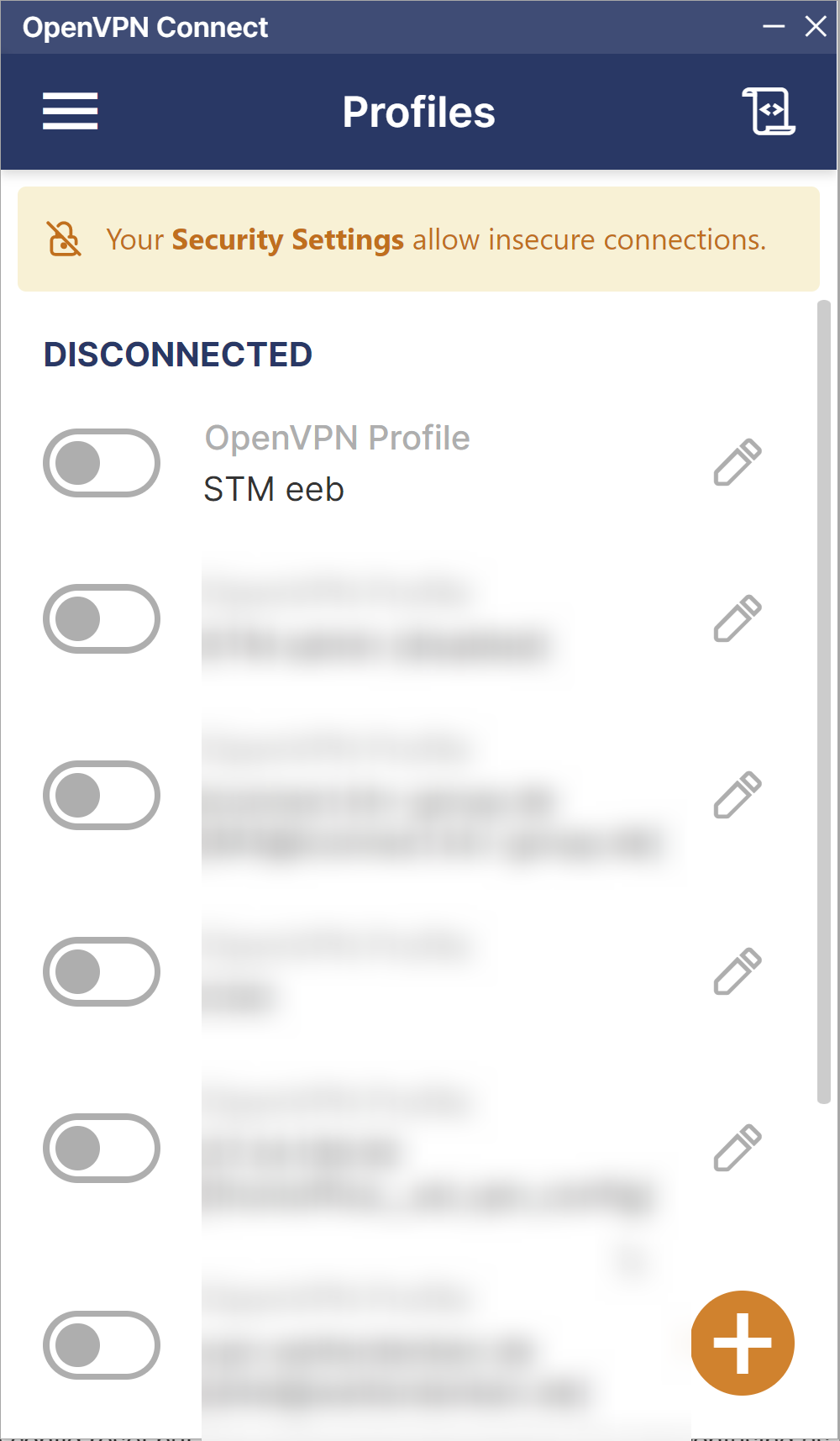
but that's not the case?
also, if I need to import the .opvn again where do I put the username/password? Or, if I need to refer to an external .opvn we should be able to put this somewhere into the data source, otherwise we need to have another place for configs, which feels a bit inconsistent..
f684070e-e0ef-483e-b409-ea6d7e293690.png
a8e5d0d6-f168-465b-865c-82b07e88fe50.png
7d8da64b-b367-437e-827e-b35eaf3e7e1c.png
Hello,
A recent update to OpenVPN Connect broke our integration.
We have a ticket opened to investigate the issue and will come back to you once we know more. We`ll also be able to answer your other questions at that point, since the current procedure might become irrelevant after the changes.
Regards
Jonathan Del Signore
I am going to that, Was having the same problem.
Hi,
We have fixed the implementation internally. Openvpn connect 3.4.x should now work as expected starting with version 2024.1.30.0 of RDM
Regards,
Jean-Francois Duchesne
ok, but I am a bit unsure, how to use openvpn connect. see this post. we have configurations inside openvpn connect, but your dialogue expects a file or a configuration stored inside the vault: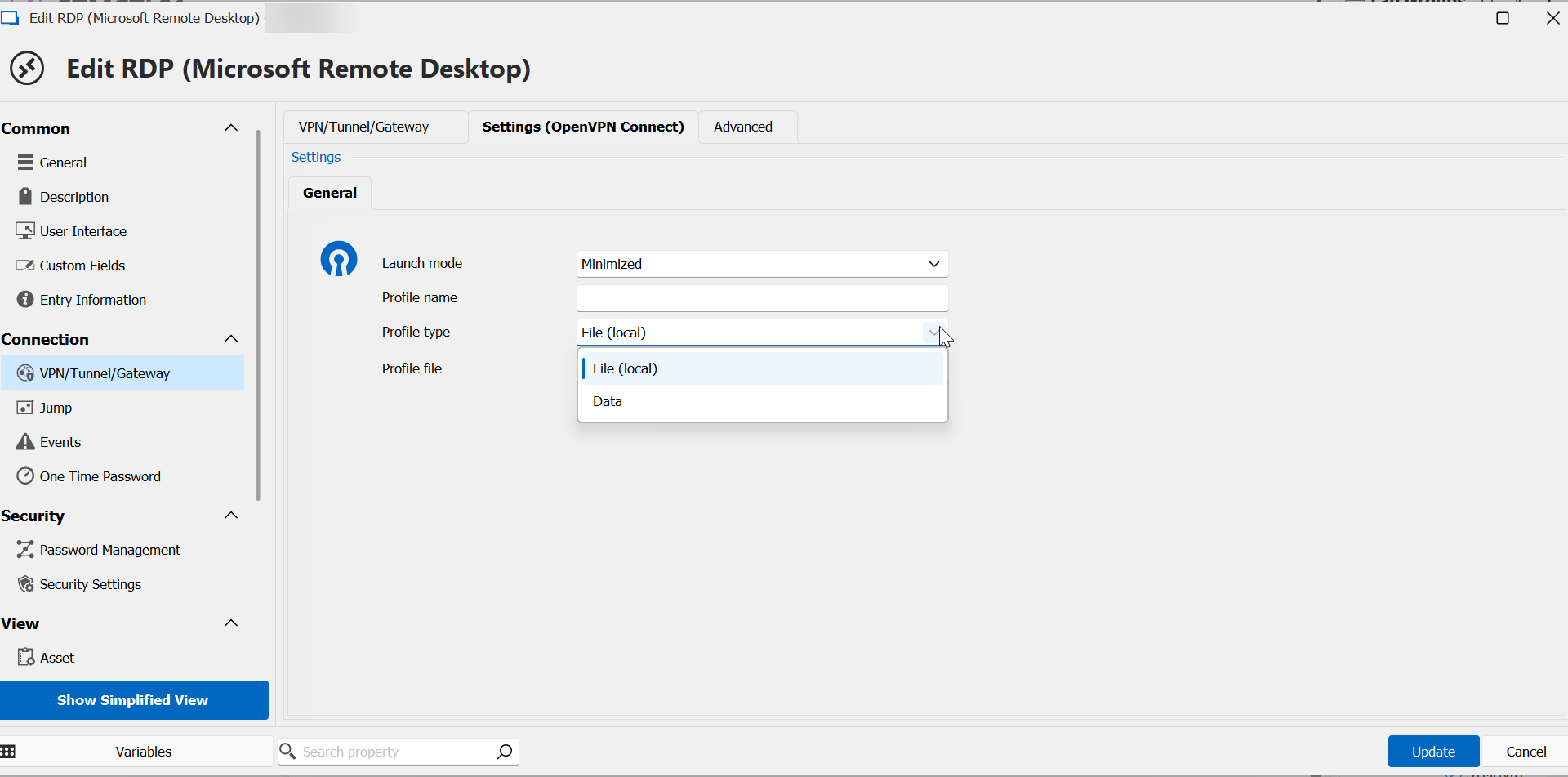
is there some documentation for this add on?
2f72b031-52d9-49ac-a85c-2aab3a5990a6.png
Hi Perler,
Our current implementation only support connecting to profiles using their .ovpn file. You can either set a path to the file or save it's data directly in the entry. This ensure we can create the profile if needed. Regarding documentation we do not have anything regarding OpenVPN Connect at the moment.
Regards,
Jean-Francois Duchesne
ok.
1)
vpn dialogue in host still looks like this
2) we managed to set it, works only when "always connect" (not if host isn't pingable)
3) we then set it on the folder (company) level. same issue with always connect (btw, there the dialogue is ok)
the goal is here that vpn is connecting when the host is not pingable (vpn is not connected) and that VPN is not disconnecting until the last host from in this folder is disconnecting. right now, if you close one host, VPN disconnects which disconnects all other open hosts.
is this possible?
a86f638a-5510-459c-8fbd-07d428d6d237.png
Hi Perler,
To achieve your goal you would need to create VPN Group and set the different entries in your folder to inherited. More information about VPN group can be found in our documentation at https://docs.devolutions.net/kb/remote-desktop-manager/how-to-articles/vpn-group/ . Regarding the issues listed above we were not able to replicate them on our end. I've took to liberty to notify our support team. They should reach out to you to make a diagnostic and see how we can help you.
Regards,
Jean-Francois Duchesne
Hello Pat,
I'm letting you know that a ticket with our Support Team has been opened, and I sent you a link through email to schedule a session with us so we can look at your issue directly.
If you have any other questions, feel free to let us know.
Best regards,
Maxim Robert