Closing continuous ping takes way too long to close

When closing a continuous ping, it's take a really long time before it finally closes the tab. Sometimes 20-30 seconds, but just recently I timed it at almost 2 minutes.
All Comments (10)
Hello Adrian,
Thank you for reaching out to us regarding this,
- Could you please specify the version of RDM you are currently using?
- What type of data source are you using?
That being said, could you provide us with some additional details on your issue, which type of entry are you using when encountering this problem? Was this working for you previously without issues?
Let me know,
Best regards,
Samuel Dery
Version: 2024.1.19.0 64-bit
Datasource: SQL, but it happens if using other data sources as well.
It's the Macros/Script/Tools -> Continuous Ping, I don't see how the entry type would matter, the tool would just be getting the IP from the entry that it will ping.
This works and it pings the host without an issue. The issue is when trying to close the tool/tab where the continuous ping is running.
This has always been an issue, I just never got around to reporting it until now.
Hello,
I've just tried for a website and I can't reproduce the issue. Is it an external url or an host in your network?
Regards
David Hervieux
It happens to internal and external hosts.
Doing some more testing, I think it may be UI related. When it happens, if I click on another application to change the focused Window, it closes the tab. So it looks like maybe something is preventing/delaying it from redrawing the application window.
If I run RDM on a smaller monitor (Dell 32" 3840 x 2160) the issue doesn't occur.
If I change the window size of RDM, but run it on my largest monitor where the issue happens, the issue doesn't occur.
But if RDM is maximized on my largest monitor, this issue occurs.
The monitor where this happens on is a Dell 40" Curved WUHD monitor which has a resolution of 5120 x 2160.
Hello,
Could you try to set the hardware acceleration to DirectX?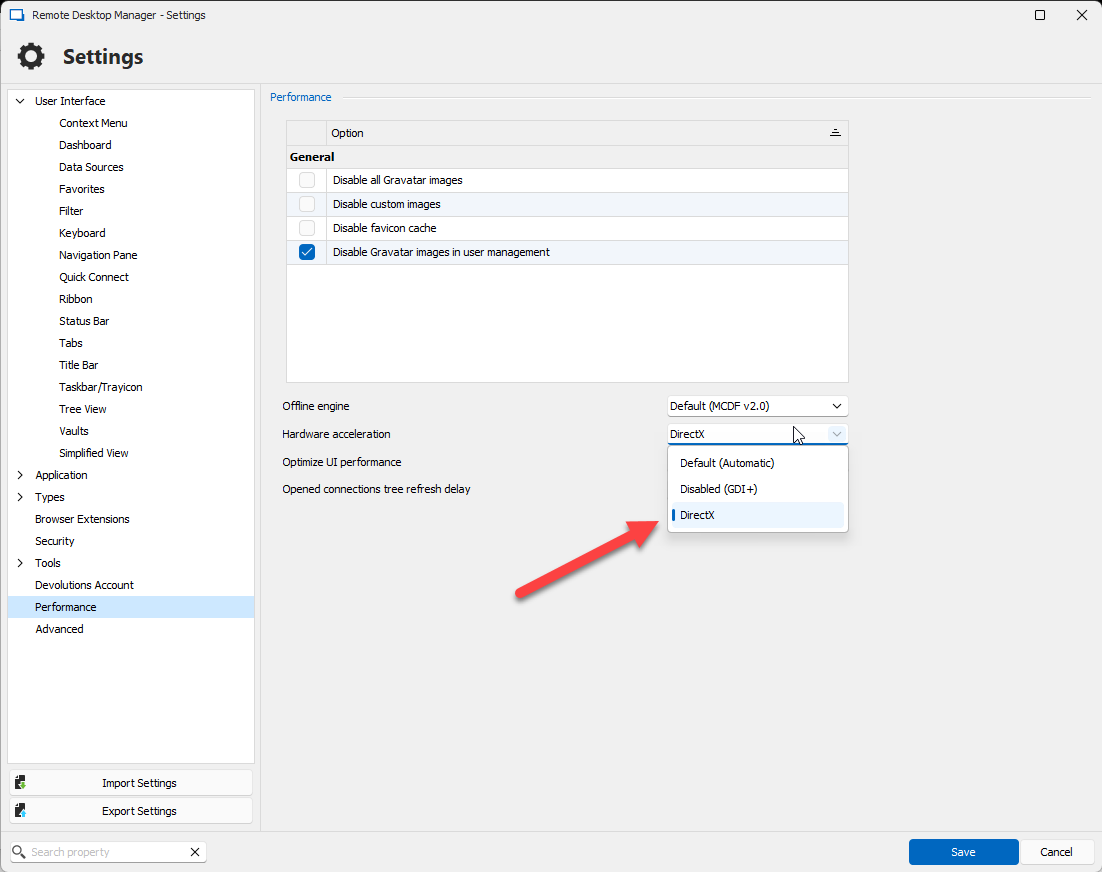
Regards
David Hervieux
b96cbd9b-7f7f-4b10-a1b8-311ef552053c.png
It's already set to use Hardware acceleration with DirectX.
Optimize UI performance = Yes
Hello,
I'm trying to replicate this. Could you try to Stop the Continuous Ping and uncheck the Autoscroll before closing the tab to see if it does a difference?
Regards
David Hervieux
a32c001f-3386-4637-be77-574cc2d50372.png
Ok if I stop the continuous ping before I try to close the tab, then when I close it, it does close immediately as expected.
If autoscroll is unchecked, then the close tab works immediately as expected and I don't need to stop it first.
Hello,
This is very helpful. I will try to fix the code by stopping the ping before trying to close the tab. This should fix the UI issue and make it close immediately. I will try to squeeze this in the next minor update.
Regards
David Hervieux
Ok great, thank you!