Add MFA to credentials in Vault
0 vote

I would like to have an option to add multifactor codes in Remote Desktop Manager.
So that if you have for example website where you besides username and password also multifactor code needs to fill in.
All Comments (5)
Hello,
Thank you for reaching out to us regarding this,
- Could you please specify the version of RDM you are currently using?
- What type of data source are you using?
That being said, would the "One Time Password (OTP)" entry not be what you are looking for in this case? It is possible to link this entry type to an existing Website entry by going under the "One Time Password" section of the entry "Properties".
You can follow this knowledge base article for the auto-fill configuration, which should work for most websites:
https://docs.devolutions.net/kb/workspace-browser-extension/how-to-articles/website-authentication/
Let me know,
Best regards,
Samuel Dery
Hi Samuel,
Unfortunately, the OTP is not what I am searching for.
- Could you please specify the version of RDM you are currently using?
- 2024.1.19.0
- What type of data source are you using?
- Microsoft Azure SQL with Login Mode Active Directroy Interactive (with MFA support)
As FYI, especially useful for shared credentials where MFA is mandatory.
With kind regards,
Marc Gerritsen
Hello Marc,
Thank you for your reply,
Could you provide me with some additional details on the reason why the OTP type entry is not working for you?
Let me know,
Best regards,
Samuel Dery
Hi Samuel,
I want to add multifactor codes for websites and applications. As an IT-Administrator for multiple customers I have a lot of accounts what needs multi factor codes.
That's possible with Microsoft or Google Authenticator on my phone, but for 3 reasons that's not ideal.
- I can't share those multifactor codes with my colleagues.
- So many accounts that I need to scroll on my phone.
- Easy login, on website with 3 fields (Username, password, mfa), you want to automatically login into the website through Remote Desktop Manager.
Hope that this is clearer.
gr. Marc
Hello,
Sorry to jump in, I try to understand what you mean by MFA code because here is an example of a website with a MFA configuration: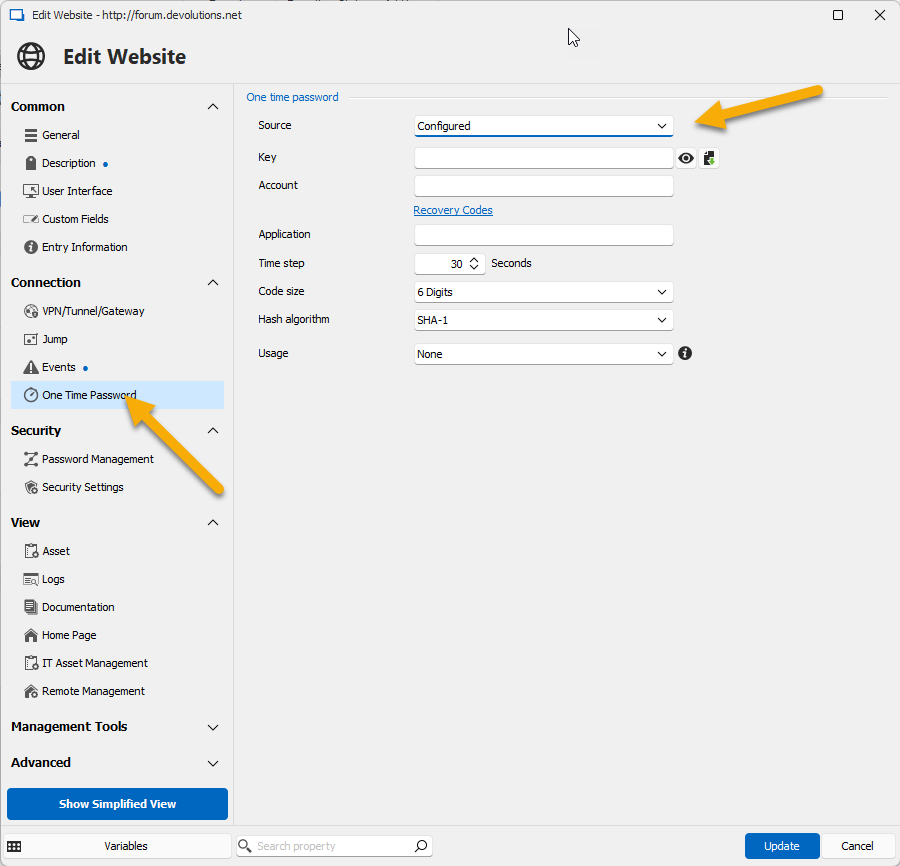
Perhaps you could post an example of MFA code (fake one please).
Regards
David Hervieux
091f12c8-46a6-4f6c-9b88-1a28ce7fc8d4.png