Unavailable Extension with Active Directory Dashboard

Good morning folks.
I was wondering if you could point me in the right direction causing my issue.
I have 10 A/D Dashboards set up, and two of them are giving me the following error: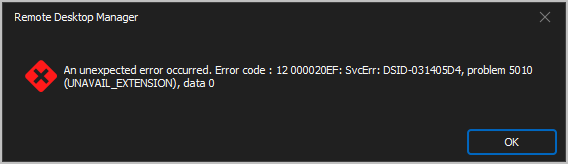
Thank you!
--- Chuck
Overgaard, AZ (-7 MST / Zulu Year-Round)
RDM Version: 2026.3.2.0 64-Bit - Free
c2fa9b5f-71eb-44bf-828b-032f309fa6ca.png
All Comments (9)
Hello Chuck,
This has been reported by our other users and should be fixed starting with RDM 2024.1.19.0. We just released 2024.1.18.0 and unfortunately that fix did not make it in.
Regards,
Hubert Mireault
Hello Chuck,
We had the same report from a user a few days ago with the same error. The error was caused when connecting to a domain with 10,001+ objects in it. Please let me know if you think this would be the same cause for your domain?
We have a fix already ready for the next build of RDM for this issue.
Paul
Here are the counts for the entries giving me errors:


--- Chuck
Overgaard, AZ (-7 MST / Zulu Year-Round)
RDM Version: 2026.3.2.0 64-Bit - Free
b18f5cce-dd17-4c71-a3f8-92cdefc52485.png
a859ce49-5a8e-4d81-898a-e230a6f8ec3e.png
22291fac-5781-4f89-be50-685121d5343c.png
I just upgraded to the 2024.1.19.0 and it looks like it resolved the issue with the two of the Domains (8328 Objects & 5079 Objects) I was having an issue with.
I am still seeing the pop up with the domain screenshot above that has 353,906 objects.
--- Chuck
Overgaard, AZ (-7 MST / Zulu Year-Round)
RDM Version: 2026.3.2.0 64-Bit - Free
Hello Chuck,
With the new 2024.1.19 build we have changed 2 things:
1) The "Recently modified" now only queries for objects modified in the last 7 days, the error comes from trying to then sort on the server the objects if there are more than 10k objects modified in the last 7 days, is it possible on this large domain that 10k objects were modified in a 7 day period? I could also narrow down the search to 1 day or maybe even 60 minutes until we get something that can be displayed.
2) After you receive the initial error, you should still be able to navigate the tree and select other tree nodes and browse the tree or perform a search. Does this now work for you?
Thanks for your patience while we resolve this issue,
Paul
Hello Chuck,
With the new 2024.1.19 build we have changed 2 things:
1) The "Recently modified" now only queries for objects modified in the last 7 days, the error comes from trying to then sort on the server the objects if there are more than 10k objects modified in the last 7 days, is it possible on this large domain that 10k objects were modified in a 7 day period? I could also narrow down the search to 1 day or maybe even 60 minutes until we get something that can be displayed.
There are just over 365K objects. It could very well be that 10K got modified, as this is a global domain all over the world.
2) After you receive the initial error, you should still be able to navigate the tree and select other tree nodes and browse the tree or perform a search. Does this now work for you?
I did notice that. I have to click OK six times, then the message box disappears and I am able to click the different "Recently xxxx" options if needed.
Thanks for your patience while we resolve this issue,
Paul
--- Chuck
Overgaard, AZ (-7 MST / Zulu Year-Round)
RDM Version: 2026.3.2.0 64-Bit - Free
Hello Chuck,
I have submitted a change to RDM that will now try 7 days, 1 day and 60 minutes for the recently modified query, and if that fails then we simply show no objects instead of 6 error dialog boxes! This will be in our next RDM build.
Thanks for your help, not everyday we deal with a domain with 365k objects!
Best Regards,
Paul
Hello Chuck,
I have submitted a change to RDM that will now try 7 days, 1 day and 60 minutes for the recently modified query, and if that fails then we simply show no objects instead of 6 error dialog boxes! This will be in our next RDM build.
Thanks for your help, not everyday we deal with a domain with 365k objects!
Best Regards,
Paul
Good afternoon, Paul.
As far as this problem goes, I don't know what final changes were made in the software but it looks like it is resolved in v2024.1.21.0. Everything loaded without any error pop ups at all. This is the huge domain with 365K objects.
I believe you can mark this resolved for folks by upgrading to v2024.1.21.0: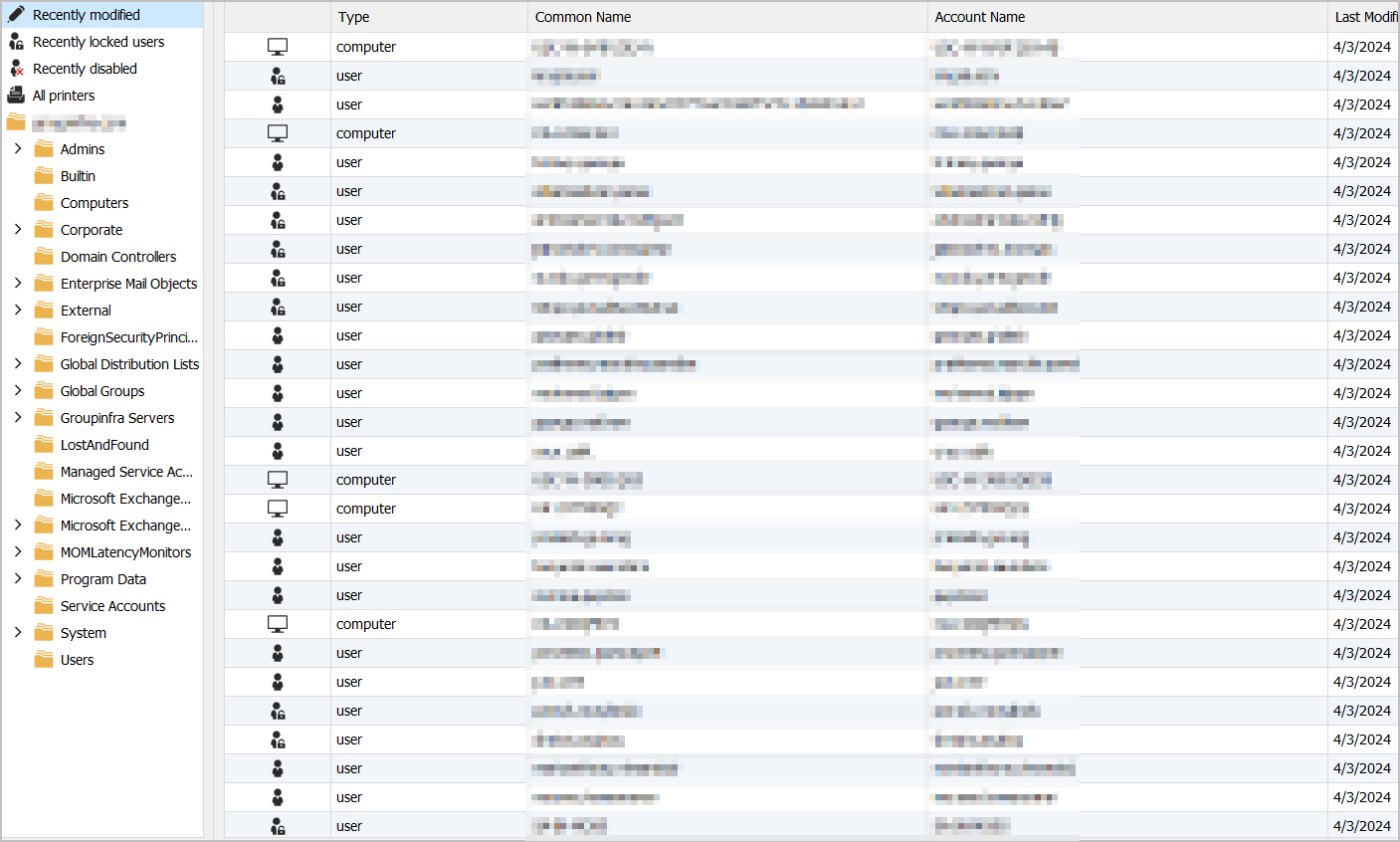
--- Chuck
Overgaard, AZ (-7 MST / Zulu Year-Round)
RDM Version: 2026.3.2.0 64-Bit - Free
36f7b872-8f14-410b-9432-a3ced90d6663.png
Hello Chuck,
Thanks for confirming the fix works for you.
Best Regards,
Paul